
1. Product Overview
The Ertuly LX410 Pro Sleep Earbuds are engineered for ultimate comfort and effective noise blocking, especially for side sleepers. Their ergonomic design and soft silicone ear caps ensure a snug fit without discomfort, allowing for a peaceful night's sleep or focused work sessions. These earbuds are also built for durability with IPX6 water and sweat resistance, making them versatile for various activities.

Image: The Ertuly LX410 Pro Sleep Earbuds shown in their open charging case, highlighting their compact design and LED power display.
2. What's in the Box
- 1 x Wireless Sleep Headphone (Pair of Earbuds)
- 1 x Type-C Cable
- 1 x User Manual
- 1 x Packaging Box
3. Setup Guide
3.1 Charging the Earbuds
Before first use, fully charge the earbuds and the charging case. The case supports both Type-C cable charging and wireless charging. A full charge typically takes about 1 hour.

Image: Illustration detailing the 30 hours of battery power, 1.5 hours fast charging, and wireless charging support for the Ertuly LX410 Pro Sleep Earbuds.
3.2 Pairing with Your Device
- Ensure the earbuds are charged and in the charging case.
- Open the charging case. The earbuds will automatically enter pairing mode.
- On your device (smartphone, tablet, etc.), enable Bluetooth.
- Search for Bluetooth devices and select "LX410" from the list.
- Once connected, you will hear an audible confirmation.
The earbuds feature Bluetooth V5.3 for a fast and stable wireless connection, with a communication distance of 20-30 feet.
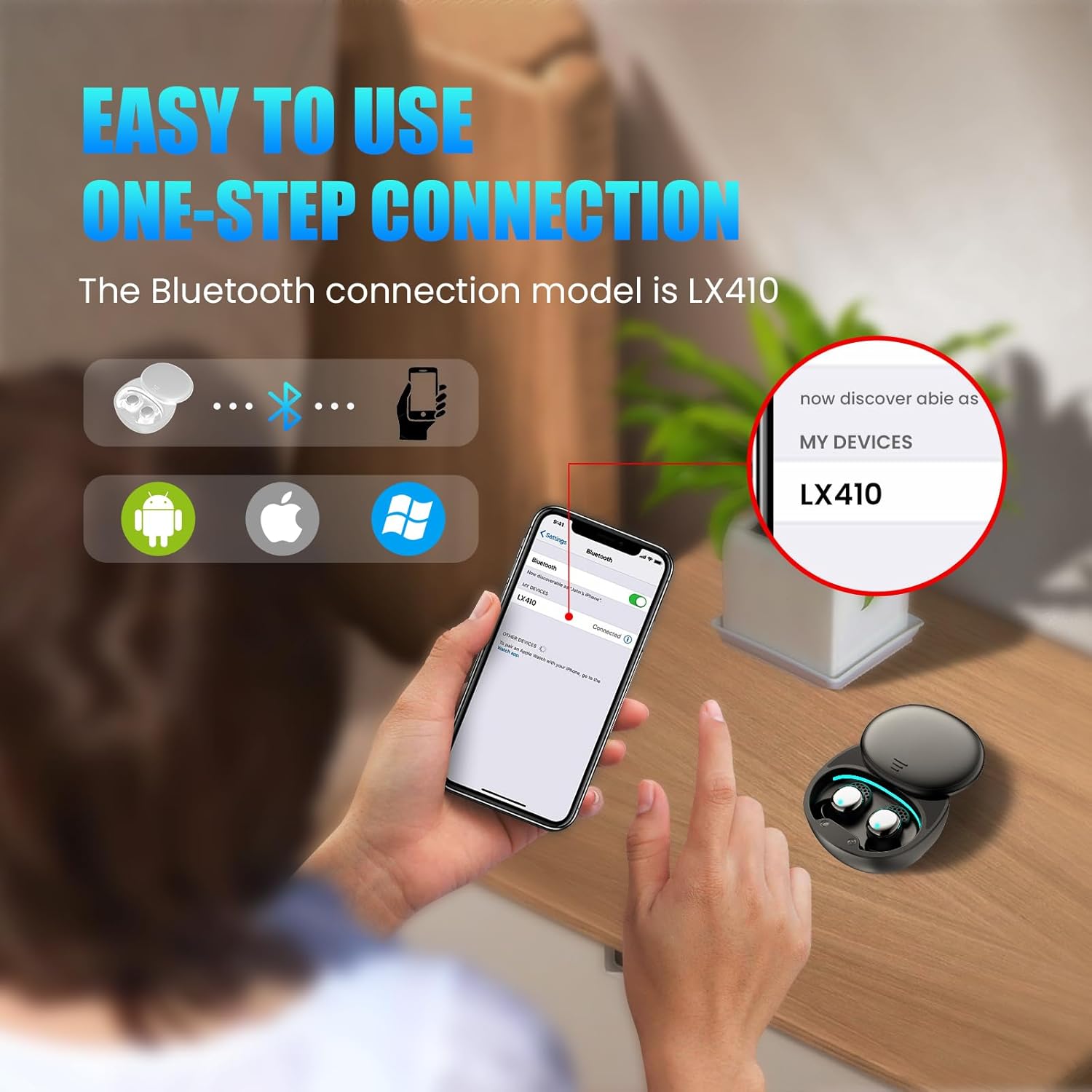
Image: A visual guide demonstrating the one-step Bluetooth connection process for the LX410 Pro earbuds with various devices.
3.3 Wearing the Earbuds
The LX410 Pro earbuds are designed with an ergonomic shape and soft silicone ear caps for comfortable wear, especially for side sleepers. Gently insert each earbud into your ear canal and rotate slightly to ensure a secure and comfortable fit. The ultra-light design (approx. 3g per earbud) minimizes pressure.

Image: Two Ertuly LX410 Pro Sleep Earbuds floating against a cloudy sky, emphasizing their ultra-lightweight design (3g).
4. Operating Instructions
4.1 Touch Controls
The LX410 Pro earbuds feature intuitive touch controls. Specific functions are activated by tapping the earbud surface. Refer to the detailed instructions in the included User Manual for a complete list of touch commands (e.g., play/pause, track skip, volume adjustment, call management).
4.2 Sleep Mode
For uninterrupted sleep, the earbuds offer a dedicated 'Sleep Mode'. This mode is designed to prevent common sleep disruptions such as power-off alarms or low battery alerts. To activate Sleep Mode, tap the earbud 4 times. You will hear an audible confirmation, "now in sleep mode".

Image: A person sleeping peacefully with the Ertuly LX410 Pro Sleep Earbuds, highlighting features like no power off alarm and no low battery alerts in sleep mode.
4.3 LED Power Display
The charging case features an LED power display, allowing you to easily monitor the battery level of the case and individual earbuds (L/R).
5. Maintenance
5.1 Cleaning
Regularly clean the earbuds and charging case with a soft, dry cloth. For the ear caps, you may use a slightly damp cloth and ensure they are completely dry before reattaching. Do not use harsh chemicals or abrasive materials.
5.2 Water Resistance
The earbuds are IPX6 water and sweat resistant. This means they can withstand strong jets of water, making them suitable for workouts and light rain. However, they are not designed for submersion in water. Avoid exposing the charging case to water.
6. Troubleshooting
- Earbuds not charging: Ensure the Type-C cable is securely connected to both the case and a power source, or that the case is properly placed on a wireless charging pad. Check for any debris in the charging port.
- Connectivity issues (random disconnections): Ensure your device is within the 20-30 ft communication range. Try unpairing and re-pairing the earbuds with your device. Ensure no other strong wireless signals are interfering.
- Low battery alerts waking you up: Ensure 'Sleep Mode' is activated (4 taps on the earbud). This mode is designed to disable power-off alarms and low battery alerts.
- Touch control sensitivity: The touch controls are highly sensitive. Be mindful of accidental touches, especially when adjusting the earbuds or lying on a pillow. Ensure your fingers are dry when operating the touch controls.
- No sound or low volume: Check the volume levels on both your device and the earbuds. Ensure the earbuds are properly seated in your ears.
7. Specifications
| Feature | Detail |
|---|---|
| Model Name | LX410 Pro |
| Brand | Ertuly |
| Connectivity Technology | Wireless (Bluetooth V5.3) |
| Communication Distance | 20-30 ft |
| Play Time | About 30 hours (at 70% volume) |
| Charging Time | 1 hour |
| Battery Capacity (Case) | 400mAh |
| Charging Port | Type-C / Wireless Charging |
| Water Resistance Level | IPX6 |
| Control Type | Touch Control |
| Noise Control | Active Noise Cancellation (Noise isolating shell) |
| Product Dimensions | 0.69 x 0.61 x 0.98 inches |
| Item Weight | 2.39 ounces |
| Material | Soft Plastic or Silicone (earbuds), Hard Plastic (case) |

Image: Diagram illustrating the internal components of the Ertuly LX410 Pro Sleep Earbuds, highlighting the 6mm dynamic drivers for exceptional sound quality.
8. Product Video Overview
Video: An official product video showcasing the key features, design, and benefits of the Ertuly Sleep Earbuds LX410 Pro, including their noise-blocking capabilities, comfortable fit for side sleepers, and wireless charging.
9. Warranty and Support
Ertuly is committed to providing high-quality products. While specific warranty details are not provided in this manual, if you receive a defective product or have any questions during use, please feel free to contact Ertuly customer support. Contact information can typically be found on the product packaging or the official Ertuly website.