
GENBOLT GB217H
GENBOLT Solar WiFi Security Camera User Manual
Model: GB217H
1. Introduction
Thank you for choosing the GENBOLT Solar WiFi Security Camera. This manual provides comprehensive instructions to help you set up, operate, and maintain your camera for optimal performance. This advanced surveillance system features dual lenses, solar power, and intelligent detection capabilities to ensure robust security for your home or property.
Key Features:
- 100% Wire-Free & Weatherproof: Easy outdoor installation without power cords or Ethernet cables. IP66 rated for various weather conditions.
- Dual Lens & Dual Screen: Features a fixed bullet camera for wide-angle defense and a PT (Pan/Tilt) dome camera (355°/90° rotation) for comprehensive coverage, allowing simultaneous monitoring of two areas.
- Active Siren & Light Defense: PIR sensor detects human-like objects, triggering immediate notifications and activating a spotlight and siren at night to deter intruders.
- 8W Solar Charging & 15600mAh Battery: Low power consumption technology combined with a powerful solar panel and high-capacity rechargeable batteries provides extended standby time.
- Cloud Storage & SD Card Option: Supports MicroSD Card storage (Max 128GB, not included) and offers a free 7-day trial of Cloud storage for secure event uploads and easy playback.
- 2.5K Color Night Vision: Provides high-definition color night vision for clear details even in low-light conditions.
- Enhanced 5dBi Dual Antenna: Improves Wi-Fi signal strength for stable video streaming and reduced disconnections.
2. What's in the Box
Please check the contents of your package to ensure all items are present:
- GENBOLT Solar WiFi Security Camera
- Solar Panel
- User Manual
- 0.7 meter USB Cable
- 1 meter Extension Cable
- Mounting Screws

Image: Contents of the GENBOLT Solar WiFi Security Camera package, including the camera, solar panel, cables, and mounting hardware.
3. Product Overview
Familiarize yourself with the main components of your GENBOLT camera:
- Solar Panel: For continuous power charging.
- Dual Antenna: Enhances Wi-Fi signal reception.
- Type-C Charger & Power On/Off: Charging port and power button.
- PIR Sensor: Passive Infrared sensor for motion detection.
- HD Lens: High-definition optical lens for clear imaging.
- 8pcs White LED: Provides illumination for color night vision and active deterrence.
- Microphone: For two-way audio communication.
- 4pcs Infrared LED Indicator Light: For traditional black and white night vision.
- TF Card Slot: For local storage via MicroSD card.
- RESET Button: To reset the camera to factory settings.
Image: Detailed diagram labeling the various parts and features of the GENBOLT camera.
4. Setup
4.1 Initial Charging
Before installation, ensure the camera's built-in battery is fully charged. Connect the solar panel to the camera and place the solar panel in direct sunlight for several hours, or use a 5V USB charger (not included) to charge the camera via its Type-C port.
4.2 App Download and Account Registration
Download the official GENBOLT app from your smartphone's app store (iOS App Store or Android Google Play). Follow the on-screen instructions to register a new account or log in if you already have one.
4.3 Camera Connection
- Power on the camera.
- Open the GENBOLT app and tap the "+" icon to add a new device.
- Select your camera model and follow the in-app prompts to connect the camera to your 2.4GHz Wi-Fi network. Ensure your phone is connected to the same 2.4GHz Wi-Fi network during setup.
- Scan the QR code displayed on your phone with the camera lens. You will hear a confirmation sound once connected.
4.4 Installation Methods
The camera supports both wall and ceiling installations. Choose a location with good Wi-Fi signal and ample sunlight for the solar panel.
- Wall Installation: Mount the camera directly onto a vertical surface using the provided screws.
- Ceiling Installation: Mount the camera to an overhead surface, such as an eave or ceiling, ensuring it is securely fastened.

Image: Visual representation of the two primary installation methods for the camera: wall mounting and ceiling mounting.
5. Operating the Camera
5.1 Dual Lens & Dual View Monitoring
The camera features two lenses: a fixed bullet lens and a pan/tilt dome lens. This allows for simultaneous monitoring of two different areas on a single screen within the app, providing comprehensive coverage without blind spots.

Image: Illustration of the dual-lens system, showing how one camera can monitor two positions simultaneously with a fixed lens and a pan/tilt lens.
Video: Demonstrates the dual-screen display feature, allowing users to monitor two different directions simultaneously from a single camera.
5.2 Pan/Tilt Control and Auto Tracking
The dome camera can be rotated 355° horizontally (Pan) and 90° vertically (Tilt) via the app. It also supports auto-tracking, where the camera automatically follows detected motion within its field of view.

Image: Shows the camera's 355° pan and 90° tilt capabilities, allowing it to cover a wide area.
5.3 Motion Detection and Alerts
The built-in PIR sensor detects heat signatures (e.g., from humans or large animals). Upon detection, the camera will:
- Send instant push notifications to your smartphone.
- Begin recording the event.
- Activate the spotlight and siren (if configured) to deter intruders, especially at night.
5.4 Night Vision Modes
The camera offers versatile night vision options:
- Normal (IR Night Vision): Uses infrared LEDs for clear black and white video in complete darkness.
- Color Night Vision: Utilizes the built-in spotlights to provide full-color video even at night, enhancing detail and clarity.
- Auto: Automatically switches between normal and color night vision based on ambient light conditions and detected motion.

Image: Comparison of daytime vision and color night vision, highlighting the camera's ability to capture clear, colored images in low light.
5.5 Two-Way Audio
The integrated microphone and speaker allow for real-time two-way communication. You can listen to audio from the camera's location and speak through the camera using the app.

Image: Depicts the two-way audio functionality, showing a person speaking through the camera to a delivery person.
5.6 Storage Options
The camera supports two storage methods for recorded footage:
- MicroSD Card: Insert a MicroSD card (up to 128GB, not included) into the TF card slot for local storage.
- Cloud Storage: Upload all events to an encrypted cloud server. A free 7-day trial is typically included. Cloud storage offers benefits such as no capacity limit, data protection, and remote access even if the camera is offline.
5.7 Multi-User Sharing
You can share access to your camera's live feed and recordings with multiple users through the app. This allows family members or trusted individuals to monitor the property.
6. Maintenance
6.1 Solar Panel Care
To ensure optimal charging efficiency, regularly clean the surface of the solar panel to remove dust, dirt, or debris. Position the solar panel to receive maximum direct sunlight throughout the day.
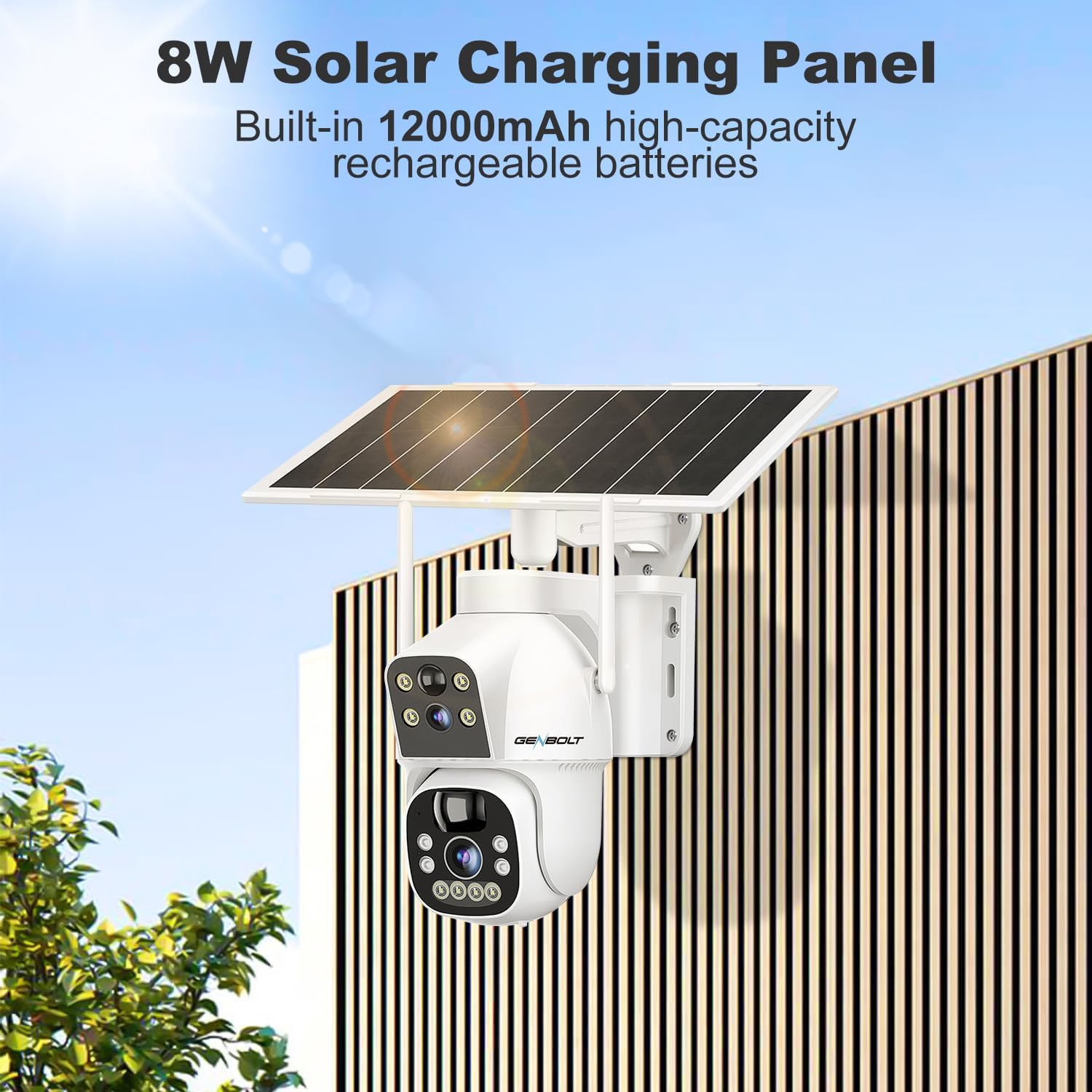
Image: Close-up of the 8W solar charging panel, highlighting its connection to the camera and the internal battery compartment.
6.2 Battery Management
The camera is equipped with a 15600mAh high-capacity rechargeable battery. While the solar panel provides continuous charging, in periods of low sunlight or high usage, the battery level may drop. Monitor the battery status in the app and recharge via USB if necessary.
6.3 Weather Resistance
The camera has an IP66 waterproof rating, meaning it is protected against dust and powerful water jets. It is designed to withstand various weather conditions, but extreme conditions like prolonged submersion or direct high-pressure water jets should be avoided.
7. Troubleshooting
If you encounter issues with your GENBOLT camera, please refer to the following common solutions:
| Problem | Possible Cause | Solution |
|---|---|---|
| Camera won't power on | Low battery; Power button off | Charge the camera fully using the solar panel or USB charger. Ensure the power button is in the ON position. |
| Cannot connect to Wi-Fi | Incorrect Wi-Fi password; Not 2.4GHz network; Weak signal | Double-check Wi-Fi password. Ensure you are connecting to a 2.4GHz network. Move camera closer to router or use a Wi-Fi extender. Reset camera and try again. |
| Motion detection not working | PIR sensitivity too low; Obstructions; Incorrect settings | Adjust PIR sensitivity in the app. Ensure no objects are blocking the sensor. Check motion detection schedule and settings in the app. |
| Poor video quality | Weak Wi-Fi signal; Dirty lens | Improve Wi-Fi signal strength. Clean the camera lens with a soft cloth. |
| Two-way audio issues | Microphone/speaker blocked; App permissions | Ensure microphone and speaker are not obstructed. Check app permissions for microphone access on your phone. |
If the problem persists, please contact GENBOLT customer support for further assistance.
8. Specifications
| Feature | Specification |
|---|---|
| Model Name | GB217H |
| Indoor/Outdoor Usage | Indoor, Outdoor |
| Power Source | Solar Powered |
| Connectivity Protocol | 2.4GHz WiFi Only |
| Video Capture Resolution | 1440p (2.5K 4MP) |
| Battery Capacity | 15600mAh (6 A batteries included) |
| Pan/Tilt Angle | 355 Degrees (Pan), 90 Degrees (Tilt) |
| Night Vision Range | 30 Meters (100ft) |
| Water Resistance Level | IP66 Waterproof |
| Storage | TF Card Slot (Max Support 128GB) |
| Digital Zoom | 4x |
| Item Dimensions (L x W x H) | 3.54 x 13 x 13 inches |
| Item Weight | 4.22 pounds |
9. Warranty & Support
GENBOLT is committed to providing high-quality products and excellent customer service. Your GENBOLT Solar WiFi Security Camera comes with the following:
- 30-Day Money Back Guarantee and Free Exchange: If you are not satisfied with your purchase.
- 1-Year Limited Warranty: Covers manufacturing defects and malfunctions under normal use.
- 24/7 Lifetime Free Technical Support: Dedicated support team available to assist you with any technical queries or issues.
For warranty claims, technical assistance, or any other inquiries, please visit the official GENBOLT website or contact their customer service directly. Refer to the contact information provided in your product packaging or on the GENBOLT website.
Ask a question about this manual
Ask about setup, troubleshooting, compatibility, parts, safety, or missing instructions. Manuals+ will review the question and use this page’s manual context to help answer it.