
Digitek DCL-100 WBC
DIGITEK® DCL-100 WBC 100W Bi-Color Continuous LED Light User Manual
Model: DCL-100 WBC
Introduction
Thank you for choosing the DIGITEK® DCL-100 WBC 100W Bi-Color Continuous LED Light. This professional lighting solution is designed for videography and photography, offering powerful illumination, versatile color temperature control, and innovative special effects. With its robust construction and user-friendly controls, the DCL-100 WBC is an essential tool for content creators seeking high-quality lighting. This manual provides detailed instructions for setup, operation, maintenance, and troubleshooting to ensure optimal performance and longevity of your device.

Figure 1: DIGITEK® DCL-100 WBC 100W Bi-Color Continuous LED Light.
Package Contents
Please verify that all items listed below are included in your package. If any items are missing or damaged, please contact customer support.
- DCL-100 WBC LED Light Unit
- Reflector
- Silicon Diffuser
- Handle Grip
- Type C Cable
- Carry Case
- Power Adapter (Optional, may vary by region/bundle)

Figure 2: Visual representation of the package contents.
Product Features
The DIGITEK® DCL-100 WBC LED Light is equipped with advanced features to enhance your creative workflow:
- Powerful Illumination: Delivers 13000LM luminous flux with a high 97+ CRI value for accurate color rendering.
- Versatile Color Temperature: Adjustable from 2700K to 6500K, plus 200 color temperature presets.
- Innovative FX Modes: Features 20 special effects including Paparazzi, Firework, Thunder Flash, and more.
- Robust and Durable Design: Constructed with high-strength aluminum alloy and durable engineering plastic.
- Efficient Power Options: Includes a 14.8V / 4500mAh Li-ion battery and supports DC power input.
- User-Friendly Controls: Manual adjustments via knobs and buttons, or remote control via the Smartlife APP (up to 60 meters).
- Smart Cooling System: Integrated cooling fan and vents ensure optimal performance and prevent overheating.

Figure 3: Key technical specifications and capabilities of the DCL-100 WBC.

Figure 4: Internal cooling system with vents and an inbuilt fan for heat dissipation.
Setup
- Unpacking: Carefully remove all components from the carry case.
- Attaching Reflector/Diffuser: Align the reflector or silicon diffuser with the Mini Bowen Mount on the front of the LED light and twist to secure.
- Mounting:
- Attach the handle grip to the 1/4" mounting screw at the bottom of the light for handheld use.
- For stand mounting, attach the light directly to a compatible light stand using the 1/4" screw thread.
- Power Connection:
- To use with the included battery, ensure the battery is charged.
- For continuous power, connect the power adapter to the DC Power Socket on the unit and plug into a wall outlet.
- The unit also supports 30W PD Type-C charging.

Figure 5: Power input options and specifications.
Operating Instructions
Control Panel Overview

Figure 6: Front view of the control panel and ports.
- LCD Screen: Displays current settings such as brightness, color temperature, and FX mode.
- Power Switch: Turns the unit ON/OFF.
- Dimmer Knob: Adjusts brightness from 0% to 100%.
- Adjustment Knob (CCT/FX):
- In CCT mode, rotates to adjust color temperature (2700K-6500K).
- In FX mode, rotates to select different special effects.
- Mode Button: Toggles between CCT (Color Temperature) mode and FX (Special Effects) mode.
- Bluetooth Connection Reset Button: Used to reset Bluetooth pairing for app control.
- Max Mode Button: Activates maximum brightness output.
Basic Operation
- Power On/Off: Press the Power Switch to turn the light on or off.
- Adjusting Brightness: Rotate the Dimmer Knob to increase or decrease the light intensity.
- Changing Color Temperature (CCT Mode):
- Press the Mode button until "CCT" or a color temperature value is displayed on the LCD screen.
- Rotate the Adjustment Knob (CCT/FX) to select your desired color temperature between 2700K and 6500K.
- Using FX Modes:
- Press the Mode button until "FX" or an effect name is displayed on the LCD screen.
- Rotate the Adjustment Knob (CCT/FX) to cycle through the 20 available special effects (e.g., Paparazzi, Firework, Thunder Flash, Candle, Fault Bulb, SOS, Flame, Fade, Camp Fire, Bulb, Pulse, Lightning, TV, Explosion).

Figure 7: Examples of special CCT effects for creative lighting.
Smartlife APP Control
The DCL-100 WBC can be controlled remotely via the Smartlife APP, offering extended range and precise adjustments.
- Download App: Scan the QR code below or visit smartapp.tuya.com/smartlife to download the Smartlife App for iOS or Android.
- Pairing:
- Ensure Bluetooth is enabled on your mobile device.
- Turn on the DCL-100 WBC.
- Open the Smartlife App and follow the on-screen instructions to add a new device. The app should automatically detect the light. If not, press the Bluetooth Connection Reset button on the light.
- Remote Control: Once paired, you can adjust brightness, color temperature, and select FX modes directly from your phone, up to 60 meters away.
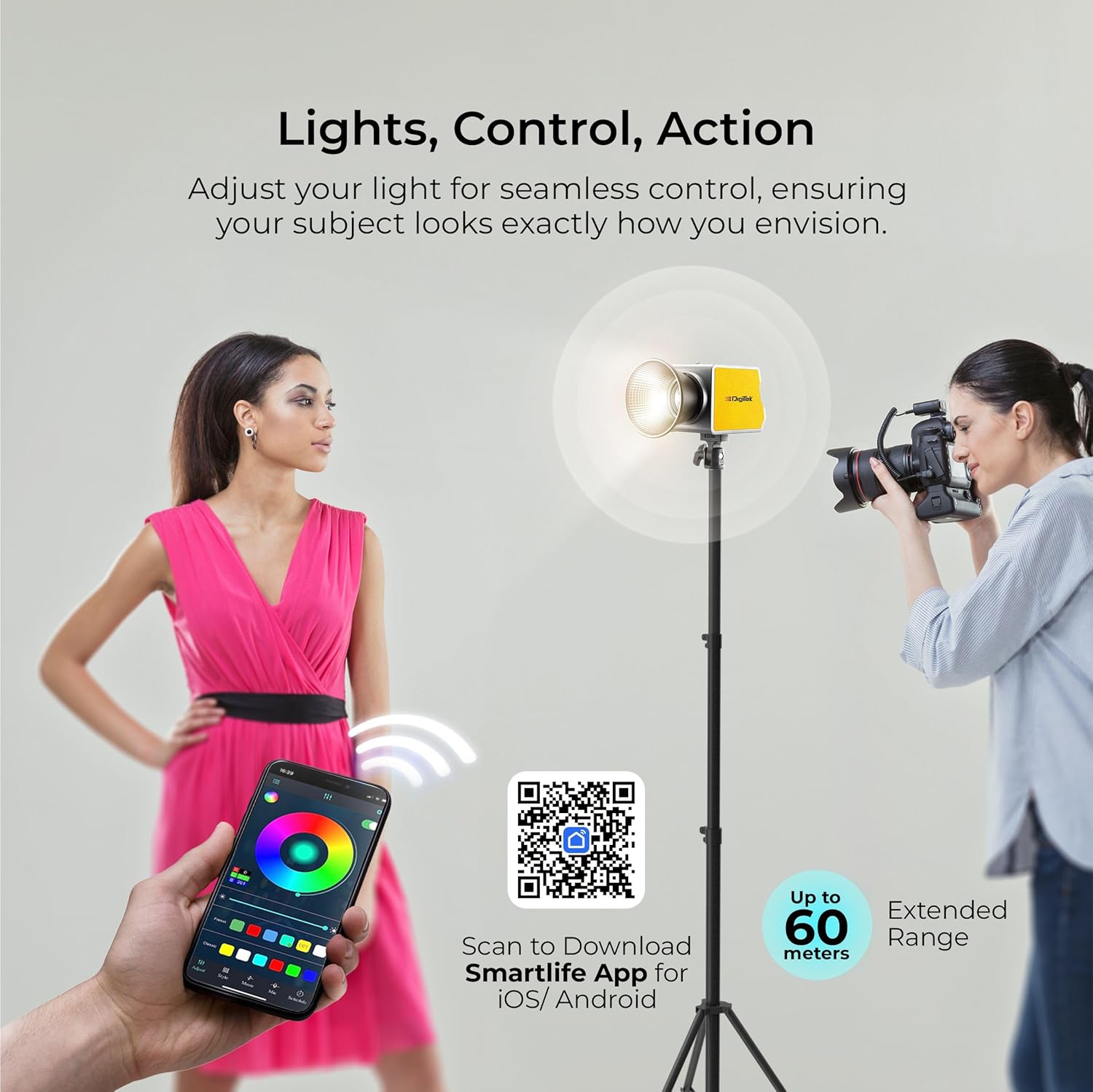
Figure 8: Remote control via Smartlife App for seamless adjustments.
Maintenance
- Cleaning: Use a soft, dry cloth to clean the exterior of the light. Do not use abrasive cleaners or solvents.
- Storage: When not in use, store the light in its carry case in a cool, dry place, away from direct sunlight and extreme temperatures.
- Battery Care: If using the internal battery, charge it regularly, even if not in use, to maintain battery health. Avoid fully discharging the battery for extended periods.
- Ventilation: Ensure the vents are clear of obstructions during operation to allow for proper cooling.
Troubleshooting
| Problem | Possible Cause | Solution |
|---|---|---|
| Light does not turn on. | No power, low battery, or power switch off. | Check power adapter connection. Charge the battery. Ensure power switch is ON. |
| Light flickers or is unstable. | Loose connection, low battery, or power supply issue. | Check all cable connections. Recharge or replace battery. Try a different power outlet. |
| Cannot connect to Smartlife App. | Bluetooth off, light not in pairing mode, or app issue. | Ensure Bluetooth is on your phone. Press the Bluetooth Connection Reset button on the light. Restart the app or your phone. |
| Light overheats. | Blocked vents or prolonged use at max power in high ambient temperature. | Ensure vents are clear. Reduce brightness or allow the unit to cool down. |
Specifications
| Feature | Detail |
|---|---|
| Model Number | DCL-100 WBC |
| Power Output | 100W |
| Luminous Flux | 13000LM |
| CRI | 97+ |
| Color Temperature | 2700K-6500K (+200 presets) |
| Brightness Adjustment | 0-100% |
| FX Modes | 20 Special FX Modes |
| Power Source | 14.8V / 4500mAh Li-ion battery / DC input |
| Power Input | AC100-240V 50/60Hz | DC19V - 4.7A |
| Charging Port | 30W PD Type-C |
| Control Method | Manual, Smartlife APP (Bluetooth) |
| App Control Range | Up to 60 meters |
| Dimensions (LxWxH) | 14.5 x 8.6 x 10 cm |
| Weight | 900 g |
| Material | High-strength aluminum alloy, engineering plastic |
Warranty and Support
For warranty information, technical support, or service inquiries, please contact Digitek customer care:
- Toll Free Number: 1800-123-544-444
- Email: support@digitek.net.in
- Manufacturer: IMS Merchantiles Pvt. Ltd
Please retain your proof of purchase for warranty claims.
Ask a question about this manual
Ask about setup, troubleshooting, compatibility, parts, safety, or missing instructions. Manuals+ will review the question and use this page’s manual context to help answer it.