
1. Introduction
Thank you for choosing the OLEVS Automatic Mechanical Watch. This manual provides essential information for the proper setup, operation, and maintenance of your timepiece. Please read these instructions carefully to ensure optimal performance and longevity of your watch.
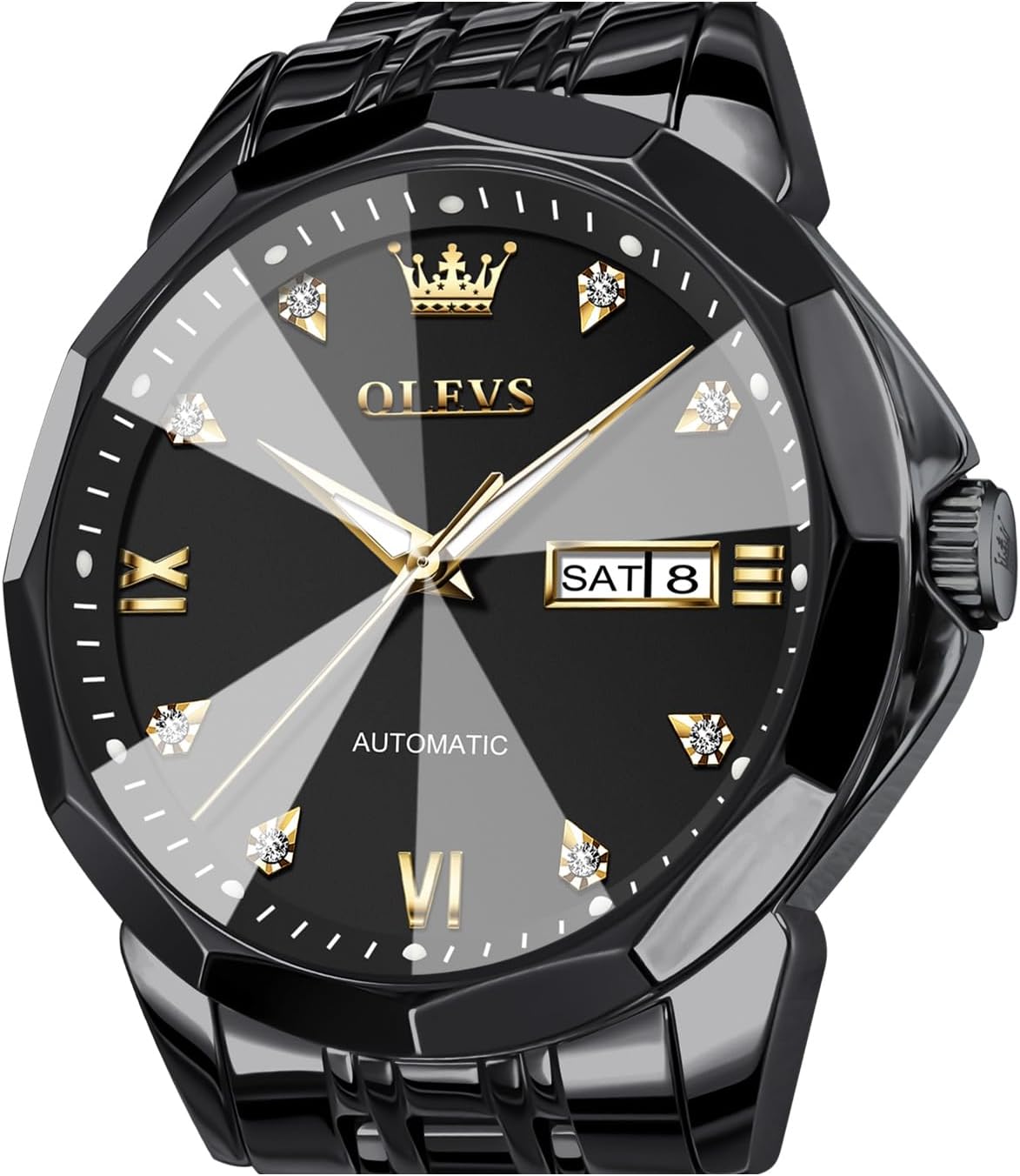
Image: Front view of the OLEVS Automatic Mechanical Watch, showcasing its black dial, diamond hour markers, gold-toned hands, and day/date window.
2. Product Overview
The OLEVS Automatic Mechanical Watch is designed with precision and style. Key features include:
- Automatic Winding Movement: The watch is powered by an original automatic winding mechanical movement, which improves timekeeping accuracy.
- Diamond Mirror: The watch features a uniquely cut mirror that sparkles like a diamond when viewed from the side.
- Stainless Steel Strap: Constructed from durable 316L stainless steel, designed for longevity.
- Day/Date Calendar: Displays both the day of the week and the date.
- Water Resistance: Rated for 30 meters, suitable for daily splashes.

Image: Detailed view highlighting the stainless steel strap, the high-definition coated mirror, and the luminous elements of the watch dial in low light conditions.
3. Setup
3.1 Initial Winding
As an automatic mechanical watch, it requires initial winding to start functioning if it has been stationary for an extended period. To manually wind the watch, rotate the crown clockwise approximately 30-40 times while it is in its normal, pushed-in position. The watch will then continue to wind itself through the motion of your wrist during wear.
3.2 Strap Adjustment
The stainless steel strap can be adjusted to fit your wrist. OLEVS provides a strap adjustment tool and an instruction manual specifically for this purpose. Please refer to the separate strap adjustment instructions included with your watch for detailed steps on how to add or remove links.
4. Operation
4.1 Setting the Time
- Pull the crown out to the second click position.
- Rotate the crown to move the hands clockwise or counter-clockwise until the desired time is set.
- Push the crown back into its normal position to start the watch.
4.2 Setting the Day and Date
- Pull the crown out to the first click position.
- Rotate the crown clockwise to adjust the date.
- Rotate the crown counter-clockwise to adjust the day.
- Once the day and date are set, push the crown back into its normal position.
Important Note:
Avoid setting the date or day between 9:00 PM and 3:00 AM, as this is when the watch's internal mechanisms are engaged in changing the date. Adjusting during this period can cause damage to the movement. If you need to set the date within this timeframe, first set the time outside of this window (e.g., to 6:00 AM), adjust the date/day, and then reset the time to the current time.
5. Maintenance
5.1 Water Resistance
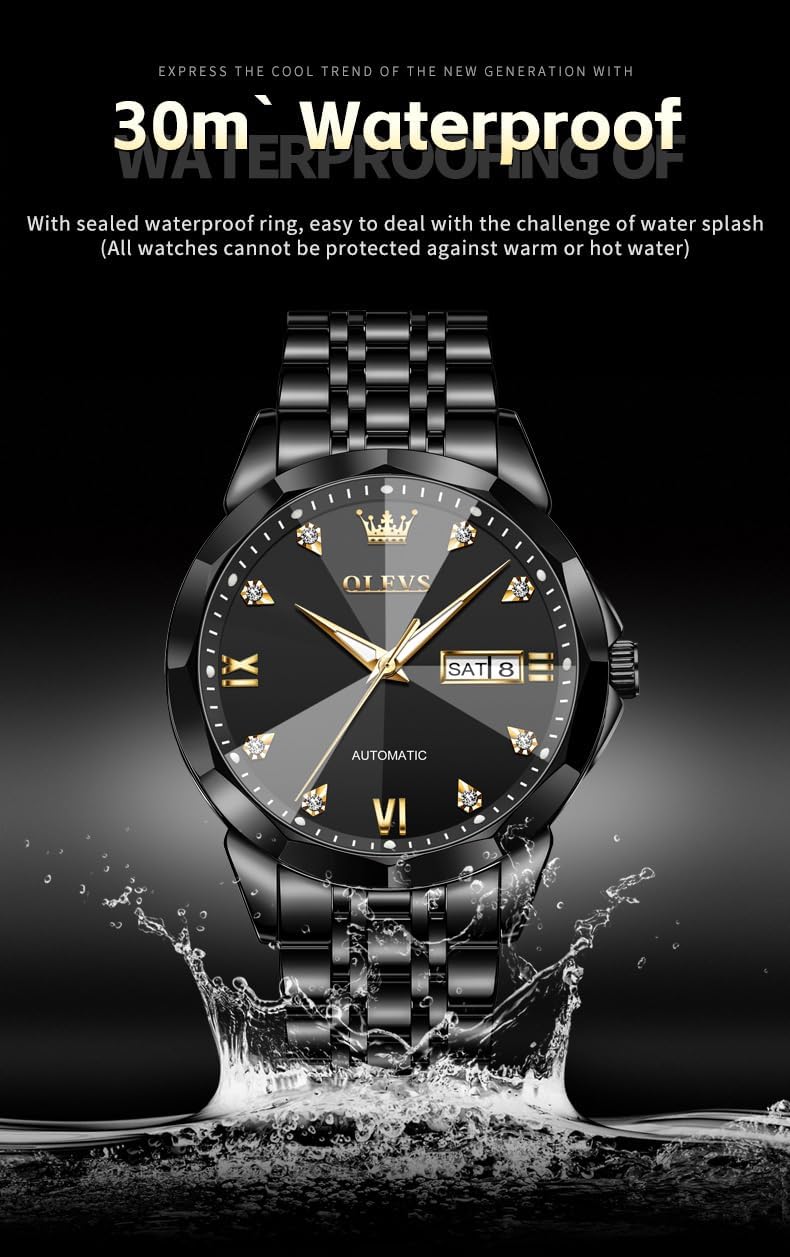
Image: The OLEVS watch shown with water splashing around it, indicating its 30-meter water resistance capability.
Your OLEVS watch is rated for 30 meters (3ATM) of water resistance. This means it is suitable for daily use and can withstand splashes, rain, or brief immersion in water. However, it is not recommended for swimming, showering, diving, or any activities involving hot water or steam. Exposure to hot water can compromise the watch's sealed waterproof ring.
5.2 Cleaning
To clean your watch, gently wipe the case and strap with a soft, dry cloth. For stainless steel straps, a slightly damp cloth can be used, followed by immediate drying. Avoid using harsh chemicals, solvents, or abrasive materials, as these can damage the watch's finish.
5.3 Storage
When not wearing your watch, store it in a cool, dry place away from direct sunlight, extreme temperatures, and strong magnetic fields. The original watch box is ideal for storage.
6. Troubleshooting
- Watch Not Running: If the watch has stopped, ensure it is sufficiently wound. Manually wind the crown 30-40 times clockwise. If the issue persists after regular wear, contact customer support.
- Time Inaccuracy: Mechanical watches may have slight variations in timekeeping. If the watch is consistently gaining or losing significant time, ensure it is fully wound and has not been exposed to strong magnetic fields. If the problem continues, professional servicing may be required.
- Date/Day Not Changing: Check if the time is set correctly, especially the AM/PM cycle. Ensure you are not attempting to change the date/day between 9:00 PM and 3:00 AM. If the issue persists, contact support.
7. Specifications

Image: A visual representation of the watch's key product parameters.
| Feature | Detail |
|---|---|
| Model Number | GX-G9982HG-HH |
| Movement | Automatic Mechanical (Self-Winding) |
| Mirror Material | Diamond Coated Mirror |
| Strap Material | Stainless Steel |
| Clasp Type | Push Button Hidden Clasp |
| Functionality | Dual Calendar (Day/Date) |
| Water Resistance | 30 meters (3ATM) |
| Case Diameter | 40.5mm (without handle) |
| Dial Thickness | 12mm (Mirror not included) |
| Weight | 154g |
| Strap Width | 20mm |
| Wear Length | 20cm |
8. Warranty & Support
OLEVS offers a 2-year warranty for this automatic watch, covering manufacturing defects. Additionally, we provide a 30-day free return policy from the date of purchase. For any inquiries, technical assistance, or warranty claims, please contact OLEVS customer service through the retailer where the product was purchased or visit the official OLEVS store online.
For more information about OLEVS products, please visit the OLEVS Store.


