
Introduction
The Giecy G300-UK Portable Voice Amplifier is designed to enhance your voice, making it clearer and louder without distortion, across large areas. This device helps protect your vocal cords from strain during prolonged speaking engagements. Beyond voice amplification, it functions as a Bluetooth speaker, FM radio, and audio recorder, offering versatile use for teachers, tour guides, coaches, presenters, and more. Its lightweight design and adjustable strap ensure portability and ease of use in various indoor and outdoor settings.

Image: The Giecy G300-UK Voice Amplifier shown with its headset microphone, highlighting its voice amplification and Bluetooth speaker capabilities.
Package Contents
Please check the package for the following items:
- Giecy G300-UK Voice Amplifier Unit
- Headset Microphone
- Battery Charger (Power Adapter)
- Waist Band / Adjustable Strap
- User Manual (this document)

Image: All components included in the Giecy G300-UK package, including the amplifier unit, headset microphone, charger, waist band, and user manual.
Product Overview
Familiarize yourself with the amplifier's controls and ports:
Image: A detailed diagram showing the various buttons, ports, and features of the Giecy G300-UK amplifier, including the ON/OFF/Volume knob, mode button, track controls, microphone input, USB disk interface, TF card interface, and DC 9V charging port.
- ON/OFF (Volume Up/Volume Down) Knob: Rotate to power on/off and adjust volume.
- Mode Button (M): Press to switch between Voice Amplifier, Bluetooth, FM Radio, and Recording modes.
- Previous Track Button (<<): Short press for previous track, long press for fast rewind.
- Pause/Play Button (>||): Play or pause audio.
- Next Track Button (>>): Short press for next track, long press for fast forward.
- Reverb Knob: Adjusts the reverb effect (if available).
- MIC Input: 3.5mm jack for connecting the headset microphone.
- USB Disk Interface: For USB flash drive playback.
- TF Card Interface: For TF (MicroSD) card playback.
- DC 9V Charging Port: For connecting the power adapter to charge the device.
- Adjustable Strap Loops: For attaching the waist band.
Setup
- Charge the Amplifier: Before first use, fully charge the amplifier. Connect the provided battery charger to the DC 9V charging port on the amplifier and plug it into a power outlet. The charging indicator will show the charging status. A full charge typically takes 3-5 hours.
- Connect the Headset Microphone: Insert the 3.5mm jack of the headset microphone into the MIC input port on the amplifier.
- Wear the Headset Microphone: Position the headset comfortably on your head with the microphone boom positioned near your mouth, about 1-2 cm away, for optimal voice pickup.
- Attach the Waist Band (Optional): If desired, attach the adjustable waist band to the loops on the amplifier for hands-free carrying.
Operating Instructions
1. Power On/Off and Volume Control
- Power On: Rotate the ON/OFF (Volume Up/Volume Down) knob clockwise until you hear a click and the display lights up.
- Adjust Volume: Continue rotating the knob clockwise to increase volume, and counter-clockwise to decrease volume.
- Power Off: Rotate the knob counter-clockwise until you hear a click and the display turns off.
2. Voice Amplification Mode
- After powering on and connecting the headset microphone, the amplifier will typically be in voice amplification mode.
- Speak into the microphone. Adjust the volume knob to achieve the desired amplification level.
- Ensure sufficient distance between the microphone and the amplifier to prevent feedback (a high-pitched whine).
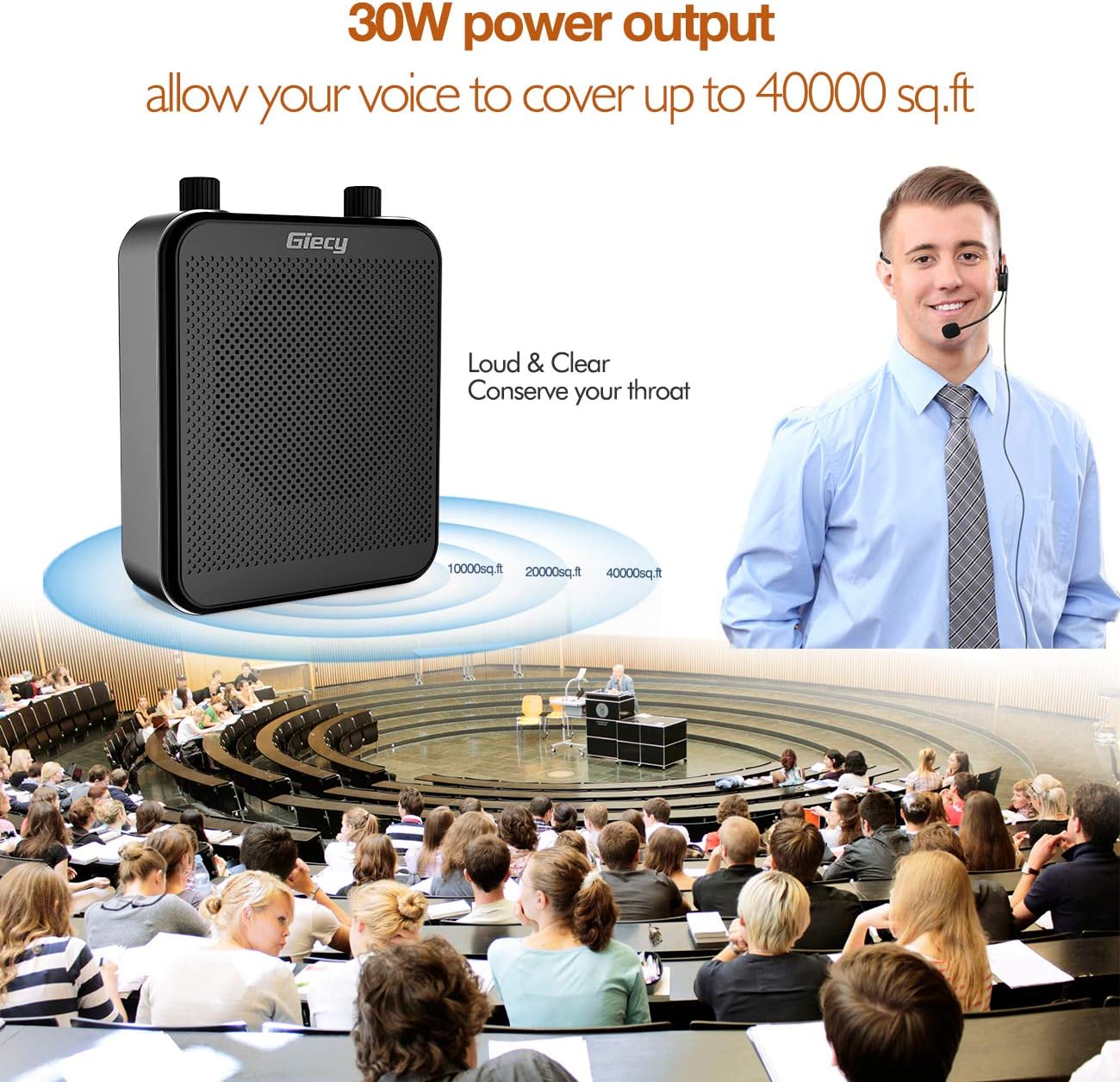
Image: The Giecy G300-UK Voice Amplifier in use, illustrating its 30W power output and ability to cover a large area, protecting the user's throat.
3. Bluetooth Speaker Mode
- Press the Mode (M) button repeatedly until "Bluetooth" or a Bluetooth icon appears on the display.
- On your smartphone or other Bluetooth-enabled device, search for "Giecy G300-UK" (or similar name) in the Bluetooth settings and pair with it.
- Once paired, you can play audio from your device through the amplifier.
4. FM Radio Mode
- Press the Mode (M) button repeatedly until "FM" appears on the display.
- To auto-scan and save stations, long press the Pause/Play ( >|| ) button.
- Use the Previous Track (<<) and Next Track (>>) buttons to switch between saved stations.
5. USB Disk / TF Card Playback
- Insert a USB flash drive into the USB Disk Interface or a TF (MicroSD) card into the TF Card Interface.
- The amplifier will automatically switch to USB or TF card mode and begin playing audio files (MP3/WAV format supported).
- Use the Previous Track (<<), Pause/Play (>||), and Next Track (>>) buttons to control playback. Long press << or >> for fast rewind/forward.

Image: The Giecy G300-UK amplifier displaying its USB and TF card input slots, along with the playback control buttons for managing audio files.
6. Recording Function
- Ensure a USB disk or TF card is inserted for storage.
- Press the Mode (M) button until "REC" or a recording icon appears.
- Press the Pause/Play (>||) button to start recording. Press again to stop.
- Recordings will be saved to the inserted storage device.
Battery Information
The Giecy G300-UK is equipped with a high-capacity 7.4V 2800mAh rechargeable lithium battery.
- Charging Time: Approximately 3-5 hours for a full charge.
- Operating Time:
- MIC Mode: 14-17 hours
- Music Mode (Bluetooth/USB/TF): 7-10 hours
- Battery Care: To prolong battery life, avoid fully discharging the battery frequently. Charge the device regularly, even if not in constant use.

Image: Visual representation of the 2800mAh battery, showing charging time and usage duration in MIC mode.
Maintenance
- Cleaning: Wipe the amplifier and microphone with a soft, dry cloth. Do not use abrasive cleaners or solvents.
- Storage: Store the device in a cool, dry place away from direct sunlight and extreme temperatures.
- Water Exposure: Avoid exposing the device to water or high humidity. It is not waterproof.
- Microphone Care: Handle the headset microphone gently. Avoid bending the boom excessively.
Troubleshooting
| Problem | Possible Cause | Solution |
|---|---|---|
| No sound from amplifier |
|
|
| High-pitched feedback (whine) |
|
|
| Bluetooth pairing failure |
|
|
| USB/TF card not playing |
|
|
Specifications
| Feature | Detail |
|---|---|
| Model Number | G300-UK |
| Brand | Giecy |
| Output Power | 30 Watts |
| Battery Type | Lithium Ion |
| Battery Capacity | 2800 mAh (7.4V) |
| Charging Time | 3-5 hours |
| Operating Time (MIC Mode) | 14-17 hours |
| Operating Time (Music Mode) | 7-10 hours |
| Product Dimensions (L x W x H) | 8.5 x 3.5 x 15 cm |
| Item Weight | 550 Grams |
| Supported Audio Formats | MP3, WAV (for USB/TF playback) |
| Max TF Card Support | 32GB |
| Max USB Disk Support | 16GB |
Warranty Information
This Giecy G300-UK Portable Voice Amplifier comes with a 2-year warranty from the date of purchase. This warranty covers manufacturing defects and material faults under normal use. Please retain your proof of purchase for warranty claims. The warranty does not cover damage caused by misuse, accidents, unauthorized modifications, or normal wear and tear.
Support
For any questions, technical assistance, or warranty claims, please contact Giecy customer support through the platform where you purchased the product. Our team is dedicated to providing prompt and helpful service.