
1. Introduction
Thank you for choosing the Guiheng 87-Key Wired Gaming Keyboard. This manual provides essential information for setting up, operating, and maintaining your new keyboard. Please read it thoroughly to ensure optimal performance and longevity of your device.
This keyboard features an 87-key layout, rainbow backlighting, and a durable design suitable for gaming and general use across various platforms.
2. Safety Information
- Keep the keyboard away from liquids and excessive moisture to prevent damage.
- Avoid exposing the keyboard to extreme temperatures.
- Do not attempt to disassemble or repair the keyboard yourself. Contact customer support for assistance.
- Use only the provided USB cable for connection.
- Ensure proper ventilation around the keyboard during prolonged use.
3. Package Contents
Verify that all items are present in the package:
- Guiheng 87-Key Wired Gaming Keyboard
- USB Cable
- Instruction Manual (this document)
4. Setup
- Connect the Keyboard: Plug the USB-A connector of the provided cable into an available USB port on your computer, laptop, PS4, or Xbox.
- Automatic Driver Installation: The operating system will automatically detect and install the necessary drivers. This process may take a few moments.
- Ready for Use: Once the drivers are installed, the keyboard is ready for immediate use. No additional software is required.

Image: The Guiheng 87-Key Wired Gaming Keyboard in a typical gaming setup, demonstrating its plug-and-play functionality.

Image: Detail of the keyboard's double kickstand feet, allowing for adjustable typing angles.
5. Operating Instructions
5.1 Basic Functions
The keyboard operates as a standard QWERTY layout keyboard. All 87 keys are anti-ghosting, allowing multiple simultaneous key presses to be registered accurately, which is beneficial for gaming.

Image: The full 87-key layout of the keyboard, showcasing its rainbow backlighting.
5.2 Backlight Control
The keyboard features rainbow backlighting. To control the backlighting:
- Press the Scroll Lock (ScrLk) key to turn the backlight on or off.
5.3 Multimedia Shortcuts
The keyboard includes 12 multimedia function keys accessible by pressing the FN key in combination with the F1-F12 keys:
- FN + F1: Media Player
- FN + F2: Volume Down
- FN + F3: Volume Up
- FN + F4: Mute
- FN + F5: Stop
- FN + F6: Previous Track
- FN + F7: Play/Pause
- FN + F8: Next Track
- FN + F9: Email
- FN + F10: Web Browser
- FN + F11: My Computer
- FN + F12: Calculator

Image: Visual guide to the keyboard's multimedia shortcuts.
5.4 Compatibility
The Guiheng 87-Key Wired Gaming Keyboard is compatible with a wide range of operating systems and devices, including:
- Windows XP, Windows 7, Windows 10, Windows 11
- macOS
- Linux
- Android
- iOS
- PS4, PS5, Xbox
Image: The keyboard connected to various devices, illustrating its broad compatibility.
6. Maintenance
- Cleaning: Use a soft, dry cloth to wipe the surface of the keyboard. For deeper cleaning, you may use a can of compressed air to remove dust and debris from between the keys. Avoid using harsh chemicals or abrasive materials.
- Storage: When not in use for extended periods, store the keyboard in a clean, dry environment away from direct sunlight.
- Cable Care: Avoid bending or twisting the USB cable excessively to prevent internal damage.

Image: A close-up view of the keyboard's pre-lubed red switches, highlighting their design for smooth operation and durability.
7. Troubleshooting
| Problem | Solution |
|---|---|
| Keyboard not responding |
|
| Backlight not working |
|
| Keys are sticky or unresponsive |
|
8. Specifications
| Feature | Detail |
|---|---|
| Model | 87-Key Wired Gaming Keyboard |
| Connectivity | USB-A Wired |
| Key Layout | 87 Keys |
| Backlighting | Rainbow RGB |
| Switch Type | Mechanical feeling (Pre-lubed Red Switch design) |
| Key Lifespan | 50 Million Keystrokes |
| Anti-Ghosting | All 87 keys |
| Multimedia Keys | 12 (FN + F1-F12) |
| Dimensions | Approximately 355 mm (13.97 inches) x 130 mm (5.11 inches) x 33 mm (1.29 inches) |
| Weight | 1.32 pounds (0.6 kg) |
| Compatible OS | Windows, macOS, Linux, Android, iOS |
| Compatible Devices | PC, Laptop, PS4, PS5, Xbox |
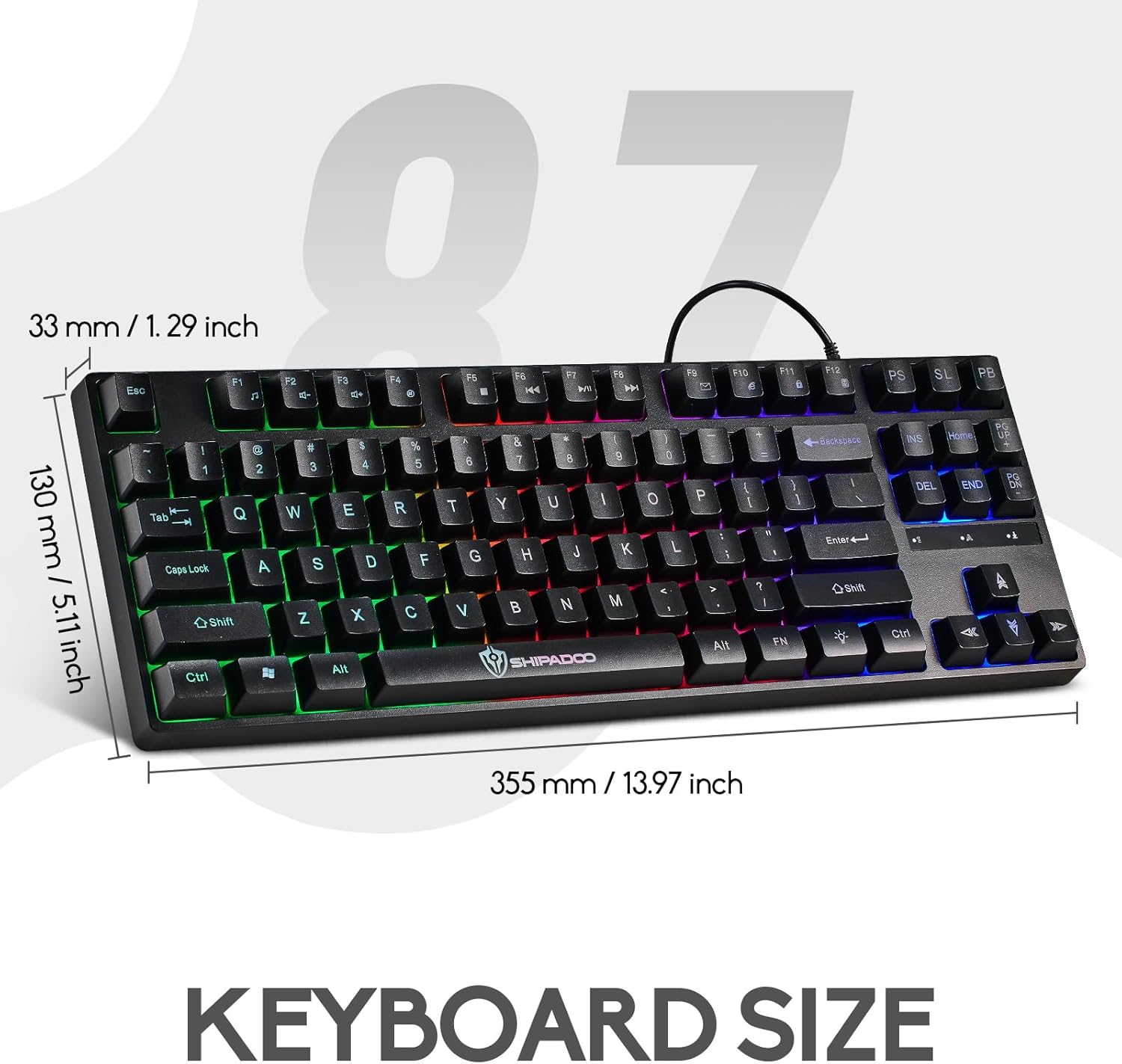
Image: Detailed dimensions of the keyboard for reference.
9. Warranty and Support
For warranty information or technical support, please refer to the retailer's return policy or contact Guiheng customer service through the platform where the product was purchased. Keep your purchase receipt as proof of purchase.