
Introduction
The EMTEC D280 Dual USB Flash Drive is a versatile storage device designed for efficient and reliable data transfer. It features both USB-A and USB-C connectors, providing universal compatibility with a wide range of devices, including desktops, laptops, tablets, and smartphones. This manual provides essential information for setting up, operating, maintaining, and troubleshooting your EMTEC D280 flash drive.
Product Overview
The EMTEC D280 flash drive is engineered for convenience and durability. Its compact design integrates two distinct USB connectors, allowing seamless connection to both traditional USB-A ports and modern USB-C ports. The casing is constructed from 100% recycled plastic, reflecting an eco-conscious design approach.
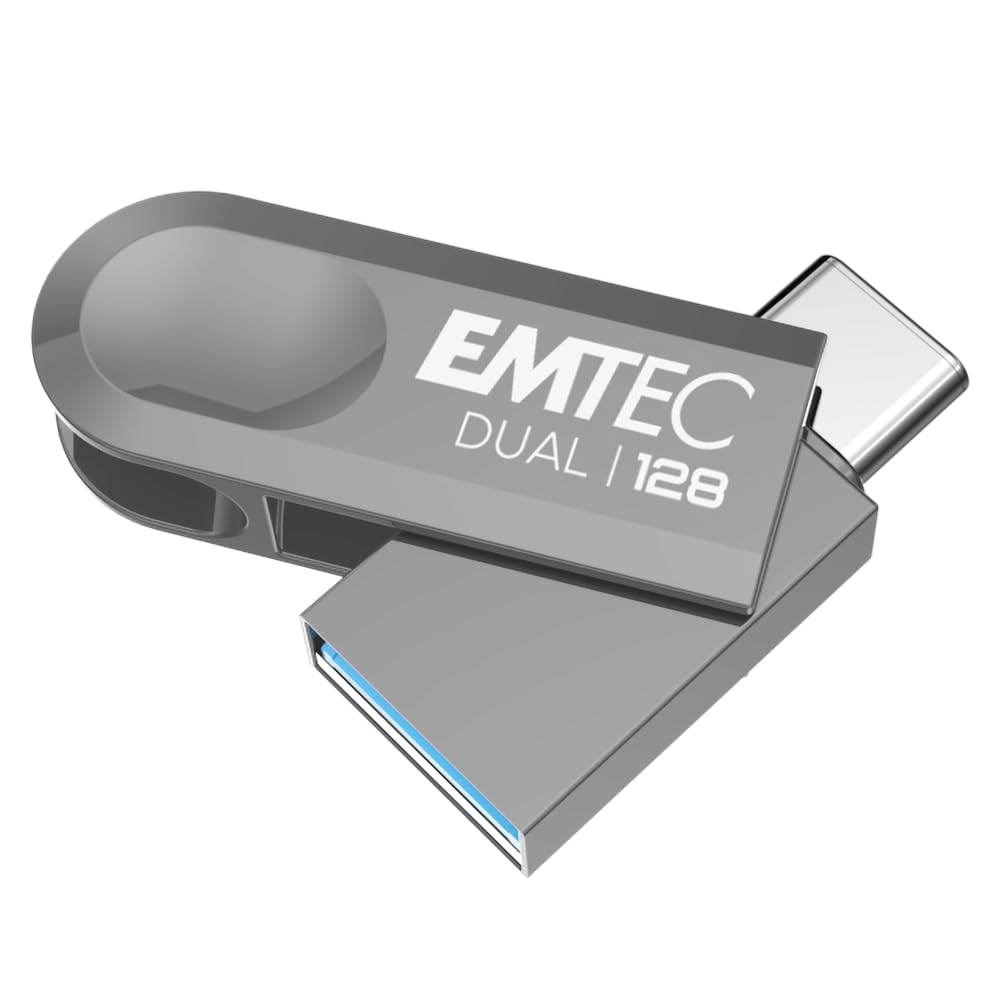
Image 1: The EMTEC D280 Dual USB Flash Drive, showcasing its compact form factor and the integrated USB-A and USB-C connectors.

Image 2: The retail packaging for the EMTEC D280 Dual USB Flash Drive, highlighting its USB 3.2 compatibility and eco-friendly materials.
Setup
- Connect the Drive: Identify the appropriate port on your device (USB-A or USB-C). Gently insert the corresponding connector of the EMTEC D280 flash drive into the port. Ensure a firm connection.
- Automatic Recognition: Most modern operating systems (Windows, macOS, Linux) will automatically detect the flash drive. A notification may appear, or the drive will be listed under 'My Computer' (Windows) or 'Finder' (macOS) or your file manager (Linux).
- Initial Use: The drive is pre-formatted and ready for use. No special drivers or software installation are typically required.
Operating Instructions
- Transferring Files:
- Open the file explorer or finder on your computer.
- Locate the EMTEC D280 drive (often labeled as a removable disk).
- Drag and drop files or folders from your computer to the flash drive, or vice versa.
- For optimal performance, ensure your device supports USB 3.2.
- Transfer Speeds: The drive offers read speeds up to 80MB/s and write speeds up to 20MB/s. Actual speeds may vary based on file size, system configuration, and the USB port used.
- Compatibility: The D280 Dual USB Flash Drive is compatible with Windows 10, 11, Vista, XP, Me, 2000, Mac OS 11, and Linux 2.6x operating systems.
- Safe Removal: Always safely eject the flash drive from your operating system before physically removing it. This prevents data corruption. On Windows, right-click the drive icon and select 'Eject'. On macOS, drag the drive icon to the Trash or click the eject symbol next to the drive in Finder.
Maintenance
- Physical Care: Keep the flash drive clean and free from dust and moisture. Avoid exposing it to extreme temperatures or direct sunlight.
- Data Backup: Regularly back up important data stored on the flash drive to another storage medium to prevent data loss.
- Connector Protection: When not in use, ensure the connectors are protected from physical damage.
Troubleshooting
- Drive Not Recognized:
- Ensure the drive is fully inserted into the USB port.
- Try connecting the drive to a different USB port on your device.
- Test the drive on another computer or device to rule out a device-specific issue.
- Restart your computer.
- Slow Transfer Speeds:
- Verify that you are using a USB 3.2 compatible port on your device. Older USB 2.0 ports will result in slower speeds.
- Large numbers of small files can transfer slower than a single large file of the same total size.
- Ensure no other intensive tasks are running in the background that might consume system resources.
- Cannot Write Files to Drive:
- Check if the drive is full. Delete unnecessary files to free up space.
- Verify file system compatibility. Some file systems (e.g., FAT32) have limitations on individual file size.
- Check if the files or folders you are trying to write have read-only permissions.
Specifications
| Feature | Detail |
|---|---|
| Model Name | D280 |
| Memory Storage Capacity | 128 GB (available in other capacities) |
| Read Speed | Up to 80 MB/s |
| Write Speed | Up to 20 MB/s |
| Connectivity Technology | USB 3.2 |
| Hardware Interface | USB Type-A, USB Type-C |
| Operating Systems | Windows 10, 11, Vista, XP, Me, 2000 / Mac OS 11 / Linux 2.6x |
| Product Dimensions (Open USB-C) | 370 x 14 mm |
| Product Dimensions (Open USB-A) | 403 x 14 mm |
| Shell Material | 100% Recycled Plastic |
Warranty
The EMTEC D280 Dual USB Flash Drive is covered by a 2-year manufacturer's warranty from the date of purchase. This warranty covers defects in materials and workmanship under normal use. Please retain your proof of purchase for warranty claims.
Support
For further assistance, technical support, or to provide feedback on EMTEC products, please visit the official Emtec website or contact their customer service department. Contact information can typically be found on the product packaging or the Emtec brand website.
Note: Product specifications and appearance are subject to change without prior notice.


