
1. Overview
The Retevis RB48 Plus is a heavy-duty, long-range GMRS two-way radio designed for reliable communication in various environments. Featuring IP67 waterproofing, shock resistance, and a robust 2000mAh battery, it ensures clear and consistent performance. This manual provides essential information for setting up, operating, and maintaining your RB48 Plus radios.
2. Package Contents
Upon unboxing your Retevis RB48 Plus, verify that all the following items are included:
- 6 x RB48 Plus Two Way Radio (with Li-ion battery)
- 6 x Sling
- 6 x Belt Clip
- 1 x Six-Way Charger
- 1 x DC Adapter
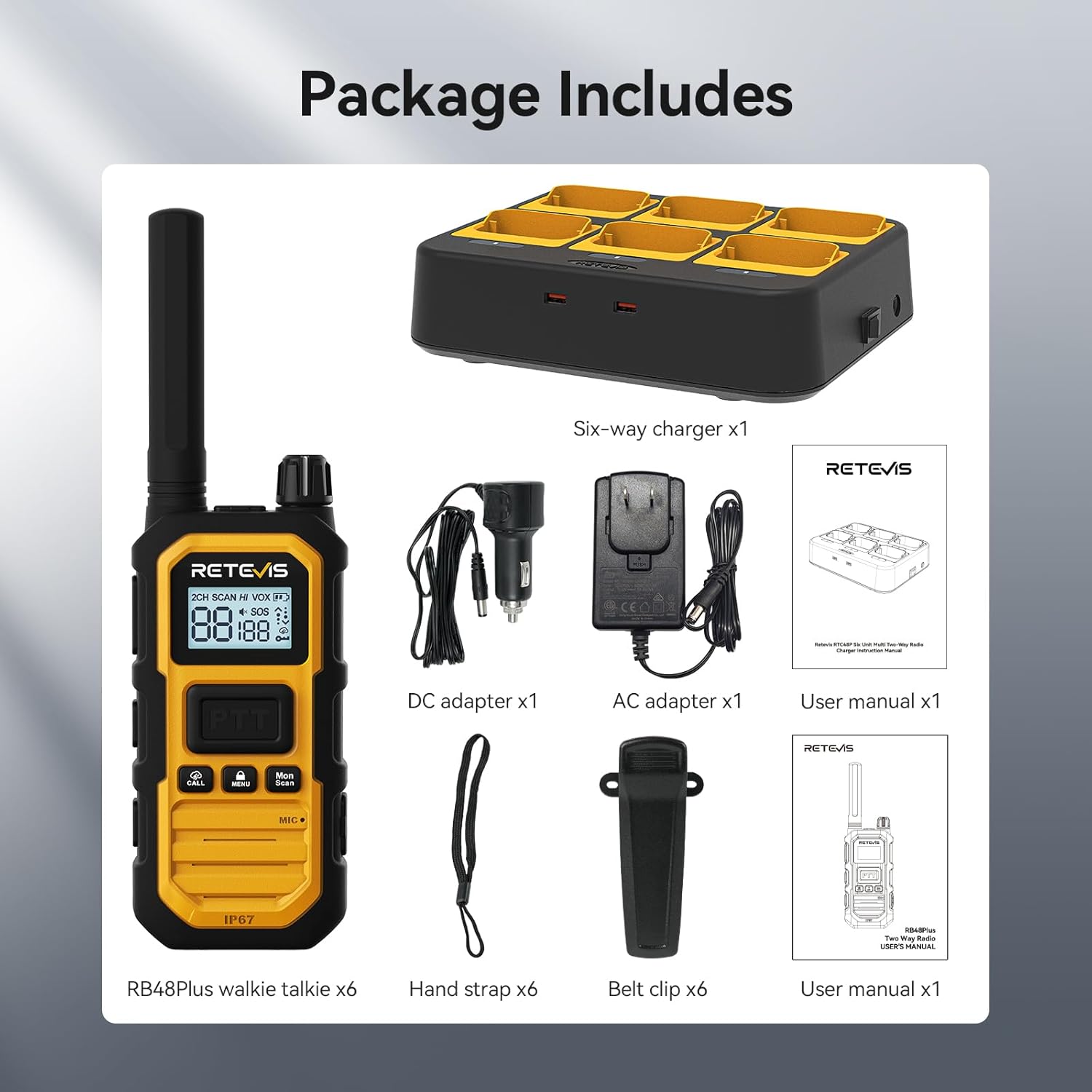
Image: All components included in the Retevis RB48 Plus package.
3. Product Features
- Long Range Communication: The RB48 Plus operates with 5W high power, providing strong communication coverage up to 350,000 sq. ft. or 30 stories tall. This ensures reliable contact across large areas.
- Advanced Triple Proof Design: Rated IP67, the radio is waterproof (withstands 1m depth for 30 minutes), dustproof (against 0.1μm dense dust for 8 hours), and shock resistant (survives 2-meter drops 1000 times).
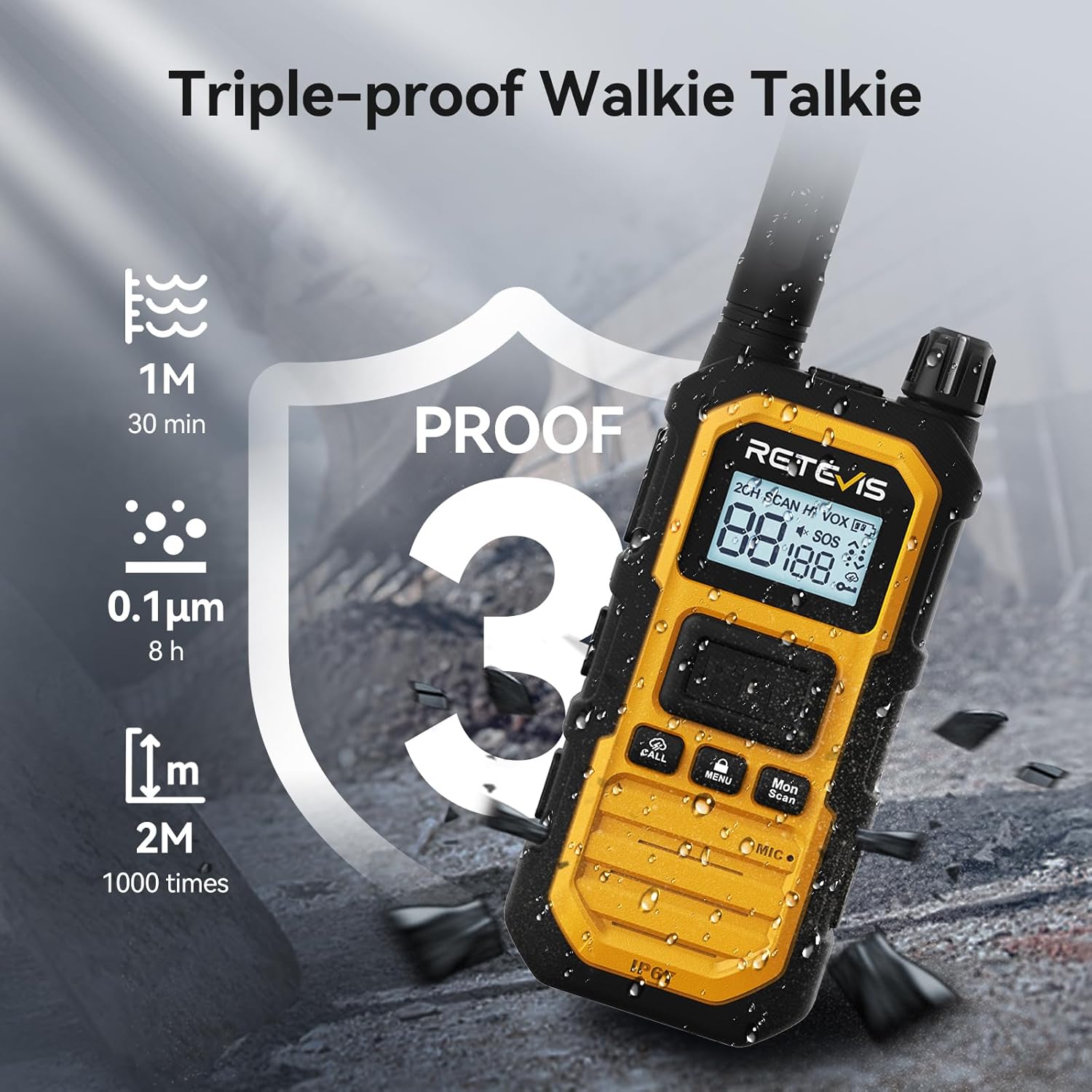
Image: The RB48 Plus demonstrating its triple-proof capabilities against water and dust.
Video: Demonstrates the RB48 Plus's durability and long-range communication on construction sites, highlighting its heavy-duty features.
- One-Key Group Call: Facilitates instant communication with all team members simultaneously, regardless of their current channel, by pressing a dedicated group call button.
- 2000mAh Li-ion Battery: Provides up to 18 hours of work time and 100 hours of standby time. Fully charges in 4-5 hours.
- NOAA Weather Alert: Equipped with 11 NOAA channels to keep users informed about severe weather conditions, enhancing safety.
- Call Vibration: The radio vibrates to alert you of incoming messages, useful in noisy environments or when discretion is needed.
- VOX Function: Voice-activated transmission allows for hands-free operation.
- Dual PTT: Two Push-to-Talk buttons for convenient operation.
4. Setup
4.1 Attaching the Antenna
Carefully screw the antenna onto the top connector of the radio until it is finger-tight. Do not overtighten.
4.2 Charging the Radio
The RB48 Plus offers two charging methods:
- Direct Type-C Charging: Plug a Type-C USB cable directly into the charging port on the side of the radio. Ensure the waterproof cover is securely closed after charging.
- Six-Way Charging Base: Insert the radios into the dedicated slots on the six-way charger. Connect the DC adapter to the charging base and plug it into a power outlet. The charging base features multiple safety protections against overcharging, overheating, and short-circuits.
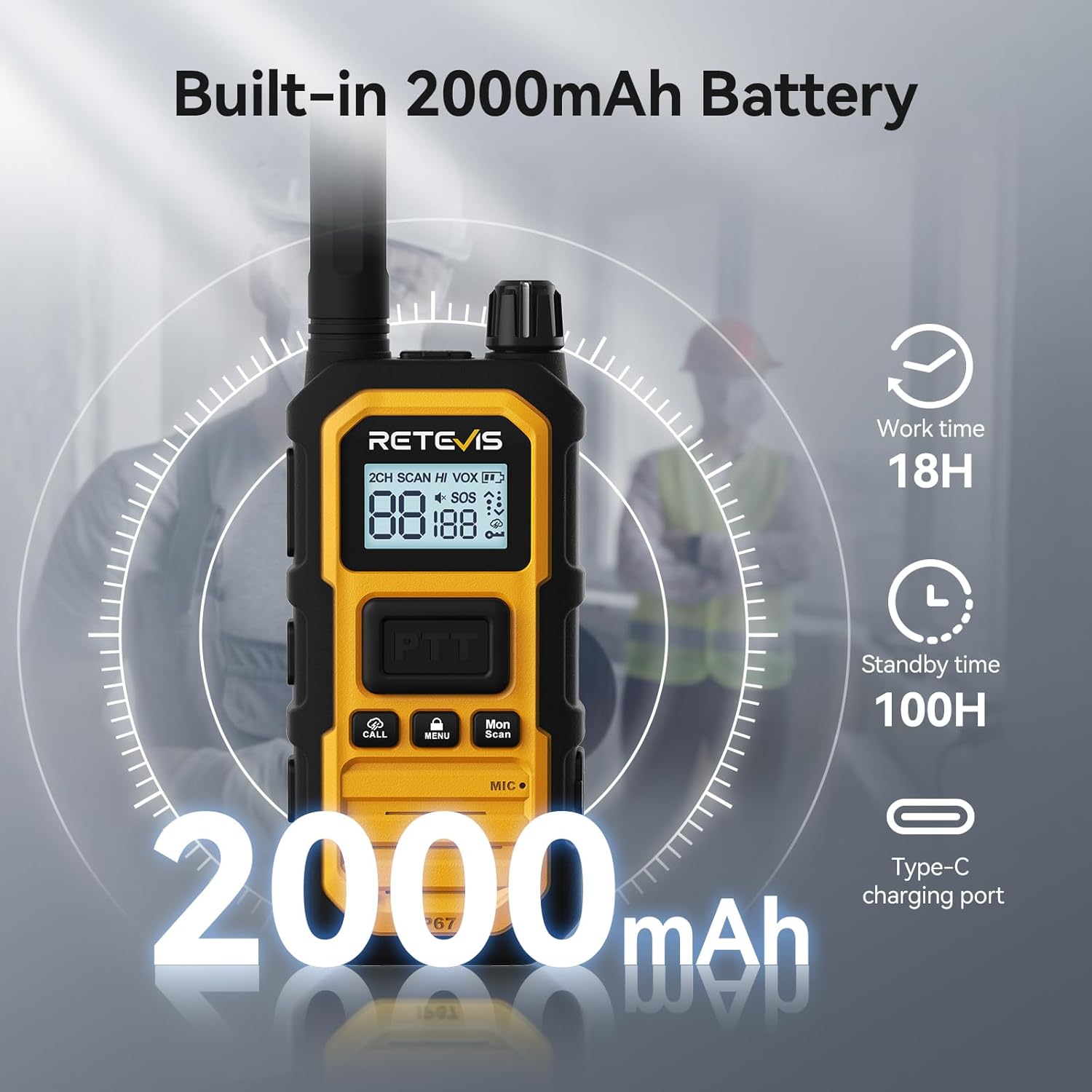
Image: The RB48 Plus radio showing its Type-C charging port.
Video: Demonstrates the setup and use of the six-way charger for Retevis RB48 series walkie talkies, highlighting its efficiency and safety features.
4.3 Attaching the Belt Clip
Align the belt clip with the designated screw holes on the back of the radio and secure it with the provided screws.
4.4 Powering On/Off
Rotate the power knob clockwise to turn on the radio. Rotate counter-clockwise to turn it off. The radio will audibly announce the current channel number upon powering on.
5. Operating Instructions
5.1 Channel Selection
To change channels, press the MENU button once. Use the Up/Down arrow buttons on the side to select the desired channel. Press PTT to confirm your selection.
5.2 Push-to-Talk (PTT)
Press and hold the PTT button on the side or front of the radio to transmit your voice. Release the PTT button to receive. Speak clearly into the microphone located at the bottom of the radio.
5.3 Call Button
Press the CALL button to send an audible alert to other radios on the same channel and privacy code. This is useful for getting attention in noisy environments.
5.4 Group Call Function
The RB48 Plus features a dedicated group call button. Press this button to initiate a group call, allowing all radios on any channel within the group to communicate simultaneously.
5.5 NOAA Weather Alert
Long press the CALL button to activate NOAA Weather Alert mode. The radio will scan through 11 NOAA channels and provide weather updates.
5.6 VOX Function
To enable or disable VOX, navigate through the menu using the MENU button until you find the VOX setting. Use the Up/Down arrows to adjust the sensitivity level (1-9) or turn it off. Confirm with PTT.
5.7 Key Lock
Long press the MENU button to lock or unlock the keypad, preventing accidental changes to settings.
5.8 Emergency Alarm
Press the SOS button to activate an emergency alarm. All radios on the same channel will receive the alarm, alerting others to your situation.
Video: Explains how to use the group call function, cancel CTCSS/DCS, and other features of the RB48 Plus two-way radio.
6. Maintenance
6.1 Cleaning
Wipe the radio surface with a soft, damp cloth. Avoid using harsh chemicals or abrasive cleaners.
6.2 Battery Care
To prolong battery life, avoid overcharging. Store the radio in a cool, dry place when not in use. The 2000mAh Li-ion battery is designed for long-lasting performance.
6.3 Waterproof and Dustproof Care
Ensure all port covers (e.g., Type-C charging port) are securely sealed to maintain the IP67 rating. Avoid submerging the radio for longer than 30 minutes or deeper than 1 meter.
7. Troubleshooting
7.1 Communication Issues
- No communication with other radios: Ensure all radios are on the same channel and have matching CTCSS/DCS codes.
- Weak signal or limited range: Check battery level. Ensure no large obstructions (buildings, hills) are between radios. The maximum talking range is 3 miles in optimal conditions.
7.2 Disabling CTCSS/DCS Codes
If you are unable to communicate with other RB48 or RB48P radios on channels 1-22, it may be due to differing CTCSS/DCS settings. To disable CTCSS/DCS:
- In standby mode, press the MENU key twice.
- Adjust the CTCSS/DCS number to "00".
- This will allow communication with other RB48P radios directly on the same channel.

Image: Instructions on how to resolve communication issues between RB48 and RB48P radios due to CTCSS/DCS settings.
Video: Shows how to disable all CTCSS/DCS tones in one key on the Retevis RB48 Plus radio.
7.3 Factory Reset
To perform a factory reset:
- Turn off the radio.
- Press and hold the PTT button and the DOWN button on the left side.
- While holding these buttons, turn the radio on using the knob.
- You will hear a "di-di" sound, indicating a successful factory reset.
Video: Demonstrates the steps to perform a factory reset on the Retevis RB48 Plus radio.
8. Specifications
| Feature | Value |
|---|---|
| Item Weight | 1.11 pounds |
| Product Dimensions | 1.3"D x 2.4"W x 8.1"H |
| Item Model Number | FA9061P-C9059Q |
| Batteries | 6 Lithium Ion batteries required (included) |
| Display Type | LCD |
| Brand | Retevis |
| Color | Yellow |
| Number of Channels | 30 |
| Special Feature | 2000mAh battery, 8 Repeater Channels, Dual PTT, IP67 waterproof and dustproof, Shockproof |
| Frequency Range | GMRS |
| Talking Range Maximum | 3 Mile |
| Voltage | 7.4 Volts (DC) |
| Water Resistance Level | Waterproof |
| Number of Batteries | 6 Lithium Ion batteries required (included) |
9. Warranty and Support
Retevis provides a 5-year warranty for the radio body and a 1-year warranty for accessories. You also have a 30-day no-reason return policy. For maintenance services beyond the warranty period, buyers are responsible for the corresponding costs. For any inquiries or support, please contact Retevis on Amazon, and they will respond within 12 hours.


