
1. Introduction
This manual provides essential information for the safe and effective use of your BAOFENG UV-18 Pro series Li-ion battery. Please read these instructions carefully before use and retain them for future reference.
2. Product Overview
The BAOFENG UV-18 Pro series Li-ion battery is a high-capacity 1800mAh power source designed for compatible two-way radios. It features a DC7.4V output and incorporates multiple protection mechanisms to ensure safe operation.
- High Capacity: 1800mAh for extended use.
- Voltage: DC7.4V.
- Protection Features: Includes over-charge, over-discharge, over-heat, over-current, and short-circuit protection.
- Charging: Supports Type-C direct charging and various other methods.

Image: Front and back view of the BAOFENG UV-18 Pro Li-ion battery, highlighting its 1800mAh capacity and secure connection points.
3. Compatibility
This battery is specifically designed for seamless integration with the following BAOFENG two-way radio models:
- UV18 Pro
- UV18i
- UV-G28
- UV18L GPS
- UV-18H
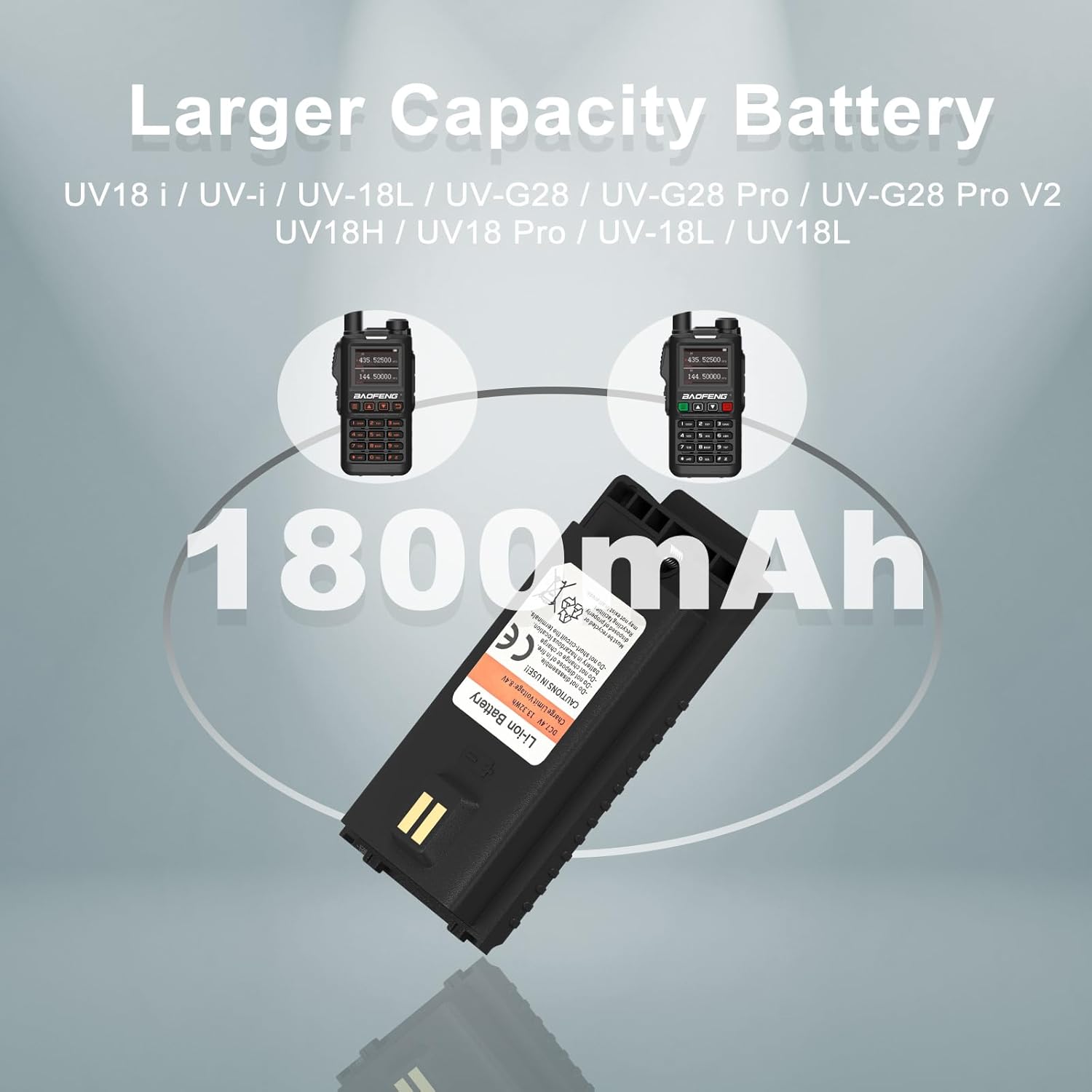
Image: The BAOFENG UV-18 Pro battery shown with compatible radio models, illustrating its intended use.
4. Safety Information
To prevent personal injury or damage to the battery and radio, please observe the following safety precautions:
- Do not disassemble the battery pack.
- Do not short-circuit the battery terminals.
- Do not charge or use the battery in hazardous or explosive environments.
- Do not expose the battery to fire or extreme temperatures.
- Keep out of reach of children.
- Dispose of used batteries according to local regulations.
5. Setup
5.1 Initial Charging
Before first use, fully charge the battery. Refer to the 'Charging Methods' section for detailed instructions.
5.2 Installing the Battery
- Ensure the radio is powered off.
- Align the battery with the battery compartment on the back of the radio.
- Slide the battery into place until it clicks securely. Ensure firmness without dropping off.
- To remove, press the battery release latch (if present on your radio model) and slide the battery out.
6. Operating
Once the battery is installed and charged, power on your compatible BAOFENG two-way radio. The battery provides the necessary power for all radio functions. Monitor the radio's battery indicator to determine remaining charge and recharge as needed.
7. Charging Methods
The BAOFENG UV-18 Pro series battery offers versatile charging options to meet your needs:
- USB-C Charging: Directly connect a USB-C cable to the battery's port.
- Desktop Charger: Use a compatible desktop charging cradle (sold separately or included with radio).
- Car Charger: Utilize a car charger adapter with a USB-C cable or desktop charger.
- Laptop/Power Bank: Charge via a laptop or power bank using a USB-C cable.
7.1 LED Indicator Status
The battery features an LED indicator to show its charging status:
- Red Light: Indicates the battery is currently charging.
- Green Light: Indicates the battery is fully charged.

Image: Illustration of multiple charging methods for the battery, including direct USB-C connection and use with a desktop charger.
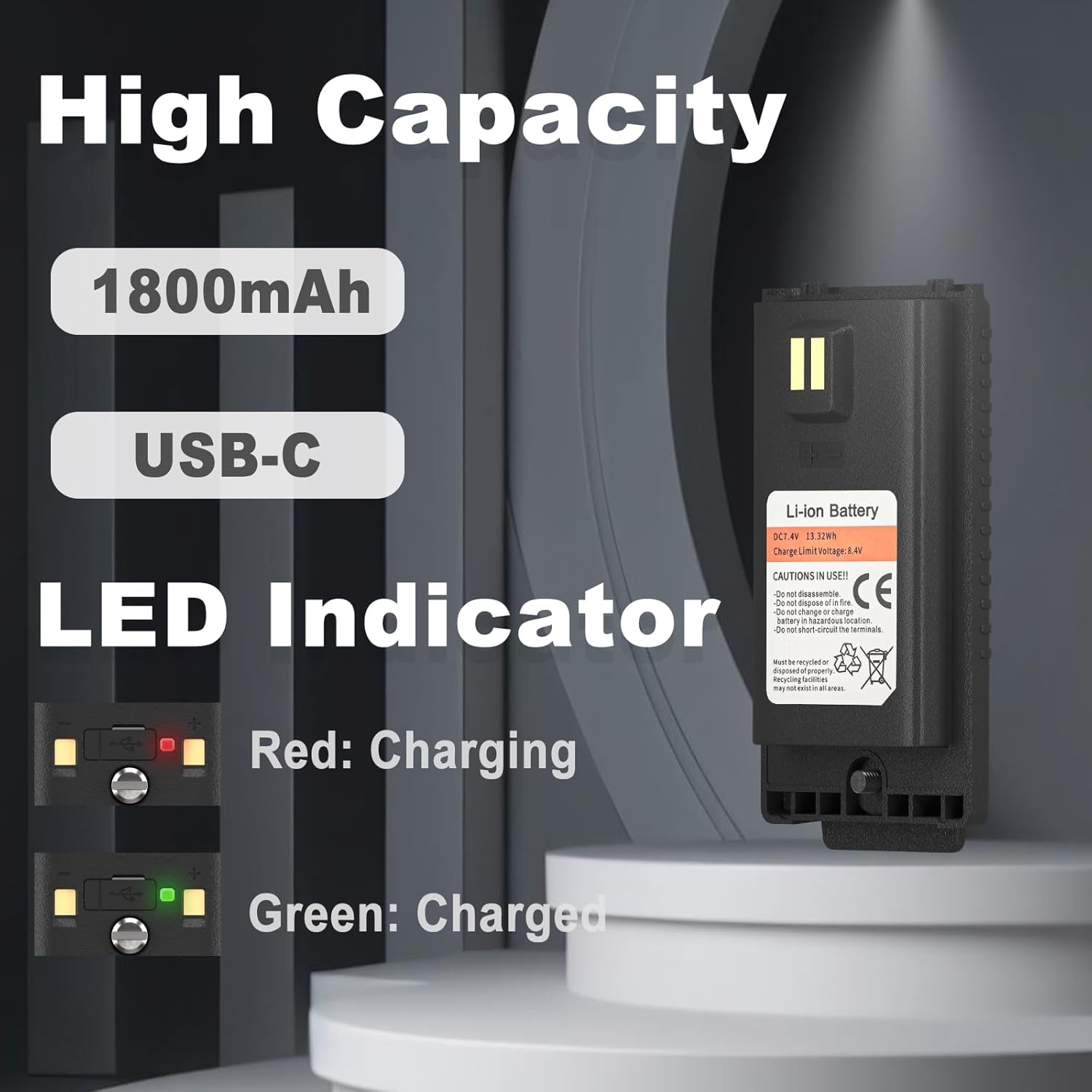
Image: Detailed view of the battery's LED indicator, showing red for charging and green for a fully charged state.
8. Maintenance
Proper maintenance can extend the life of your battery:
- Storage: Store the battery in a cool, dry place away from direct sunlight and extreme temperatures. For long-term storage, charge the battery to approximately 50% capacity.
- Cleaning: Use a clean, dry cloth to wipe the battery terminals if they become dirty. Do not use harsh chemicals.
- Avoid Over-Discharge: Do not allow the battery to completely drain frequently, as this can reduce its lifespan.
- Avoid Extreme Temperatures: Do not expose the battery to temperatures below -10°C (14°F) or above 45°C (113°F).
9. Troubleshooting
9.1 Battery Not Charging
- Ensure the charging cable and adapter are properly connected and functioning.
- Verify the power source is active.
- Check for any debris or damage to the battery's charging port or terminals.
- Try a different charging method (e.g., USB-C instead of desktop charger, or vice versa).
9.2 Short Battery Runtime
- Ensure the battery is fully charged before use (green LED indicator).
- Battery capacity naturally degrades over time with repeated charge cycles.
- Operating the radio at maximum power or in extreme cold can reduce battery life.
- If runtime is significantly reduced, the battery may need replacement.
10. Specifications
| Feature | Specification |
|---|---|
| Brand | BAOFENG |
| Model | UV-18 Pro Series |
| Battery Type | Lithium Ion (Li-ion) |
| Voltage | DC7.4V |
| Capacity | 1800 mAh |
| Reusability | Rechargeable |
| Charging Port | USB-C |
| Approximate Dimensions (H x W x D) | 3.81 in x 2.04 in x 0.62 in |
| Manufacturer | BAOFENG Electronics Co., Ltd |

Image: The BAOFENG UV-18 Pro battery with its physical dimensions indicated.
11. Warranty & Support
This product comes with a 3-month warranty provided exclusively through "Shiqun Electronics Co., Ltd".
If you encounter any issues with the battery or have questions regarding its compatibility or operation, please feel free to reach out to the seller, Shiqun Electronics Co., Ltd, for assistance.


