
1. Introduction
This manual provides essential information for the safe and effective use of your E-YIIVIIL LK50 replacement battery. It is designed to assist users in understanding the product's features, compatibility, installation considerations, and maintenance to ensure optimal performance and longevity.
2. Safety Guidelines
- Do not disassemble, puncture, crush, heat, or burn the battery.
- Avoid exposing the battery to high temperatures or direct sunlight.
- Keep the battery away from water or other liquids.
- Do not use the battery if it appears damaged, swollen, or leaking.
- Dispose of used batteries according to local regulations for electronic waste.
- Keep out of reach of children.
3. Compatibility
The E-YIIVIIL LK50 replacement battery is specifically designed for the following mobile phone models:
- Moto G60S
- XT2133-2
- XT2133-1
Please verify your phone's model number before attempting installation to ensure compatibility.

Image: The LK50 replacement battery shown alongside a compatible Moto G60S smartphone, illustrating its intended use.
4. Package Contents
Upon opening the package, please ensure all items are present:
- 1 x E-YIIVIIL LK50 Replacement Battery
- 1 x Basic Tool Kit (for installation assistance)
5. Pre-Installation Checklist
Before proceeding with battery replacement, consider the following:
- Backup Data: It is highly recommended to back up all important data from your phone before starting the replacement process.
- Discharge Battery: If possible, discharge your phone's existing battery below 25% to reduce the risk of thermal events during removal.
- Power Off: Ensure your phone is completely powered off before beginning any disassembly.
- Professional Installation: Battery replacement can be complex and requires specific technical skills. The manufacturer recommends professional installation to avoid damage to your device. Damage due to improper operation is not covered.
6. Installation Considerations
While detailed step-by-step instructions are not provided due to the technical nature of the process, here are general considerations:
- Careful Disconnection: When removing the old battery, carefully and gently disconnect its cable from the mainboard. Avoid pulling forcefully on the connector or cables.
- Proper Connection: When installing the new battery, ensure the connector is properly aligned and securely connected to your device's mainboard. A loose connection can prevent the phone from powering on.
- Adhesive Removal: Old battery adhesive may need to be carefully loosened or removed. New adhesive strips (not included) may be required to secure the new battery.
- Test Before Sealing: After connecting the new battery, it is advisable to briefly test if the phone powers on before fully reassembling the device.
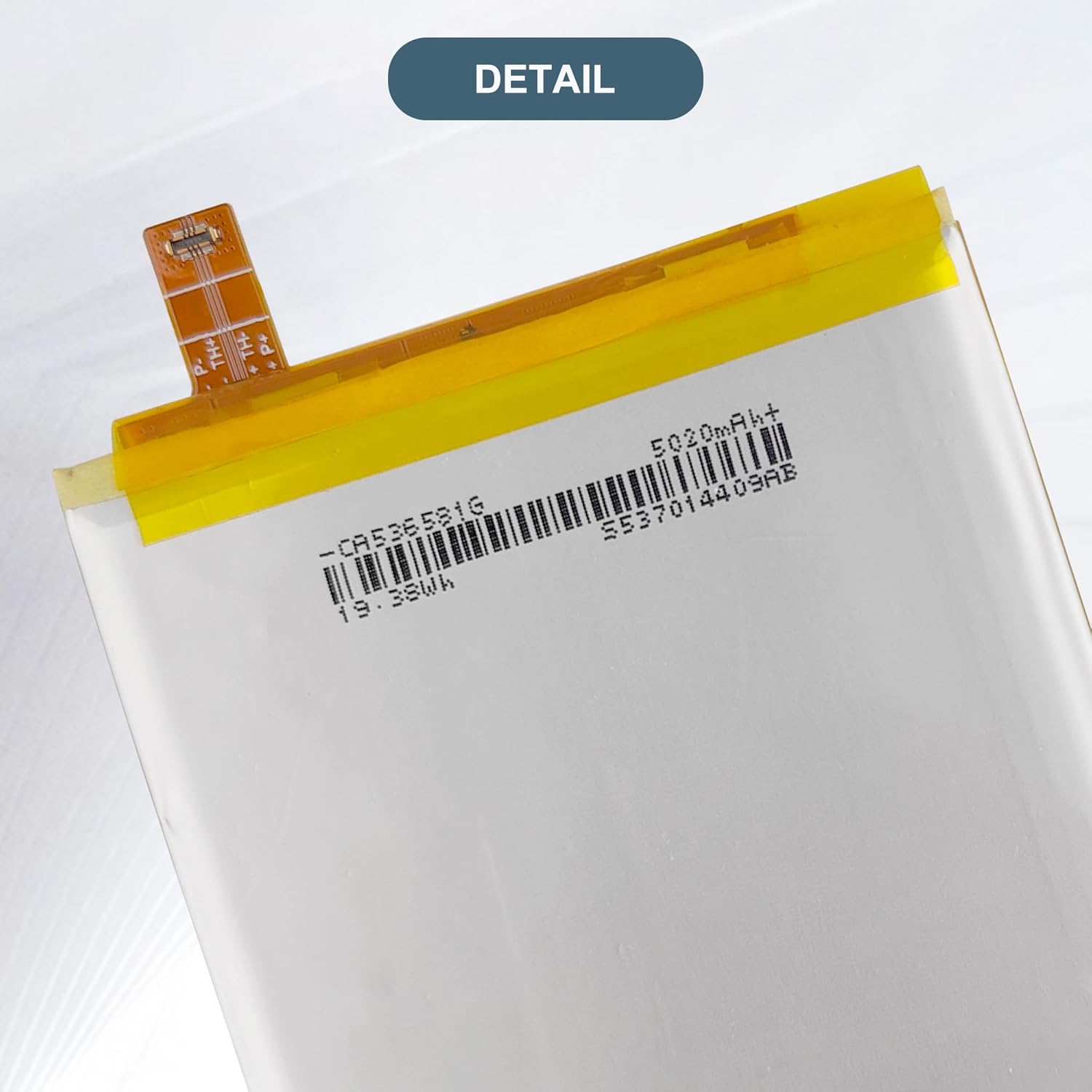
Image: A detailed view of the LK50 battery's flexible connector ribbon, highlighting the delicate component that connects to the phone's mainboard.
7. First Use and Charging
- Initial Cycles: A new Li-ion battery will achieve its best performance after 2 or 3 complete charge and discharge cycles. Allow the battery to fully charge and then fully discharge a few times.
- Charger Quality: Use only high-quality, compatible chargers and cables. Avoid using low-quality third-party adapter chargers, as they can shorten the battery's lifespan and potentially damage your device.
- Overcharging: Modern batteries and devices have protection against overcharging, but it is generally good practice to disconnect the charger once the battery is full.
8. Battery Care and Maintenance
- Temperature: Avoid exposing your phone and battery to extreme temperatures (very hot or very cold), as this can degrade battery performance and lifespan.
- Storage: If storing the battery for an extended period, keep it charged to around 50% in a cool, dry place.
- Physical Damage: Protect your phone from drops and impacts that could physically damage the battery.
9. Troubleshooting
- Phone Does Not Power On After Installation:
- Ensure the battery connector is properly and securely seated on the mainboard. Re-install if necessary.
- Verify that the phone's power button is functioning correctly.
- Attempt to charge the phone for at least 30 minutes before trying to power it on.
- Battery Drains Quickly:
- Ensure you have completed 2-3 full charge/discharge cycles for optimal performance.
- Check for background apps or settings on your phone that might be consuming excessive power.
- Verify that you are using a high-quality, compatible charger.
- Charging Issues:
- Inspect the charging port of your phone for debris or damage.
- Try a different charging cable and adapter.

Image: Visual representation of common issues a new battery can resolve, such as unexpected shutdowns, frequent charging, and rapid battery percentage drops.
10. Product Specifications
| Part Number | LK50 |
| Battery Type | Lithium Polymer |
| Capacity | 5000mAh / 19.4Wh |
| Voltage | 3.87V |
| Item Weight | 5.3 ounces |
| Manufacturer | Shenzhen DeRui Trading Limited Company |

Image: The reverse side of the LK50 battery, displaying its model number, capacity, voltage, and various regulatory compliance markings.

Image: The front view of the LK50 replacement battery, featuring its main body and the flexible connector ribbon.
11. Warranty and Support
For any questions, concerns, or issues encountered with your E-YIIVIIL LK50 replacement battery, please contact our customer support team. We aim to respond to all inquiries within 24 hours.
Please refer to your purchase documentation for specific warranty terms and conditions. If you believe your product is defective or requires warranty service, contact us directly for assistance.
Contact Information: Please refer to the seller's contact details on the platform where the purchase was made.