
Avatar Controls BMSL16
Avatar Controls 9FT Smart LED Christmas Cone Tree Instruction Manual
Model: BMSL16
Introduction
This manual provides comprehensive instructions for the setup, operation, and maintenance of your Avatar Controls 9FT Smart LED Christmas Cone Tree. This outdoor lighting solution offers customizable color-changing effects, smart app control, and various interactive features to enhance your holiday decorations.
Please read this manual thoroughly before installation and operation to ensure proper use and longevity of your product.
Package Contents
Verify that all components listed below are included in your package:
- 9FT Foldable Outdoor Christmas Tree Lights
- Sturdy Stand Kit (Base and Poles)
- Star Tree Topper
- Remote Control
- UL Listed Power Adapter
- Ground Stakes and Tension Springs
- Instruction Manual

Image: Overview of all included components for the Christmas tree.
Setup and Installation
The smart outdoor Christmas tree decorations feature tool-less installation and can be set up in approximately 2 minutes. The plug cable length is 9.8ft.
Step-by-Step Assembly:
- Assemble the Base: Unfold the base arms and secure them.
- Install the Main Pole: Connect the pole sections to form the central support.
- Attach the Star Topper: Place the star topper onto the top of the main pole and connect its light string.
- Connect Light Strings: Attach the light strings from the topper to the base arms using the provided hooks and tension springs. Ensure even distribution.
- Secure to Ground: Use the ground stakes to firmly anchor the base to the ground, especially for outdoor use.

Image: Visual guide for the 5-step installation process.
Installation Video Guides:
Video: Detailed instructions for installing the Smart Lighted Christmas Tree.
Video: Easy installation guide for the Smart Cone Christmas Tree.
Operating Instructions
Smart App Control ('Hello Fairy')
Control your Christmas tree lights via the 'Hello Fairy' Bluetooth app. The app allows for extensive customization and advanced features.
- DIY Prelit Lighting: Customize the colors of each individual LED bulb from 16 million colors and warm white options.
- 100+ Preset Modes: Choose from a variety of pre-programmed lighting effects.
- Music Mode: The built-in high-sensitivity microphone allows the lights to react in real-time to music.
- Dimmable & Color Changing: Adjust brightness from 1%-100% and select from 16 million vivid colors. Choose flashing, chasing, or alternative effects.
- Memory Function: The tree lights retain your last settings.
- Group Control: Control up to four sets of waterproof outdoor Christmas trees simultaneously for synchronized displays.
- Adjustable Top Star Color: Control the star topper's color independently or sync it with the tree lights using 'Follow Mode'.
- Timer Function: Set arbitrary time schedules for the lights to turn on/off via the app.
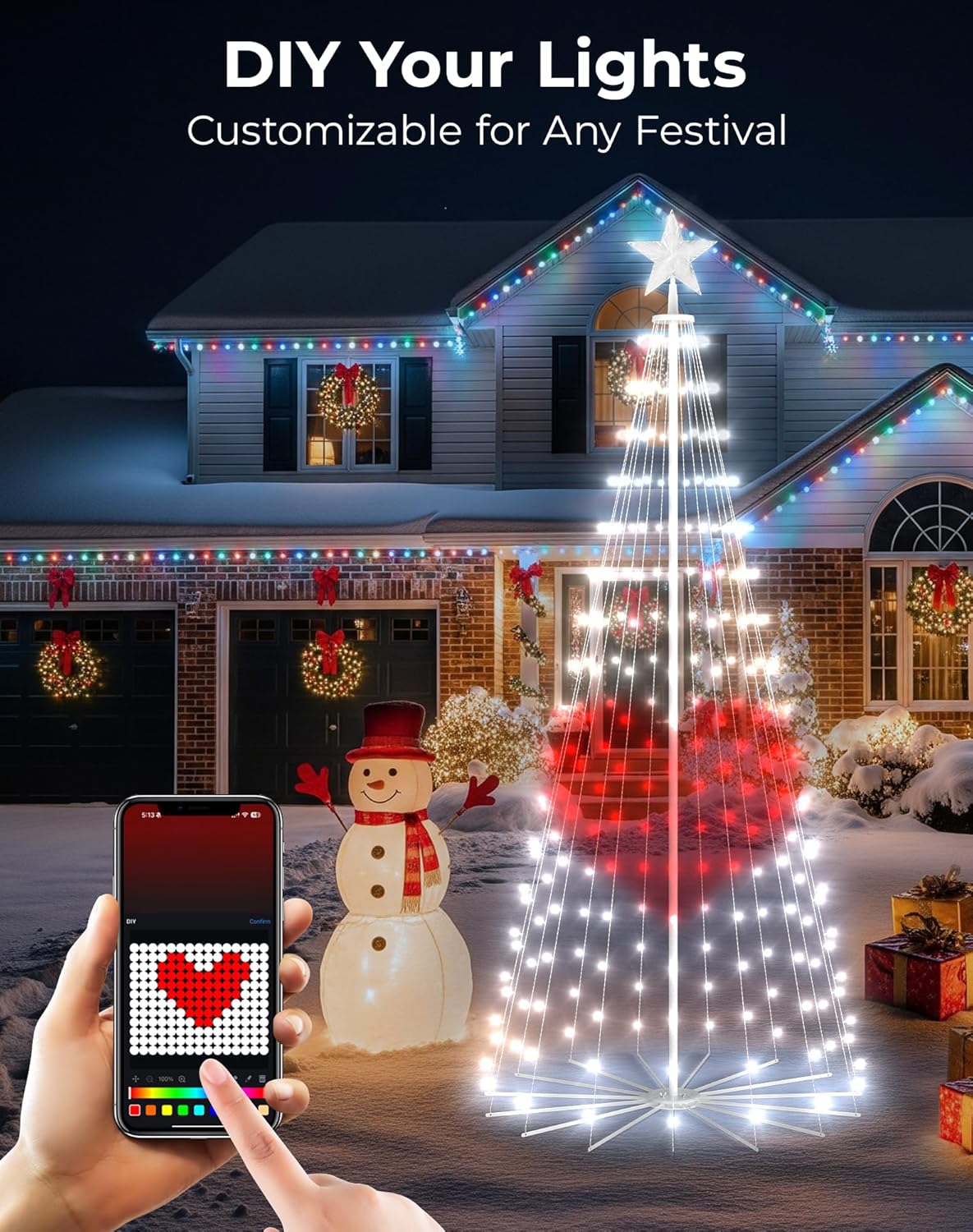
Image: DIY lighting customization via the mobile app.

Image: Group control feature demonstrating multiple trees synchronized.
Remote Control
A remote control is included for convenient operation, offering basic control over colors, modes, and timer settings (1/2/4/8 hours).
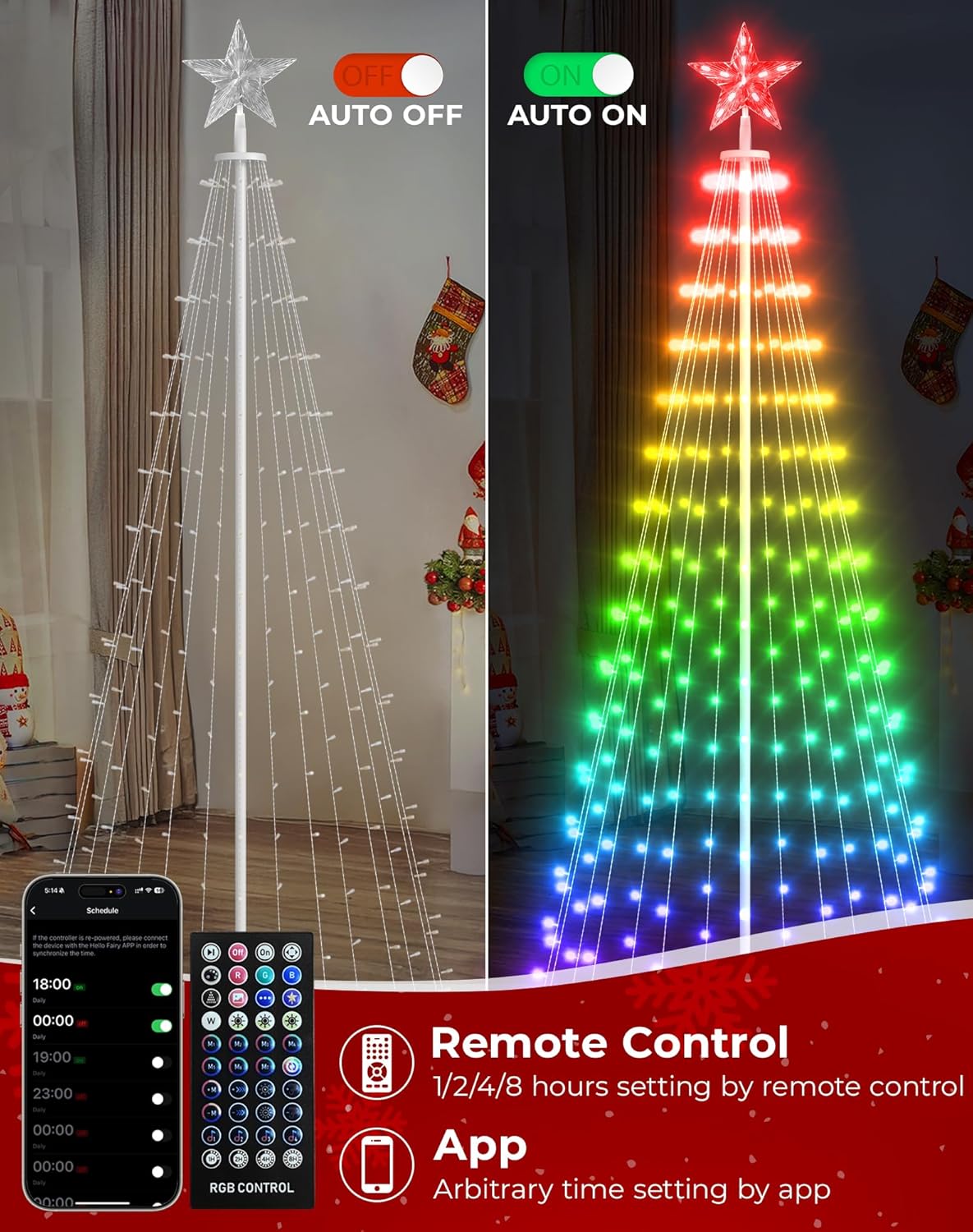
Image: Remote control and app interface for managing tree settings.
Operation Video Guides:
Video: Demonstration of smart app control, music sync, and timer functions.
Video: Overview of RGB color changing and smart outdoor tree features.
Maintenance
- Cleaning: Wipe the tree and lights with a soft, dry cloth. Do not use harsh chemicals or abrasive cleaners.
- Storage: When not in use, disassemble the tree and store all components in their original packaging in a cool, dry place away from direct sunlight.
- Weather Protection: The tree is IP44 waterproof, suitable for outdoor use. However, for extreme weather conditions, consider temporary storage to prolong product life.

Image: The tree is designed with IP44 waterproof rating for outdoor use.
Troubleshooting
- Lights Not Turning On: Ensure the power adapter is securely plugged into a working outlet and the tree. Check all connections.
- Remote Control Not Working: Verify the battery in the remote is functional. Ensure there are no obstructions between the remote and the tree's receiver.
- App Connectivity Issues: Make sure Bluetooth is enabled on your smartphone and you are within range of the tree. Restart the app or your phone if necessary.
- Inconsistent Lighting: Check all light string connections to the base and topper. Ensure no wires are pinched or damaged.
Specifications
| Feature | Detail |
|---|---|
| Model Number | BMSL16 |
| Item Length | 9 Feet |
| Item Weight | 5.33 pounds |
| Light Source Type | LED |
| Number of Light Sources | 265 |
| Light Color | RGB (16 Million Colors) |
| Power Source | Corded Electric |
| Controller Type | App Control (Bluetooth), Remote Control |
| Indoor/Outdoor Usage | Outdoor |
| Special Features | Remote Controlled, DIY Lights, Waterproof (IP44), Adjustable, Dimmable, Timer, Lights Direction and Speed Adjustable, Waterfall effects, Animated, Music Sync, Group Control |
| Material | Plastic |
| Manufacturer | Shenzhen Hysiry Technology Co., Ltd. |
Warranty and Support
This product comes with a 1-year warranty from the date of purchase, covering manufacturing defects.
For technical support, troubleshooting assistance, or warranty claims, please contact Avatar Controls customer service through the retailer's platform or visit the official Avatar Controls website for contact information.
Related documentsBMSL16


Ask a question about this manual
Ask about setup, troubleshooting, compatibility, parts, safety, or missing instructions. Manuals+ will review the question and use this page’s manual context to help answer it.