Introduction
This manual provides comprehensive instructions for the proper setup, operation, and maintenance of your Citizen Men's Eco-Drive Weekender Sport Casual Watch, model CA4557-01L. Please read this manual thoroughly to ensure optimal performance and longevity of your timepiece.

Image: Front view of the Citizen Men's Eco-Drive Weekender Sport Casual Watch with a blue leather strap and blue dial.
About Eco-Drive Technology
Your Citizen Eco-Drive watch is powered by light, eliminating the need for battery replacement. It converts any light source, natural or artificial, into energy, which is then stored in a permanently rechargeable power cell. A full charge allows the watch to run for months, even in complete darkness.

Image: Diagram explaining the Eco-Drive technology, where light is converted into energy and stored in a power cell, eliminating the need for battery replacement.
Video: Citizen Eco-Drive Video. This video provides an overview of the Eco-Drive technology and its benefits.
Setup
Initial Charging
Upon receiving your watch, ensure it is exposed to sufficient light to initiate charging. Place the watch in a well-lit area, such as near a window, but avoid direct sunlight for prolonged periods to prevent overheating. The watch will begin functioning once it accumulates enough charge.
Setting Time and Calendar (Movement Caliber H800)
For detailed instructions on setting the time and calendar, including adjusting for daylight saving time, please refer to the official video guide below. This video demonstrates the steps for Movement Caliber H800, which is similar to the movement in your watch.
Video: H800 Setting Instructions. This video provides a step-by-step guide on how to set the time and calendar on your Citizen Eco-Drive watch.
- Pull the Crown: Gently pull the crown out one click.
- Select City/Time Zone: Rotate the crown clockwise or counter-clockwise until the second hand indicates the city nearest your current location. The hour, minute, and 24-hour hands will adjust to the current time for the selected time zone.
- Daylight Saving Time (DST) Adjustment:
- To toggle DST on/off: Press and release the upper right button. The chronograph minute hand (at 12 o'clock sub-dial) will indicate "ON" (12 o'clock position) or "OFF" (6 o'clock position).
- To disable automatic DST updating: Press and hold the lower right button for 1-2 seconds. The chronograph 1/20th second hand (at 6 o'clock sub-dial) will move to the 6 o'clock position.
- To enable automatic DST updating: Press and hold the lower right button for 1-2 seconds. The chronograph 1/20th second hand (at 6 o'clock sub-dial) will move to the 12 o'clock position.
- Set Time: Pull the crown out one additional click to the time-setting position. The second hand will move to the 12 o'clock position, and the hour and minute hands will move slightly, indicating they are ready for adjustment. Rotate the crown to set the correct time. Pay attention to the 24-hour hand (at 9 o'clock sub-dial) to ensure proper AM/PM setting.
- Set Date of Month: Press and release the upper right button. The chronograph minute hand (at 12 o'clock sub-dial) will move slightly, indicating the date of month can be set. Rotate the crown clockwise or counter-clockwise to set the current date.
- Set Day of Week: Press and release the upper right button. The chronograph 1/20th second hand (at 6 o'clock sub-dial) will move slightly, indicating the day of week can be set. Rotate the crown clockwise to set the current day of week.
- Set Month and Leap Year: Press and release the upper right button. The second hand will move slightly, indicating the month and leap year can be set. Rotate the crown to set the current month and leap year. (Refer to the video for detailed explanation of leap year indicators).
- Set Minute: Press and release the upper right button. Rotate the crown clockwise to set the current minute.
- Complete Setting: Push the crown in two clicks to return to normal operation.
Operating
Using the Chronograph
Your watch features a 1/5 second chronograph that measures up to 60 minutes. Follow these steps to use the chronograph function:
Video: H800 Setting Instructions. This video also demonstrates how to use the chronograph function on your Citizen Eco-Drive watch.
- Activate Chronograph Mode: With the crown in the closed position, press and release the upper right button. The chronograph second hand, minute hand, and 1/20th second hand will rotate to point straight up to 12 o'clock (zero position).
- Start Chronograph: Press and release the upper right button to start the chronograph.
- Stop Chronograph: Press and release the upper right button again to stop the chronograph.
- Reset Chronograph: Press and release the lower right button to reset the chronograph to zero.
- Exit Chronograph Mode: Press and release the lower right button once again. The watch will resume normal timekeeping operation.
Changing Time Zones
Your watch allows for easy adjustment of time zones. Refer to the video below for a visual guide.
Video: H800 Setting Instructions. This video demonstrates how to change time zones on your Citizen Eco-Drive watch.
- Pull the Crown: Pull the crown out one click.
- Select New City/Time Zone: Rotate the crown clockwise or counter-clockwise until the second hand indicates the desired city for the new time zone. The hour, minute, and 24-hour hands will automatically adjust.
- Adjust DST (if necessary): If the new time zone observes Daylight Saving Time, press and release the upper right button to toggle DST on or off as needed.
- Complete Change: Push the crown in one click to finalize the time zone change.
Maintenance
Eco-Drive Charging Guidelines
- To maintain optimal performance, ensure your watch is regularly exposed to light.
- Avoid prolonged exposure to extreme temperatures (hot or cold) as this can affect the watch's performance and lifespan.
- If the watch stops, expose it to bright light for several hours to initiate charging.
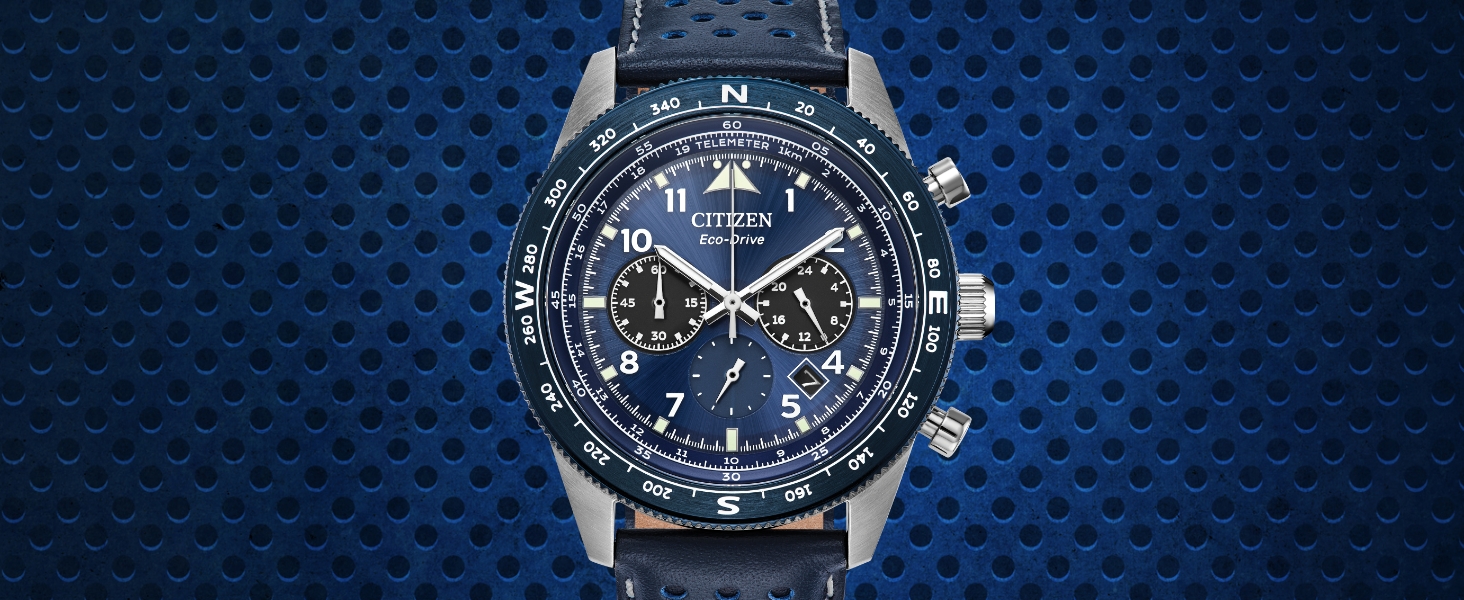
Image: A Citizen Eco-Drive watch being charged by ambient indoor lighting, highlighting its ability to convert various light sources into energy.
Water Resistance
Your watch is water resistant up to 100 meters (10 ATM). This makes it suitable for showering, swimming, and snorkeling. However, it is not recommended for scuba diving. Ensure the crown is pushed in completely before exposing the watch to water.
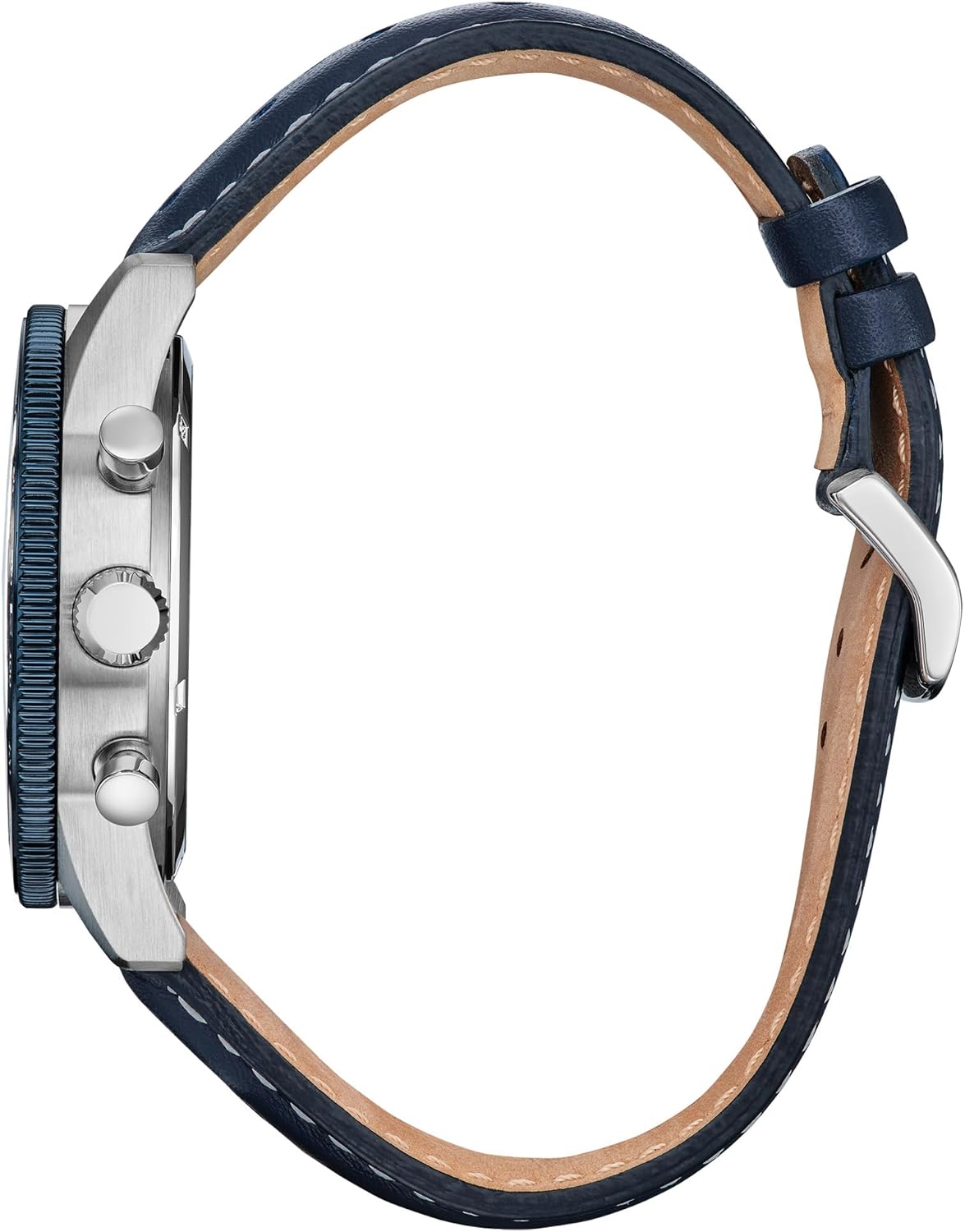
Image: Side view of the watch, illustrating the crown and pushers. Ensure the crown is fully pushed in for water resistance.
Cleaning
Wipe the watch case and strap with a soft, dry cloth regularly to remove dirt and moisture. For the leather strap, avoid excessive moisture and harsh chemicals to prevent damage.
Troubleshooting
All-Reset and Zero Positioning Procedure
If your watch is not functioning correctly or the hands are misaligned, perform an All-Reset and Zero Positioning. This procedure resets the watch's internal settings and aligns all hands to their correct zero positions. After performing this, you will need to reset the time and perpetual calendar.
Video: H800 Setting Instructions. This video demonstrates the All-Reset and Zero Positioning procedure for your Citizen Eco-Drive watch.
- Pull the Crown: Pull the crown out two clicks.
- Perform All-Reset: Press and hold both the upper right and lower right buttons simultaneously for 4 seconds, then release. The hands and date will move back and forth, indicating a successful All-Reset.
- Zero Positioning (Chronograph 1/20th Second Hand): Rotate the crown in either direction until the chronograph 1/20th second hand (at 6 o'clock sub-dial) points straight up to zero.
- Zero Positioning (Minute and Hour Hands): Press and release the upper right button. Rotate the crown clockwise or counter-clockwise to move the minute and hour hands to the 12 o'clock position.
- Zero Positioning (24-Hour Hand): Press and release the upper right button. Rotate the crown clockwise or counter-clockwise to move the 24-hour hand (at 9 o'clock sub-dial) to the 24 position.
- Complete Zero Positioning: Push the crown in two clicks.
- Reset Time and Calendar: After completing the All-Reset and Zero Positioning, you must now set the time and perpetual calendar as described in the "Setting Time and Calendar" section.
Specifications
- Model Number: CA4557-01L
- Movement: Eco-Drive (Light-powered)
- Case Material: Silver-Tone Stainless Steel
- Crystal: Mineral Crystal
- Water Resistance: 100M (10 ATM)
- Functions: 1/5 Second Chronograph Measures up to 60 Minutes, 12/24 Hour Time, Date
- Package Dimensions: 4.76 x 3.9 x 3.19 inches
- Item Weight: 3.14 ounces

Image: Rear view of the Citizen Eco-Drive Weekender watch, displaying the stainless steel case back with model information.
Warranty and Support
Your Citizen watch comes with a 5-Year Limited Warranty. For warranty claims or technical support, please refer to the warranty information provided in your product packaging or visit the official Citizen Watch Group website.
For additional assistance, you may also contact Citizen customer service directly.

Image: The Citizen watch box, which contains the warranty information and user manual.


