
1. Introduction
Thank you for choosing the ASD Battery Back-Up Kit 8W. This emergency battery back-up unit is designed to provide reliable power to compatible LED commercial downlights (such as ASD-CDL7, CD-P, CD-T) for 90 minutes during a power outage. It features a durable lithium-ion battery, multi-protection functions, and an automatic self-testing capability to ensure continuous readiness. This manual provides essential information for safe installation, operation, and maintenance of your device.
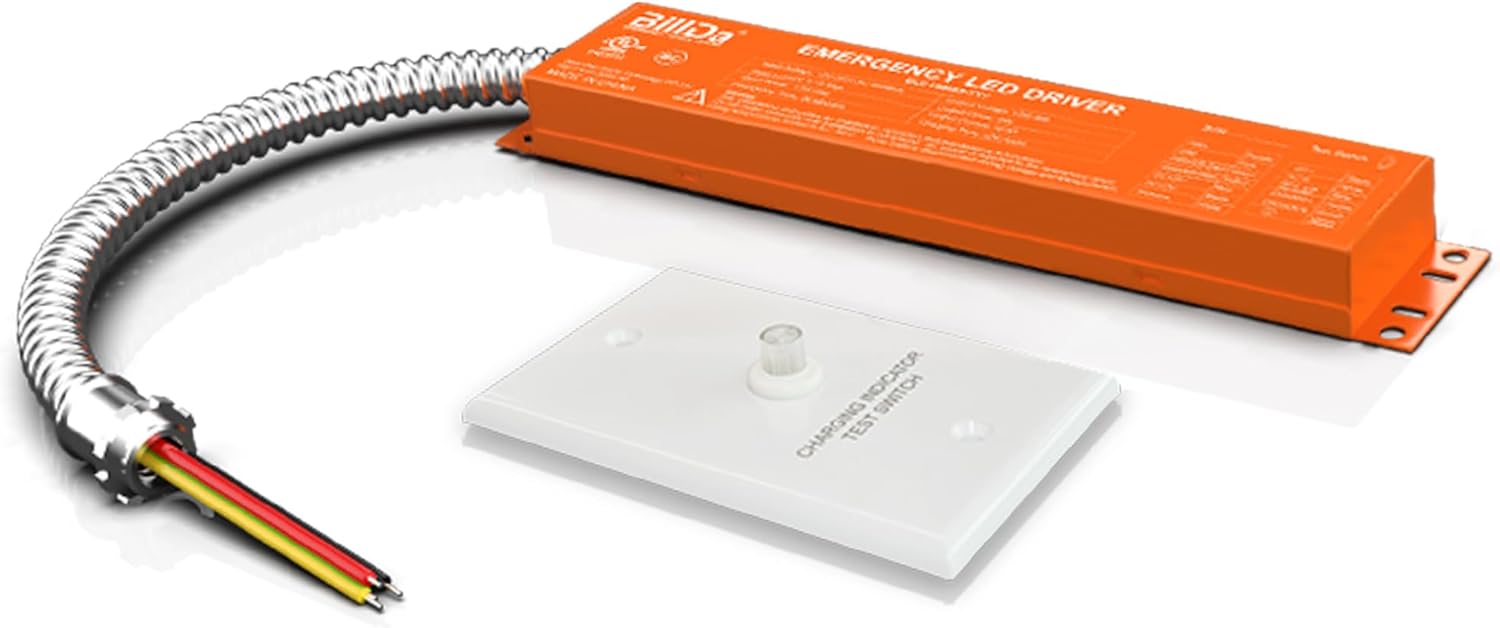
Image 1.1: The ASD Battery Back-Up Kit 8W, showing the emergency LED driver and the charging indicator/test switch.
2. Safety Information
Please read all instructions carefully before installation and operation. Failure to follow these instructions may result in electric shock, fire, or other hazards. Keep this manual for future reference.
- WARNING: Risk of electric shock. Disconnect power before installation or servicing.
- Installation should be performed by a qualified electrician in accordance with the National Electrical Code (NEC) and local code requirements.
- Do not use this device with dimmers unless explicitly stated as compatible.
- Ensure all connections are secure and properly insulated.
- Do not modify or disassemble the unit. There are no user-serviceable parts inside.
- This product is damp-rated. Do not expose to direct water spray or submersion.
- Operating temperature range must be observed to ensure proper function and battery life.
3. Product Features
The ASD Battery Back-Up Kit 8W is engineered with several key features to provide reliable emergency lighting:
- Emergency Operation: Provides 90 minutes of constant output power to the connected LED fixture during a power outage.
- Durable Battery: Equipped with a long-lasting lithium-ion battery designed for 5000 cycles of standard charge and discharge.
- Multi-Protection Functions: Includes overcharge protection, over-discharge protection, short circuit protection, and over-temperature protection for enhanced safety and durability.
- Self-Checking Option: Automatically performs a monthly self-test (30 seconds duration) and an annual self-test (90 minutes duration) to verify emergency function and battery capacity.
- Mode Indicator: A clear indicator allows users to easily see whether the unit is operating in back-up mode or AC mode.
- Easy Installation: Designed for direct connection to the AC input of the fixture, simplifying the installation process.
- UL Certified: Ensures compliance with safety standards.

Image 3.1: Visual representation of key features including 90 minutes emergency mode, indicator, self-testing, and multi-protection.
4. Specifications
Detailed technical specifications for the ASD Battery Back-Up Kit 8W:
| Specification | Value |
|---|---|
| Brand | ASD |
| Model Number | A-BLD-HM08D |
| Wattage | 8W |
| Emergency Duration | 90 minutes |
| Battery Cycles | 5000 cycles (charge/discharge) |
| Voltage | 120-347 Volts |
| Product Dimensions | 10.43 x 1.97 x 0.95 inches |
| Item Weight | 2 pounds |
| Material | Iron |
| Certifications | UL Certified |
| Location Rating | Damp Rated |

Image 4.1: Detailed product dimensions and key specifications.
5. Installation
Follow these steps for proper installation of the battery back-up kit. Ensure power is disconnected before beginning.
- Secure the Battery Back-Up Kit: Securely mount the battery back-up unit to the ceiling structure or within an accessible junction box, ensuring it is stable and properly supported.
- Connect Wires: Refer to the electrical diagram below for wiring connections. Connect the battery back-up unit to the fixture and the main power supply. Ensure all connections are tight and insulated.
- Install Test Switch: Connect the test switch to the battery back-up unit and affix it in a visible and accessible location on the surface, typically a wall plate.
- Restore Power: Once all connections are verified and secure, restore power to the circuit. The unit will begin charging.
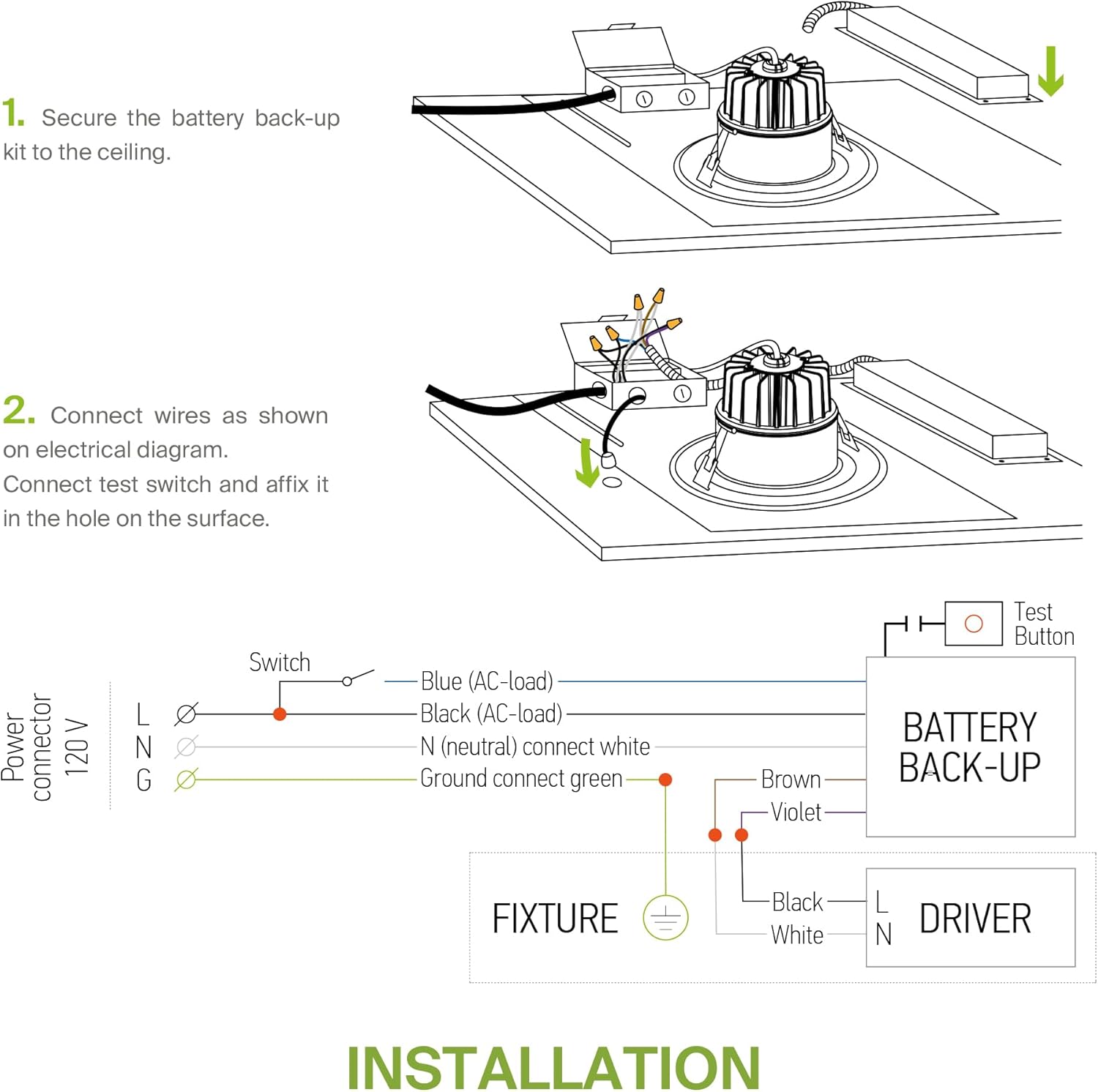
Image 5.1: Visual guide for securing the unit and connecting wires.

Image 5.2: Detailed electrical wiring diagram for connecting the battery back-up, fixture, and driver.
6. Operation
Once installed and powered, the ASD Battery Back-Up Kit operates automatically:
- Normal Operation (AC Mode): When AC power is present, the unit charges its internal battery and the connected LED fixture operates normally. The mode indicator will show the AC mode status (e.g., green light).
- Emergency Operation (Back-Up Mode): In the event of a power outage, the unit automatically switches to battery back-up mode, providing emergency power to the connected fixture for 90 minutes. The mode indicator will change to reflect back-up mode (e.g., red light).
- Self-Testing:
- Monthly Self-Test: The battery automatically performs a 30-second self-test every 30 days to check if the emergency function is normal.
- Annual Self-Test: An annual 90-minute self-test is performed to check the capacity of the battery pack.
- Manual Test: Press the test button on the charging indicator/test switch to manually initiate a brief test of the emergency function.
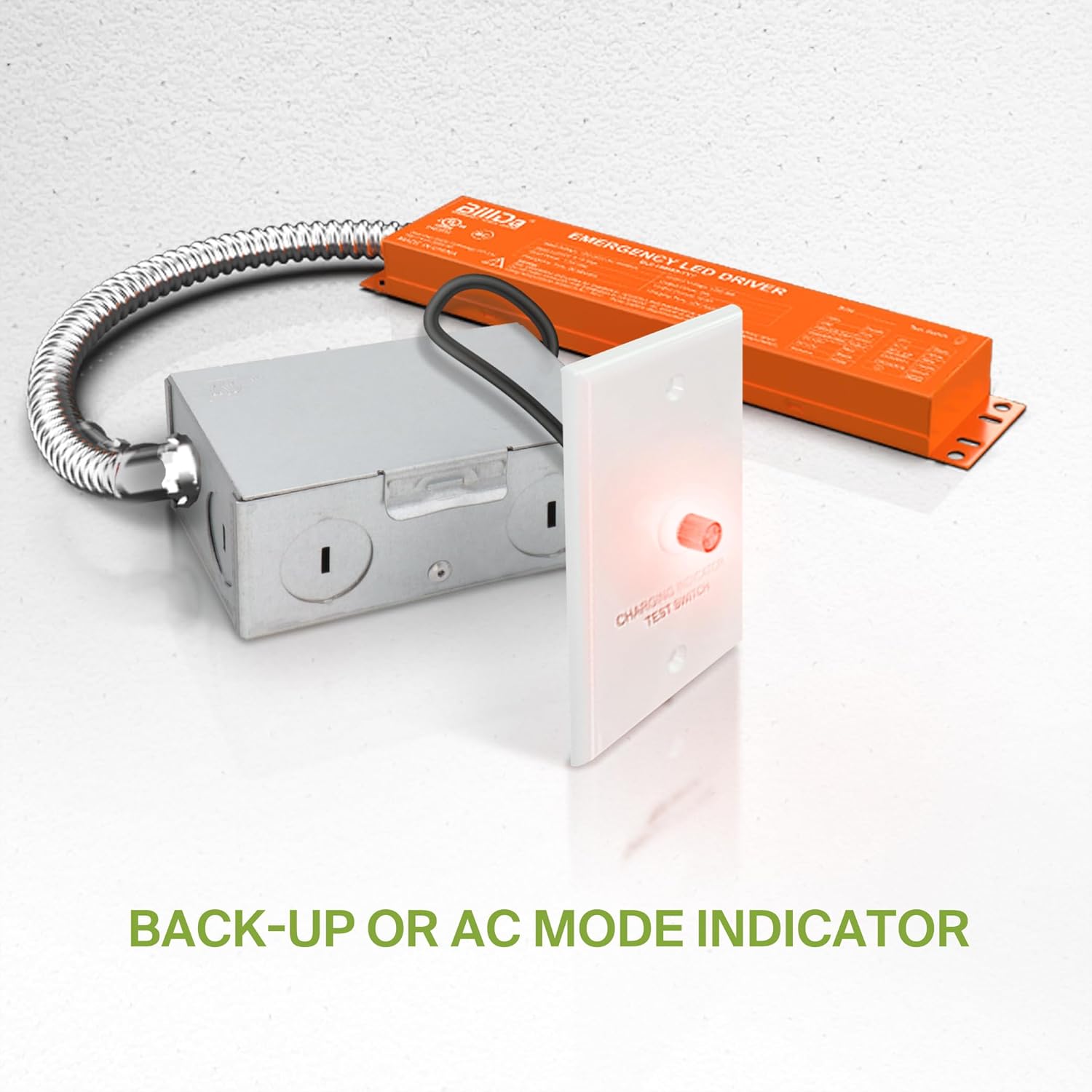
Image 6.1: The charging indicator/test switch showing the operational status.

Image 6.2: Illustration of the regular self-testing function.
7. Maintenance
The ASD Battery Back-Up Kit requires minimal maintenance due to its self-testing capabilities. However, regular visual inspections are recommended:
- Visual Inspection: Periodically check the unit and wiring for any signs of damage, wear, or loose connections.
- Indicator Check: Ensure the mode indicator light is functioning correctly and displays the appropriate status (AC mode or back-up mode during a test).
- Cleaning: If necessary, gently wipe the exterior of the unit with a dry, soft cloth. Do not use abrasive cleaners or solvents.
- Battery Replacement: The battery is designed for long life. If the unit consistently fails self-tests or does not provide the rated emergency duration, the unit may need replacement. Contact customer support for assistance.
8. Troubleshooting
If you encounter issues with your ASD Battery Back-Up Kit, refer to the following common problems and solutions:
| Problem | Possible Cause | Solution |
|---|---|---|
| Unit does not charge / Indicator light off | No AC power; Loose wiring; Faulty unit. | Check circuit breaker; Verify all wiring connections; Contact customer support if power is present and connections are secure. |
| Fixture does not illuminate in emergency mode | Battery not charged; Incompatible fixture; Faulty unit. | Allow 24 hours for initial charge; Ensure fixture is compatible (0/1-10V dimming, up to 150W); Perform manual test; Contact customer support. |
| Emergency duration is less than 90 minutes | Battery degradation; High ambient temperature. | Ensure unit is within recommended operating temperature; Unit may need replacement if battery is degraded. |
| Self-test fails | Battery issue; Internal fault. | Ensure unit has been fully charged; Contact customer support for diagnosis and potential replacement. |
9. Warranty and Support
ASD provides a 5-year limited warranty for the Battery Back-Up Kit 8W, guaranteeing top quality products and safety. This warranty covers defects in materials and workmanship under normal use and service.
For technical support, warranty claims, or any questions regarding your product, please contact ASD customer support. Our team is committed to responding to your concerns within 24 hours.
Contact Information: Please refer to the manufacturer's website or product packaging for the most current contact details.
