
Generico 3204432
Generico LSC Smart Connect Mood Lamp User Manual
Model: 3204432
Introduction
The Generico LSC Smart Connect 4.5-watt Mood Lamp is an intelligent lighting solution that creates a cozy and relaxing atmosphere in any environment. This high-quality LED lamp offers soft, adjustable light, perfect for setting the desired mood. Thanks to smart connectivity, you can easily control the light intensity and color via an app on your smartphone or smart device. This lamp is ideal for the bedroom, living room, or any other room where you desire soft, relaxing accent lighting. With a power consumption of only 4.5 watts, it is also an ecological and economical option for lighting your home. Enjoy a personalized, high-quality lighting experience with the Generico LSC Smart Connect Mood Lamp.
Product Features
- Easy to connect to a 2.4 GHz WiFi network, no hub required.
- Control via the free app and compatible with Amazon Alexa or Google Assistant.
- Compact and intelligent design, perfect for illuminating dark corners.
- Allows setting various colors and adjusting light intensity.
- Easily set schedules or scenarios for personalized lighting at any time of day.
Package Contents
Upon opening the package, please ensure all components are present and in good condition. The package should contain:
- Generico LSC Smart Connect Mood Lamp
- USB Power Cable
- Dimmer
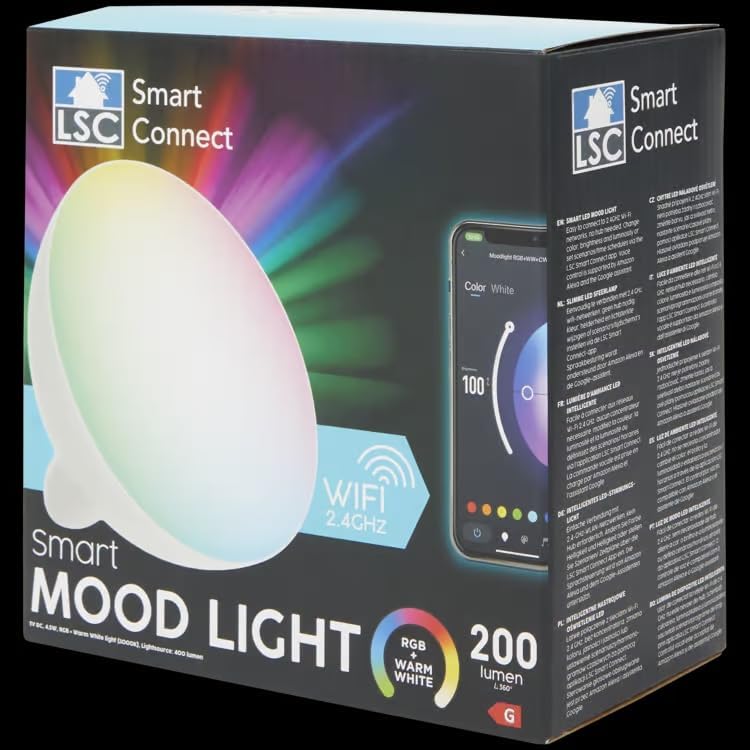
Image: The Generico LSC Smart Connect Mood Lamp in its retail packaging, highlighting its smart features and WiFi connectivity.

Image: The Generico LSC Smart Connect Mood Lamp shown with its included USB power cable, ready for connection.
Setup Instructions
- Power Connection: Connect the provided USB power cable to the lamp and plug the other end into a compatible USB power adapter (not included) or a USB port.
- App Download: Download the free LSC Smart Connect app from your smartphone's app store (available for iOS and Android).
- Account Creation/Login: Open the app and create a new account or log in if you already have one.
- Add Device: In the app, select "Add Device" or the "+" icon. Follow the on-screen instructions to put the lamp into pairing mode. The lamp may flash to indicate it's ready for pairing.
- Wi-Fi Connection: Ensure your smartphone is connected to a 2.4 GHz Wi-Fi network. The lamp requires a 2.4 GHz network for connection. Enter your Wi-Fi network password when prompted by the app.
- Pairing Completion: The app will search for and connect to the lamp. Once connected, you can rename the device and begin controlling it.
Note: No hub is required for the operation of this smart lamp.
Operating Instructions
Once the lamp is successfully connected to the LSC Smart Connect app, you can control its functions:
- Power On/Off: Tap the power icon in the app to turn the lamp on or off.
- Color Selection: Use the color wheel or preset color options within the app to change the lamp's color. You can choose from a wide spectrum of colors, including warm white.
- Brightness Adjustment: Adjust the brightness slider to increase or decrease the light intensity.
- Scene Modes: Explore various pre-programmed scene modes for different moods or activities (e.g., reading, relaxation, party).
- Scheduling: Set timers or schedules for the lamp to turn on/off or change settings automatically at specific times.
- Voice Control: If connected to Amazon Alexa or Google Assistant, use voice commands to control the lamp (e.g., "Alexa, turn on the mood lamp," "Hey Google, set mood lamp to blue").
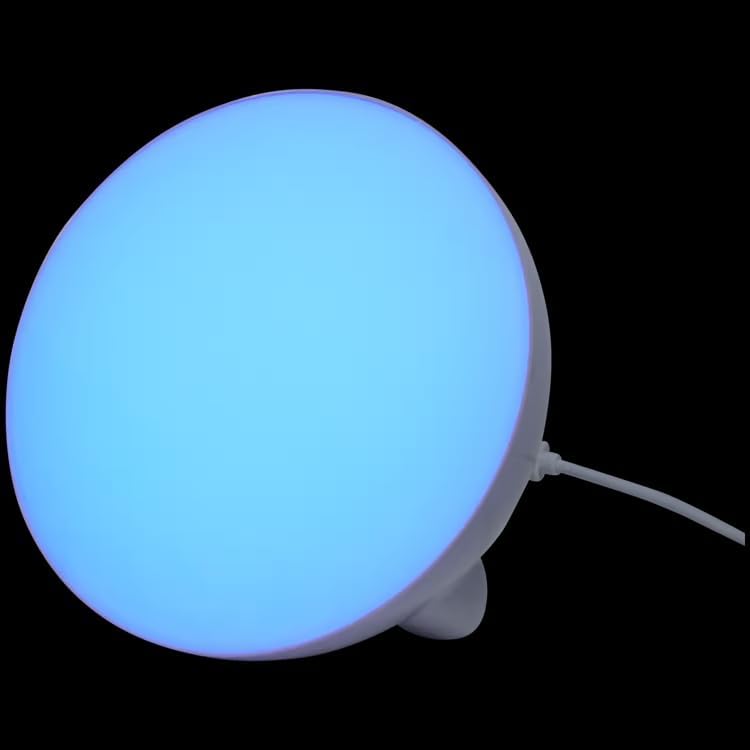
Image: The Generico LSC Smart Connect Mood Lamp illuminated with a blue light, demonstrating its color-changing capabilities.
Maintenance
To ensure the longevity and proper functioning of your Generico LSC Smart Connect Mood Lamp, follow these maintenance guidelines:
- Cleaning: Gently wipe the lamp with a soft, dry cloth. Do not use abrasive cleaners or solvents, as they may damage the surface.
- Placement: Place the lamp in a dry environment, away from direct sunlight, high temperatures, and excessive humidity.
- Power Off When Not in Use: For extended periods of non-use, unplug the lamp from the power source.
Important Information Regarding Bulbs:
- Bulb Recycling: For information on recycling this and other types of lamps, please consult local recycling guidelines or official recycling resources.
- Information on Broken Bulbs and Cleaning: In the event of a broken or damaged lamp, learn more about how to safely clean and dispose of it by consulting relevant safety guidelines for LED products. Avoid direct contact with broken components.
Troubleshooting
If you encounter issues with your Generico LSC Smart Connect Mood Lamp, please refer to the following common troubleshooting steps:
- Lamp Not Turning On:
- Ensure the USB cable is securely connected to both the lamp and the power adapter/USB port.
- Verify that the power outlet or USB port is functional.
- Cannot Connect to Wi-Fi:
- Ensure your Wi-Fi network is 2.4 GHz. This lamp does not support 5 GHz networks.
- Check your Wi-Fi password for accuracy.
- Move the lamp closer to your Wi-Fi router.
- Restart your Wi-Fi router and try the pairing process again.
- Ensure your smartphone is connected to the same 2.4 GHz Wi-Fi network during setup.
- App Not Responding/Lamp Unresponsive:
- Close and reopen the LSC Smart Connect app.
- Restart your smartphone.
- Unplug the lamp from power for 10 seconds, then plug it back in.
- Check for app updates in your smartphone's app store.
- Voice Control Issues:
- Ensure the lamp is properly linked to your Amazon Alexa or Google Assistant account within their respective apps.
- Verify your voice commands are clear and match the device name set in the LSC Smart Connect app.
- Check your internet connection.
If the issue persists after trying these steps, please contact customer support.
Product Specifications
| Specification | Detail |
|---|---|
| Brand | Generico |
| Manufacturer | edemme |
| Item Model Number | 3204432 |
| Item Code | 345 |
| Number of Items | 10 (referring to package quantity, not individual lamp count) |
| Color | Various Colors |
| Shape | Globe (G) |
| Included Components | Dimmer |
| Voltage | 240 Volts (AC) |
| Additional Features | Instant On |
| Plug and Power Source Type | Corded Electric |
| Bulb Type | Light Emitting Diode (LED) |
| Wattage | 4.5 watts |
| Included Bulb Wattage | 4.5 Watt |
| Incandescent Equivalent | 25 Watt |
| Software Updates Guaranteed Until | Unknown |
| Available on Amazon.it from | July 29, 2024 |
| Country of Origin | Germany |
| Light Type | LED |
| Special Feature | Instant On |
| Bulb Type Dimensions | G30 |
Warranty and Support
For warranty information and customer support, please refer to the documentation provided with your purchase or contact the seller directly. The manufacturer of this product is edemme.
For further assistance, you may also consult the LSC Smart Connect app's help section or visit their official website for FAQs and support resources.
Ask a question about this manual
Ask about setup, troubleshooting, compatibility, parts, safety, or missing instructions. Manuals+ will review the question and use this page’s manual context to help answer it.