
1. Introduction
This manual provides detailed instructions for the installation, operation, and maintenance of your XTRONS 7-inch Android 14 Car Stereo. Please read this manual thoroughly before using the product to ensure proper function and safety.
1.1 Applicable Models and Years
- BMW E46: 4-door Sedan (1998-2005), 2-door Coupe (1999-2006), 2-door Convertible (1999-2006), 5-door Touring (1999-2005), 3-door Hatchback (2000-2004), M3 (2000-2006)
- Rover 75: (1999-2005)
- MG ZT: (2001-2005)
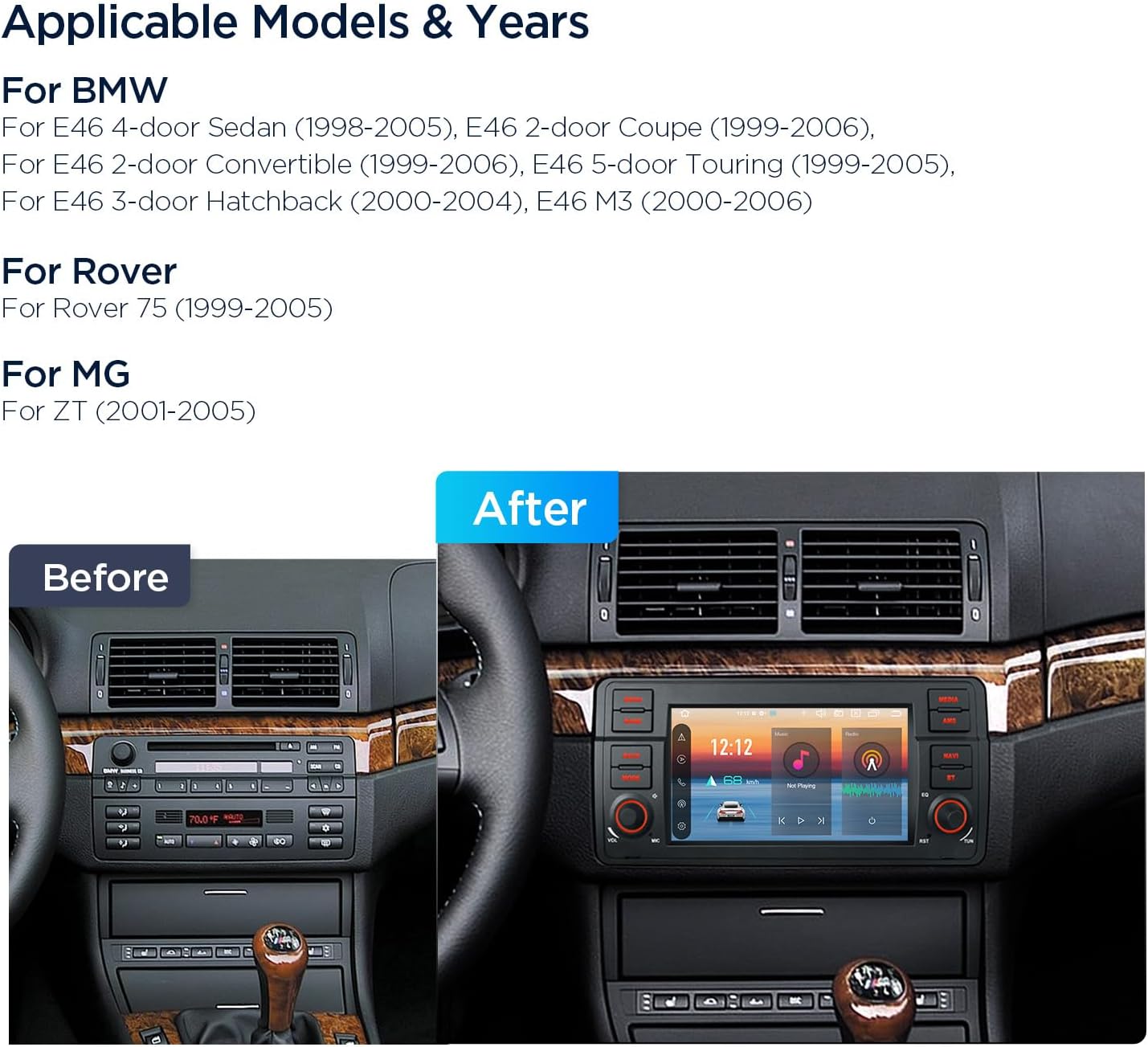
Image Description: This image displays a 'Before' and 'After' comparison of a car's dashboard. The 'Before' section shows the original factory radio, while the 'After' section illustrates the XTRONS 7-inch Android 14 Car Stereo seamlessly integrated into the dashboard, highlighting the improved visual and functional upgrade.
1.2 Key Features
- Operating System: Latest Android 14
- Processor: Octa-core (up to 2.0GHz) with 4GB RAM and 64GB ROM
- Display: 7-inch 1024x600 High Definition Touch Screen with IPS Technology
- Connectivity: Global 4G LTE, Dual Wi-Fi Band (2.4GHz/5GHz), Bluetooth 5.0
- Smartphone Integration: Built-in Wireless CarPlay and Wireless/Wired Android Auto, Screen Mirroring
- Audio: Built-in DSP (Digital Sound Processor), High Power Amplifier (4x45W)
- Customization: 4 Unique UI Themes, Multi-Color LED Button Lights
- Video Playback: Supports 2K format video
2. Package Contents
Verify that all items listed below are present in your product package:
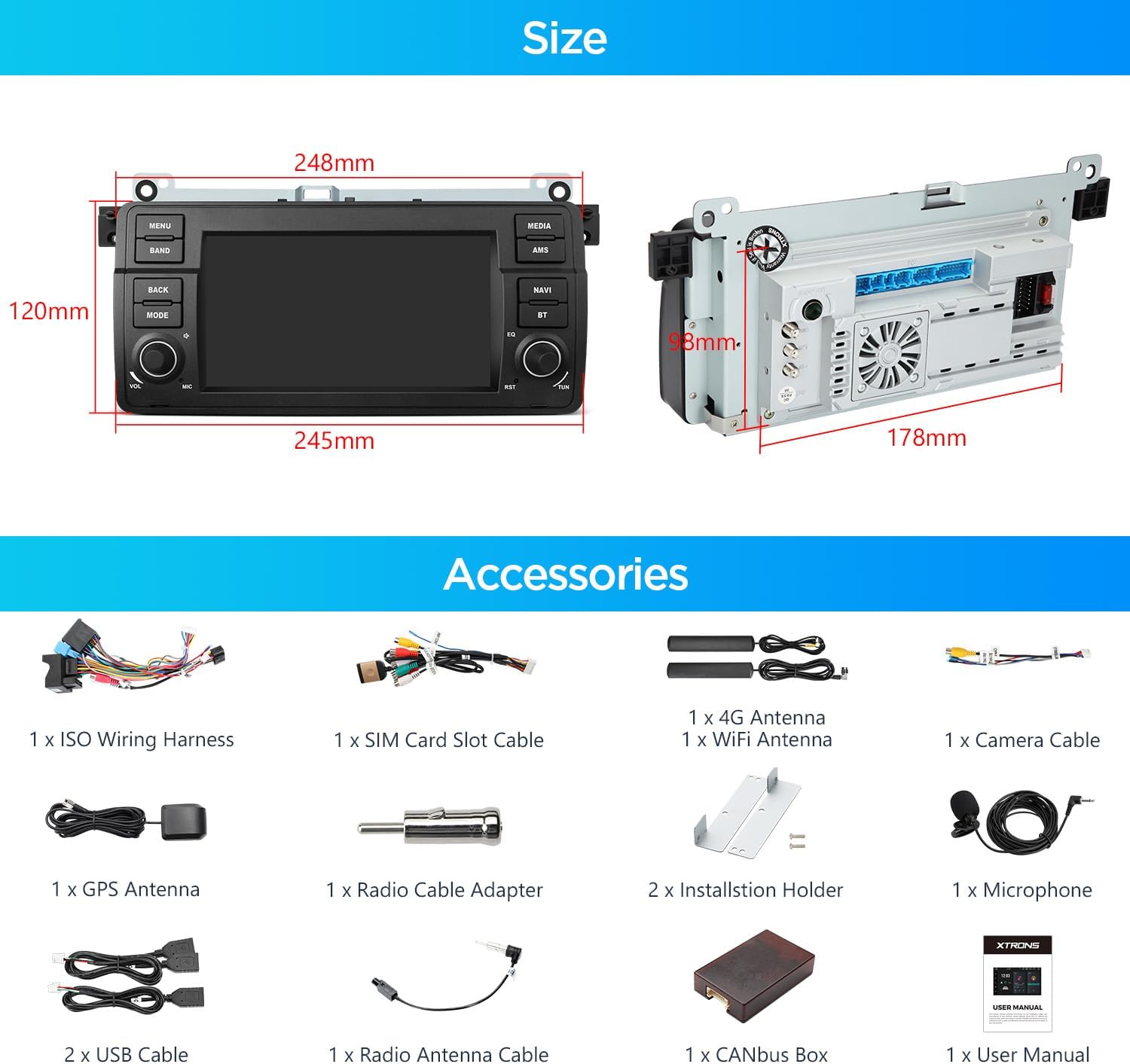
Image Description: This image provides a detailed view of the XTRONS car stereo's dimensions (248mm width, 120mm height, 178mm depth) and a comprehensive layout of all included accessories, such as wiring harnesses, antennas, cables, and installation tools.
- 1 × ISO Wiring Harness
- 1 × SIM Card Slot Cable
- 1 × 4G Antenna
- 1 × WIFI Antenna
- 1 × Camera Cable
- 1 × GPS Antenna
- 1 × Radio Cable Adapter
- 2 × Screw
- 2 × Installation Holder
- 1 × Microphone
- 2 × USB Cable
- 1 × Radio Antenna Cable
- 1 × CANbus BOX
- 1 × User Manual
3. Installation
Professional installation is recommended. Ensure the vehicle's power is disconnected before beginning installation.
3.1 Wiring Diagram
Refer to the following diagram for proper connection of all cables and accessories.

Image Description: This image presents a comprehensive wiring diagram for the XTRONS car stereo. It clearly labels each connection point, including antennas (4G, Wi-Fi, GPS), USB ports, camera inputs, audio outputs (subwoofer, front, rear), steering wheel controls, and ISO wiring harnesses, providing a visual guide for installation.
- 4G Antenna
- Wi-Fi Antenna
- Radio Antenna Port
- GPS Antenna
- USB Port 1
- USB Port 2
- USB Port 3
- BT-ANT, Bluetooth Antenna
- BACK, Reversing Control Cable
- WIFI ANT, WiFi Antenna
- BRAKE, Brake Control Cable
- CAM IN, Camera Input
- RR_OUT, Rear Right Sound Channel Output
- RL_OUT, Rear Left Sound Channel Output
- 4G SIM Card Slot
- AMP CONT, Amplifier Control Cable
- AV-IN, Reverse Camera Video In
- SUB WOOFER, Subwoofer Output
- F-CAM-IN, Front Camera Input
- MIC, External Microphone Port
- AUX IN L, Audio Input Left
- FL_OUT, Front Left Sound Channel Output
- FR_OUT, Front Right Sound Channel Output
- AUX IN R, Audio Input Right
- ACC
- ACC
- KEY1, Steering Wheel Control Key1
- BRAKE, Brake In Cable
- KEY1, Steering Wheel Control Key1
- Reversing Control Cable
- ISO Wiring Harness1
- ISO Wiring Harness2
- ISO Wiring Harness3
- CANbus Box
4. Setup
4.1 Initial Power-On
After installation, turn on your vehicle's ignition. The stereo should power on automatically. Follow any on-screen prompts for initial setup, such as language selection and time zone.
4.2 Network Connection
The unit supports both 4G LTE and Wi-Fi connectivity.
- 4G LTE: Insert a Micro-SIM card into the designated slot (refer to wiring diagram item 15). The unit will automatically detect and connect to the 4G network.
- Wi-Fi: Navigate to the settings menu, select Wi-Fi, and connect to an available 2.4GHz or 5GHz network.
- USB Tethering: You can also share your mobile phone's network connection via USB tethering.

Image Description: This image demonstrates the various network connectivity options. It shows a SIM card being inserted for 4G LTE, the unit connected to a 4G network, dual-band Wi-Fi (2.4GHz and 5GHz) in use, and a smartphone connected via USB for network sharing (tethering).
5. Operating Instructions
5.1 Touch Screen Interface
The 7-inch 1024x600 high-resolution touch screen provides intuitive control over all functions. Tap, swipe, and pinch gestures are supported.
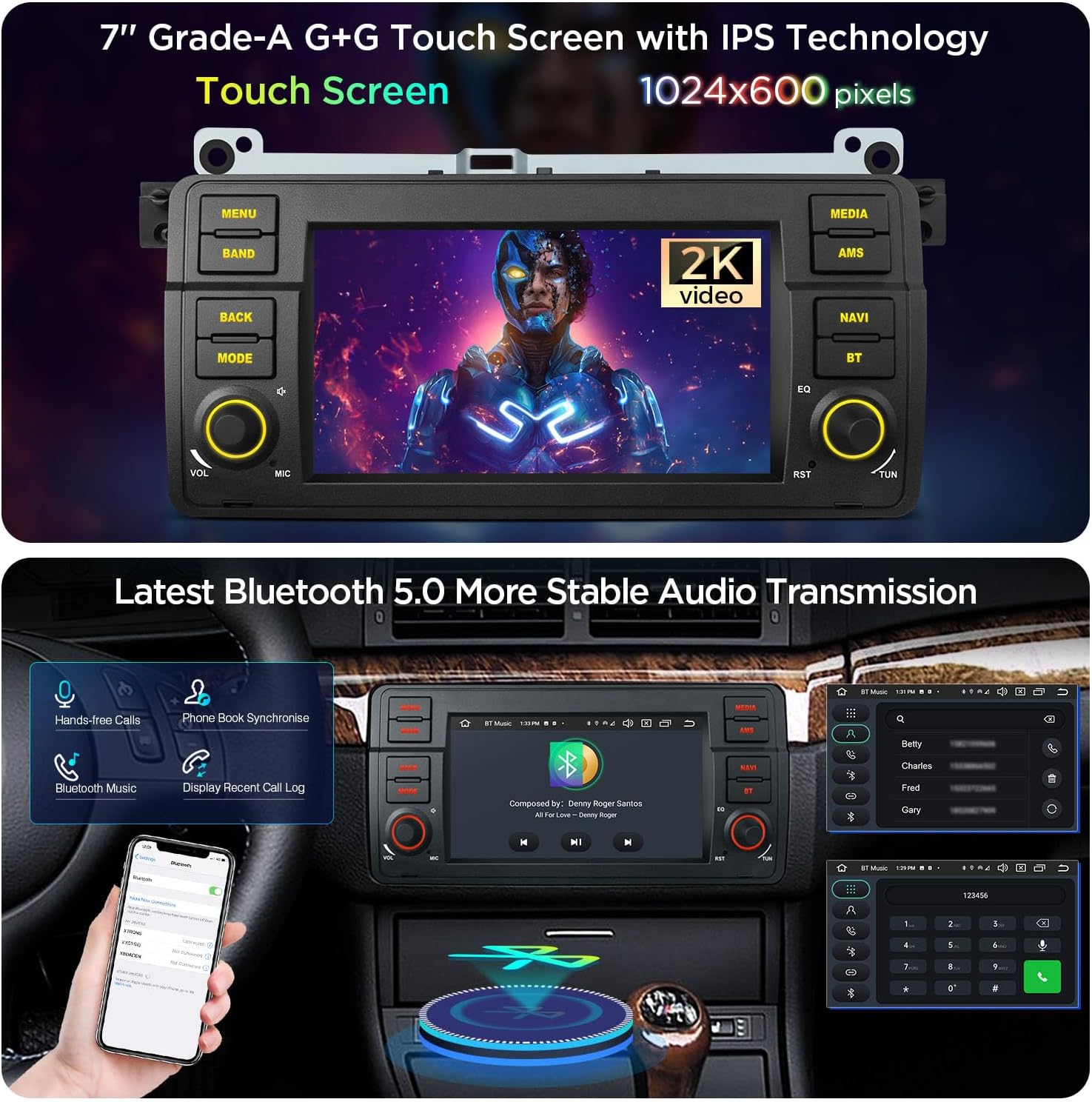
Image Description: This image highlights the 7-inch touch screen's capability to display 2K video content. Below, it illustrates the Bluetooth 5.0 functionality, including hands-free calling, phone book synchronization, and Bluetooth music streaming, with a smartphone connected to the unit.
5.2 Bluetooth 5.0
Pair your smartphone via Bluetooth 5.0 for hands-free calling, contact synchronization, and audio streaming. Access Bluetooth settings from the main menu to pair devices.
5.3 GPS Navigation
The unit supports fast and accurate GPS navigation by utilizing two out of three satellite systems simultaneously. Pre-installed navigation apps or downloaded alternatives can be used.
5.4 Wireless CarPlay and Android Auto
Connect your iPhone or Android device wirelessly for seamless integration of navigation, music, calls, and messaging. Voice commands via "Hey Siri" or "Hey Google" are supported.

Image Description: This image demonstrates the smartphone connection features. It shows Wireless CarPlay via Bluetooth, Wireless and Wired Android Auto via Bluetooth and USB, and Screen Mirroring via Wi-Fi, illustrating how various smartphone interfaces can be displayed and controlled on the car stereo.
5.5 Built-in DSP
The integrated Digital Sound Processor (DSP) allows for advanced audio customization, enhancing your listening experience. Access DSP settings through the audio menu.
5.6 UI Themes and Button Lights
Personalize your stereo's appearance with four distinct UI themes. The multi-color LED button lights can be customized with various colors and dynamic effects (User, Auto, Random, Gradient modes).
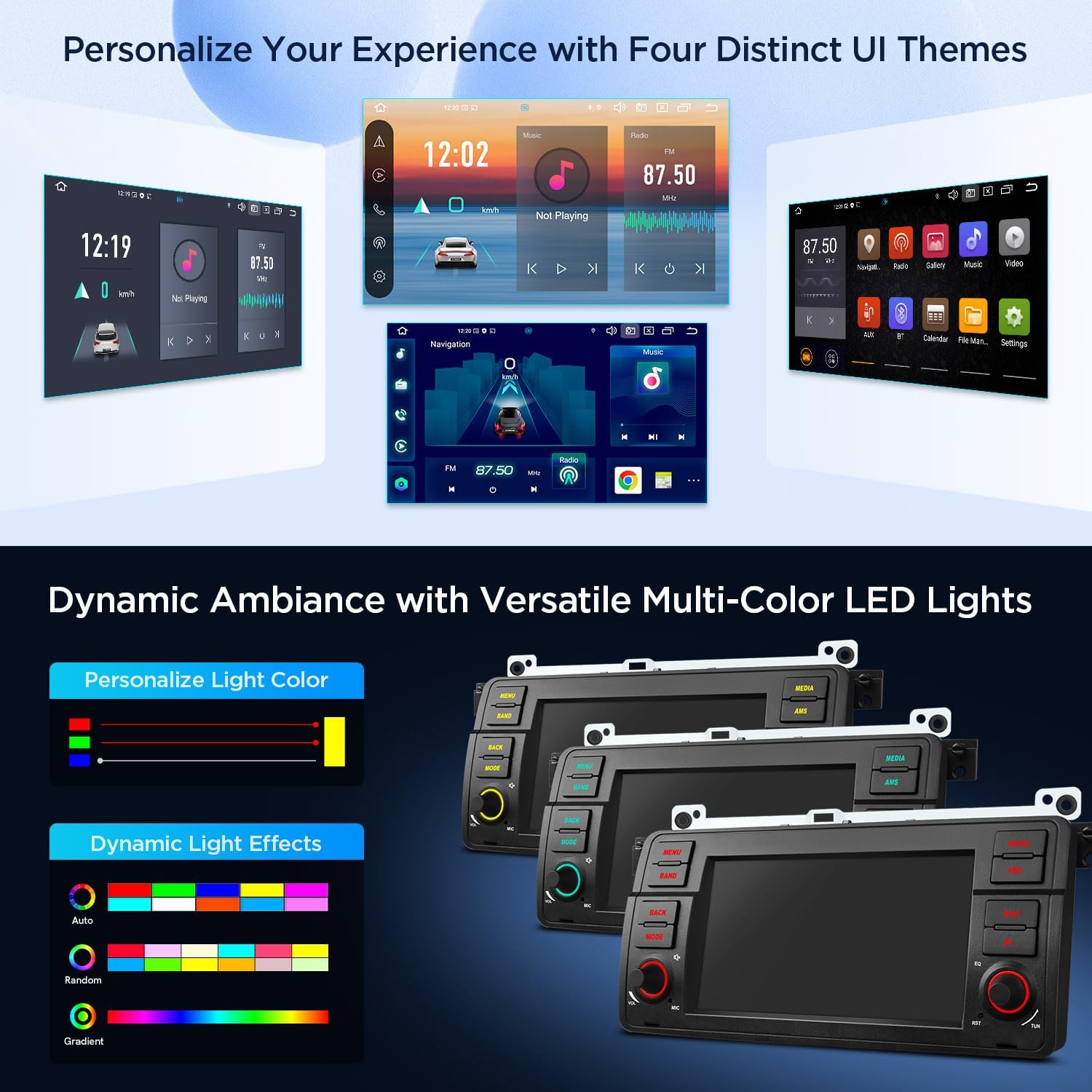
Image Description: This image showcases the customization options available. It displays four different user interface (UI) themes, each with a unique layout and aesthetic. Below, it illustrates the dynamic ambiance feature, allowing users to personalize the button light colors and choose from various dynamic light effects like Auto, Random, and Gradient.
5.7 Optional Accessories
The unit is compatible with various optional accessories to expand its functionality:
- OBD Function: Requires an OBD dongle (e.g., B09D3DVZVR) for vehicle diagnostics.
- TPMS Function: Requires a TPMS device (e.g., B07WQFKV5G) for tire pressure monitoring.
- External DVR: Compatible with external DVRs (e.g., B07MBYCG4C) for recording driving footage.
- Reversing AHD Camera: Supports AHD cameras (e.g., B00GY3BVT6) for enhanced rear visibility.
6. Maintenance
To ensure the longevity and optimal performance of your car stereo, follow these maintenance guidelines:
- Cleaning: Use a soft, dry cloth to clean the screen and unit exterior. Avoid abrasive cleaners or solvents.
- Software Updates: Periodically check for and install software updates to ensure the system runs efficiently and has the latest features.
- Temperature: Avoid exposing the unit to extreme temperatures.
7. Troubleshooting
If you encounter issues with your XTRONS car stereo, refer to the following common troubleshooting steps:
- No Power: Check all power connections and fuses. Ensure the vehicle's ignition is on.
- No Sound: Verify speaker connections, volume levels, and audio settings (e.g., DSP settings).
- Touch Screen Unresponsive: Try restarting the unit. If the issue persists, a factory reset might be necessary (consult support).
- GPS Signal Loss: Ensure the GPS antenna is properly installed and has a clear view of the sky.
- Bluetooth Connection Issues: Delete previous pairings on both the stereo and your phone, then attempt to re-pair.
- System Slow/Freezing: Close unnecessary applications. If the issue persists, consider a factory reset or software update.
For more complex issues, please contact XTRONS customer support.
8. Specifications

Image Description: This infographic provides a summary of the car stereo's automotive-grade hardware and features. It highlights Android 14, Octa-core processor, 4GB RAM, 64GB ROM, Built-in AKM DSP, Bluetooth 5.0, Dual Band Wi-Fi, Global 4G LTE, Wireless CarPlay/Android Auto, Multi-color Light Effects, Four UI Themes, Screen Mirroring, AHD Camera support, and 2K Video playback.
| Feature | Specification |
|---|---|
| Model Name | PX7446BL |
| Operating System | Android 14 |
| Processor | Octa-core (up to 2.0GHz) |
| RAM | 4GB |
| ROM | 64GB |
| Screen Size | 7 Inches |
| Screen Resolution | 1024x600 |
| Connectivity Technology | Bluetooth 5.0, USB, Wi-Fi (2.4GHz/5GHz), 4G LTE |
| Special Features | Global 4G, Touchscreen, Built-in DSP, Wireless CarPlay, Wireless/Wired Android Auto |
| Audio Output Mode | Stereo (4x45W Amplifier) |
| Mounting Type | Dashboard Mount |
| Item Weight | 6.82 pounds |
9. Warranty and Support
XTRONS products are designed for reliability and performance. For warranty information, please refer to the documentation included with your purchase or visit the official XTRONS website.
If you require technical assistance or have questions regarding your product, please contact XTRONS customer support. You can find contact information on the XTRONS Store Page or through your purchase platform.


