
PRUNUS J-924
PRUNUS J-924 Emergency Radio User Manual
Model: J-924
Introduction
The PRUNUS J-924 is a versatile emergency radio designed to provide essential communication and power in various situations, including outdoor activities and emergencies. It features multiple power sources, comprehensive radio bands, and integrated lighting functions, ensuring you stay informed and connected.
Safety Information
- Do not expose the device to extreme temperatures or direct sunlight for prolonged periods.
- Keep the device away from water and high humidity to prevent damage.
- Do not attempt to disassemble or modify the radio, as this will void the warranty and may cause damage.
- Ensure proper ventilation when charging to prevent overheating.
- Only use the specified AAA batteries; do not mix old and new batteries or different types.
- The internal battery is not user-replaceable.
Product Overview
The PRUNUS J-924 is a compact and robust emergency radio equipped with various features for reliability and convenience.
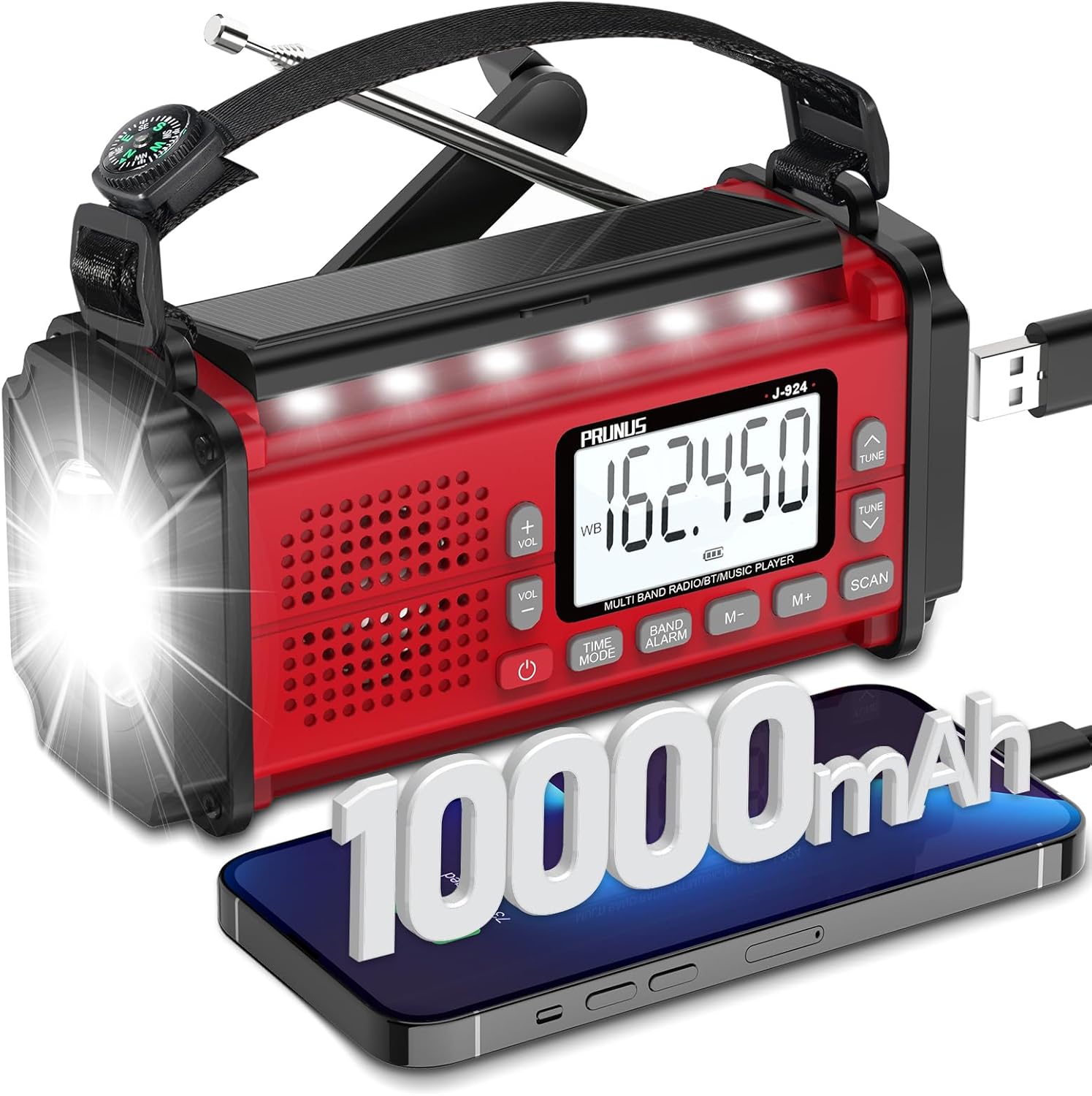
Figure 1: Front view of the PRUNUS J-924 Emergency Radio, highlighting its digital display, flashlight, and hand crank.
Key Components:
- Digital Display: Shows frequency, time, and battery status.
- Telescopic Antenna: For improved radio reception.
- Hand Crank: Manual power generation.
- Solar Panel: For solar charging.
- LED Flashlight: High-brightness illumination.
- Reading Light: Located under the solar panel.
- USB-C Charging Port: For external charging.
- USB-A Output Port: For charging external devices (power bank function).
- AAA Battery Compartment: For optional AAA battery power.
- SOS Button: Activates alarm and flashing light.
- Compass: Integrated into the wrist strap for navigation.
- Control Buttons: Volume, tuning, band selection, time mode, alarm, scan.
- 3.5mm Earphone Jack: For private listening.
What's in the Box:
- PRUNUS J-924 Emergency Radio
- USB-C Charging Cable
- User Manual
- Wrist Strap with Compass
Setup
Initial Charging:
Before first use, fully charge the internal 10000mAh battery using the supplied USB-C cable. Connect the USB-C end to the radio's charging port and the USB-A end to a compatible USB power adapter (not included) or computer USB port. The charging indicator will show progress.
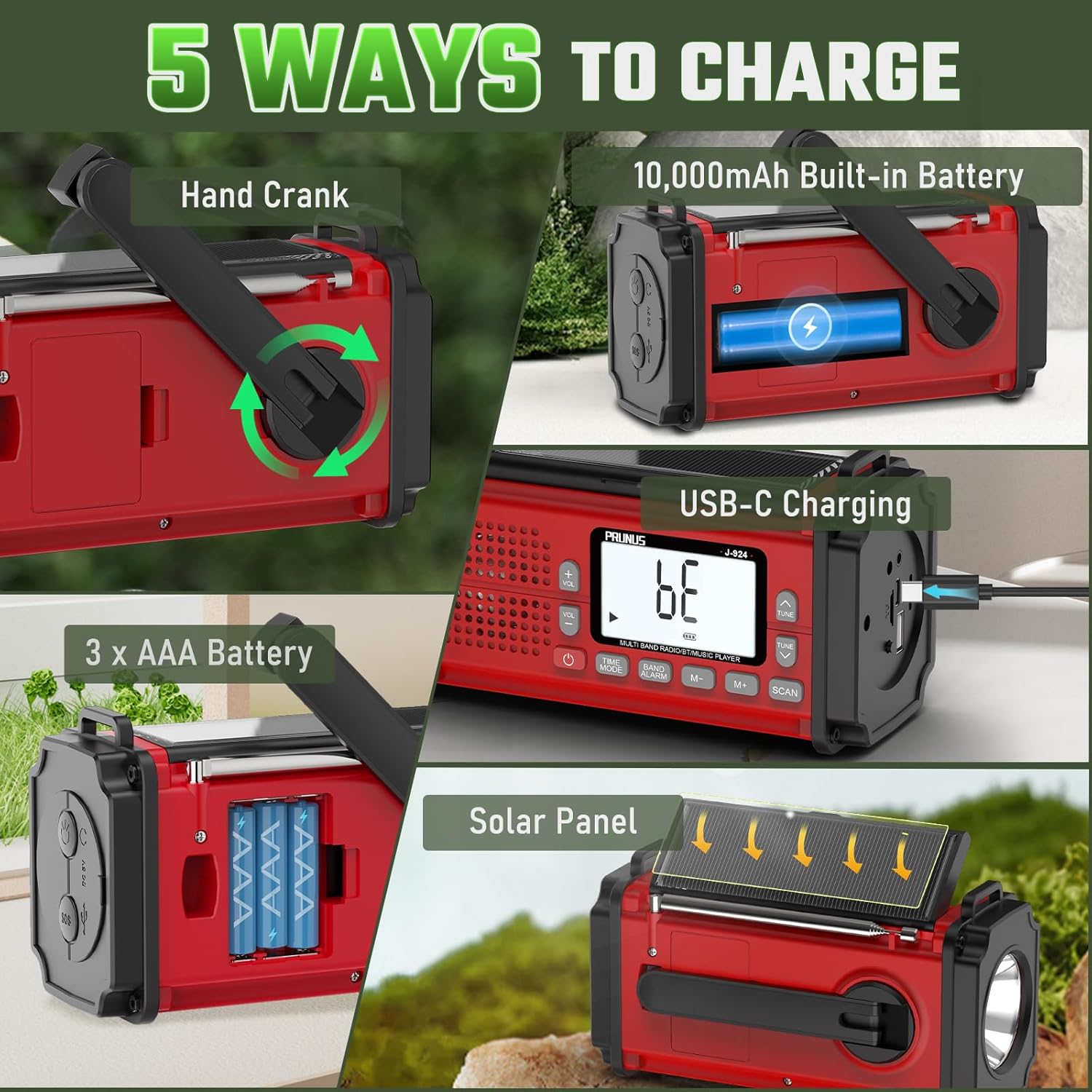
Figure 2: Illustration of the five power supply methods for the PRUNUS J-924, including USB-C charging.
Optional AAA Battery Installation:
For extended use or as a backup, you can insert 3 AAA batteries into the designated compartment. Ensure correct polarity. Note that AAA batteries cannot be charged by the radio's internal charging system.
Operating Instructions
Powering On/Off:
Press the Power button to turn the radio on or off.
Radio Operation (AM/FM/SW/NOAA):

Figure 3: The PRUNUS J-924 tuned to a NOAA weather frequency, indicating its weather alert capabilities.
- Band Selection: Press the BAND button to cycle through FM, AM, SW, and NOAA Weather Band (WB).
- Tuning: Use the TUNE UP/DOWN buttons to manually adjust the frequency.
- Auto Scan: Press the SCAN button to automatically search for and save available stations.
- NOAA Weather Band: The radio covers all 7 NOAA stations (162.400MHz-162.550MHz). These stations are typically pre-saved for quick access.
- Volume Control: Use the VOL +/- buttons to adjust the audio volume.
- Antenna: Extend the telescopic antenna for optimal reception, especially for FM and SW bands.
Lighting Functions:
- Flashlight: Press the dedicated Flashlight button (usually on the side or front) to turn the 230LM flashlight on/off.
- Reading Light: Flip up the solar panel to activate the reading light. It will automatically turn off when the panel is folded down.
SOS Alarm:

Figure 4: The SOS alarm feature of the PRUNUS J-924, designed for attracting attention in emergencies.
In an emergency, press and hold the SOS button. The radio will emit a loud alarm sound and the flashlight will flash, signaling for help.
Power Bank Function:
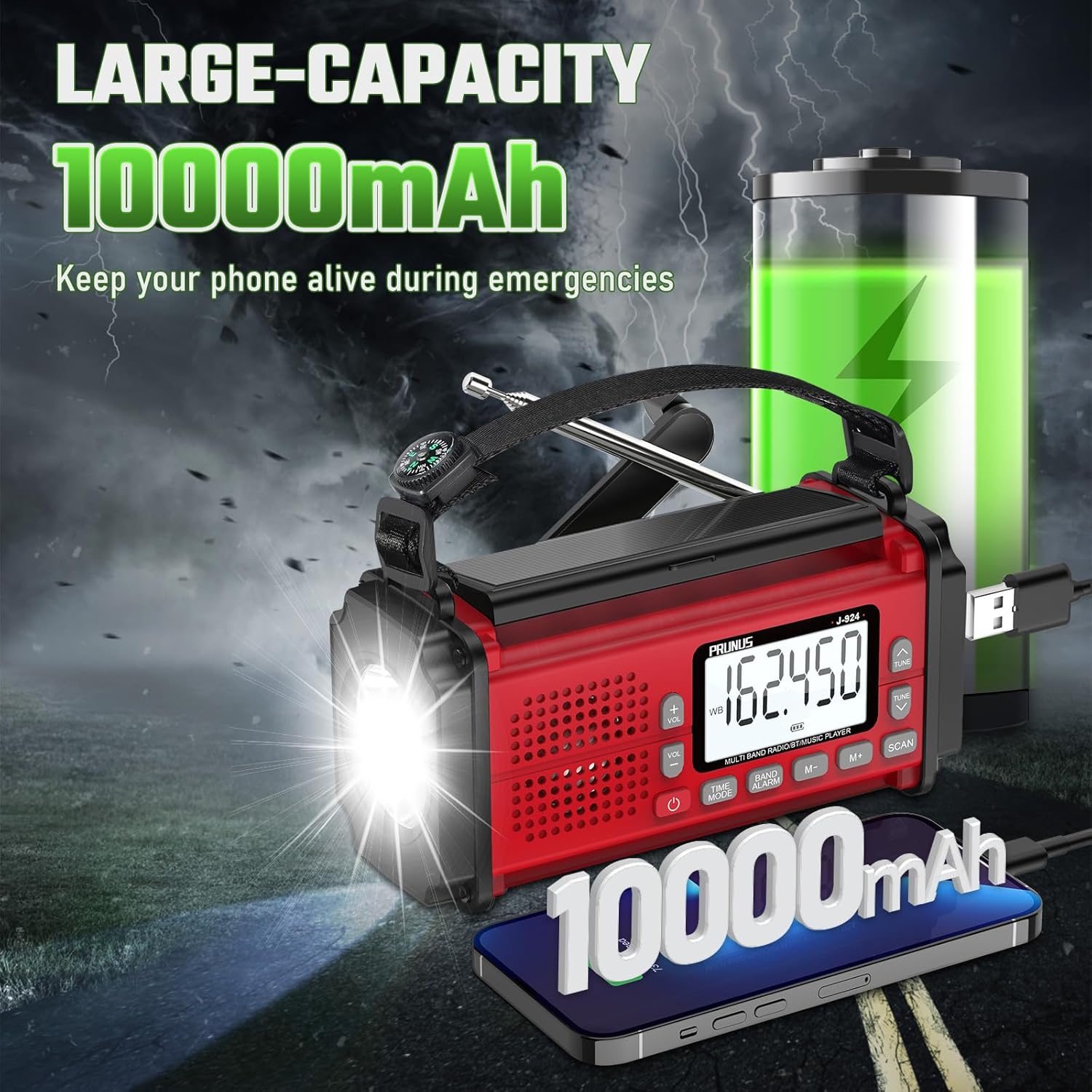
Figure 5: The PRUNUS J-924 acting as a power bank, capable of charging mobile devices with its 10000mAh battery.
Connect your mobile device to the radio's USB-A output port using your device's charging cable. The 10000mAh internal battery can provide emergency power to charge phones and other small electronics.
Multiple Charging Methods:
- USB-C Charging: For fast and convenient daily charging.
- Hand Crank: Rotate the hand crank to generate power manually. This is ideal when no other power source is available.
- Solar Panel: Place the radio in direct sunlight to charge the internal battery via the solar panel. This method is slower and best for maintaining charge or trickle charging.
- Internal 10000mAh Battery: Provides a large capacity for extended operation.
- 3 x AAA Batteries: (Not rechargeable by the unit) Provides an alternative power source.
Clock and Alarm:
The radio features a 12/24-hour alarm clock. Use the TIME MODE and BAND ALARM buttons to set the time and alarm as per the on-screen instructions.
Portability:

Figure 6: Dimensions and key features of the portable PRUNUS J-924 radio.
The compact size (6.7 x 2.9 x 3.6 inches) and lightweight design (1.3lb) make it easy to carry in a backpack. The included wrist strap with an integrated compass enhances its utility for outdoor activities.
Maintenance
- Clean the radio with a soft, dry cloth. Do not use abrasive cleaners or solvents.
- Store the radio in a cool, dry place when not in use.
- If using AAA batteries, remove them if the radio will not be used for an extended period to prevent leakage.
- Regularly charge the internal battery, even if not in use, to maintain its lifespan.
Troubleshooting
| Problem | Possible Cause | Solution |
|---|---|---|
| Radio does not turn on. | Battery is depleted. | Charge the internal battery via USB-C, hand crank, or solar. Check AAA batteries if installed. |
| Poor radio reception. | Antenna not extended or weak signal area. | Fully extend the telescopic antenna. Relocate to an area with better signal. |
| Flashlight/Reading light not working. | Battery is low or light function not activated correctly. | Charge the radio. Ensure the flashlight button is pressed or solar panel is flipped up for reading light. |
| Phone not charging via USB. | Radio battery is low or cable is faulty. | Ensure the radio has sufficient charge. Try a different USB cable. |
Specifications
| Feature | Detail |
|---|---|
| Model Number | J-924 |
| Dimensions (L x W x H) | 6.7 x 2.8 x 3.2 inches |
| Item Weight | 1.61 pounds |
| Internal Battery | 10000mAh Lithium Polymer (included) |
| External Battery Support | 3 x AAA batteries (not included, not rechargeable by unit) |
| Radio Bands | FM: 87-108MHz, AM (MW): 520-1710KHz, SW: 3.2-21.850MHz, NOAA WB: 162.400MHz-162.550MHz (7 channels) |
| Charging Methods | USB-C, Hand Crank, Solar Panel |
| Flashlight Brightness | 230LM |
| Special Features | SOS Alarm, Reading Light, Power Bank, Compass, 12/24-hour Alarm Clock |
Warranty & Support
PRUNUS products come with a standard manufacturer's warranty. For specific warranty details, please refer to the warranty card included with your product or visit the official PRUNUS website. If you encounter any issues or require technical assistance, please contact PRUNUS customer support through their official channels or the retailer from whom you purchased the product.
For more information, visit the PRUNUS Store on Amazon.
Related documentsJ-924


Ask a question about this manual
Ask about setup, troubleshooting, compatibility, parts, safety, or missing instructions. Manuals+ will review the question and use this page’s manual context to help answer it.