
1. Introduction
Thank you for choosing the TRIUMPHKEY Electric Height Adjustable Desk. This desk is designed to provide a versatile and ergonomic workspace, allowing you to switch between sitting and standing positions effortlessly. Featuring a built-in monitor stand and memory presets, it enhances comfort and productivity in any home or office environment.
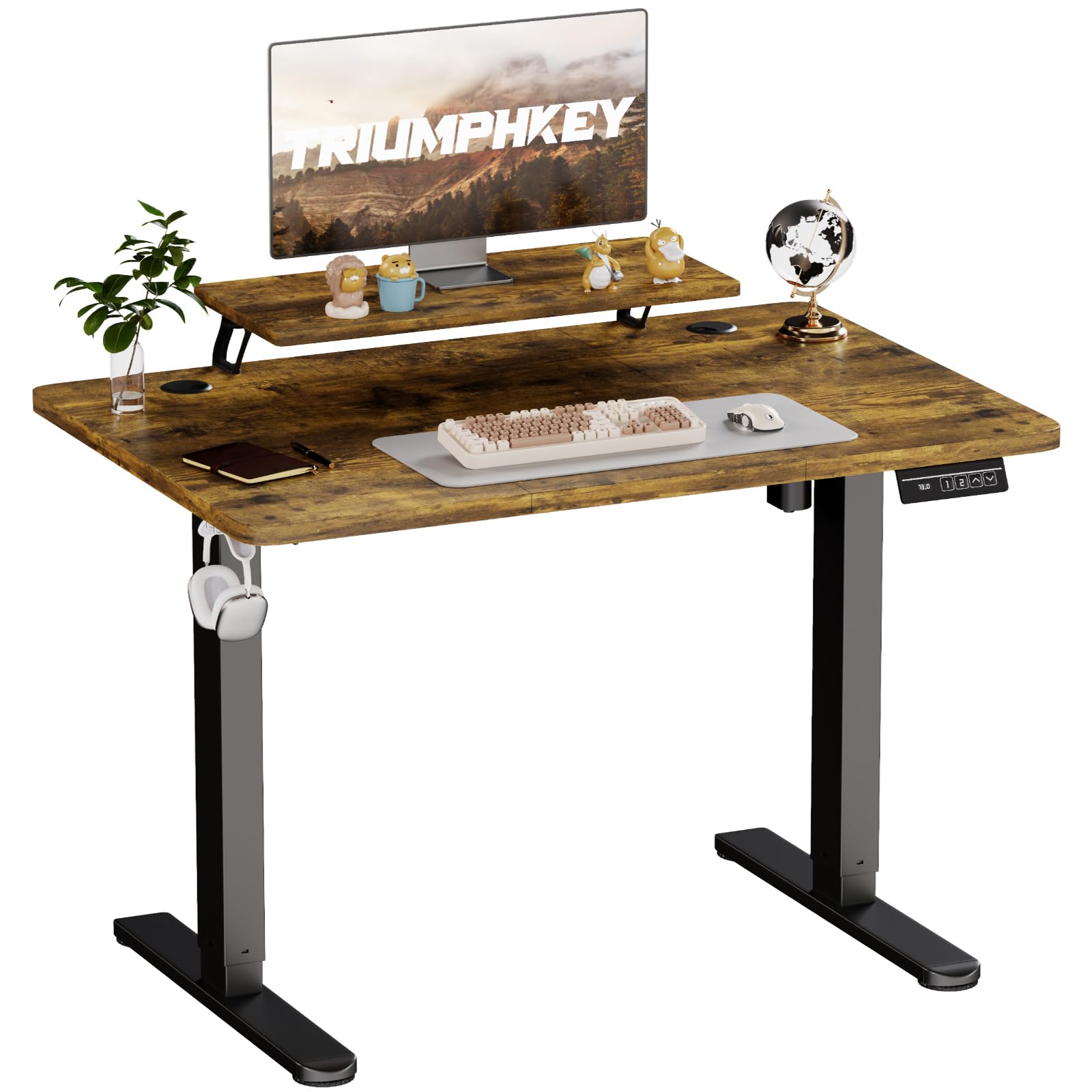
Image 1.1: The TRIUMPHKEY Electric Height Adjustable Desk with monitor stand.
2. Safety Information
Please read and understand all safety instructions before assembly and use. Failure to follow these instructions may result in injury or damage to the product.
- Use the electric height adjustment mechanism with care.
- Do not touch electrical parts during operation.
- Ensure the electrical cable is kept away from heat or moisture.
- Keep children and pets away from the desk during operation.
- Do not overload the desk beyond its specified weight capacity (60 kg).
- Ensure all screws are tightened securely before use.
3. Package Contents
Verify that all components are present before beginning assembly. If any parts are missing or damaged, please contact customer support.
- Desktop sections (may be multiple panels)
- Desk legs (2)
- Foot pads (2)
- Motor and control box
- Control panel with LED display
- Monitor stand components
- Headphone hook
- Power adapter and cable
- Assembly hardware (screws, bolts, washers)
- Screwdriver (included)
- Instruction manual
4. Setup and Assembly
Assembly typically requires two people and takes approximately 30-60 minutes. Follow the detailed instructions provided in the package. Each part is clearly numbered for easy identification.
- Unpack Components: Carefully remove all parts from the packaging and lay them out on a clean, soft surface to prevent scratches.
- Assemble Desk Legs: Attach the foot pads to the bottom of the desk legs using the provided screws.
- Attach Legs to Desktop: Secure the desk legs to the underside of the desktop. Ensure proper alignment and tighten all screws firmly.
- Install Motor and Control Box: Mount the motor and control box to the designated areas under the desktop, following the diagram in the manual.
- Connect Control Panel: Plug the control panel into the control box.
- Assemble Monitor Stand: Attach the monitor stand components to the desktop as instructed.
- Install Headphone Hook: Secure the headphone hook to the side of the desk.
- Connect Power: Plug the power adapter into the control box and then into a wall outlet.
- Cable Management: Utilize the cable management features (if available, such as grommets or clips) to keep your desktop tidy.

Image 4.1: The integrated desk hook for convenience.

Image 4.2: Keep your desktop tidy with integrated cable management.
5. Operating Instructions
The TRIUMPHKEY desk features an intuitive control panel for easy height adjustment and memory functions.

Image 5.1: Smart multifunction control keypad.
5.1. Adjusting Height
- Up/Down Buttons: Press and hold the Up (▲) or Down (▼) button to smoothly adjust the desk height. Release the button to stop at your desired position. The LED display will show the current height.
5.2. Using Memory Presets
The desk allows you to save two preferred height settings for quick adjustments.
- Set a Memory Position: Adjust the desk to your desired height using the Up/Down buttons.
- Save Position: Press and hold one of the memory buttons (1 or 2) until the LED display flashes or beeps, indicating the height has been saved.
- Recall a Memory Position: Simply press the corresponding memory button (1 or 2) to automatically move the desk to the saved height.

Image 5.2: Height adjustment range from 73 cm to 118 cm.

Image 5.3: Desk in an elevated standing position.
6. Maintenance
Proper care will ensure the longevity and optimal performance of your TRIUMPHKEY desk.
- Cleaning: Clean the desk surface with a dry cloth. Regularly dust the desk to prevent buildup. Avoid abrasive cleaners or harsh chemicals.
- Electrical Components: Keep the motor and control box free from dust and moisture. Do not attempt to open or repair electrical components yourself.
- Check Connections: Periodically check all screws and connections to ensure they remain tight.
7. Troubleshooting
If you encounter any issues with your desk, refer to the following common problems and solutions:
| Problem | Possible Cause | Solution |
|---|---|---|
| Desk does not move | Power cable disconnected; Motor error | Check power connections. Unplug and replug the power cable. If error persists, contact support. |
| Desk movement is uneven or noisy | Loose connections; Obstruction; Overload | Check all screws and tighten if necessary. Ensure no objects are obstructing the legs. Reduce weight on the desk. |
| Memory presets not working | Incorrect saving procedure | Refer to Section 5.2 to correctly save memory positions. |
| Desk wobbles | Uneven floor; Loose assembly | Adjust the leveling feet on the bottom of the desk legs. Ensure all assembly screws are securely tightened. |
If the problem persists after attempting these solutions, please contact TRIUMPHKEY customer support.
8. Specifications

Image 8.1: Product dimensions and available colors.
- Brand: TRIUMPHKEY
- Model Number: DT-HAD24-0463-120FW-UK
- Dimensions (D x W x H): 60 x 120 x 118 cm (23.6 x 47.2 x 46.5 inches)
- Height Adjustment Range: 73 cm - 118 cm (28.7 inches - 46.5 inches)
- Desktop Material: Wood
- Frame Material: Alloy Steel
- Weight Capacity: 60 kg (132 lbs)
- Special Features: Height Adjustable, Ergonomic, Monitor Stand, 2 Memory Presets
- Assembly Required: Yes (Recommended 2 people)
- Included Tools: Screwdriver
- GTIN: 744585773729
9. Warranty and Support
This TRIUMPHKEY product comes with a Limited Warranty. For specific warranty terms and conditions, please refer to the documentation included with your purchase or contact TRIUMPHKEY customer service.
For technical support, missing parts, or warranty claims, please contact the seller directly. The seller for this product is Triumphkey Store.
