
1. Introduction
Thank you for purchasing the PULUZ RGB Photography Light Stick. This versatile LED light stick is designed to provide flexible and creative lighting solutions for photography and videography. Featuring full RGB color, adjustable color temperature, brightness control, and 20 special lighting effects, it is suitable for various shooting scenarios. Please read this manual carefully before use to ensure proper operation and to maximize the product's potential.
2. Safety Information
To prevent damage to the product or injury to yourself or others, please observe the following safety precautions:
- Do not disassemble or modify the device. Unauthorized modifications may void the warranty and pose safety risks.
- Keep the device away from water, moisture, and high humidity environments.
- Avoid exposing the device to direct sunlight or high temperatures for extended periods.
- Use only the provided or certified charging cable.
- Do not operate the device with wet hands.
- Keep out of reach of children.
- If the device emits smoke, unusual odors, or makes strange noises, discontinue use immediately and contact customer support.
3. Package Contents
Please check the package to ensure all items are present:
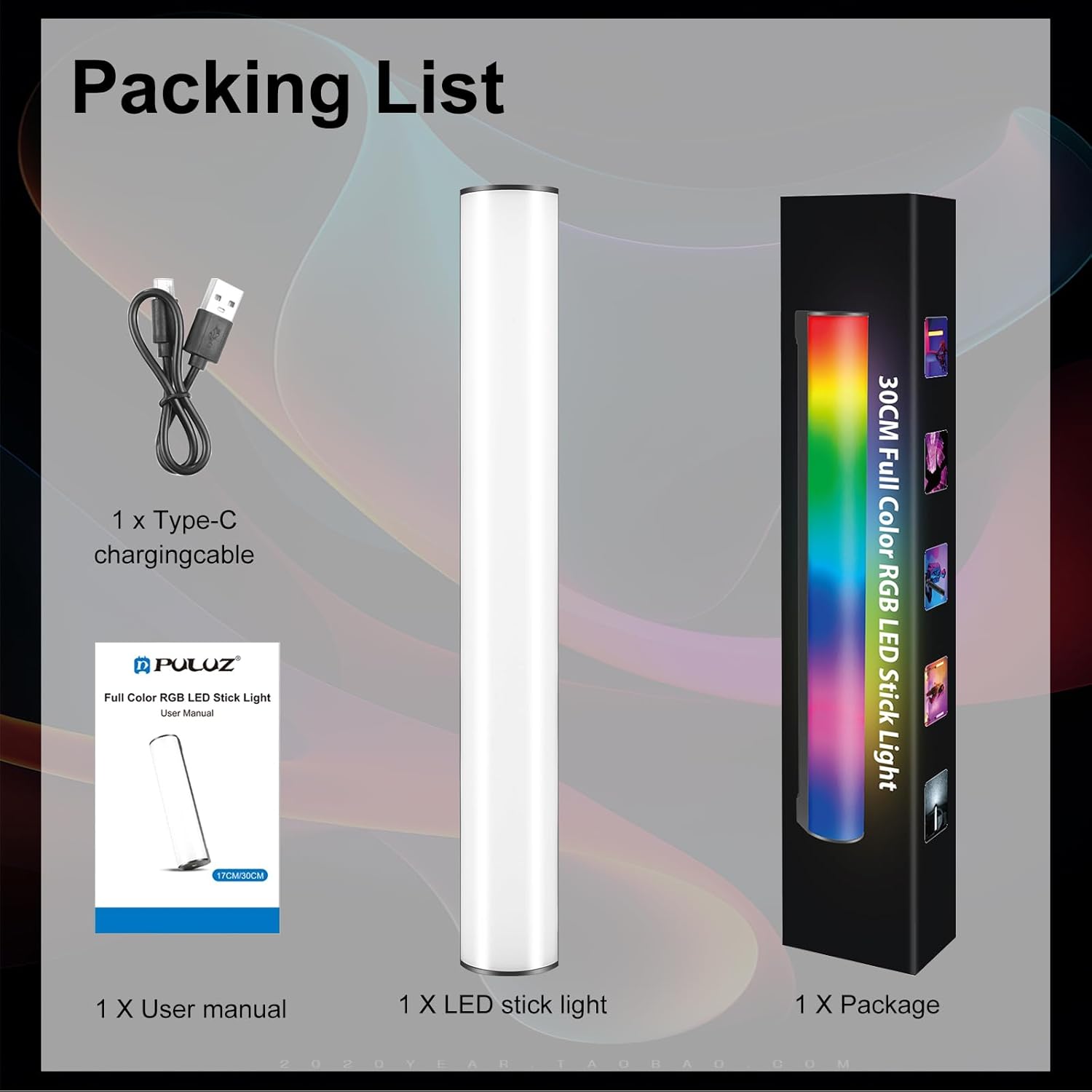
Image: Contents of the PULUZ RGB Light Stick package, showing the LED stick light, a Type-C charging cable, a user manual, and the product packaging box.
- 1 x PULUZ RGB LED Stick Light (30cm)
- 1 x Type-C Charging Cable
- 1 x User Manual
4. Product Overview
Familiarize yourself with the components and controls of your PULUZ RGB Light Stick:

Image: Detailed diagram of the PULUZ RGB Light Stick, highlighting its dimensions (30cm/11.8inch length, 4cm/1.6inch width) and control panel. Key features include the Type-C charging port, Switch/Mode key, Switch key, Brightness+ and Brightness- buttons, Display, 1/4 inch screw hole, and Hanging rope hole position.
- Light Tube: Emits light.
- Type-C Charging Port: For charging the internal battery.
- Switch/Mode Key: Press and hold to power on/off. Short press to cycle through lighting modes (CCT, HSI, Scene).
- Switch Key: Used for navigation or selection within modes.
- Brightness +: Increases brightness.
- Brightness -: Decreases brightness.
- Display: Shows current settings (brightness, color temperature, hue, battery status).
- 1/4 inch Screw Hole: For mounting on tripods, light stands, or other photographic accessories.
- Hanging Rope Hole Position: For attaching a lanyard or hanging the light.
- Magnetic Ends: Built-in magnets for attaching to metal surfaces.
5. Setup
5.1. Charging the Light Stick
Before first use, fully charge the light stick. Connect the provided Type-C charging cable to the charging port on the device and plug the other end into a USB power adapter (not included) or a computer's USB port. The display will indicate charging status. A full charge takes approximately 3 hours.

Image: Illustration showing the battery life of the PULUZ RGB Light Stick. It indicates up to 3 hours of battery life at 100% brightness and up to 12 hours at 1% brightness, powered by a built-in 3000mAh large-capacity battery.
5.2. Mounting Options
The PULUZ RGB Light Stick offers multiple mounting options for versatile use:
- Handheld: The light stick is lightweight and designed for comfortable handheld use.
- Magnetic Attachment: The ends of the light stick contain built-in magnets, allowing it to be adsorbed onto suitable metal surfaces for quick and easy positioning.
- 1/4 inch Screw Hole: Use the 1/4 inch screw hole to attach the light stick to tripods, light stands, magic arms, or other photographic accessories for stable and precise placement.

Image: Demonstrates the magnetic design of the PULUZ RGB Light Stick, showing it attached to a metal surface. Also pictured are the light stick being held by hand and mounted on a mini tripod via its 1/4-inch screw hole, illustrating its diversified use cases.
6. Operating Instructions
6.1. Power On/Off
Press and hold the Switch/Mode Key for approximately 2 seconds to power the light stick on or off.
6.2. Mode Selection
After powering on, short press the Switch/Mode Key to cycle through the main lighting modes:
- CCT Mode (Color Temperature Mode): Adjusts white light from warm to cold.
- HSI Mode (RGB Full Color Mode): Adjusts hue, saturation, and intensity for colored light.
- Scene Mode (Special Effects Mode): Accesses 20 pre-programmed lighting effects.

Image: Displays the Color Temperature Mode with warm and cool white light, the RGB mode showing various colors (red, green, blue, yellow, cyan, magenta), and an array of 20 Scene modes including Police Vehicle, Ambulance, Fire Truck, Lightning, Fireworks, Television, Candles, Party, Bad Light Bulb, White Breathing Lights, Pulse Flash, RGB Flash, Reporter Group Flash, Emergency Twin Flash, High & Low Beam Bulbs, Red Flash, Green Flash, Blue Flash, HSI Demo (Slow), and HSI Demo (Fast).
6.3. Adjusting Settings
Once a mode is selected, use the Brightness + and Brightness - buttons to adjust the primary parameter. Use the Switch Key to cycle through adjustable parameters within a mode (e.g., brightness, color temperature, hue, saturation).

Image: Illustrates the adjustment ranges for the PULUZ RGB Light Stick. It shows brightness adjustment from 0-100%, color temperature adjustment from 2500K (warm) to 9000K (cold), and RGB color adjustment from 0-360 degrees, with examples of how these changes affect lighting on a subject.
- Brightness Adjustment: In any mode, use Brightness + and Brightness - to adjust the light intensity from 0% to 100%.
- Color Temperature Adjustment (CCT Mode): In CCT mode, use Brightness + and Brightness - to adjust the color temperature from 2500K (warm) to 9000K (cold).
- Hue Adjustment (HSI Mode): In HSI mode, short press the Switch Key to select the Hue parameter. Then use Brightness + and Brightness - to adjust the hue from 0° to 360°. You can also adjust saturation and intensity in this mode.
- Scene Mode Selection: In Scene mode, use Brightness + and Brightness - to cycle through the 20 available lighting effects.
7. Maintenance
- Cleaning: Use a soft, dry cloth to clean the surface of the light stick. Do not use abrasive cleaners or solvents.
- Storage: When not in use, store the light stick in a cool, dry place, away from direct sunlight and extreme temperatures.
- Battery Care: To prolong battery life, avoid fully discharging the battery frequently. Charge the device regularly, even if not in use for extended periods.
8. Troubleshooting
- Light not turning on: Ensure the battery is charged. Connect to a power source and try again. If still unresponsive, contact customer support.
- Light not charging: Check the Type-C cable and power adapter. Try a different cable or adapter. Ensure the charging port is clean and free of debris.
- Controls unresponsive: Try powering the device off and on again. If the issue persists, the device may require service.
- Abnormal light output: If the light flickers or displays incorrect colors, try resetting the device by powering it off and on.
9. Specifications

Image: Highlights key features of the PULUZ RGB Light Stick, including 0.3m maximum illuminance of 800Lux, 10W high power, dual color temperature, RGB full color, hard light/anti-glare/soft light options, and a Color Rendering Index (CRI) greater than or equal to 95.
| Feature | Specification |
|---|---|
| Model | 30cm |
| Dimensions | Length: 30cm (11.8 inches), Diameter: 4cm (1.6 inches) |
| Battery Capacity | 3000mAh (Built-in rechargeable) |
| Battery Life | Approx. 3 hours (at 100% brightness), Approx. 12 hours (at 1% brightness) |
| Charging Port | Type-C USB |
| Color Temperature Range | 2500K - 9000K |
| Hue Adjustment | 0° - 360° (RGB) |
| Brightness Adjustment | 0% - 100% |
| Lighting Effects | 20 Scene Modes |
| CRI (Color Rendering Index) | ≥95 |
| Maximum Illuminance | 800Lux (at 0.3m) |
| Power | 10W |
| Mounting | 1/4 inch screw hole, Magnetic ends |
10. Warranty & Support
PULUZ products are manufactured to the highest quality standards. This product is covered by a limited warranty against defects in materials and workmanship. For specific warranty terms and conditions, please refer to the warranty card included with your purchase or contact your local dealer.
If you encounter any issues or have questions regarding your PULUZ RGB Photography Light Stick, please contact our customer service team. Our reliable customer service will reply to you within 24 hours and provide a satisfactory solution.


