
MiLi HD-P16
MiLi MiTag Bluetooth Tracker User Manual
Model: HD-P16 | Brand: MiLi
Introduction
The MiLi MiTag Bluetooth Tracker is a Google Certified location tracker designed for Android devices (Android 9 or higher). It allows you to easily locate misplaced items such as keys, bags, suitcases, or toys by leveraging the Google Find My Device network. This manual provides comprehensive instructions for setting up, operating, maintaining, and troubleshooting your MiTag.

Image: The MiLi MiTag Bluetooth Tracker, a compact black circular device with the MiLi logo.

Image: Promotional banner showing the MiLi MiTag with text "MiTag Android, DON'T SEARCH. JUST FIND." and Google Play Store/Android logos.
Setup Guide
Setting up your MiTag is a straightforward process. Follow these steps to connect your tracker with your Android device.
1. Download the Google Find My Device App
The MiLi MiTag works exclusively with the Google Find My Device (Find Hub) app. Ensure you have the latest version installed on your Android phone (Android 9 or higher).

Image: Visual guide for easy pairing, showing steps to download the app and turn on the MiTag.
2. Turn On and Pair Your MiTag
Press the center button on your MiTag once to turn it on. You will hear a long beep indicating it's powered on. Place the MiTag near your Android phone. A pop-up will appear on your phone to connect the MiTag. Follow the on-screen prompts to complete the pairing process.
Video: Official MiLi NA video demonstrating how to set up your MiTag with an Android device, including turning it on and pairing it through the Google Find My Device app.
The MiTag is compatible with most Android phones, including Samsung, Xiaomi, and Google Pixel devices. Ensure your Android OS is version 9.0 or above for optimal performance.

Image: Diagram showing various Android phone brands compatible with the MiLi MiTag, emphasizing Google authorization.
Operating Your MiTag
Once paired, your MiTag offers several features to help you keep track of your belongings.
1. Locating Items Nearby (Within Bluetooth Range)
Within Bluetooth range (up to 150m/500ft), you can use the Google Find My Device app to locate your MiTag. The app will show you the current location and provide proximity hints. As you move closer to the MiTag, a visual indicator in the app will fill up, guiding you to your item.

Image: Visual representation of precise proximity tracking, showing the MiTag and a phone screen with a ripple pattern indicating distance.
2. Playing a Sound to Find Items
If your item is nearby but out of sight, you can activate a loud sound from the MiTag via the Google Find My Device app or voice commands. The tracker will ring, helping you pinpoint its exact location.

Image: A hand pressing the MiTag while a phone screen shows the "Play Sound" button and a visual representation of sound waves emanating from the tag.
3. Remote Location Tracking (Beyond Bluetooth Range)
The Google Find My network allows for global precise location tracking. As long as your MiTag is within range of any Android device connected to the network, you will continue to receive location updates, even if your own phone is not nearby. This is particularly useful for tracking items left behind or lost in public areas.
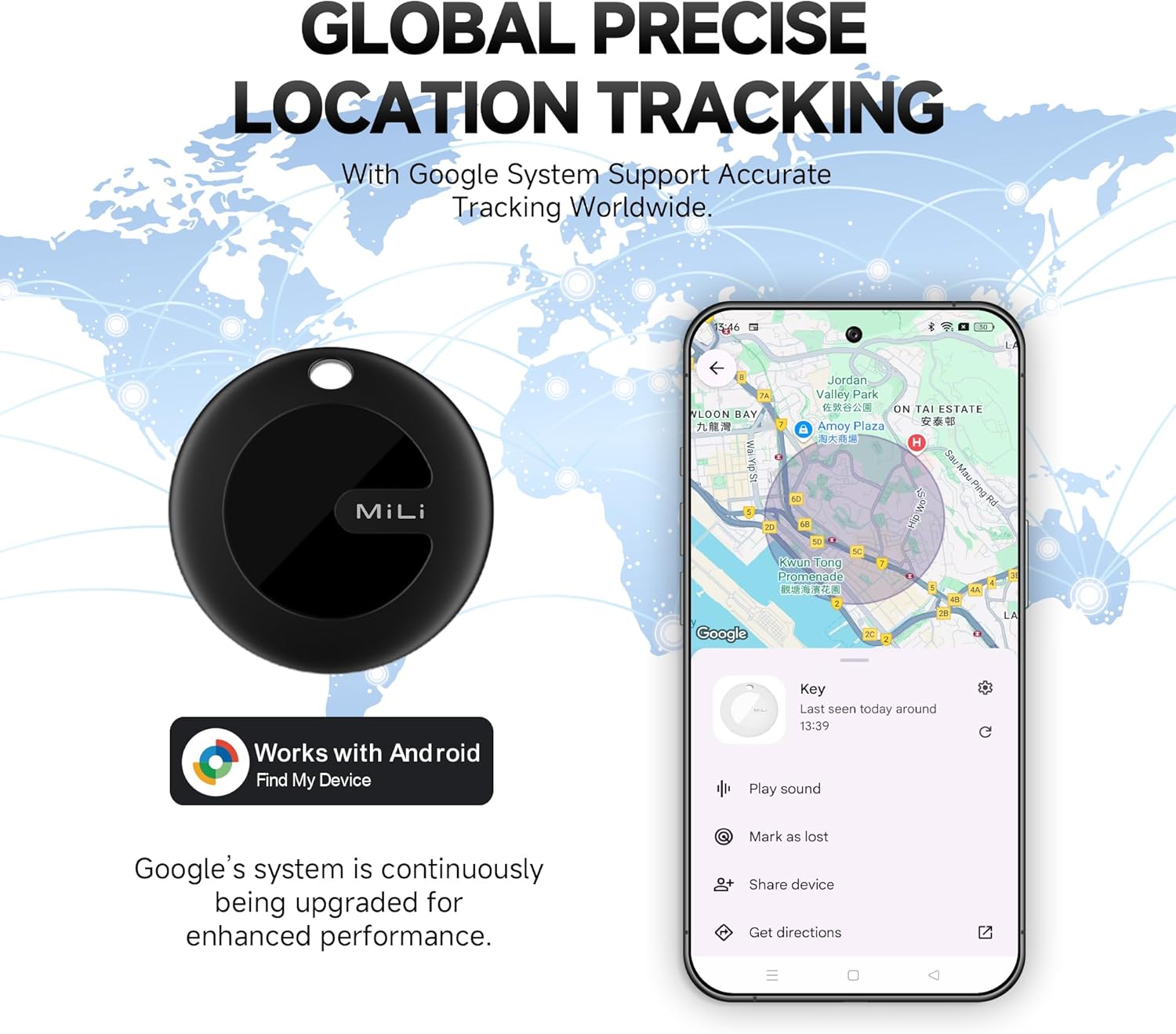
Image: A world map background with a MiTag and a phone screen displaying a map with a tracked item's location, indicating global tracking capabilities.
Video: Official MiLi NA video showcasing the MiTag's features, including unboxing, setup, tracking capabilities, and battery life. It highlights how the tag works with the Google Find My Device network for precise location tracking.
4. Sharing Device Location
You can share the location of your MiTag with trusted contacts through the Google Find My Device app. This allows multiple people to track the same MiTag location, adding an extra layer of security for valuable items or loved ones.

Image: Two hands holding phones, both displaying the MiTag's location on a map, illustrating the device sharing feature.
5. Data Security and Privacy
The Google Find My network is encrypted and anonymous, ensuring your location data and history are not stored on the tracker and cannot be known by Google systems. Your privacy is a priority, with data encrypted to everyone but you.

Image: A MiTag tracker overlaid on a phone screen displaying a map, with a shield icon symbolizing built-in privacy and data security.
Maintenance
1. Battery Life and Replacement
The MiLi MiTag uses a replaceable CR2032 battery, which is included with the device. The battery is designed to last approximately 6 to 9 months depending on usage. When the battery is low, the Google Find My Device app will notify you. To replace the battery, gently twist open the back cover of the MiTag, remove the old battery, insert a new CR2032 battery, and close the cover securely.
2. Waterproof Rating
The MiLi MiTag has an IP67 waterproof rating, meaning it is protected from dust and can withstand immersion in water up to 1 meter (3 feet) for up to 30 minutes. This makes it safe for use in rainy conditions, splashes, or accidental short immersions. After exposure to water, simply dry the device thoroughly.

Image: A MiLi MiTag submerged in water, illustrating its IP67 water-resistant capability.
Troubleshooting
If you encounter issues with your MiTag, consider the following common solutions:
- Connectivity Issues: Ensure your Android phone's Bluetooth is enabled and the MiTag is powered on. If the device doesn't appear in the app, try restarting your phone and the MiTag.
- Sound Volume: Some users have noted the sound can be quiet in noisy environments. Ensure you are within close proximity for the best chance of hearing the beep.
- Location Updates: If the tracker's location isn't updating, ensure it's within range of other Android devices connected to the Google Find My network. In dense areas, updates should be frequent (every 3-5 minutes).
- Accidental Power Off: The MiTag can be accidentally turned off if the button is pressed for 6 seconds while in a tight space like a pocket. Be mindful of how the tag is stored.
- Battery Drain: While batteries are designed to last 6-9 months, rapid battery drain can occur. If this happens, try replacing the CR2032 battery.
For further assistance, please contact the MiLi Support Team.
Specifications
| Feature | Detail |
|---|---|
| Product Dimensions | 1.46"L x 1.46"W x 0.35"Th (37mm x 37mm x 9mm) |
| Item Weight | 0.882 ounces |
| Model Number | HD-P16 |
| Connectivity | Bluetooth |
| Battery Type | 1 CR2032 (included) |
| Battery Lifespan | Approx. 6-9 months |
| Waterproof Rating | IP67 |
| Material | Polycarbonate (PC), Acrylonitrile Butadiene Styrene (ABS) |
Warranty and Support
The MiLi MiTag Bluetooth Tracker comes with a 2-year warranty. Refund or replacements are available even if you have passed the return window. For any troubleshooting or support needs, please contact the MiLi Support Team directly.
Related documentsHD-P16


Ask a question about this manual
Ask about setup, troubleshooting, compatibility, parts, safety, or missing instructions. Manuals+ will review the question and use this page’s manual context to help answer it.