
1. Introduction
The JKBMS Smart BMS (Battery Management System) model JK-B2A24S20P-HC is designed to manage and protect LiFePO4, Li-ion, and LTO battery packs ranging from 8S to 24S (24V-72V) with a 200A continuous discharge current and 2A active balance. This system integrates advanced features such as active balancing, Bluetooth connectivity, CAN, and RS485 communication, along with comprehensive safety protections.

Image 1.1: JKBMS Smart BMS JK-B2A24S20P-HC unit.
2. Key Features
- Enhanced Safety: Provides protection against overcharging, over-discharging, overcurrent, short circuits, and temperature extremes. Active equalization extends battery life and enhances performance.
- Easy Connection: Manage your battery effortlessly with the JK BMS mobile app for Android and iOS. Bluetooth connectivity allows real-time status monitoring, setting adjustments, and control over charging/discharging.
- Wide Application: Compatible with Li-ion, LiFePO4, and LTO batteries. Suitable for various applications including solar camper vans, compact electric cars, and electric cargo tricycles.
- Communication Interfaces: Includes CAN and RS485 for integration with other systems.
- Active Balance: Features 2A active balancing for efficient cell equalization.
3. Specifications
| Parameter | Value |
|---|---|
| Model | JK-B2A24S20P-HC |
| Balance Current | 2A |
| Continuous Discharge Current | 200A |
| Maximum Instantaneous Current | 350A |
| Function | Bluetooth + Heating + CAN (Standard), RS485 (Optional) |
| Overcharge Current | 1.2-4.4V (Adjustable) |
| Over-discharge Current | 1.2-4.4V (Adjustable) |
| Single Cell Battery Collection Range | 1V-5V |
| Voltage Acquisition Accuracy | ±3mV |
| Power Requirements | 20V-100V |
| Product Dimensions (L x W x H) | 6.38 x 4.02 x 0.8 inches (162 x 102 x 20.4 mm) |
| Item Weight | 15.2 ounces (Approx. 430g) |

Image 3.1: Detailed specifications of the JKBMS Smart BMS.
4. Package Contents
The following items are included in your JKBMS Smart BMS package:
- Smart BMS (JK-B2A24S20P-HC) x 1
- Balance Wires (70cm) x 1
- Switch (50cm) x 1
- NTC Temperature Sensor (40cm) x 1
- CAN Cable (25cm) x 1
- Heating Cable (16cm) x 1
- Operation Manual x 1
Note: RS485 converter is not included and must be purchased separately if required.

Image 4.1: Contents of the JKBMS Smart BMS package.
5. Setup and Installation
5.1. Wiring Instructions
Proper wiring is crucial for the safe and correct operation of the BMS. Follow the steps carefully:
- Connect the black B0 cable to the total negative pole of the battery pack.
- Connect the red B1 cable to the positive pole of the first battery string.
- Continue connecting the red cables (B2, B3, etc.) sequentially to the positive poles of each subsequent battery string.
- Connect the last red cable (e.g., B24 for a 24S system) to the total positive pole of the battery pack.
- Verify connections using a multimeter: Measure the voltage between adjacent balance wires. If the voltage difference between the batteries in each string of wires is less than 1V, the wires are connected correctly.
- Connect the P- cable from the BMS to the negative terminal of your charger.
- Connect the total positive pole of the battery to the positive terminal of your charger.
Video 5.1: JKBMS Wiring Tutorial. This video demonstrates the correct procedure for connecting the balance wires and main power cables to the BMS and battery pack.

Image 5.2: Visual representation of the wiring diagram for the JKBMS Smart BMS.
5.2. Mobile App Installation
The JKBMS mobile app allows for convenient monitoring and control of your BMS via Bluetooth.
5.2.1. iOS App Installation
For Apple iOS devices, follow these steps to install the JKBMS app:
- Scan the QR code provided on the product packaging or within the manual using your iPhone camera.
- Follow the prompt to open the App Store.
- Download and install the "JK BMS" application.
- Open the app and allow Bluetooth access when prompted.
Video 5.3: JKBMS iPhone APP Installation Video. This video guides you through the process of downloading and installing the JKBMS app on an iOS device.
5.2.2. Android App Installation
For Android devices, follow these steps to install the JKBMS app:
- Scan the QR code provided on the product packaging or within the manual using your Android phone camera.
- Follow the prompt to download the APK file.
- Allow installation from unknown sources if prompted, then install the "JK BMS" application.
- Open the app and allow Bluetooth and location access when prompted.
Video 5.4: JKBMS Android APP Installation Video. This video guides you through the process of downloading and installing the JKBMS app on an Android device.

Image 5.5: Screenshot of the JKBMS Smart Bluetooth App interface showing real-time battery data.
6. Operating the BMS
6.1. Bluetooth Connectivity and Basic Settings
Once the app is installed, you can connect to your BMS and configure settings:
- Ensure Bluetooth is enabled on your mobile device.
- Open the JKBMS app and tap "Scan" to find your BMS.
- Select your BMS from the device list to connect. You may rename the device for easier identification.
- Navigate to the "Settings" tab to view and modify parameters such as cell count, battery capacity, balance trigger voltage, and protection thresholds.
- Input the default password (usually 123456) to unlock settings for modification.
- You can enable/disable charge, discharge, and balance functions, as well as other advanced settings like RS485 communication.
Video 6.1: JKBMS Feature Video. This video highlights key features and demonstrates basic app operation, including connecting via Bluetooth and adjusting settings.
7. Safety Information
The JKBMS Smart BMS is equipped with multiple protection features to ensure the safety and longevity of your battery pack. Adhere to the following safety guidelines:
- Equalization Protection: The balancing function is active regardless of charging, discharging, or idle states to maintain cell voltage consistency.
- Overcharge Protection: Prevents battery damage from excessive charging voltage.
- Over-discharge Protection: Protects the battery from being fully depleted, extending its lifespan.
- Overcurrent Protection: Automatically disconnects the load if current exceeds safe limits.
- Short Circuit Protection: Provides immediate automatic protection in case of a short circuit.
- Over Temperature Protection: Monitors battery temperature and prevents overheating.
- PCB Protection: The board features three-proof silicone coating for dustproof, antistatic, and moisture-proof properties.
- Disconnection Protection: Automatically protects against accidental disconnections.
Always ensure all wiring is correct and secure before operating the BMS. Incorrect wiring can lead to serious damage or fire.
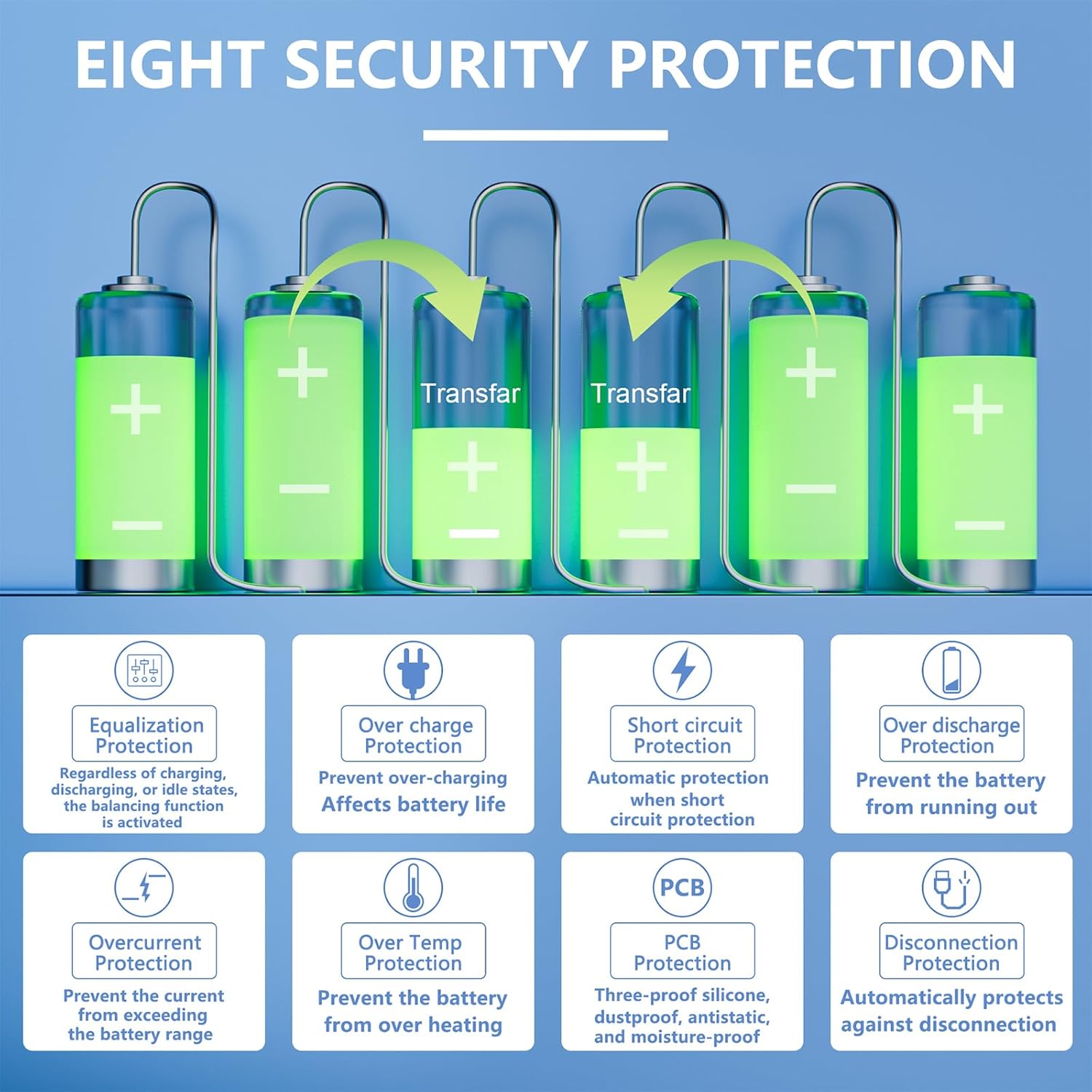
Image 7.1: Overview of the eight security protection features integrated into the JKBMS.
8. Applications
The JKBMS Smart BMS is versatile and can be integrated into various battery-powered systems:
- Solar Camper Vans
- Compact Electric Cars
- Electric Cargo Tricycles
- E-bikes
- Forklifts
- Cleaning Cars
- Tourist Cars
- Industrial Drones
- Scooters
- RV Energy Storage
- Energy Storage Cabinets
- Power Banks
- Power Tools

Image 8.1: Various application scenarios for the JKBMS Smart BMS.
9. Troubleshooting
If you encounter issues with your JKBMS Smart BMS, consider the following general troubleshooting steps:
- No Power/No Display: Check all power connections, especially the main battery terminals and the switch connection. Ensure the battery pack has sufficient voltage.
- Bluetooth Connection Issues: Verify Bluetooth is enabled on your device and the BMS. Try restarting both the app and the BMS. Ensure no other devices are actively connected to the BMS.
- Balancing Not Active: Confirm that the balance function is enabled in the app settings. Check individual cell voltages for significant discrepancies that might prevent balancing from initiating or completing efficiently.
- Over-Voltage/Under-Voltage Alarms: Review your app settings for overcharge and over-discharge protection thresholds. Ensure they are appropriate for your battery chemistry and configuration.
- Overcurrent/Short Circuit Protection Triggered: Disconnect the load immediately. Inspect wiring for any shorts or loose connections. Reduce the load if it consistently exceeds the BMS's continuous current rating.
- Temperature Alarms: Ensure the NTC temperature sensor is correctly installed and making good contact with the battery cells. Check for any external heat sources or poor ventilation around the battery pack.
For persistent issues, refer to the detailed troubleshooting section in the full product manual or contact customer support.
10. Maintenance
To ensure optimal performance and longevity of your JKBMS Smart BMS and battery pack, follow these maintenance recommendations:
- Regular Inspection: Periodically inspect all wiring for signs of wear, corrosion, or loose connections. Ensure the BMS unit is securely mounted and free from physical damage.
- Keep Clean: Keep the BMS and battery pack clean and free from dust, dirt, and moisture. Use a dry, soft cloth for cleaning.
- Temperature Management: Operate the battery and BMS within their specified temperature ranges. Ensure adequate ventilation to prevent overheating.
- Software Updates: Check for and install any available firmware or app updates to ensure you have the latest features and bug fixes.
- Cell Voltage Monitoring: Regularly monitor individual cell voltages via the app to detect any imbalances early and allow the active balancing feature to correct them.
11. Warranty and Support
JKBMS is committed to providing assistance and ensuring your satisfaction. Your JKBMS Smart BMS comes with a 1-year support period.
If you have any questions, concerns, or require technical assistance, please contact us through your order page. Our support team is available to help with setup, operation, and any issues you may encounter.


