
Introduction
The Greluma HDMI 2.0 Panel Mount Coupler is designed to provide a secure and reliable HDMI connection through a panel. This female-to-female connector supports 4K resolution, HDR, and 1080P at 60 frames per second (FPS), with a bandwidth of up to 18Gbps. It is suitable for various devices including monitors, TVs, and projectors, offering a plug-and-play solution without the need for additional software or drivers.
Product Features
- HDMI 2.0 Version: Supports 4K HDR 1080P 60FPS, with a bandwidth of up to 18Gbps for high-speed signal transmission.
- No Lag: Offers plug-and-play functionality for ultra HD 4K video and uncompressed stereo audio. No software or drivers are required for operation.
- Durable Quality: Constructed from aluminum alloy, providing scratch resistance and superior construction for reliable connectivity.
- Easy Installation: Features a female-to-female bulkhead coupler design, utilizing a standard round panel mounting hole. Installation requires no soldering or specialized tools.
- Wide Application: Compatible with a broad range of HDMI-enabled devices such as TV Boxes, Xbox Series, PS5, Blu-Ray players, PCs, TV Sticks, laptops, HDTVs, monitors, and projectors.
Setup
The Greluma HDMI Panel Mount Coupler is designed for straightforward installation into a panel or enclosure. Follow these steps for proper setup:
- Prepare Mounting Location: Identify the desired mounting location on your panel. Ensure there is sufficient space for the coupler and connected cables.
- Drill Hole: Drill a standard round hole suitable for the coupler's threaded body. Refer to the 'Specifications' section for precise dimensions (e.g., 24mm rear diameter).
- Insert Coupler: Insert the threaded body of the coupler through the prepared hole from the front of the panel.
- Secure Coupler: From the rear of the panel, thread the provided nut onto the coupler's body and tighten it securely to fix the coupler in place. The nut locking design ensures a stable mount.

Image: The coupler's design facilitates easy hole drilling and installation.
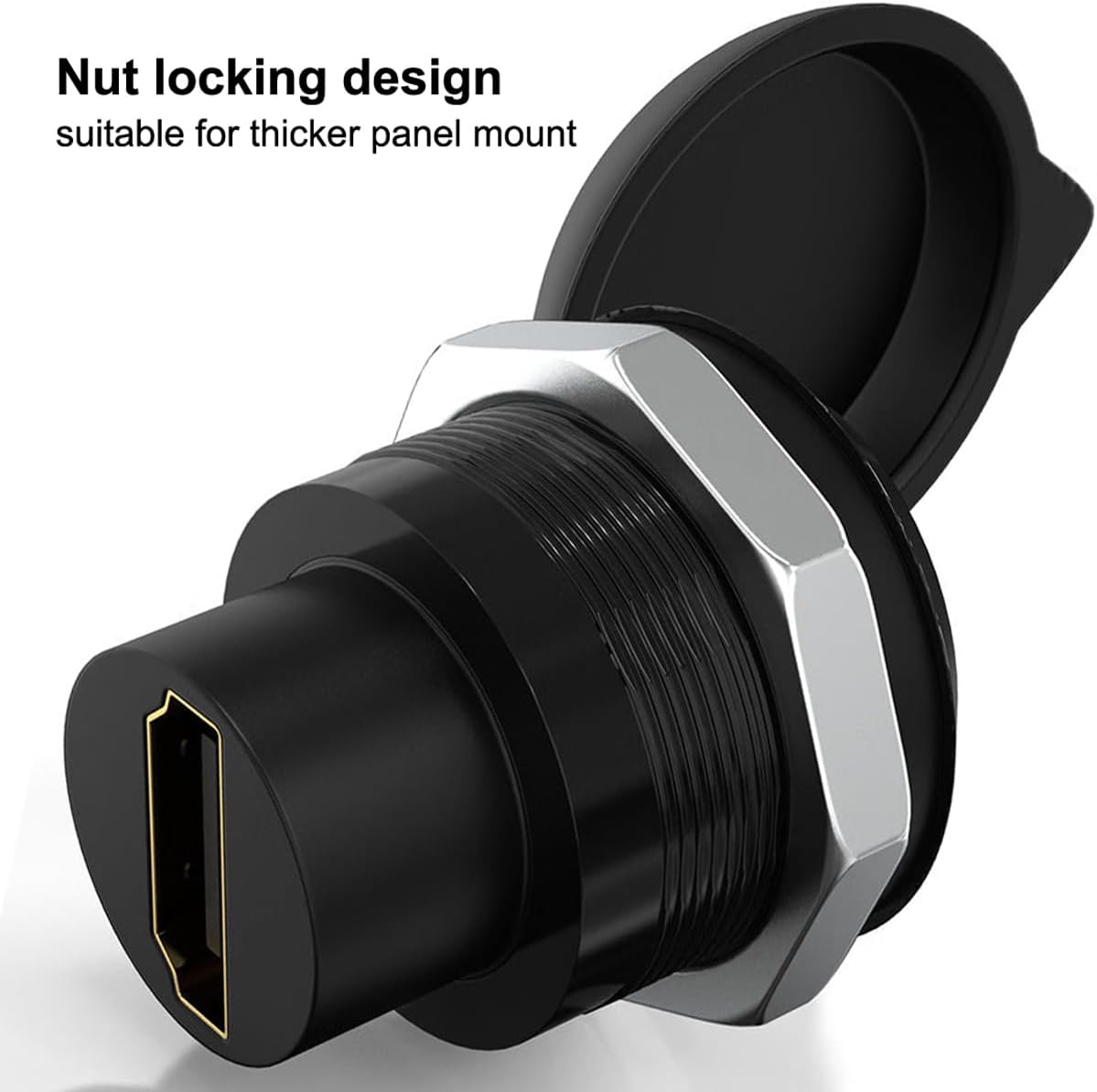
Image: The nut locking mechanism ensures the coupler is firmly secured to the panel.
Operating Instructions
Once the Greluma HDMI Panel Mount Coupler is securely installed, operating it is simple:
- Connect Source Device: Connect your HDMI source device (e.g., PC, game console, Blu-Ray player) to one of the female ends of the coupler using a standard HDMI cable.
- Connect Display Device: Connect your display device (e.g., monitor, TV, projector) to the other female end of the coupler using another standard HDMI cable.
- Power On: Power on your source and display devices. The coupler will act as a pass-through, transmitting the HDMI signal without requiring additional power or configuration.

Image: The gold-plated interface ensures high-speed signal transmission and prevents lagging.
Maintenance
To ensure optimal performance and longevity of your Greluma HDMI Panel Mount Coupler, follow these maintenance guidelines:
- Cleaning: Use a soft, dry cloth to clean the exterior of the coupler. Avoid abrasive cleaners, solvents, or harsh chemicals, as these can damage the finish or internal components.
- Dust Protection: The coupler features an anti-slip dust cover. When the HDMI port is not in use, ensure this cover is properly seated to prevent dust, moisture, and debris accumulation, which can affect signal quality.
- Connection Integrity: Periodically check that all HDMI cables are securely connected to both ends of the coupler. Loose connections can lead to intermittent signal loss or degradation.
- Environmental Conditions: Avoid exposing the coupler to extreme temperatures, direct sunlight, or high humidity.
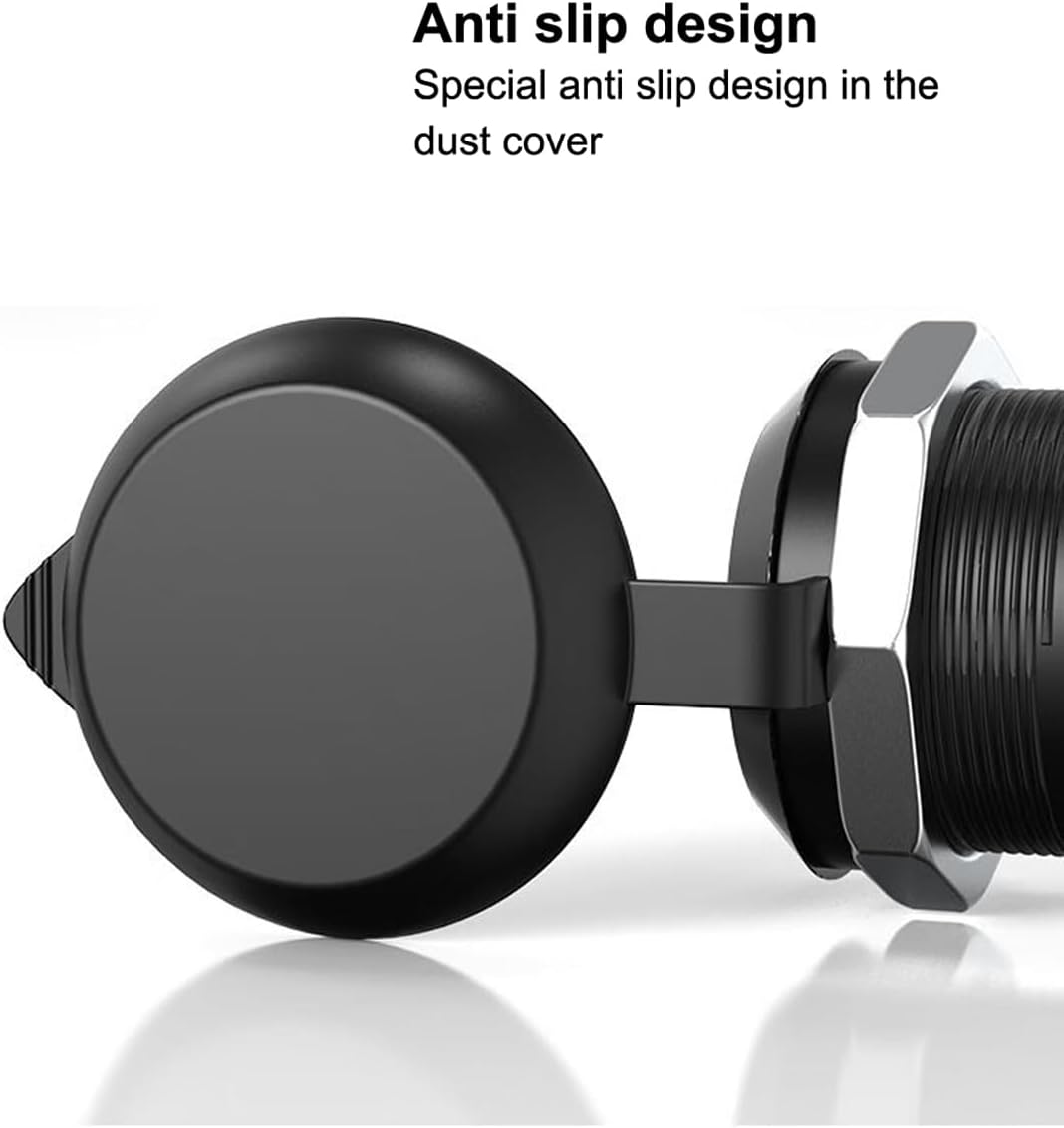
Image: The anti-slip dust cover protects the HDMI port when not in use.
Troubleshooting
If you encounter issues with your Greluma HDMI Panel Mount Coupler, refer to the following troubleshooting tips:
- No Signal or Intermittent Signal:
- Ensure all HDMI cables are securely connected to the source device, the coupler, and the display device.
- Verify that the HDMI cables used are functional and support the desired resolution (e.g., 4K).
- Check the input source selection on your display device to ensure it is set to the correct HDMI input.
- Test the HDMI cables directly between the source and display, bypassing the coupler, to isolate the issue.
- Poor Picture Quality:
- Confirm that your source device, HDMI cables, and display device all support the desired resolution (e.g., 4K) and refresh rate.
- Ensure the HDMI cables are not excessively long, which can sometimes lead to signal degradation over distance.
- Check for any physical damage to the coupler or cables.
- Audio Issues:
- Verify audio settings on your source device and display device.
- Ensure the HDMI cables are fully inserted into all ports.
- Confirm that your display device or connected audio system is configured to receive audio via HDMI.
Specifications
| Feature | Detail |
|---|---|
| Model Number | ZL995LUM |
| Brand | Greluma |
| Connector Type | HDMI Female to Female |
| HDMI Version | 2.0 |
| Supported Resolution | 4K HDR, 1080P 60FPS |
| Bandwidth | Up to 18Gbps |
| Material | Aluminum Alloy |
| Mounting Type | Panel Mount (Standard round hole) |
| Compatible Devices | Monitors, Projectors, TV Boxes, Xbox Series, PS5, Blu-Ray players, PCs, TV Sticks, Laptops, HDTVs |
| Number of Ports | 2 (one input, one output) |
| Front Face Diameter | 27.6mm |
| Rear Face Diameter | 24mm |
| Overall Length | 30.1mm (excluding dust cover) |

Image: Detailed dimensions of the HDMI panel mount coupler.
Warranty Information
Warranty information for the Greluma HDMI Panel Mount Coupler is not explicitly provided in the product details. For specific warranty terms and conditions, please refer to the retailer's return policy or contact Greluma customer support directly.
Support Information
For technical assistance, product inquiries, or any other support needs regarding your Greluma HDMI Panel Mount Coupler, please contact Greluma customer support through their official website or the retailer from whom the product was purchased. Please have your product model number (ZL995LUM) available when seeking support.