
1. Introduction
This instruction manual provides detailed guidance for installing, operating, and maintaining your LocoLee LED Light Kit, designed specifically for the LEGO Technic Koenigsegg Jesko Absolut 42173 model. This kit is intended to bring your LEGO supercar to life with vibrant illumination. Please read these instructions carefully before beginning installation to ensure proper setup and optimal performance.

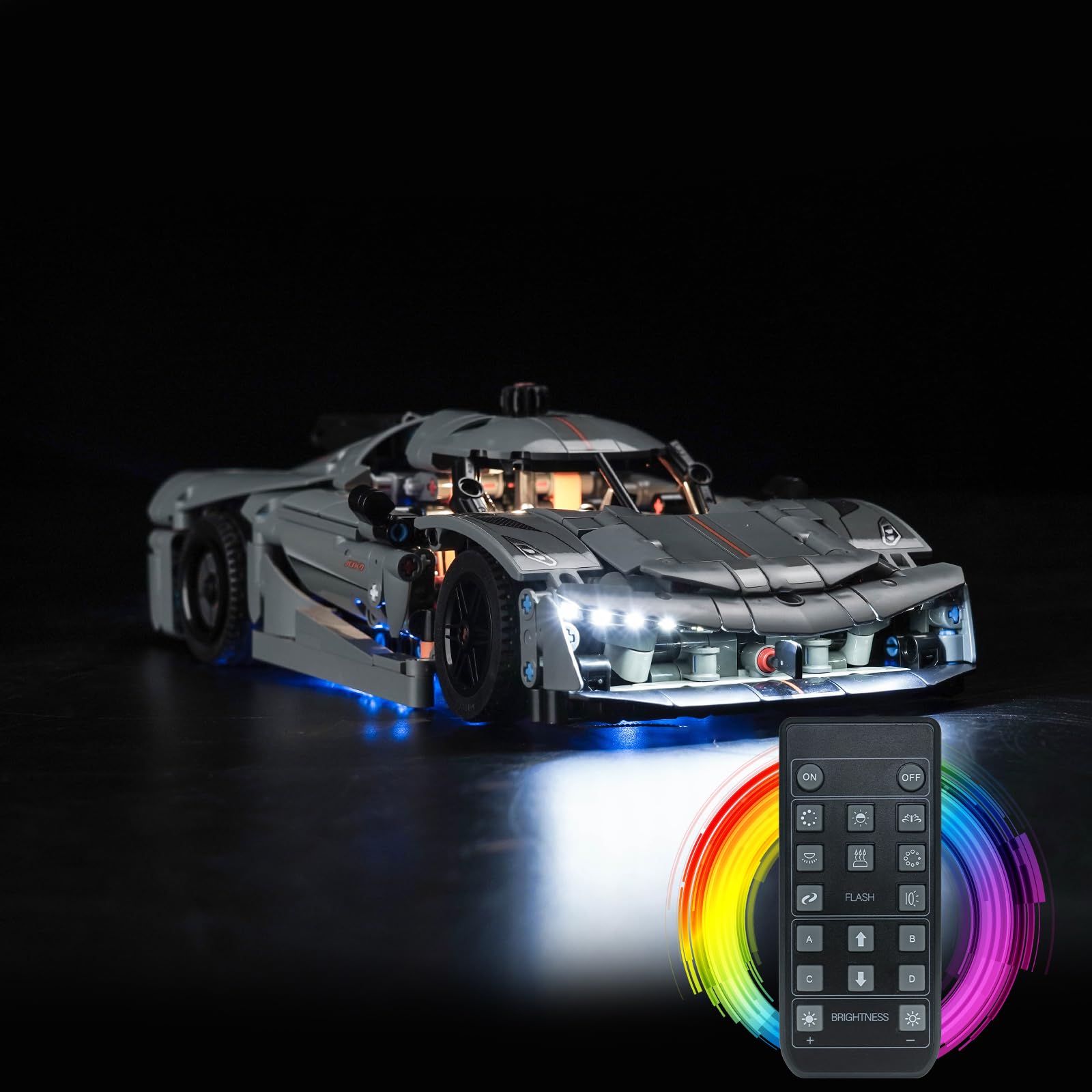
Image: The LEGO Koenigsegg Jesko Absolut 42173 model is shown with the LocoLee LED Light Kit fully installed, featuring bright headlights and blue undercarriage lighting, alongside its dedicated remote control.
2. Safety Information
- Material Safety: All components of this LED light set are handcrafted from original, safety-compliant materials. The surface of the LED lights is smooth, free from burrs or odors, ensuring no hidden safety risks.
- Careful Handling: Install your LED lights carefully. Avoid forcing, bending, or shaking components, as this can cause damage to the delicate wires and LEDs.
- Power Supply: Ensure the voltage for the power supply is below 1A 5V to prevent damage to the light kit.
- Adult Supervision: This product contains small parts and delicate wiring. Adult supervision is recommended during installation, especially for younger users.
3. Package Contents
Please verify that all components listed below are present in your package. If any items are missing or damaged, please contact customer support.
- High-Brightness LED Lights (various colors and lengths)
- LED Strip Lights (various colors)
- Connecting Cables (e.g., 5cm, 10cm)
- Expansion Boards
- Power Supply Module (for battery box or USB connection)
- Remote Control
- Detailed Photo Installation Guide

Image: An overview of the LocoLee LED Light Kit components, illustrating various LED types, cables, power options, and the remote control for comprehensive lighting customization.
4. Setup and Installation
The installation process is designed to be straightforward with the included step-by-step photo guide. Follow these general guidelines:
- Prepare Your Model: Ensure your LEGO Technic Koenigsegg Jesko Absolut 42173 model is fully assembled and stable. You may need to partially disassemble certain sections to integrate the lights.
- Follow the Photo Guide: Refer to the detailed photo guide provided with your kit. It illustrates the exact placement of each LED and the routing of cables.
- Connect Components: Carefully connect the LED lights to the expansion boards, and then connect the expansion boards to the power supply module using the provided cables. Ensure all connections are secure but not forced.
- Cable Management: Route cables neatly to avoid pinching or damage. Utilize existing gaps in the LEGO model structure where possible.
- Power Connection: Connect the power supply module to either 3x AAA batteries (not included) or a USB power source. For brighter illumination, USB power is recommended.
- Test Lights: Before fully reassembling your LEGO model, test all lights to ensure they are functioning correctly.

Image: Detailed views of the installed LED lights on the LEGO Koenigsegg Jesko Absolut, showcasing the integration of headlights, engine compartment lighting, and underglow effects.
5. Operating Instructions
Your LocoLee LED Light Kit is controlled by the included remote control. Ensure the power supply is connected before operation.
- Power On/Off: Use the 'ON' and 'OFF' buttons on the remote to activate or deactivate the lights.
- Brightness Adjustment: Use the '+' and '-' buttons under 'BRIGHTNESS' to adjust the intensity of the lights.
- Flash Modes: The 'FLASH' buttons (e.g., with symbols) allow you to cycle through different flashing patterns or effects.
- Color Control: If your kit includes multi-color LEDs, use the designated color buttons or color wheel on the remote to change light colors.
- Channel Selection (A/B/C/D): Some kits may have multiple channels for controlling different light groups independently. Refer to your photo guide for specific channel assignments.
6. Maintenance
To ensure the longevity and optimal performance of your LED light kit, follow these maintenance tips:
- Cleaning: Gently wipe the LED lights and wires with a soft, dry cloth to remove dust. Avoid using liquids or abrasive cleaners.
- Battery Replacement: If using AAA batteries, replace them when lights become dim or unresponsive. Ensure correct polarity when inserting new batteries.
- Storage: When not in use for extended periods, disconnect the power supply and store the model in a cool, dry place away from direct sunlight.
- Cable Integrity: Periodically inspect cables for any signs of wear, fraying, or damage. Handle wires with care to prevent breakage.
7. Troubleshooting
If you encounter any issues with your light kit, refer to the following common problems and solutions:
- Lights Not Turning On:
- Check power connection (batteries or USB).
- Ensure batteries are fresh and correctly inserted.
- Verify all cable connections are secure.
- Lights Are Dim:
- Replace batteries if using battery power.
- Ensure USB power source provides sufficient current (recommended below 1A 5V).
- Adjust brightness settings on the remote control.
- Remote Control Not Working:
- Check the remote control's battery.
- Ensure there are no obstructions between the remote and the light kit's receiver.
- Individual Lights Not Working:
- Inspect the specific LED and its connection for damage or loose contact.
- Ensure the wire leading to the LED is not pinched or broken.
If these steps do not resolve the issue, please contact LocoLee customer support.
8. Specifications
| Feature | Detail |
|---|---|
| Product Name | LocoLee LED Light Kit |
| Compatibility | LEGO Technic Koenigsegg Jesko Absolut 42173 |
| Main Material | Plastic |
| Power Source | 3x AAA Batteries (not included) or USB Power |
| Recommended USB Voltage | Below 1A 5V |
| Number of Light Sources | Multiple LED light sources |
| Package Dimensions | 15.1 x 10.3 x 4.1 cm |
| Package Weight | 150 grams |
9. Warranty and Support
LocoLee is committed to providing high-quality products and excellent customer service. If you have any questions, concerns, or require assistance with your LED light kit, please do not hesitate to contact us.
We aim to respond to all inquiries as quickly as possible, typically within 12 hours, to resolve any issues and ensure your satisfaction.
Contact Information: Please refer to the contact details provided on the product packaging or the retailer's website where you purchased the item.
10. Official Product Videos
No official product videos from the seller are available for embedding in this manual at this time.