
Walfront ZK-502L Stereo Digital Audio Amplifier Module User Manual
Model: ZK-502L
1. Introduction
This manual provides detailed instructions for the Walfront ZK-502L Stereo Digital Audio Amplifier Module. Please read this manual carefully before using the product to ensure proper operation and to prevent damage. This module is designed for enthusiasts and professionals looking to integrate a high-quality audio amplifier into their DIY speaker systems or other audio projects.
2. Product Overview
The Walfront ZK-502L is a compact and efficient digital power amplifier board. It features a user-friendly design with integrated controls and robust protection mechanisms.

Figure 2.1: Top-down view of the ZK-502L amplifier board, showing the volume knob, DC input, and speaker terminals.
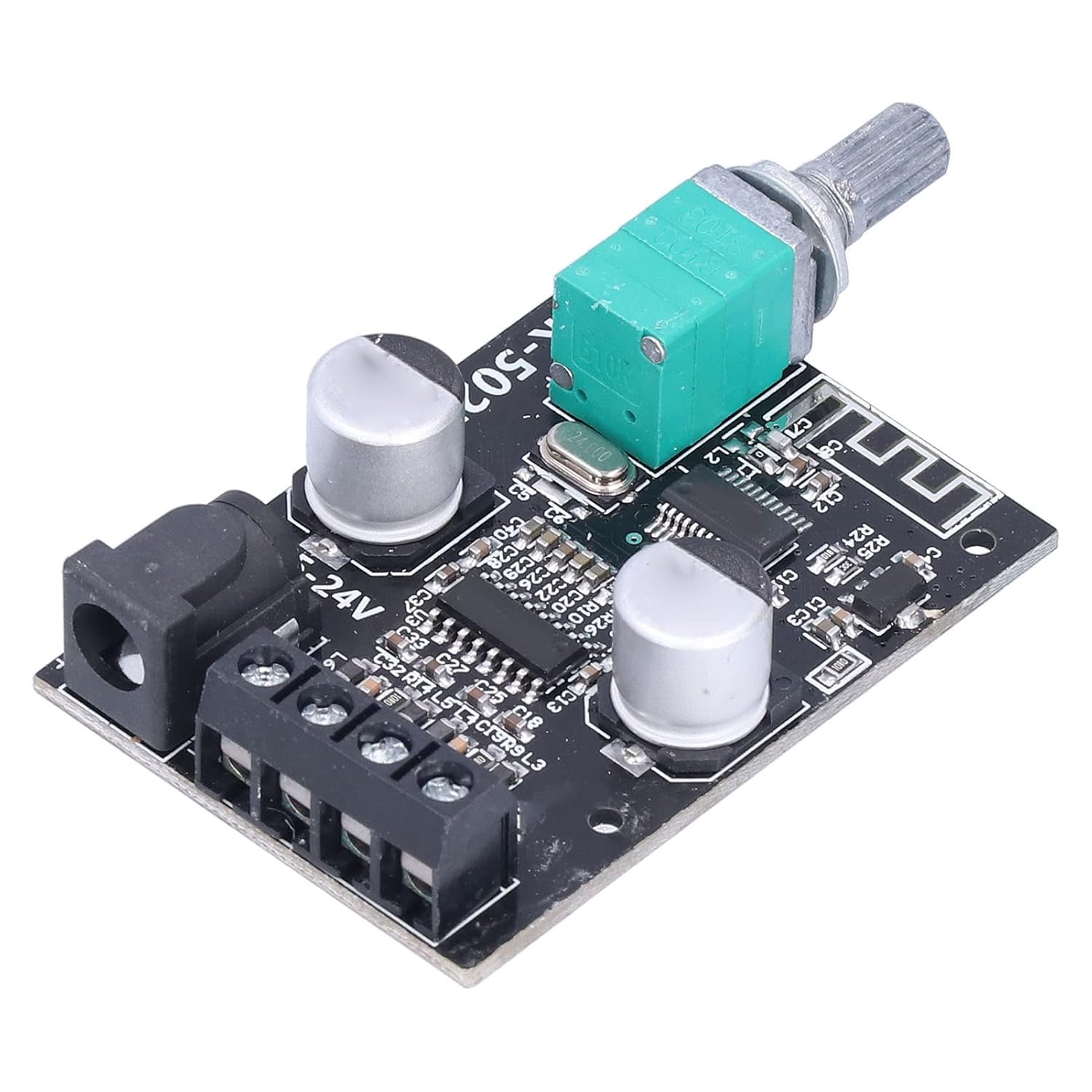
Figure 2.2: Angled view of the amplifier board, highlighting the volume potentiometer and integrated circuits.
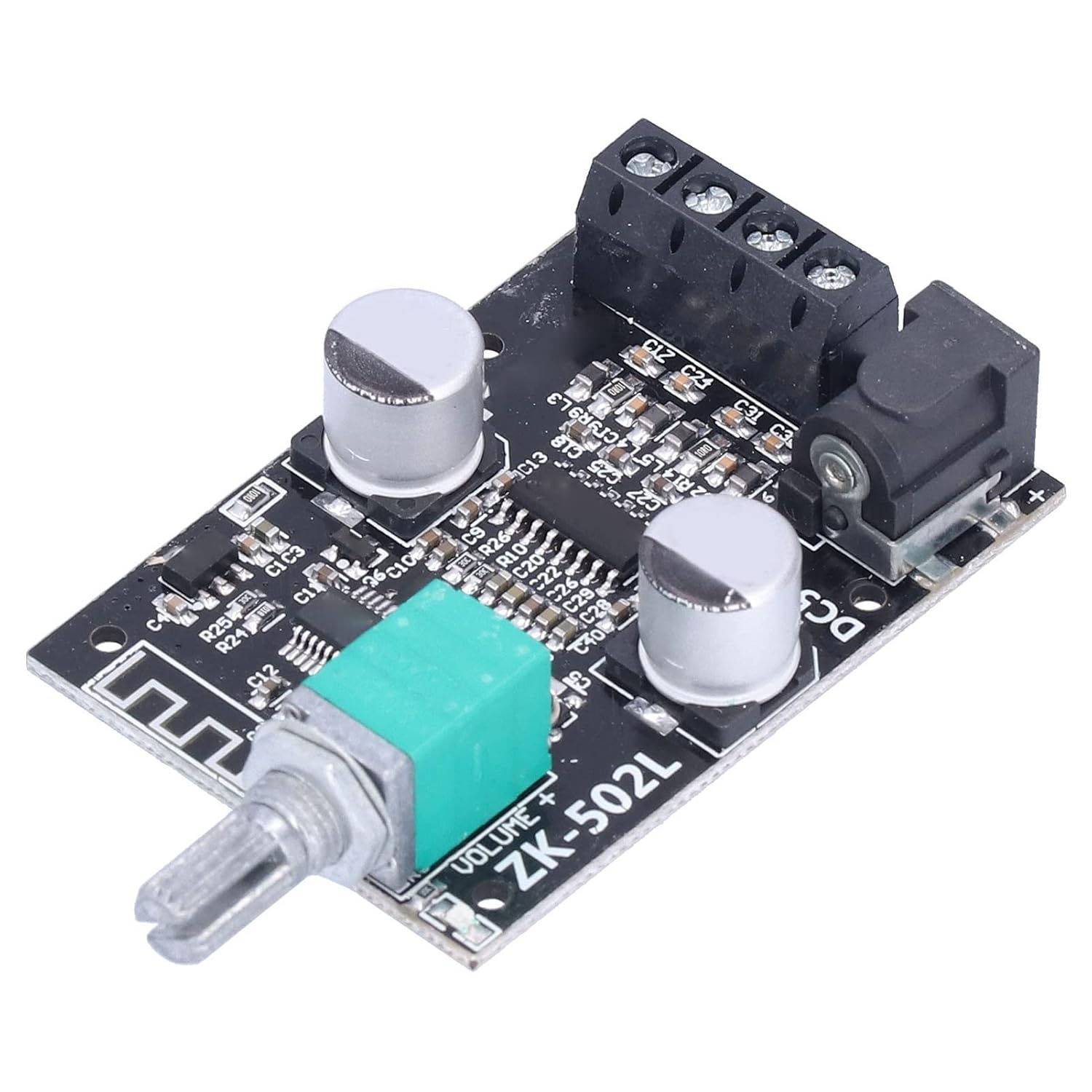
Figure 2.3: Rear angled view, showing the DC power input jack and the screw terminals for speaker connections.

Figure 2.4: Diagram illustrating the physical dimensions of the amplifier board for integration into projects.

Figure 2.5: Connection diagram showing how to connect speakers and the DC power input to the amplifier board.
3. Features
- Versatile Power Input: Equipped with a terminal block and a DC 2.1mm socket, compatible with most laptop power ports (DC 5V-24V).
- Wide Speaker Compatibility: Supports various speakers with impedances from 4Ω to 8Ω and power ratings from 30W to 200W.
- Audio Input Options: Supports stereo audio input and AUX audio input.
- Integrated Sound Processing: Built-in filter capacitor for effective sound processing.
- Convenient Control: Knob potentiometer design for easy power ON/OFF and volume adjustment.
- Robust Protection: Features an acrylic protective shell and multiple safety mechanisms including reverse connection, overvoltage, undervoltage, over temperature, short circuit, and self-recovery overheating protection.
- Seamless Audio Experience: Designed to eliminate pops and provide smooth audio transitions when powering on, skipping songs, and pausing.
4. Setup
- Prepare Components: Ensure you have the amplifier board, appropriate speakers (4Ω-8Ω), and a DC power supply (5V-24V).
- Assemble Protective Shell (Optional): If using the included acrylic protective shell, assemble it around the board using the provided screws and brass connecting rods.
- Connect Speakers: Connect your speakers to the screw terminals on the amplifier board. Ensure correct polarity (+ and -). Refer to Figure 2.5 for visual guidance.
- Connect Audio Input: Connect your audio source (e.g., smartphone, MP3 player) to the AUX audio input port.
- Connect Power Supply: Connect a DC power supply (5V-24V) to the DC 2.1mm socket or the terminal block. Important: The input voltage must not exceed 24V to prevent damage to the module.
5. Operating Instructions
- Power On: Once all connections are secure, turn the knob potentiometer clockwise to power on the module.
- Adjust Volume: Continue turning the knob clockwise to increase the volume. Turn counter-clockwise to decrease the volume.
- Power Off: Turn the knob potentiometer counter-clockwise until it clicks to power off the module.
6. Maintenance
To ensure the longevity and optimal performance of your Walfront ZK-502L amplifier module, follow these maintenance guidelines:
- Keep the module in a dry environment, away from moisture and extreme temperatures.
- Avoid exposing the board to dust or corrosive substances.
- Do not attempt to modify the circuit board, as this may void any potential warranty and cause damage.
- Periodically check connections to ensure they are secure.
7. Troubleshooting
If you encounter issues with your amplifier module, refer to the following common problems and solutions:
| Problem | Possible Cause | Solution |
|---|---|---|
| No sound output | Incorrect power supply voltage; Loose speaker connections; Audio source issue; Module not powered on. | Verify input voltage is within 5V-24V; Check speaker wiring and polarity; Ensure audio source is playing and connected correctly; Turn the volume knob clockwise to power on. |
| Distorted sound | Volume too high; Speaker impedance mismatch; Faulty audio source. | Reduce volume; Ensure speakers are 4Ω-8Ω; Test with a different audio source. |
| Module not powering on | No power supply; Power supply polarity reversed; Overvoltage protection activated. | Check power supply connection; Ensure correct polarity; Verify input voltage is not above 24V. |
| Intermittent sound or skipping | Loose audio input connection; Overheating. | Secure audio input cable; Ensure adequate ventilation for the module. |
8. Specifications
| Feature | Detail |
|---|---|
| Model | ZK-502L |
| Item Type | Power Amplifier Board |
| Material | PCB |
| Version | 5.0 |
| Input Method | AUX |
| Number Of Channels | Left and Right Dual Channels (Stereo) |
| Communication Distance | Approx. 15m/49.2ft (Unobstructed) |
| Signal To Noise Ratio (SNR) | >90 dB |
| Adapted Speakers | 30W-200W, 4Ω-8Ω |
| Output Power (12V) | 8Ω/12W+12W, 4Ω/20W+20W |
| Output Power (15V) | 8Ω/18W+18W, 4Ω/30W+30W |
| Output Power (19V) | 8Ω/32W+32W, 4Ω/45W+45W |
| Output Power (24V) | 8Ω/38W+38W, 4Ω/50W+50W |
| Protection Mechanisms | Self-Recovery Overheating, Self-Recovery Short Circuit, Reverse Connection, Overvoltage, Undervoltage, Over Temperature |
9. Safety Information
- Voltage Limit: The input voltage must not exceed 24V. Exceeding this limit will damage the audio amplifier module.
- Polarity: Ensure correct power supply polarity when connecting to avoid damage.
- Ventilation: Provide adequate ventilation around the module, especially during prolonged use, to prevent overheating.
- Environment: Do not expose the module to water, excessive humidity, or extreme temperatures.
- Handling: Handle the PCB board with care to avoid damaging components.
10. Package Contents
The package for the Walfront ZK-502L Power Amplifier Board typically includes the following items:
- 1 x Power Amplifier Board (ZK-502L)
- 1 x Screwdriver
- 9 x Screw
- 4 x Brass Connecting Rod
- 2 x Acrylic Board (for protective shell)
- 1 x Knob (for potentiometer)
- 1 x Cable (for power connection)
11. Warranty and Support
For warranty information and technical support, please refer to the official Walfront website or contact your point of purchase. Keep your purchase receipt as proof of purchase for any warranty claims.