
1. Introduction
Thank you for choosing the VolkanoX VXH300 Hybrid Active Noise Cancelling Bluetooth Headphones. These headphones are designed to provide a high-quality audio experience with the convenience of wireless connectivity and effective noise cancellation. This manual will guide you through the setup, operation, and maintenance of your new headphones.
2. Safety Information
- Do not use the headphones at high volume for extended periods to prevent hearing damage.
- Do not use the headphones in situations where inability to hear ambient sounds could be dangerous, such as while driving or cycling.
- Keep the headphones away from water, moisture, and extreme temperatures.
- Do not attempt to disassemble or modify the headphones. This will void the warranty.
- Charge the headphones using a compatible USB power source.
3. Package Contents
Please ensure all items are present in your package:
- 1 x VolkanoX VXH300 Hybrid Active Noise Cancelling Bluetooth Headphones
- 1 x USB Type-C Charging Cable
- 1 x 3.5mm Audio Cable
- 1 x Carrying Case
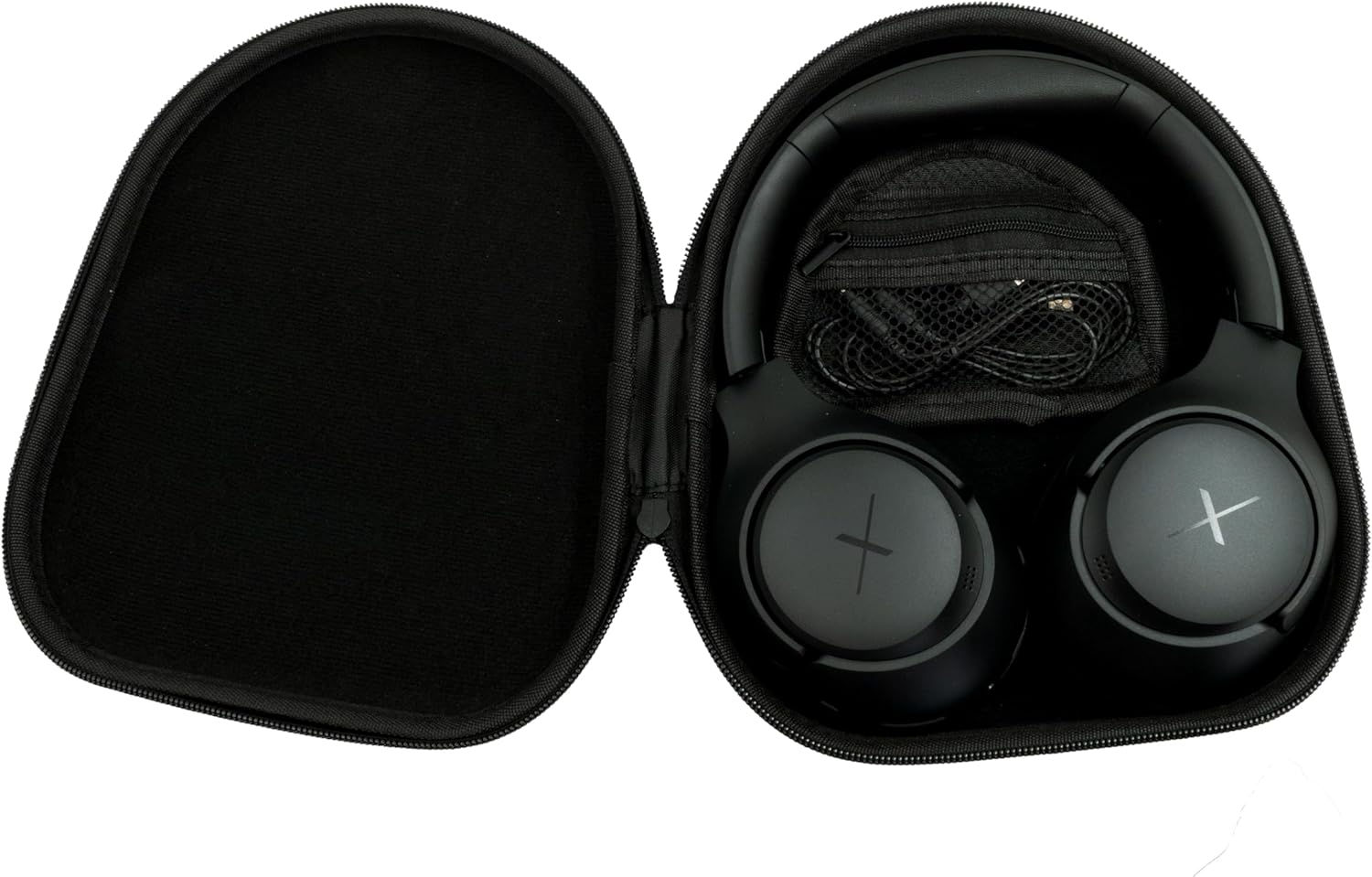
Image: VolkanoX VXH300 Headphones neatly stored in their carrying case, alongside the included charging and audio cables.
4. Product Overview
Familiarize yourself with the various parts and controls of your VolkanoX VXH300 headphones:

Image: A detailed view of the right earcup, highlighting the control buttons, the 3.5mm Aux Input, and the USB Type-C Charging Port.
- Control Buttons: Power On/Off, Volume Up/Down, Play/Pause, Track Skip, Call Answer/End.
- Aux Input: For wired audio connection using the 3.5mm audio cable.
- Type-C Charging Port: For charging the internal battery.
- ANC Switch: Dedicated button or switch for Active Noise Cancelling function.
- Microphone: Built-in for hands-free calls.
5. Setup
5.1 Charging the Headphones
- Connect the supplied USB Type-C charging cable to the charging port on the headphones.
- Connect the other end of the cable to a USB power adapter (not included) or a computer's USB port.
- The LED indicator will show charging status (e.g., red for charging, blue/off for fully charged).
- A full charge takes approximately 1 hour.
5.2 Powering On/Off
- To Power On: Press and hold the Power button for approximately 3 seconds until the LED indicator flashes.
- To Power Off: Press and hold the Power button for approximately 3 seconds until the LED indicator turns off.
5.3 Bluetooth Pairing
- Ensure the headphones are powered off.
- Press and hold the Power button for approximately 5-7 seconds until the LED indicator flashes red and blue alternately, indicating pairing mode.
- On your device (smartphone, tablet, computer), enable Bluetooth and search for new devices.
- Select "VolkanoX VXH300" from the list of available devices.
- Once paired, the LED indicator will flash blue slowly, and you will hear an audible confirmation.
- The headphones will automatically reconnect to the last paired device when powered on, if within range (up to 10 meters).
5.4 Wired Connection (Duo Mode)
For ultimate flexibility, you can use the headphones in wired mode:
- Connect one end of the 3.5mm audio cable to the Aux Input port on the headphones.
- Connect the other end of the cable to the 3.5mm audio jack on your audio device.
- The headphones will automatically switch to wired mode. Bluetooth functionality will be disabled.
6. Operating Instructions
6.1 Music Playback
- Play/Pause: Press the Power/Multi-function button once.
- Volume Up: Press the Volume Up (+) button.
- Volume Down: Press the Volume Down (-) button.
- Next Track: Press and hold the Volume Up (+) button.
- Previous Track: Press and hold the Volume Down (-) button.
6.2 Call Management
- Answer/End Call: Press the Power/Multi-function button once.
- Reject Call: Press and hold the Power/Multi-function button for 2 seconds.
- Redial Last Number: Double-press the Power/Multi-function button.
6.3 Active Noise Cancelling (ANC) Function
The VolkanoX VXH300 features Hybrid Active Noise Cancelling technology to reduce ambient noise.

Image: A visual representation of Hybrid Active Noise Cancelling, showing how external noise is filtered to enhance the listening experience.
- Activate ANC: Locate the dedicated ANC switch or button (refer to Product Overview) and slide/press it to the ON position. The ANC indicator light will illuminate.
- Deactivate ANC: Slide/press the ANC switch or button to the OFF position. The ANC indicator light will turn off.
- ANC can be used independently or simultaneously with Bluetooth audio.
7. Maintenance
7.1 Cleaning
- Wipe the headphones with a soft, dry cloth.
- Do not use abrasive cleaners, solvents, or harsh chemicals.
- Avoid getting moisture into any openings.
7.2 Storage
The VolkanoX VXH300 headphones feature a twist and folding design for compact storage.

Image: The headphones folded for portability, highlighting their space-saving design.
- When not in use, fold the headphones and store them in the provided carrying case to protect them from dust and damage.
- Store in a cool, dry place, away from direct sunlight and extreme temperatures.
8. Troubleshooting
If you encounter issues with your headphones, refer to the following common problems and solutions:
| Problem | Possible Solution |
|---|---|
| Headphones do not power on. | Ensure the headphones are fully charged. Connect to a power source and try again. |
| Cannot pair with Bluetooth device. | Ensure headphones are in pairing mode (LED flashing red/blue). Turn off and on Bluetooth on your device. Move headphones closer to the device. Clear previous pairings on your device. |
| No sound or low volume. | Check volume levels on both headphones and your connected device. Ensure headphones are properly paired or the 3.5mm cable is fully inserted. |
| ANC is not effective. | Ensure the ANC function is switched on. ANC is most effective against low-frequency, constant noise. |
| Microphone not working. | Ensure headphones are connected via Bluetooth. Check microphone settings on your device. |
9. Specifications
| Feature | Detail |
|---|---|
| Model Name | VXH300 |
| Model Number | VKX-2104-BK |
| Connectivity | Bluetooth 5.0, Wired (3.5mm Aux) |
| Bluetooth Range | Up to 10 meters |
| Noise Control | Hybrid Active Noise Cancellation |
| Ear Placement | Over-Ear |
| Sensitivity | 105 dB |
| Battery Charge Time | Approximately 1 hour |
| Built-in Microphone | Yes |
| Weight | 300 Grams |
| Color | Black |
10. Warranty and Support
10.1 Warranty Information
Your VolkanoX VXH300 headphones are covered by a 1-year limited warranty. This warranty covers manufacturing defects and ensures dependable performance.
You can extend your coverage by an additional 12 months, for a total of 24 months coverage, by registering your product. Please visit the official Volkano website for product registration details.
10.2 Customer Support
Should you have any questions, require assistance, or need to claim warranty support, please contact Volkano customer service. You can message us via the official Volkano Page or refer to the contact information provided in your product packaging.