
Introduction
The Fame EC-1802 E-Cello is an electric cello designed for portability and versatile performance. This manual provides essential information for setting up, operating, and maintaining your instrument to ensure optimal performance and longevity.

Figure 1: Full front view of the Fame EC-1802 E-Cello. This image displays the instrument's sleek white body, black fingerboard, and four strings, highlighting its modern design.
Setup
1. Unpacking
- Carefully remove all components from the packaging.
- Verify that all parts are present: E-Cello body, removable body rests, bow, and any included cables.
- Retain original packaging for future transport or storage.
2. Attaching Body Rests
The Fame EC-1802 E-Cello features removable body rests for comfortable playing. Locate the two 'C' shaped body rests and align them with the attachment points on the cello body. Gently slide and secure them into place until they click or feel firmly seated.

Figure 2: The Fame EC-1802 E-Cello with its ergonomic body rests attached, providing a comfortable playing position. The image shows the instrument from a slight angle, highlighting the curves of the rests.
3. Power Supply and Connections
The E-Cello requires power for its internal electronics. Locate the battery compartment, typically on the underside or side of the instrument. Insert the required batteries (not specified in product data, assume standard 9V or AA) according to the polarity markings.
- Output Jack: Connect a standard 6.35mm (1/4 inch) instrument cable from the cello's output jack to an amplifier, audio interface, or PA system.
- Headphone Output: For silent practice, connect headphones to the "Phone" jack.
- MP3 Input: To play along with backing tracks, connect an external audio source (e.g., MP3 player, smartphone) to the "Mp3 In" jack using an appropriate cable.
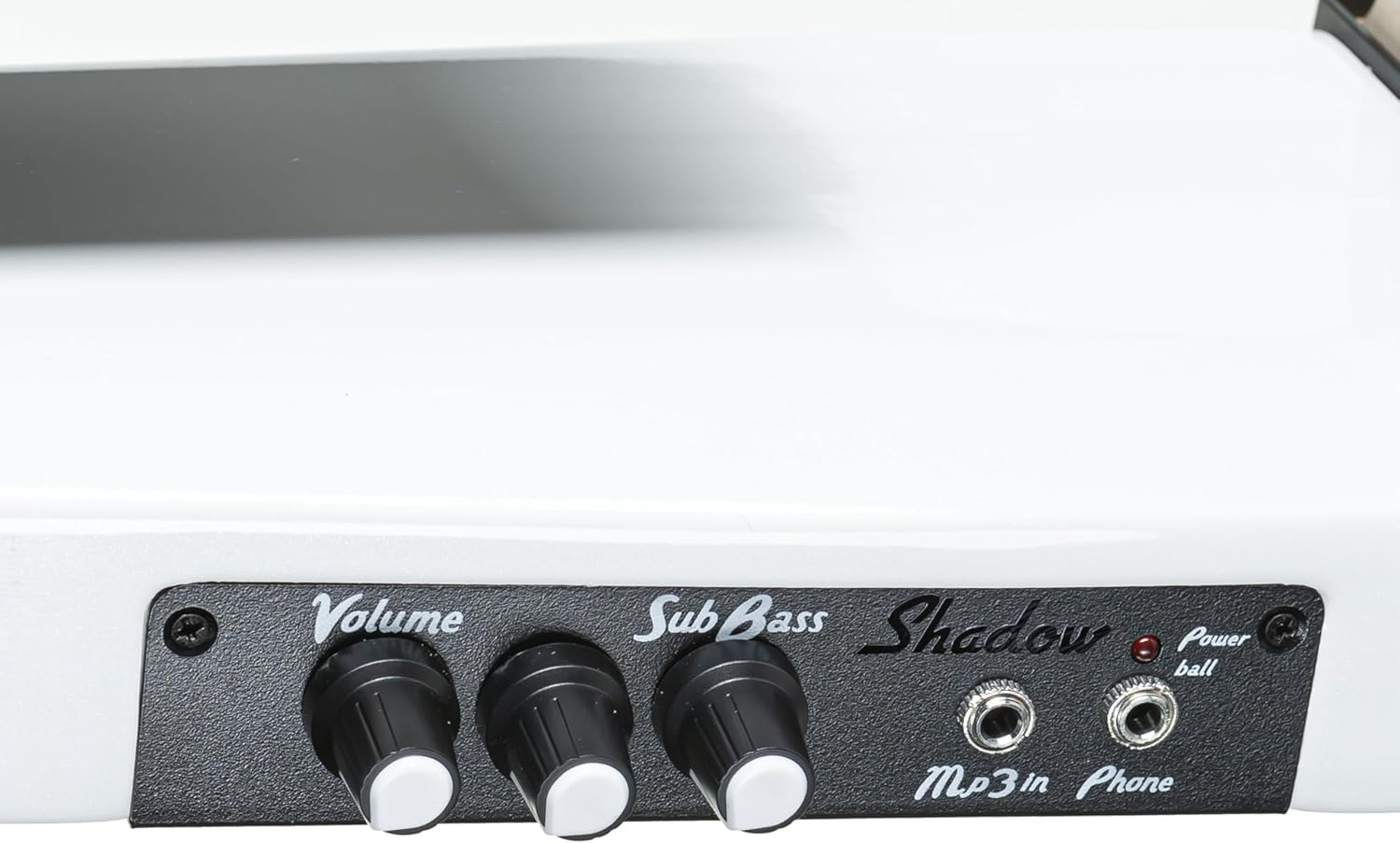
Figure 3: Close-up view of the output jack and battery compartment on the Fame EC-1802 E-Cello. This image details the connection points for audio output and power supply.
4. Tuning
Tune the cello using the tuning pegs located on the headstock. Standard cello tuning is C-G-D-A (from lowest to highest string). Use an electronic tuner for accuracy.

Figure 4: Front view of the headstock of the Fame EC-1802 E-Cello, showing the four tuning pegs and the strings extending down the fingerboard.
5. Bow Preparation
Before playing, apply rosin to the bow hair. This creates friction necessary to produce sound from the strings. Ensure the bow hair is tightened appropriately, but not excessively, before applying rosin.
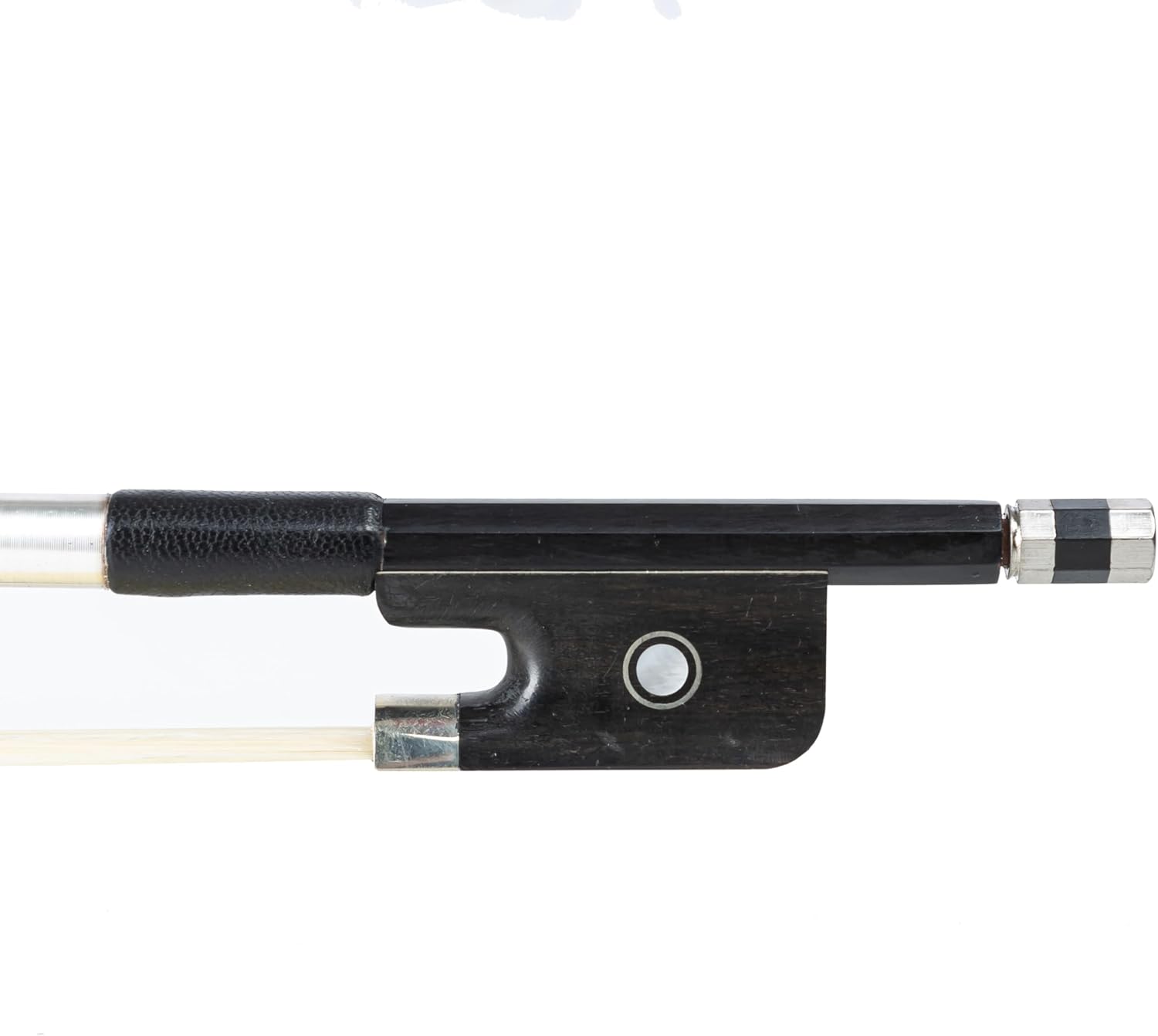
Figure 5: Close-up of the bow frog, showing the mechanism for tightening the bow hair and the grip area. This part is essential for proper bow handling and rosin application.
Operating
1. Controls Overview
The Fame EC-1802 E-Cello features a control panel for adjusting sound and connectivity.

Figure 6: Detailed view of the control panel on the Fame EC-1802 E-Cello, featuring knobs for Volume and Sub Bass, and input/output jacks for MP3 In and Phone (headphones).
- Volume: Adjusts the overall output level of the instrument.
- Sub Bass: Controls the amount of low-frequency enhancement. Turn clockwise to increase bass.
- Mp3 In: Input for connecting external audio devices.
- Phone: Headphone output jack.
- Power/Ball Indicator: A small LED light indicates when the instrument is powered on.
2. Playing the E-Cello
Once connected to an amplifier or headphones, turn on the amplifier and adjust its volume to a low setting. Begin playing the cello as you would an acoustic instrument. Experiment with the Volume and Sub Bass controls to achieve your desired sound. For practice, use the headphone output to monitor your playing without disturbing others.
Maintenance
1. Cleaning
- After each use, wipe down the strings and body with a soft, dry cloth to remove rosin dust and fingerprints.
- Avoid using abrasive cleaners or solvents, as these can damage the finish.
2. String Replacement
Strings should be replaced periodically, depending on usage, to maintain optimal tone and playability. Replace one string at a time to maintain tension on the bridge. Use steel cello strings of appropriate gauge.
3. Storage
Store the E-Cello in its case or a suitable stand when not in use. Avoid exposing the instrument to extreme temperatures, humidity, or direct sunlight, which can cause damage.
4. Bow Care
- Loosen the bow hair after each playing session to prevent warping of the stick.
- Re-apply rosin as needed, but avoid excessive application.
- Keep the bow clean and protected.
Troubleshooting
- No Sound:
- Check if the instrument is powered on (Power/Ball indicator).
- Ensure batteries are correctly installed and not depleted.
- Verify all cables are securely connected to the cello, amplifier, and power source.
- Check amplifier volume and settings.
- Ensure the cello's Volume knob is not set to minimum.
- Distorted Sound:
- Reduce the Volume on the cello or amplifier.
- Check for damaged cables.
- Ensure the amplifier's input gain is not too high.
- Tuning Instability:
- Ensure strings are properly seated in the tuning pegs and bridge.
- New strings may require several days to stabilize.
- Check for worn or damaged strings.
Specifications
| Feature | Detail |
|---|---|
| Brand | Fame |
| Model | EC-1802 |
| Product Dimensions | 140 x 29 x 22 cm |
| Item Weight | 5.98 kg |
| Color | White |
| Connector | 6.35 mm jack |
| String Material | Steel |
| Top Material | Carbon Fiber |
| Number of Strings | 4 |
| Size | 3/4 size |
| Manufacturer | Fame |
| Country of Origin | Germany |
Warranty and Support
For detailed warranty information, please refer to the documentation provided with your purchase or visit the official Fame website. For technical support or service inquiries, please contact your retailer or the manufacturer directly.