1. Introduction
Thank you for choosing the KEMEI Professional Cordless Hair Clipper, Trimmer, and Shaver Set. This comprehensive kit provides versatile tools for various grooming needs, including hair cutting, trimming, and shaving. This manual contains important information regarding the safe operation, maintenance, and care of your devices. Please read it thoroughly before first use and retain it for future reference.
2. Safety Information
To ensure safe operation and prevent injury or damage, please adhere to the following safety guidelines:
- Always unplug the device from the power source before cleaning or performing any maintenance.
- Keep the blade away from the face and eyes during use to prevent accidental injury.
- Do not ingest or inhale small parts. Ensure all components are securely attached before operation.
- Keep all devices and accessories out of reach of children.
- Do not immerse the main body of the devices in water. The blades of the clipper and trimmer can be rinsed directly after removal.
- Use only the provided USB charging cables and compatible power sources.
- Do not operate the devices if they are damaged or malfunctioning. Contact customer support for assistance.
3. Package Contents
Your KEMEI grooming kit includes the following items:
- 1 x KEMEI KM-2290 Hair Clipper
- 1 x KEMEI KM-2293 Hair Trimmer
- 1 x KEMEI KM-1102 Electric Foil Shaver
- Multiple Guide Combs for Clipper (various lengths)
- Multiple Guide Combs for Trimmer (various lengths)
- 3 x USB Charging Cables (one for each device)
- 3 x Cleaning Brushes
- 1 x Hair Comb
- 1 x Hair Cutting Cape
- 1 x Storage Bag

Image 3.1: Overview of the KEMEI grooming kit, showing the clipper, trimmer, shaver, and all included accessories such as guide combs, charging cables, cleaning brushes, comb, cape, and storage bag.
4. Product Features
Each device in your KEMEI set is designed with specific features for optimal performance:
- Self-Sharpening Blades: The clipper and trimmer feature precision blades that maintain sharpness over time, ensuring consistent cutting performance.
- R-shaped Blade Design: The blades are designed with an R-shaped edge for safety and to prevent skin irritation during use.
- LCD Digital Display: Both the clipper and trimmer are equipped with an LCD screen to show the remaining battery percentage, allowing you to monitor power levels easily.
- High-Capacity Lithium-Ion Batteries: Provides cordless operation for convenience and portability.
- USB Charging: All devices can be conveniently charged via USB, compatible with various power sources like computers, car chargers, and power banks.
- Powerful Motor: The clipper and trimmer feature a robust motor for efficient hair cutting, operating at less than 55dB and designed to prevent hair pulling.
- Fade Blade (Clipper): Carbon steel blade designed for quick cuts and suitable for fade-style haircuts.
- Double Foil Razor (Shaver): Adapts to facial contours for a smooth, close shave, effective for stubble and fading.
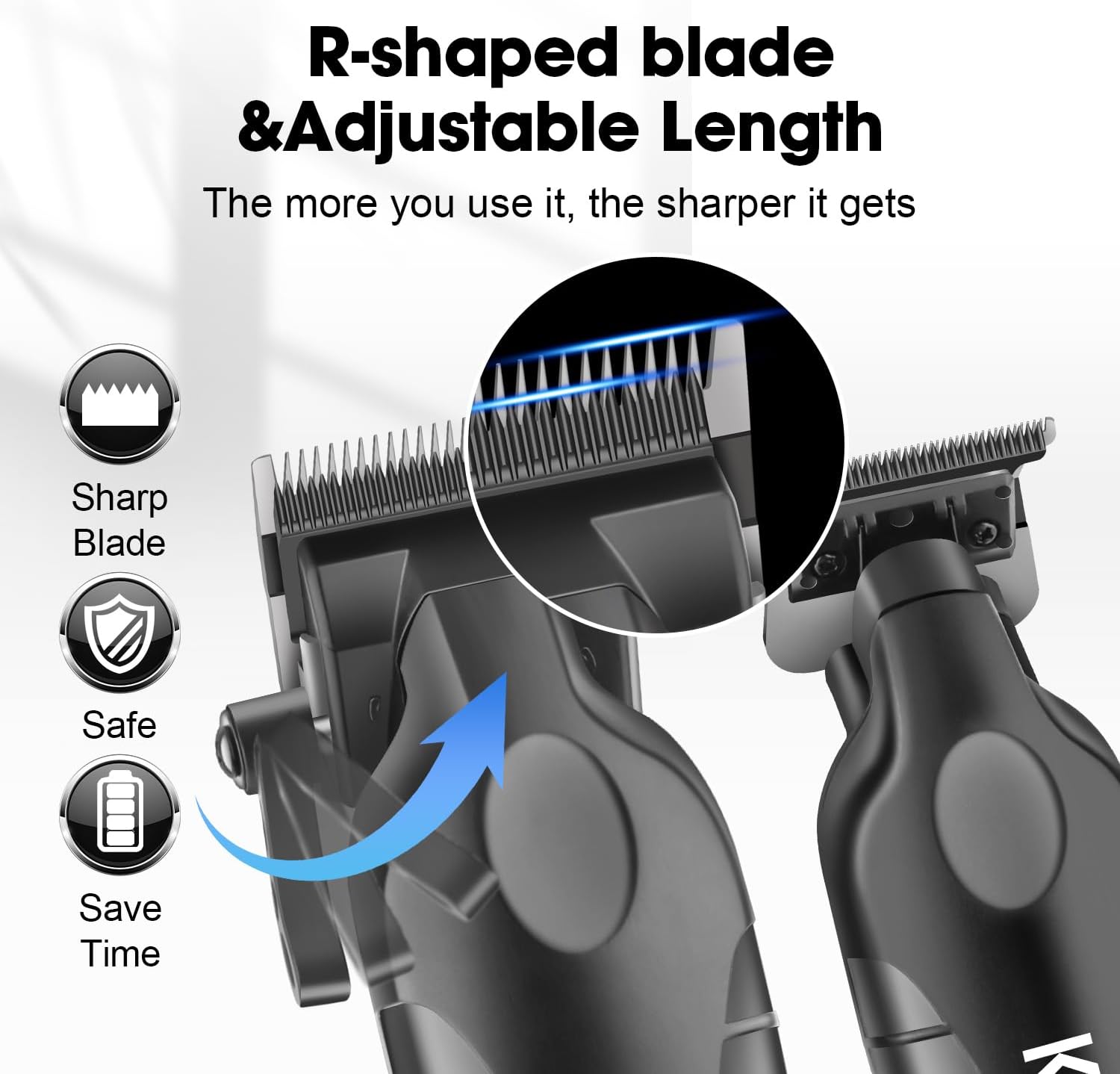
Image 4.1: Detail of the R-shaped blade design and adjustable length mechanism on the KEMEI clipper, highlighting safety and precision.
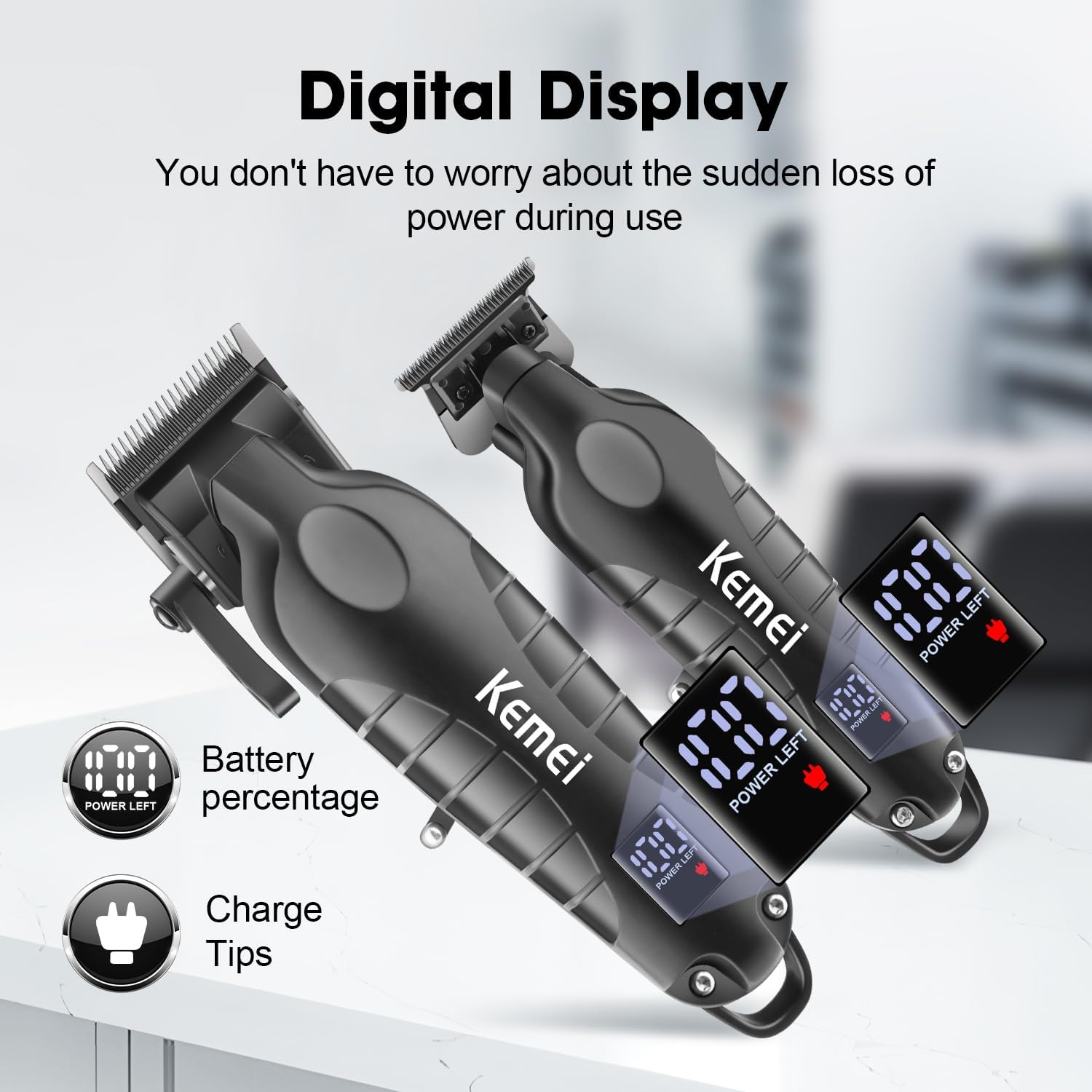
Image 4.2: The digital display on the KEMEI clipper and trimmer, indicating the remaining battery percentage for convenient power monitoring.
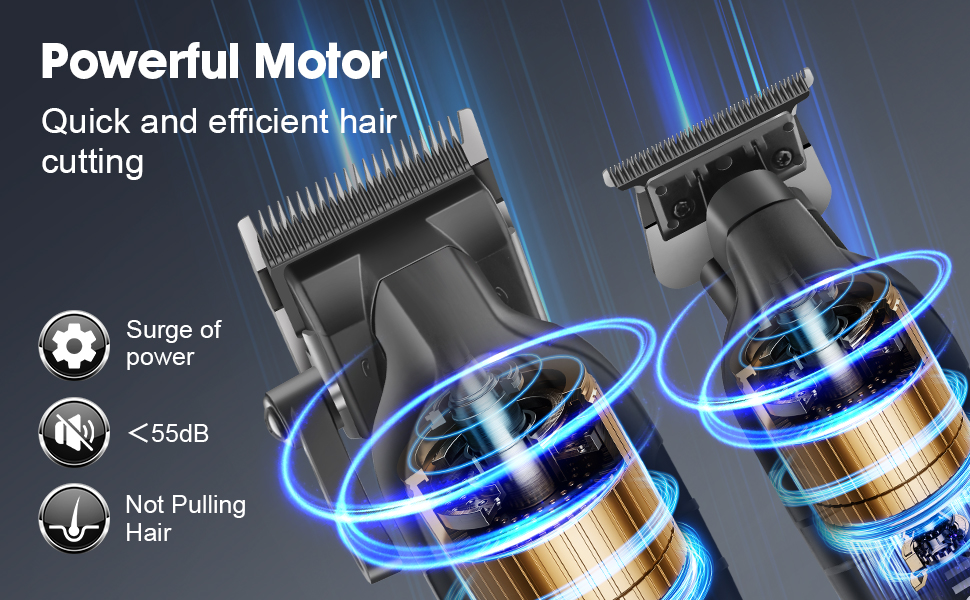
Image 4.3: Visual representation of the powerful motor in KEMEI clippers, emphasizing its efficiency, quiet operation (less than 55dB), and design to prevent hair pulling.
5. Setup and Initial Charging
Before using your KEMEI grooming devices for the first time, it is recommended to fully charge them.
- Unpack: Carefully remove all items from the packaging.
- Inspect: Check each device and accessory for any signs of damage.
- Charge: Connect each device to its respective USB charging cable. Plug the USB end into a compatible power source (e.g., computer, USB adapter, power bank).
- Monitor Charging: The LCD display on the clipper and trimmer will show charging progress. The shaver may have an indicator light. Refer to the 'Charging Instructions' section for specific charging times.

Image 5.1: The KEMEI hair clipper and trimmer connected via USB for charging, illustrating their respective charging and working times.

Image 5.2: The KEMEI electric shaver connected to its USB charging cable, demonstrating compatibility with various USB power sources like computers, car chargers, USB adapters, and power banks.
6. Operating Instructions
Familiarize yourself with each device before use.
6.1. KEMEI KM-2290 Hair Clipper
- Select Guide Comb: Choose the desired guide comb for your preferred hair length. Align the comb with the clipper blade and snap it into place securely.
- Adjust Taper Lever: The side taper lever allows for fine adjustment of cutting length without changing guide combs. Push the lever up for the shortest cut and pull it down for a longer cut.
- Power On: Press the power button to turn on the clipper. The LCD display will show the battery level.
- Begin Cutting: Hold the clipper with the blade flat against the hair. Move the clipper against the direction of hair growth for an even cut.
- Power Off: Press the power button to turn off the clipper after use.
6.2. KEMEI KM-2293 Hair Trimmer
- Select Guide Comb: For specific trimming lengths, attach the appropriate guide comb. For close trimming or detailing, use without a guide comb.
- Power On: Press the power button to activate the trimmer. The LCD display will show the battery level.
- Begin Trimming: Use the trimmer for outlining, detailing, or precise beard and mustache shaping. Hold the blade at a slight angle to the skin for best results.
- Power Off: Press the power button to turn off the trimmer after use.
6.3. KEMEI KM-1102 Electric Foil Shaver
- Power On: Slide the power switch to the 'ON' position.
- Begin Shaving: Gently press the shaver head against your skin. Move the shaver in short, circular motions or straight strokes against the direction of hair growth for a close shave.
- Power Off: Slide the power switch to the 'OFF' position after use.

Image 6.1: A detailed breakdown of the KEMEI clipper and trimmer, highlighting features such as wear-resistant cutterheads, sharp teeth, teeth distance adjusting lever, ON/OFF switch, digital display, and USB charging port.
7. Maintenance and Cleaning
Regular cleaning and maintenance will prolong the life and performance of your devices.
- Power Off and Unplug: Always ensure the device is turned off and unplugged from the charger before cleaning.
- Clean Blades (Clipper & Trimmer): After each use, remove any attached guide combs. Use the provided cleaning brush to brush away loose hairs from the blades. The blades can be rinsed directly under running water without disassembly. Ensure they are completely dry before reattaching or storing.
- Clean Shaver Head (Shaver): Open the shaver head and use the cleaning brush to remove hair clippings. The foil and cutter block can be rinsed under water. Allow to air dry completely.
- Oil Blades: Periodically apply a small drop of lubricating oil (not included, but standard clipper oil is recommended) to the blades of the clipper and trimmer. Turn the device on for a few seconds to distribute the oil, then wipe off any excess. This helps maintain blade sharpness and smooth operation.
- Clean Body: Wipe the body of each device with a soft, damp cloth. Do not use abrasive cleaners or solvents.
- Storage: Store the devices and accessories in the provided storage bag in a cool, dry place.
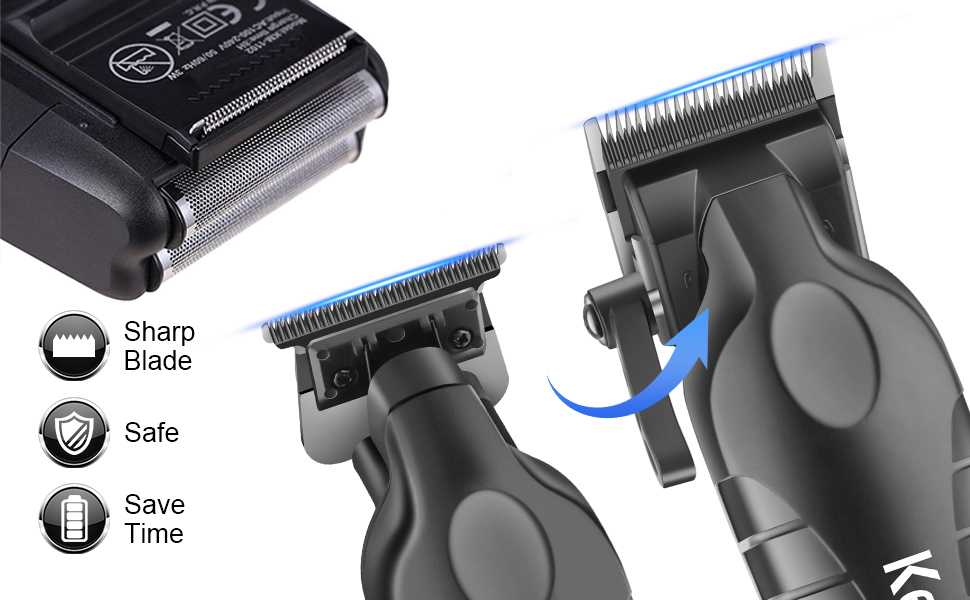
Image 7.1: A close-up view of the KEMEI clipper and trimmer blades, illustrating their sharp, safe, and efficient design for effective grooming.
8. Charging Instructions
Each device has specific charging requirements:
- KEMEI KM-2290 Hair Clipper: Approximately 3.5 hours for a full charge, providing up to 350 minutes of working time.
- KEMEI KM-2293 Hair Trimmer: Approximately 3 hours for a full charge, providing up to 180 minutes of working time.
- KEMEI KM-1102 Electric Foil Shaver: Approximately 8 hours for a full charge, providing up to 45 minutes of working time.
The LCD display on the clipper and trimmer will indicate charging status and battery level. For the shaver, refer to its indicator light (if present).
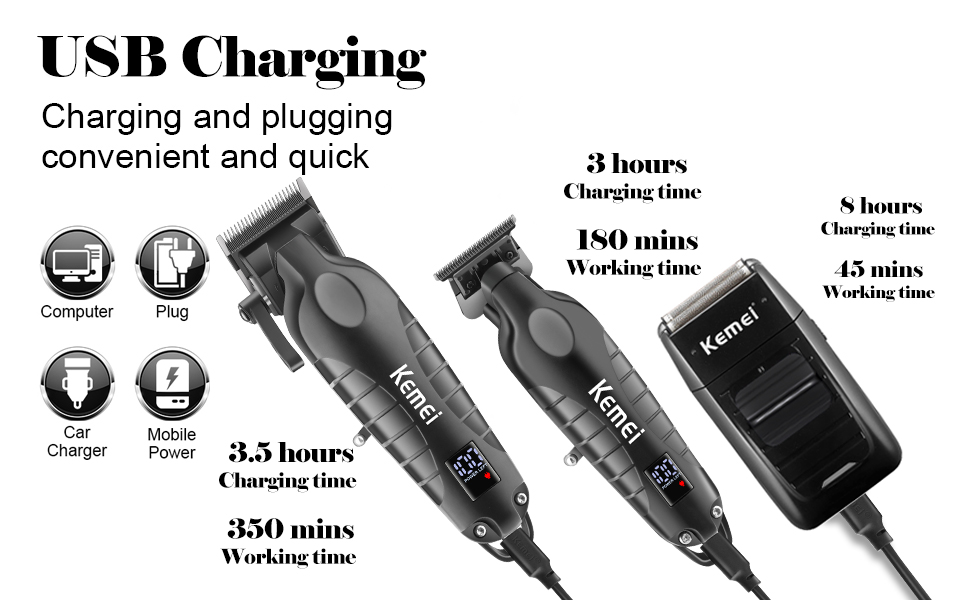
Image 8.1: An illustration of the KEMEI grooming set highlighting USB charging convenience and specifying the individual charging and working times for the clipper, trimmer, and shaver.
9. Troubleshooting
If you encounter issues with your KEMEI grooming set, refer to the following common solutions:
- Device not turning on: Ensure the device is fully charged. Check the charging cable and adapter for proper connection.
- Poor cutting performance: Clean the blades thoroughly to remove any trapped hair. Apply lubricating oil to the blades. Ensure guide combs are correctly attached.
- Excessive noise or vibration: Clean and oil the blades. If the issue persists, discontinue use and contact customer support.
- Shaver not providing a close shave: Ensure the shaver head is clean and free of debris. Replace the foil and cutter block if they are worn (replacement parts sold separately).
For issues not listed here, please contact KEMEI customer support.
10. Specifications
| Feature | Detail |
|---|---|
| Brand | KEMEI |
| Model Names | KM-2290 (Clipper), KM-2293 (Trimmer), KM-1102 (Shaver) |
| Battery Type | Lithium Polymer (3 included) |
| Clipper Charging Time | 3.5 Hours |
| Clipper Working Time | Up to 350 Minutes |
| Trimmer Charging Time | 3 Hours |
| Trimmer Working Time | Up to 180 Minutes |
| Shaver Charging Time | 8 Hours |
| Shaver Working Time | Up to 45 Minutes |
| Charging Interface | USB |
| Package Dimensions | 11.85 x 7.99 x 3.46 inches |
| Package Weight | 2.87 Pounds |
11. Warranty and Support
For warranty information and customer support, please refer to the documentation included with your purchase or contact the retailer where the product was acquired. KEMEI is committed to providing high-quality products and service.
12. Legal Disclaimer
Statements regarding dietary supplements have not been evaluated by the FDA and are not intended to diagnose, treat, cure, or prevent any disease or health condition. This product is intended for personal grooming and hair care purposes only.


