
1. Introduction
Thank you for purchasing the MIEBELY Maserati MC20 1:12 Scale Remote Control Car. This manual provides essential information for the safe operation, setup, and maintenance of your new RC car. Please read it thoroughly before use to ensure optimal performance and longevity of the product.

Image 1.1: The MIEBELY Maserati MC20 Remote Control Car, its remote controller, and the product packaging. The car is pink with openable doors, showcasing its detailed design.
2. Important Safety Information
WARNING: Not for infants. This product contains small parts and is intended for users aged 6 years and up.
- Always operate the RC car in a safe, open area, away from people, pets, and obstacles.
- Do not operate near water or in wet conditions to prevent electrical damage.
- Keep fingers, hair, and loose clothing away from moving parts, such as wheels.
- Adult supervision is recommended for younger users.
- Do not attempt to modify or disassemble the product, as this may cause damage or injury.
- Use only the specified batteries and charging equipment.
- Ensure the car is turned off when not in use or when charging.
3. Package Contents
Please check the box contents against the list below. If any items are missing or damaged, contact customer support.
- 1 x Remote Control Car (Maserati MC20)
- 1 x Remote Control Handle
- 1 x Packing Box
- 1 x USB Charging Cable
- 1 x Screwdriver
- 1 x 7.4V 900mAh Rechargeable Battery
- 1 x Remote Control Wheel (detachable)

Image 3.1: Visual representation of all components included in the product package, ensuring all parts are present for assembly and operation.
4. Setup Guide
4.1 Battery Installation (Car)
- Locate the battery compartment on the underside of the RC car.
- Use the included screwdriver to open the battery compartment cover.
- Connect the 7.4V 900mAh rechargeable battery to the car's power connector, ensuring correct polarity.
- Place the battery inside the compartment and close the cover securely with the screwdriver.
4.2 Battery Installation (Remote Control)
- Locate the battery compartment on the back of the remote control handle.
- Open the cover and insert 2 x AA batteries (not included), observing the correct polarity (+/-).
- Close the battery compartment cover.
4.3 Remote Control Handle Assembly
The remote control features a detachable steering wheel for user comfort.
- Align the remote control wheel with the slot on the remote control handle.
- Push the wheel firmly into place until it clicks, ensuring it is securely attached.
- The handle is designed to be comfortable for both left-handed and right-handed users.
4.4 Direction Adjustment
If the car does not drive straight, you can adjust the steering trim.
- Locate the white wheel alignment adjuster on the bottom of the car, near the front wheels.
- Turn the adjuster left or right incrementally while driving the car until it maintains a straight path.

Image 4.1: This image illustrates the 2.4GHz remote control system with its detachable wheel, the car's battery compartment for the rechargeable battery, and the direction adjustment mechanism located on the underside of the vehicle.
5. Operating Instructions
5.1 Powering On and Pairing
- Turn on the RC car using the power switch, usually located on the chassis.
- Turn on the remote control. The remote and car should automatically pair using the 2.4GHz frequency.
- If pairing fails, turn both devices off and on again.
5.2 Basic Controls
- Forward/Backward: Use the trigger on the remote control. Pull the trigger to move forward, push it to move backward.
- Left/Right Steering: Use the steering wheel on the remote control. Turn the wheel left to steer left, turn right to steer right.
5.3 Driving Tips
- Start by practicing in an open area to get accustomed to the controls.
- Avoid sudden stops or turns at high speeds to prevent loss of control or damage.
- The 2.4GHz frequency provides a stable connection and a control range of up to 200 feet, allowing for multi-player racing without interference.
- The car features functional LED lights for a realistic driving experience.
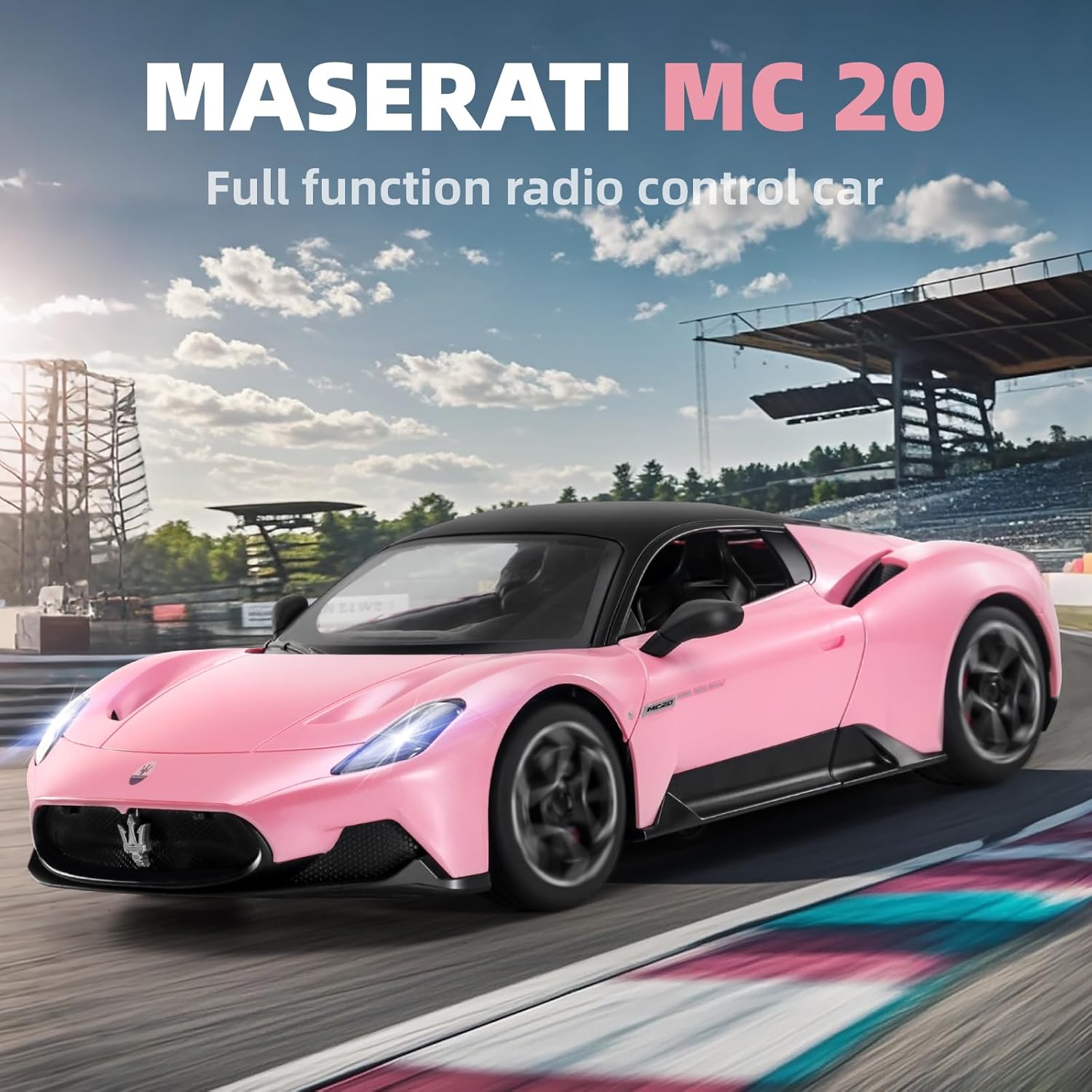
Image 5.1: The Maserati MC20 RC car in action on a simulated race track, demonstrating its operational capabilities and speed.
6. Care and Maintenance
6.1 Cleaning
- Wipe the car and remote control with a soft, dry cloth after each use.
- Do not use water or chemical cleaners, as they may damage electronic components.
- Remove any debris (dust, hair, small stones) from the wheels and chassis.
6.2 Battery Care and Charging
- Always turn off the car and remote control before charging.
- Use the provided USB charging cable to charge the 7.4V 900mAh rechargeable battery.
- Connect the USB cable to a suitable USB power source (e.g., computer USB port, USB wall adapter).
- Charging time may vary. Disconnect the battery once fully charged to prevent overcharging.
- For optimal battery life, avoid completely draining the battery before recharging.
- Remove batteries from the car and remote if storing for extended periods.
6.3 Storage
- Store the RC car and remote control in a cool, dry place, away from direct sunlight and extreme temperatures.
- Keep the product in its original packaging or a protective container to prevent damage.
7. Troubleshooting
| Problem | Possible Cause | Solution |
|---|---|---|
| Car does not respond to remote. | Low battery in car or remote; Not paired; Power switch off. | Charge car battery; Replace remote batteries; Ensure both power switches are ON; Re-pair car and remote. |
| Car drives slowly or inconsistently. | Low car battery; Obstruction in wheels. | Charge car battery; Check and clear any obstructions from wheels. |
| Car does not drive straight. | Steering trim needs adjustment. | Adjust the direction adjustment dial on the underside of the car (refer to Section 4.4). |
| Short control range or interference. | Environmental interference; Distance too far. | Move to an area with less interference; Stay within the 200-foot operating range. |
8. Product Specifications
- Model: 27212
- Scale: 1:12
- Product Dimensions: 16.5 x 6.4 x 7.8 inches
- Item Weight: 3.54 pounds
- Battery (Car): 7.4V 900mAh Lithium Ion (included)
- Battery (Remote): 2 x AA (not included)
- Control Frequency: 2.4GHz
- Control Range: Up to 200 feet
- Maximum Speed: 12 Km/h
- Recommended Age: 6 years and up
- Manufacturer: JIANFENGYUAN TOYS

Image 8.1: This image provides the key dimensions of the RC car and reiterates the accessories included in the package.
9. Warranty and Support
For any questions, concerns, or support needs regarding your MIEBELY Maserati MC20 Remote Control Car, please contact MIEBELY customer service. Refer to your purchase documentation for specific warranty details, as terms may vary.
Manufacturer: JIANFENGYUAN TOYS
For further assistance, please visit the MIEBELY Store on Amazon.