
AJAZZ AKP03
AJAZZ AKP03 Stream Controller User Manual
Model: AKP03
1. Introduction
This manual provides comprehensive instructions for the setup, operation, and maintenance of your AJAZZ AKP03 Stream Controller. Please read this manual thoroughly before using the device to ensure proper functionality and to prevent damage.
1.1 Product Overview
The AJAZZ AKP03 is a versatile stream controller designed to enhance desktop productivity and streaming workflows. It features 6 customizable visual buttons, 3 metal rotary knobs, and 3 switch buttons, providing extensive control over applications, live broadcasts, audio, and more. An integrated LCD side screen allows for real-time monitoring of computer system resources.
1.2 Package Contents
- AJAZZ AKP03 Stream Controller x 1
- Type-C Connection Cable x 1
- Instruction Manual x 1
2. Product Features
- 6 Customizable Visual Buttons: Effortlessly control applications, live broadcasts, audio, and software functions with customizable icons.
- 3 Metal Rotary Knobs: Provide precise control for various parameters.
- 3 Switch Buttons: Additional tactile controls for quick actions.
- Integrated LCD Side Screen: Monitor computer device memory and CPU health status in real-time.
- Detachable 40° Anti-Slip Stand: Provides an optimal viewing and operating angle, ensuring stability.
- Detached Type-C Interface: Ensures easy portability and plug-and-play connectivity.
- Wide Compatibility: Compatible with Windows 7 and above, and macOS 10.13 and above.
3. Setup
3.1 System Requirements
- Operating System: Windows 7 or later, macOS 10.13 or later.
- Available USB Port (USB 3.0 recommended for optimal performance).
3.2 Connecting the Device
- Connect one end of the provided Type-C cable to the Type-C port on the AJAZZ AKP03 Stream Controller.
- Connect the other end of the Type-C cable to an available USB port on your computer.
- The device will automatically be recognized by your operating system.

Figure 3.2.1: Top view of the AJAZZ AKP03 Stream Controller, highlighting its various controls.
3.3 Installing the Software
To fully utilize the customization features of the AJAZZ AKP03, dedicated software is required. Please visit the official AJAZZ website to download the latest version of the control software for your operating system. Follow the on-screen instructions for installation.
Note: Some users have reported issues with software availability. Please ensure you download the software from a verified source.
4. Operating Instructions
4.1 Customizing Buttons and Knobs
- Launch the AJAZZ control software on your computer.
- Within the software interface, you will find options to assign functions to each of the 6 visual buttons, 3 rotary knobs, and 3 switch buttons.
- Visual Buttons: These can be configured for various actions such as launching applications, executing macros, controlling media playback, or triggering streaming functions. Customizable icons can be assigned for visual identification.
- Rotary Knobs: Typically used for volume control (master Windows volume, media volume), scrolling, or adjusting parameters in creative software.
- Switch Buttons: Can be assigned to toggle specific functions or execute quick commands.
- Save your configurations within the software. The settings will be stored on the device.

Figure 4.1.1: Angled view of the AJAZZ AKP03, illustrating the ergonomic layout of its controls.
4.2 Using the LCD Side Screen
The integrated LCD side screen provides real-time monitoring of your computer's performance metrics, such as CPU usage and memory utilization. This feature helps you keep track of your system's health during intensive tasks like streaming or gaming.
4.3 Attaching the Detachable Stand
The AKP03 comes with a detachable 40° anti-slip stand. To attach it, align the stand with the grooves on the bottom of the controller and gently snap it into place. This stand provides an elevated and stable angle for comfortable use and better visibility of the buttons.
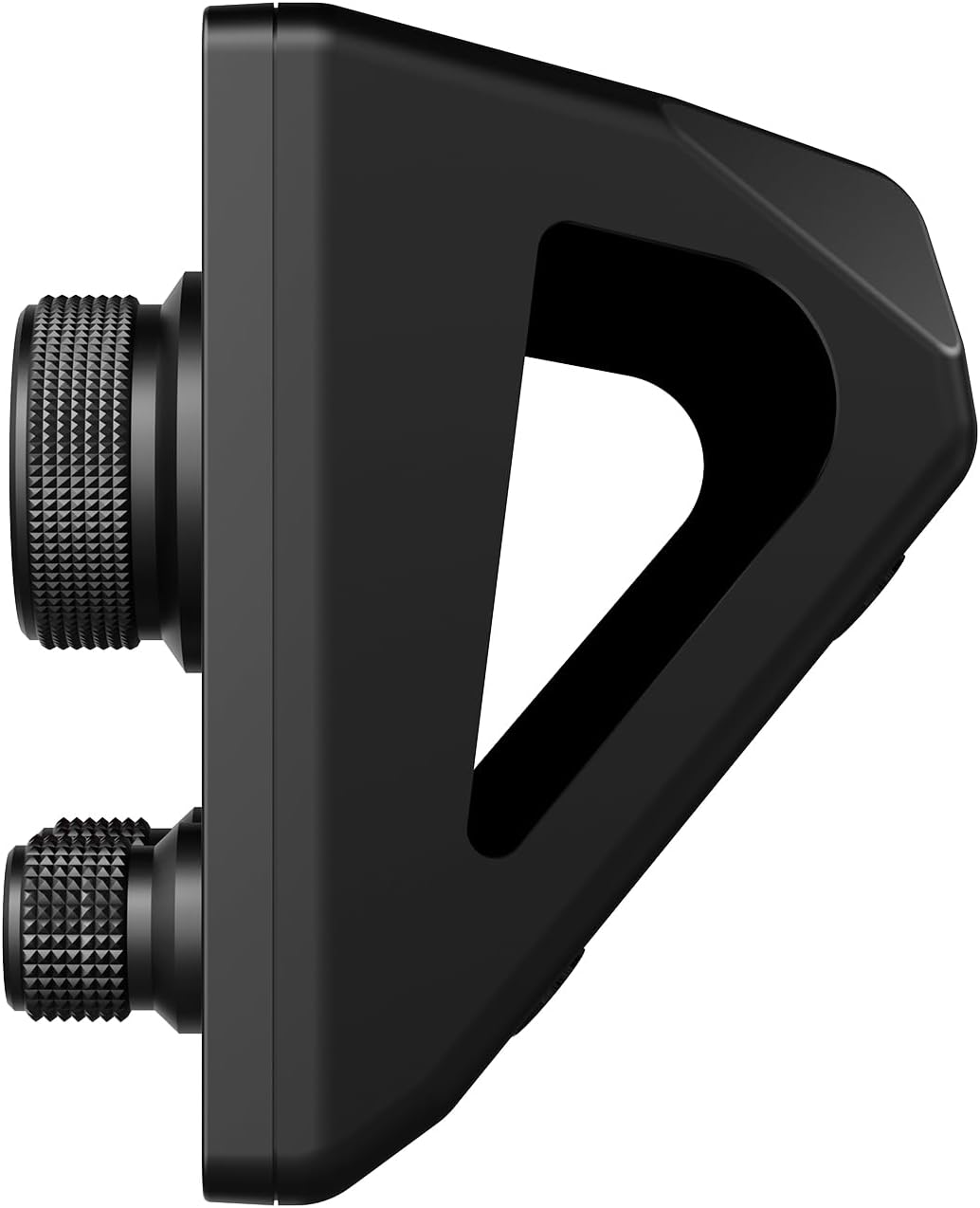
Figure 4.3.1: Side profile of the AJAZZ AKP03 with its stand, demonstrating the ergonomic tilt.
5. Maintenance
5.1 Cleaning the Device
- Ensure the device is disconnected from your computer before cleaning.
- Use a soft, dry, lint-free cloth to wipe down the surface of the controller.
- For stubborn marks, slightly dampen the cloth with water. Avoid using harsh chemicals, abrasive cleaners, or solvents.
- Do not allow liquids to enter the device's ports or openings.
5.2 Storage
When not in use, store the AJAZZ AKP03 in a cool, dry place away from direct sunlight and extreme temperatures. Keep it free from dust and debris.
6. Troubleshooting
| Problem | Possible Cause | Solution |
|---|---|---|
| Device not recognized by computer. |
|
|
| Buttons/Knobs not responding. |
|
|
| LCD side screen is blank or frozen. |
|
|
If you encounter issues not listed here or if the suggested solutions do not resolve your problem, please contact AJAZZ customer support for further assistance.
7. Specifications
| Feature | Detail |
|---|---|
| Model | AJAZZ AKP03 |
| Product Dimensions | 130mm x 80mm x 60mm (5.12 x 3.15 x 2.36 inches) |
| Product Weight | 160g (6.7 ounces) |
| Number of Buttons | 6 Visual buttons + 3 Metal knobs + 3 Switch buttons |
| Interface | Type-C USB |
| System Compatibility | Windows Win7 and above, macOS 10.13 and above |
| Color | Black |
8. Warranty and Support
AJAZZ provides a 12-month service guarantee for the AKP03 Stream Controller from the date of purchase. This warranty covers manufacturing defects and issues arising from normal use.
What is Covered: Defects in materials and workmanship under normal use.
What is Not Covered: Damage caused by misuse, accident, unauthorized modification, neglect, or improper installation. Normal wear and tear are also not covered.
For warranty claims, technical support, or any product-related inquiries, please contact AJAZZ customer service through their official website or the contact information provided with your purchase. Please have your product model and purchase details ready when contacting support.
Related documentsAKP03


Ask a question about this manual
Ask about setup, troubleshooting, compatibility, parts, safety, or missing instructions. Manuals+ will review the question and use this page’s manual context to help answer it.