
Introduction
The Mophie Powerstation Plus 10,000mAh Power Bank is a portable charging solution designed to keep your mobile devices powered throughout the day. Featuring integrated USB-C and Lightning cables, it offers convenient and fast charging for smartphones, tablets, and other compatible devices. Its compact design and high capacity make it an ideal companion for travel and daily use.
Safety Information
Please read and understand all safety instructions before using this product. Failure to follow these instructions may result in electric shock, fire, or serious injury.
- Do not expose the power bank to extreme temperatures (above 45°C or below 0°C).
- Do not disassemble, open, or attempt to repair the power bank.
- Keep the power bank away from water, moisture, and flammable materials.
- Use only the integrated cables or certified charging cables with the power bank.
- Dispose of the power bank responsibly according to local regulations.
Package Contents
Verify that all items are present in your package:
- Mophie Powerstation Plus 10,000mAh Power Bank
- Quick Start Guide (if included)
Product Overview
The Mophie Powerstation Plus features a sleek, durable design with integrated cables for maximum convenience.

Figure 1: The Mophie Powerstation Plus 10,000mAh Power Bank, showcasing its compact form factor and integrated USB-C and Lightning charging cables extending from its sides.
The device includes an LED power indicator to show the remaining battery level and charging status.
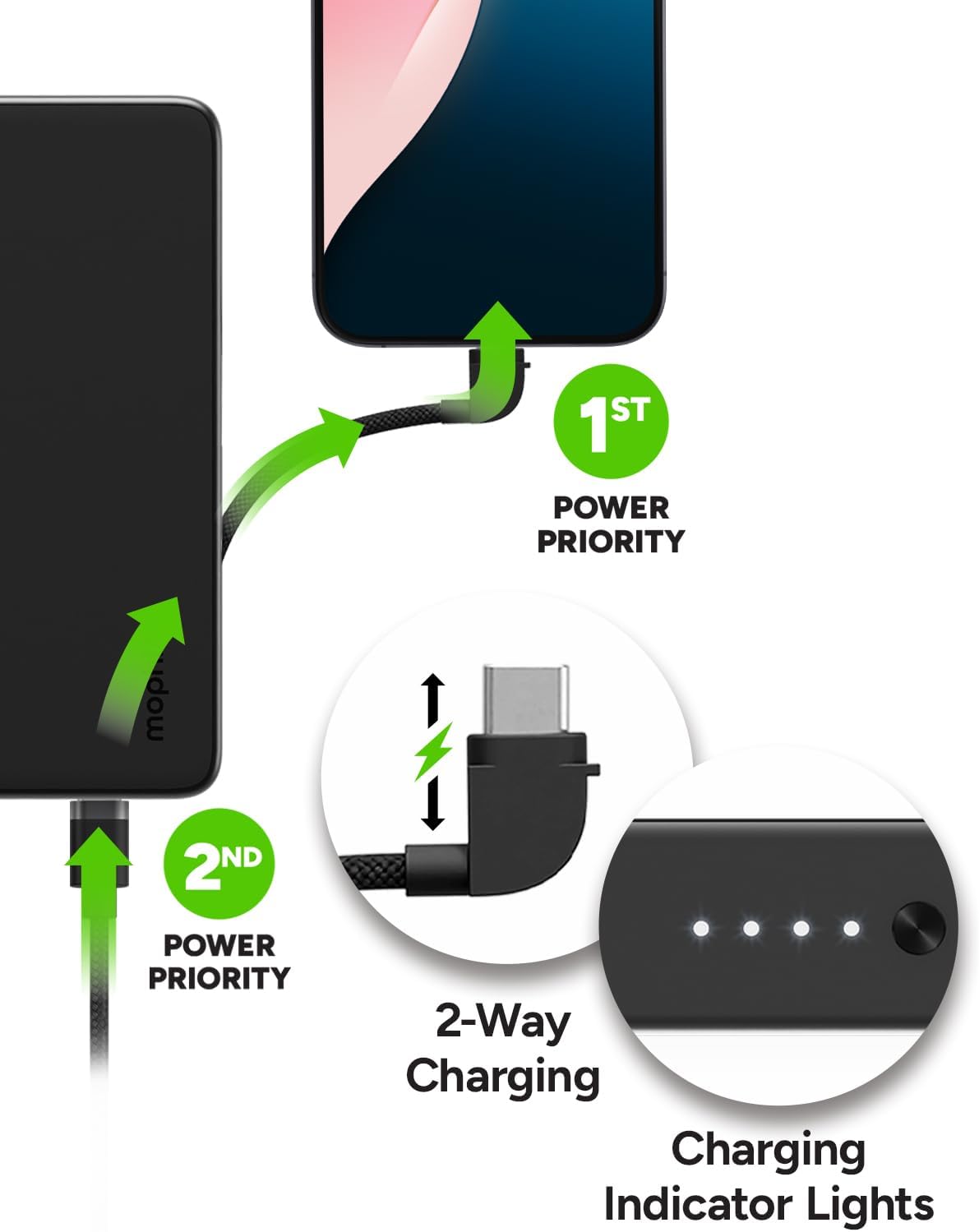
Figure 2: A detailed view of the Mophie Powerstation Plus's side, highlighting the four LED indicator lights that display the battery charge level and the USB-C input/output port.
Setup
Before initial use, it is recommended to fully charge your Mophie Powerstation Plus.
- Charging the Power Bank: Connect the integrated USB-C cable to a compatible USB-C wall adapter (not included) or a USB-C port on a computer. The LED indicator lights will illuminate to show the charging progress. All four lights will be solid when fully charged.
- Checking Battery Level: Briefly press the power button on the side of the power bank. The LED indicator lights will show the current charge level. Each light represents approximately 25% of the battery capacity.
Operating Instructions
The Powerstation Plus is designed for efficient and versatile charging.
Charging Your Devices
- Using Integrated Cables: Extend the integrated USB-C or Lightning cable and connect it directly to your device's charging port. The power bank will automatically begin charging.
- Using the USB-C Port: For devices requiring a USB-C connection, you can also use the dedicated USB-C port on the power bank with your own USB-C to USB-C cable.

Figure 3: The Mophie Powerstation Plus demonstrating its ability to charge up to three devices concurrently: one via the integrated Lightning cable, one via the integrated USB-C cable, and a third via the external USB-C port.
Pass-Through Charging
The Powerstation Plus supports pass-through charging, meaning you can charge your device and the power bank simultaneously. When connected to a power source, the power bank prioritizes charging your connected device first, then recharges its internal battery.
Figure 4: An illustration showing the power priority feature where the connected device charges first, followed by the power bank. It also highlights the 2-way charging capability of the USB-C port and the charging indicator lights.
Power Bank Capabilities
The 10,000mAh capacity provides significant power for multiple charges.
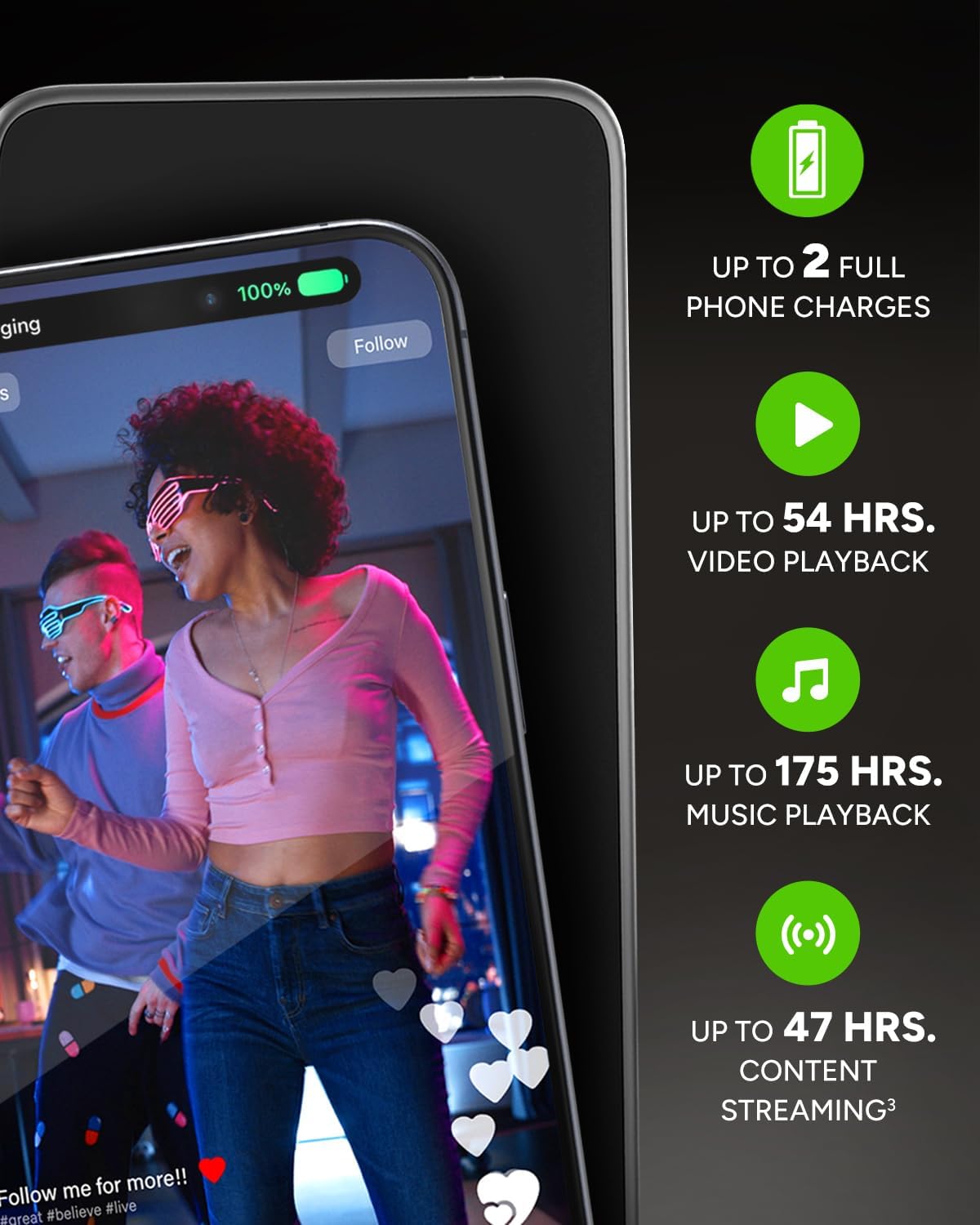
Figure 5: This image provides estimates of the Mophie Powerstation Plus's battery life, indicating up to 2 full phone charges, 54 hours of video playback, 175 hours of music playback, and 47 hours of content streaming.
Product Video Overview
Video 1: An official product video from Mophie showcasing the key features and benefits of the Powerstation Plus 10,000mAh Power Bank, including its integrated cables, multi-device charging, and compact design.
Maintenance
Proper care will extend the life of your Powerstation Plus.
- Cleaning: Use a soft, lint-free cloth to clean the exterior of the power bank. Avoid using harsh chemicals or abrasive materials.
- Storage: Store the power bank in a cool, dry place when not in use. Avoid storing it in direct sunlight or in environments with high humidity.
- Battery Care: For optimal battery health, fully charge and discharge the power bank at least once every three months if it is not used regularly.
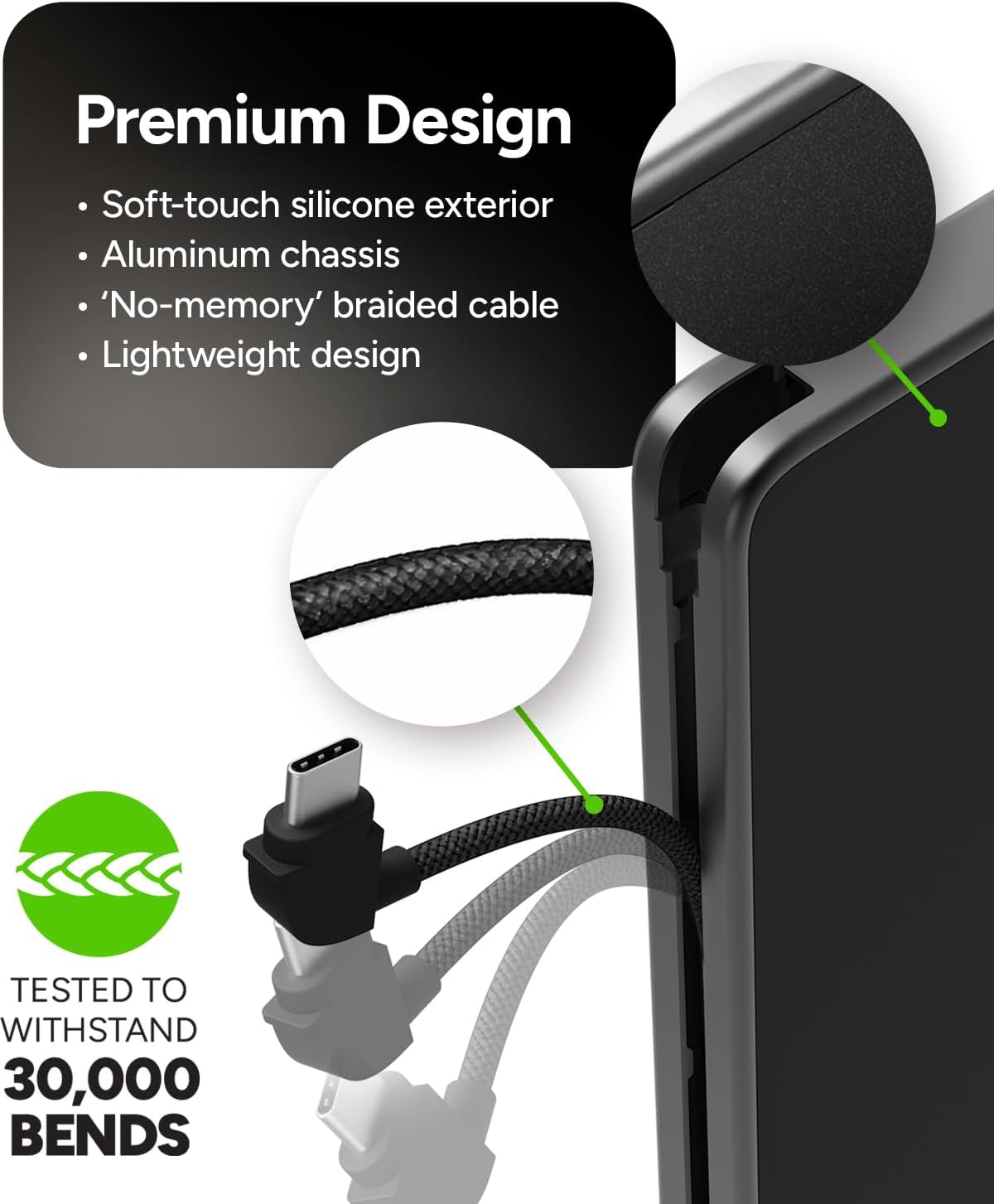
Figure 6: This image emphasizes the premium design of the Mophie Powerstation Plus, featuring a soft-touch silicone exterior, aluminum chassis, and durable braided cables tested to withstand up to 30,000 bends, ensuring long-lasting reliability.
Troubleshooting
If you encounter issues with your Mophie Powerstation Plus, try the following solutions:
| Problem | Possible Cause | Solution |
|---|---|---|
| Power bank not charging | Charging cable or adapter faulty; power bank fully discharged. | Try a different USB-C cable and wall adapter. Ensure the power bank is connected to a working power source. Allow a few minutes for the power bank to respond if deeply discharged. |
| Device not charging from power bank | Power bank battery low; incorrect cable connection; device incompatibility. | Recharge the power bank. Ensure cables are securely connected to both the power bank and the device. Verify your device is compatible with USB-C or Lightning charging. |
| LED indicators not working | Power bank off; internal issue. | Press the power button to activate the indicators. If still unresponsive, contact customer support. |
Specifications
Detailed technical specifications for the Mophie Powerstation Plus 10,000mAh Power Bank:
- Battery Capacity: 10,000mAh
- Product Dimensions: 7.99 x 4.06 x 1.34 inches
- Item Weight: 12.6 ounces
- Item Model Number: PSPLUS-2024-10K
- Batteries: 1 Lithium Polymer battery (included)
- Connector Type: USB Type C (integrated and port)
- Integrated Cables: USB-C, Lightning
- Lightning Cable Output: 20W
- USB-C Cable Output: 30W
- USB-C Port Output: 20W
- Special Features: Built-in cables, Pass-through charging
- Manufacturer: mophie

Figure 7: A visual summary of the Mophie Powerstation Plus's technical specifications, including its 10,000 mAh capacity, dimensions, weight, and output wattage for its Lightning cable, USB-C cable, and USB-C port.
Warranty and Support
Mophie products are designed for durability and reliability. For information regarding warranty coverage and customer support, please refer to the official Mophie website or the warranty card included with your product. You can also contact Mophie customer service for assistance with product inquiries, technical support, or warranty claims.
Note: Specific warranty terms and conditions may vary by region and purchase location. Please retain your proof of purchase for warranty purposes.


