
1. Introduction
This manual provides detailed instructions for the INJORA INJS022 22KG Low Profile Digital Servo, designed for 1/10 RC Crawler Cars and other compatible remote-controlled models. Please read this manual thoroughly before installation and operation to ensure proper function, safety, and longevity of your servo.

Figure 1: INJORA INJS022 Digital Servo and included components.
2. Product Features
- Low Profile Digital Servo: Compact and lightweight design, ideal for 1/10 scale RC cars and robots where space is limited.
- Durable Construction: Features full metal gears and dual ball bearings for smooth operation and enhanced durability.
- Optimal Performance: Achieves a transit speed of 0.14 seconds per 60 degrees and 22 kg.cm of stall torque at 6.0V. At 4.8V, it provides 0.17 seconds per 60 degrees and 17.6 kg.cm of stall torque.
- Versatile Servo Horn: Includes a 25T aluminum servo horn, offering a remote control angle of 90-120° ±2°.
- Robust and Reliable: Encased in a plastic housing with an aluminum center band, weighing only 50 grams.

Figure 2: 22KG Digital Servo with 180° rotation.

Figure 3: High Torque performance.
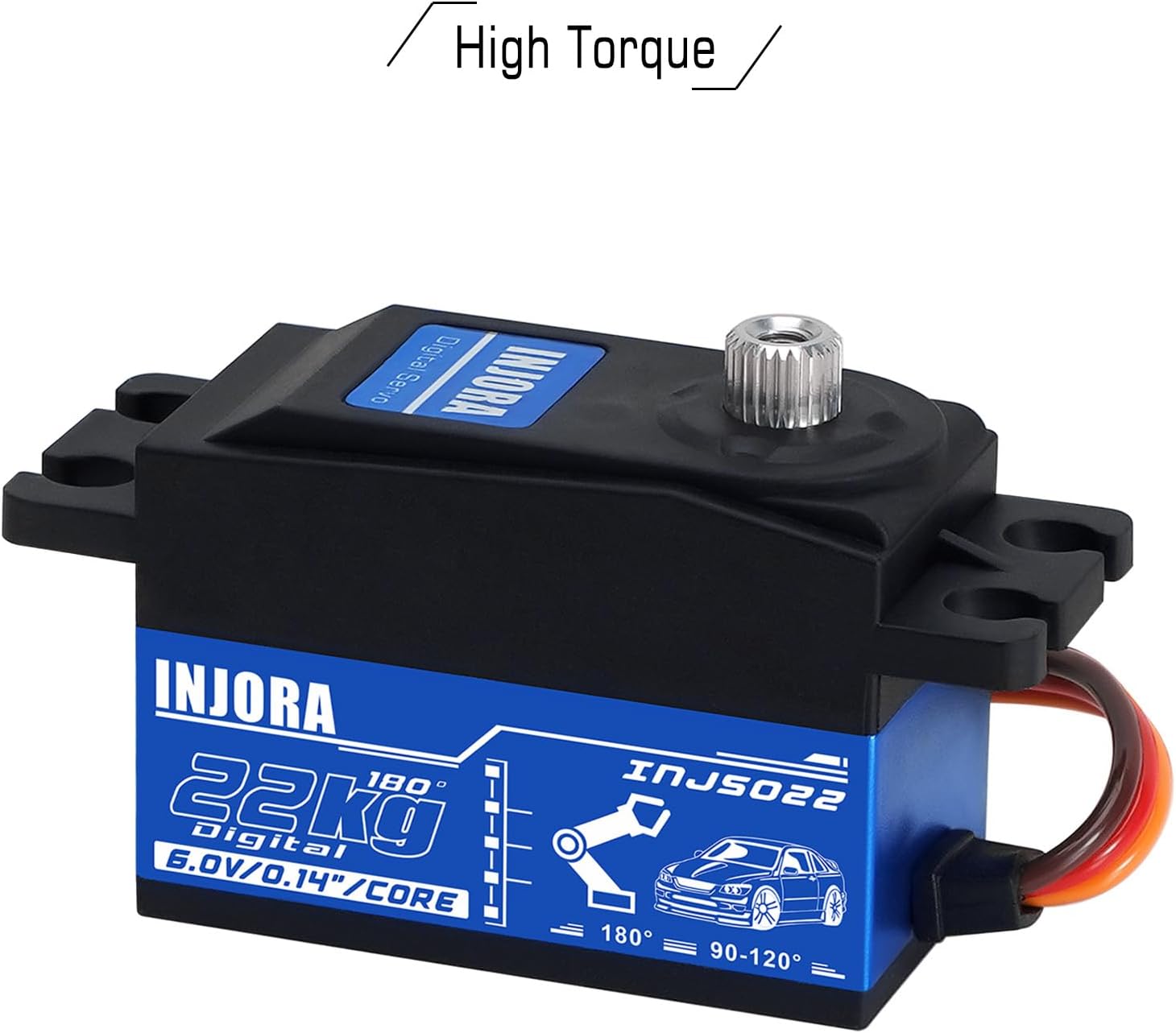
Figure 4: All Metal Gear construction.
3. Specifications

Figure 5: Detailed dimensions and specifications.
| Parameter | Value | Parameter | Value |
|---|---|---|---|
| Item Number | INJS022 | Dead band | 4µs |
| Motor | Core motor | Neutral Position | 1500µs/330hz |
| Remote Control Angle | 90-120° ±2° | 500-2500µs Angle | 180° ±5° |
| Voltage Range | 4.8V-6.0V | Operating Speed (4.8V) | 0.17''/60° |
| Operating Speed (6.0V) | 0.14''/60° | Stall Torque (4.8V) | 17.6 kg.cm |
| Stall Torque (6.0V) | 22 kg.cm | Bearing | 2BB |
| Spline | Φ5.9 25T | Connector Wire Length | JR 300mm |
| Weight | 50g | Dimensions | 40X20X28.8mm |
| Material Type | Aluminum (Servo Horn) | Color | Red (Servo Horn) |
4. Setup and Installation
Follow these steps for proper installation of your INJORA INJS022 servo:
- Mounting the Servo: Securely mount the servo into the designated location on your RC model using appropriate screws. Ensure it is firmly attached to prevent movement during operation.
- Attaching the Servo Horn: Select the appropriate servo horn from the included accessories. Assemble the servo horn onto the servo spline. Ensure the horn is centered before tightening the screw.
- Connecting to Receiver/Controller: Connect the JR 300mm connector wire from the servo to the corresponding servo channel on your RC receiver or flight controller. Pay attention to the polarity (signal, positive, negative).
- Initial Calibration: With your RC system powered on, ensure the servo is centered. Adjust the linkage between the servo horn and the control surface (e.g., steering arm) to achieve neutral position.
Important: Ensure the servo is within the specified voltage range (4.8V-6.0V) and operates within the given angle and speed limits. For optimal performance, use the servo in an environment where the temperature is between -10°C to 60°C.

Figure 6: Servo with included accessories for setup.
5. Operation
The INJORA INJS022 servo operates by converting electrical signals from your RC receiver into precise mechanical motion. Once properly installed and connected, it will respond to control inputs from your remote control, typically for steering, throttle, or other proportional functions on your RC model.
- Ensure your remote control is properly bound and calibrated with your RC receiver.
- Verify that the servo moves freely without any binding or obstruction in the mechanical linkage.
- Operate the servo within its specified angle limits (90-120° or 180° depending on setup) to prevent damage.
- Avoid applying excessive force to the servo horn manually, as this can damage the internal gears.
6. Maintenance
Regular maintenance helps ensure the longevity and optimal performance of your servo:
- Cleaning: Keep the servo clean and free from dirt, dust, and debris, especially around the output shaft and case seams. Use a soft brush or compressed air.
- Inspection: Periodically check for loose screws, connections, or signs of wear on the servo case and gears.
- Environmental Protection: Avoid exposing the servo to excessive moisture, water, or extreme temperatures outside the recommended operating range (-10°C to 60°C).
- Gear Check: If you notice unusual noises or play in the servo, inspect the metal gears for damage or excessive wear.
7. Troubleshooting
If you encounter issues with your servo, refer to the following troubleshooting guide:
- Servo Not Responding:
- Check the power connection to the servo and receiver.
- Ensure the servo wire is correctly plugged into the designated channel on the receiver.
- Verify that the remote control and receiver batteries are charged and functioning.
- Erratic Movement or Glitching:
- Verify that the power supply voltage is within the specified range (4.8V-6.0V).
- Check for signal interference from other electronic devices.
- Inspect the servo wire for damage or loose connections.
- Weak or Slow Response:
- Ensure the power source (e.g., battery) can deliver sufficient current to the servo, especially under load.
- Check for any mechanical binding or obstruction in the RC model's steering or control linkage that might be impeding servo movement.
- Grinding Noise:
- This often indicates damage or debris in the internal gears. Disassemble carefully (if comfortable) to inspect, or seek professional assistance.
8. Safety Information
WARNING: This product is not a toy. It is intended for use by individuals 14 years of age and older. Adult supervision is recommended during assembly, installation, and operation.
- Always ensure proper electrical connections to prevent short circuits, overheating, or damage to the servo and other electronic components.
- Do not modify the servo or its components, as this may void the warranty and lead to malfunction.
- Operate RC vehicles responsibly and in safe environments, away from people, pets, and obstacles.
- Disconnect power to the servo and RC model when not in use or during maintenance.
9. Warranty and Support
For warranty information, technical assistance, or customer support regarding your INJORA INJS022 servo, please contact INJORA customer service directly through their official website or the retailer from whom you purchased the product. Please retain your purchase receipt as proof of purchase for any warranty claims.
You can visit the official INJORA store for more information: INJORA Official Store