
FIFINE M9
FIFINE M9 Wireless Lavalier Microphone System User Manual
Model: M9 | Brand: FIFINE
1. Introduction
The FIFINE M9 Wireless Lavalier Microphone System is designed for content creators, vloggers, and anyone needing high-quality audio capture on the go. This compact and versatile system offers clear sound, long battery life, and broad compatibility with various devices, including smartphones, tablets, and DSLR cameras. Its intuitive controls and portable design make it an ideal tool for recording interviews, vlogs, live streams, and more.
2. What's in the Box

Figure 2.1: FIFINE M9 Wireless Lavalier Microphone System with charging case, two transmitters, and one receiver.
- Wireless Condenser Microphone Transmitter (x2)
- Receiver (x1)
- Charging Case (x1)
- USB-C to USB-C/A Cable (x1)
- 3.5mm TRS to 3.5mm TRS Cable (x1)
- 3.5mm TRS to 3.5mm TRRS Cable (x1)
- Detachable Furry Windscreen (x2)
- User’s Manual (x1)
3. Setup Guide
3.1 Initial Charging
Before first use, ensure the charging case and microphones are fully charged. Connect the charging case to a power source using the provided USB-C cable. The indicator lights on the case will show charging status.

Figure 3.1: The FIFINE M9 charging case provides up to 30 hours of total usage time for the microphones.
3.2 Connecting to Devices
The FIFINE M9 system offers broad compatibility. The receiver automatically pairs with the transmitters when powered on.
- For iPhone 15 Series, Android Phones/Tablets (Type-C port), iPad with Type-C port: Use the included USB-C to USB-C/A cable to connect the receiver to your device.
- For iPhone/iPad with Lightning Port: Connect the included 3.5mm TRRS to 3.5mm TRS cable with a Lightning adapter (not included), then plug them into your device and connect to the receiver.
- For DSLR Cameras: Use the included 3.5mm TRS to 3.5mm TRS cable to connect the receiver to your camera's microphone input.

Figure 3.2: Easy setup for mobile recording, simply plug the receiver into your smartphone.

Figure 3.3: Connecting the FIFINE M9 receiver to a DSLR camera for high-quality audio capture.
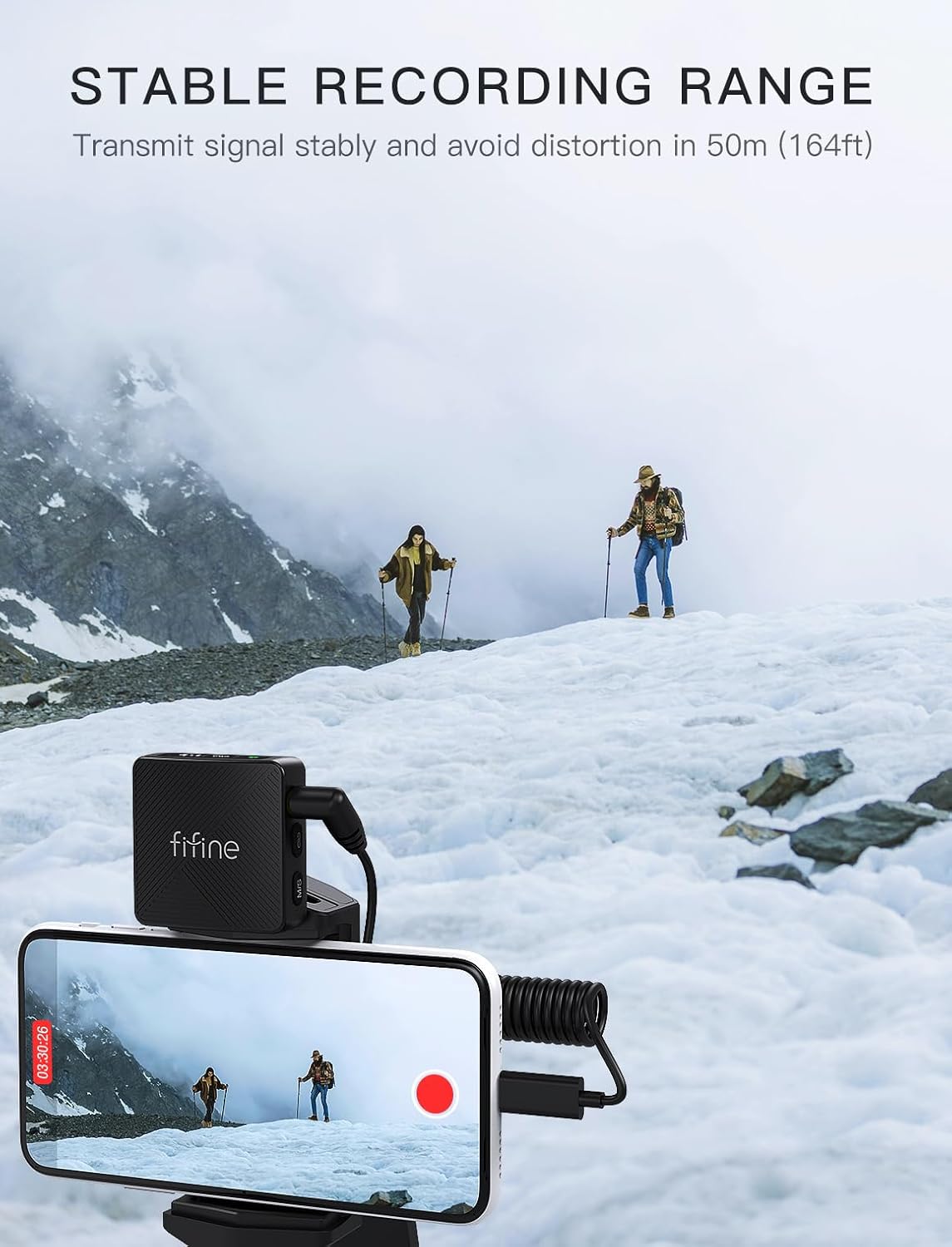
Figure 3.4: Comprehensive compatibility options for the FIFINE M9 system.
4. Operating Instructions
4.1 Powering On/Off
To power on the transmitters and receiver, simply remove them from the charging case. They will automatically power on and attempt to pair. To power off, place them back into the charging case.
4.2 Volume Control and Noise Cancellation
The receiver features a display screen that provides immediate feedback on audio levels and connection status. You can adjust the volume, mute the microphone, or activate noise cancellation directly via the easy-access keys on the transmitter units.
- Volume Adjustment: Use the dedicated volume buttons on the transmitter to cycle through 3 volume settings.
- Mute Function: Press the mute button on the transmitter to temporarily silence the microphone.
- Noise Cancellation: Activate the noise cancellation feature for clearer audio in noisy environments.

Figure 4.1: Intuitive controls for managing audio settings on the FIFINE M9.
4.3 Recording Range and Battery Life
The system provides a stable recording range of up to 164 feet (50 meters), allowing for flexible content creation. The charging case extends the total usage time to approximately 30 hours, with the ability to charge the microphones nearly 3 times. Dual-channel recording ensures continuous operation even while charging.

Figure 4.2: The FIFINE M9 offers a stable recording range of up to 164 feet (50 meters).
5. Maintenance
To ensure the longevity and optimal performance of your FIFINE M9 Wireless Lavalier Microphone System, follow these maintenance guidelines:
- Cleaning: Use a soft, dry cloth to wipe down the transmitters, receiver, and charging case. Avoid using harsh chemicals or abrasive materials.
- Storage: Store the system in its charging case when not in use to protect it from dust and physical damage. Keep it in a cool, dry place away from direct sunlight and extreme temperatures.
- Battery Care: For long-term storage, charge the batteries to about 50% every three months to prevent deep discharge and extend battery life.
- Windscreen Care: The furry windscreens can be gently cleaned with mild soap and water if they become dirty. Ensure they are completely dry before reattaching.
6. Troubleshooting
If you encounter issues with your FIFINE M9 system, please refer to the following common troubleshooting steps:
| Problem | Possible Cause | Solution |
|---|---|---|
| No sound output |
|
|
| Poor audio quality / Noise |
|
|
| Microphone not pairing |
|
|
7. Specifications
| Feature | Detail |
|---|---|
| Brand | FIFINE |
| Model Name | M9 |
| Microphone Form Factor | Lavalier |
| Polar Pattern | Omnidirectional |
| Connectivity Technology | Wireless |
| Connector Type | 3.5 mm Jack |
| Minimum Frequency | 20 Hz |
| Maximum Frequency | 20 KHz |
| Signal-to-Noise Ratio | 80 dB |
| Noise Level | 110 dB |
| Power Source | Battery Powered |
| Number of Batteries | 1 LR44 batteries required. (included) |
| Battery Type | Lithium Polymer |
| Material | Acrylonitrile Butadiene Styrene |
| Color | Black |
| Item Weight | 13.7 ounces |
| Package Dimensions | 6.1 x 5 x 2.44 inches |
| Compatible Devices | Laptop/Personal Computer, Tablet, Camera, iPhone15 Series, Smartphone |
| Recommended Uses | Indoor/Outdoor |
| Date First Available | July 26, 2024 |
| UPC | 850058839400 |
8. Warranty and Support
FIFINE products are designed and manufactured to the highest quality standards. For information regarding warranty coverage, technical support, or service inquiries, please refer to the official FIFINE website or contact their customer support directly. Keep your purchase receipt as proof of purchase for warranty claims.
Online Support: www.fifine.com/support
Related documentsM9


Ask a question about this manual
Ask about setup, troubleshooting, compatibility, parts, safety, or missing instructions. Manuals+ will review the question and use this page’s manual context to help answer it.