
ZWP RC-39173N
ZWP RC-39173N Replacement Remote Control User Manual
For Lenoxx Home Theater Systems
1. Introduction
This manual provides instructions for the ZWP RC-39173N Replacement Remote Control. This remote is designed to function as a direct replacement for original Lenoxx Home Theater system remote controls, offering immediate usability without complex programming.
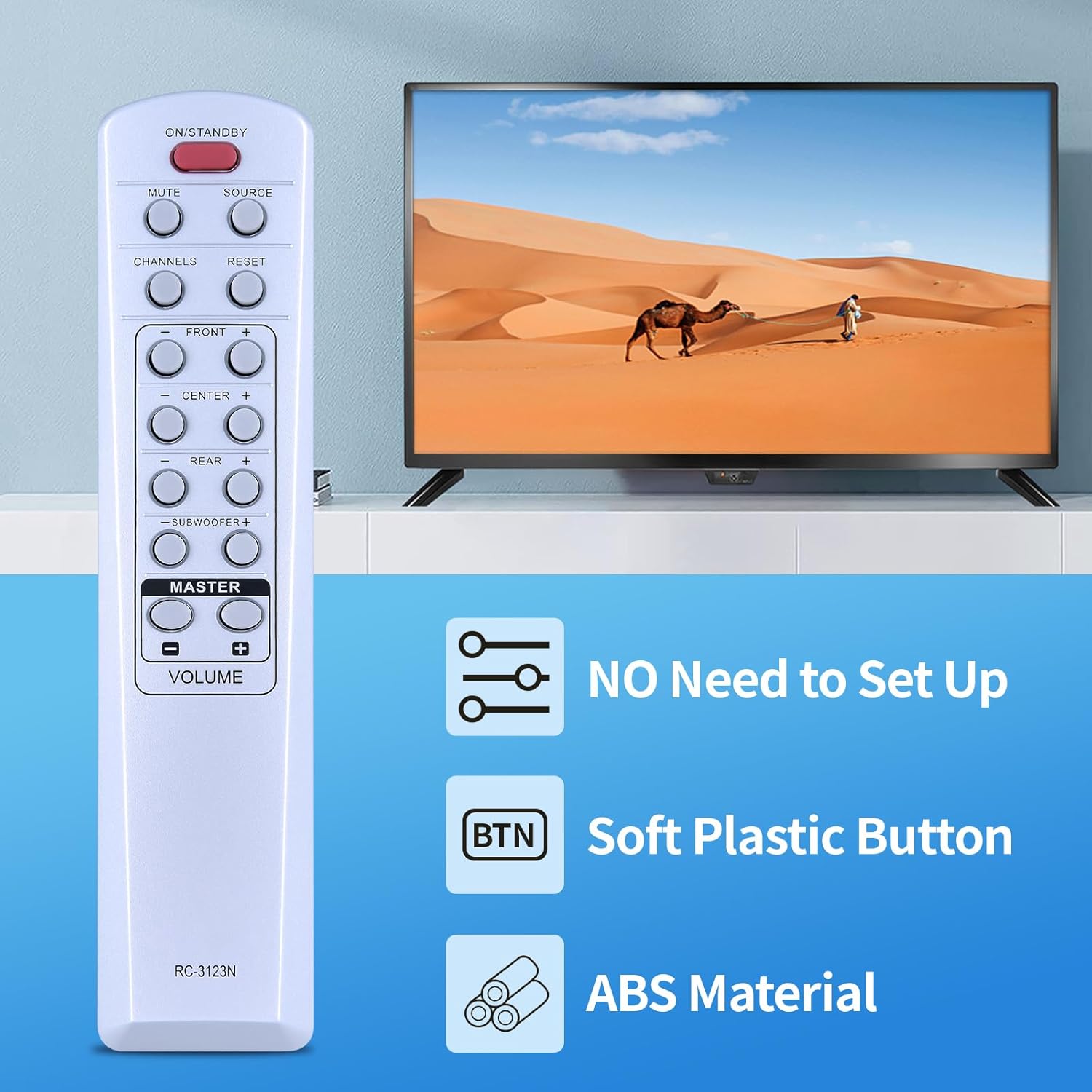
Image 1: ZWP RC-39173N Remote Control highlighting its key features: no setup required, soft plastic buttons for comfortable use, and construction from durable ABS material.
Key features include:
- No programming required: Ready to use after battery insertion.
- Durable construction: Made from high-quality ABS material, ensuring wear resistance and a comfortable hand feeling.
- Ergonomic design: Engineered for ease of use.
2. Compatible Models
The ZWP RC-39173N Replacement Remote Control is compatible with the following Lenoxx Home Theater models:
- HT300/A
- HT-3916
- HT-3917
- HT-3918
- HT-5000
- RC-3123N
- 39173
- Fbt 1084

Image 2: The remote control is ready for immediate use upon battery installation, requiring no programming or pairing with compatible Lenoxx Home Theater systems.
3. Setup and Battery Installation
This remote control requires two (2) 1.5V AAA batteries (not included). Follow these steps to install the batteries:
- Locate the battery compartment cover on the back of the remote control.
- Slide the cover downwards or press the latch to open it.
- Insert two AAA batteries, ensuring the positive (+) and negative (-) terminals align correctly with the markings inside the compartment.
- Close the battery compartment cover by sliding it back into place until it clicks securely.

Image 3: Illustration of the battery compartment, detailing the correct insertion of two 1.5V AAA batteries. Batteries are not included with the remote control.
Important: Ensure correct battery polarity. Incorrect installation may prevent the remote from functioning.
4. Operating the Remote Control
The ZWP RC-39173N remote control uses infrared (IR) technology for communication. Ensure there is a clear line of sight between the remote control and your Lenoxx Home Theater system for optimal performance. The remote offers precise control from a distance of up to 10 meters (33 feet).

Image 4: Overview of the ZWP RC-39173N remote control's button layout, including power, mute, source, channel, volume, and various audio controls.
Button Functions:
- ON/STANDBY: Powers the device on or off.
- MUTE: Mutes or unmutes the audio output.
- SOURCE: Selects the input source (e.g., DVD, AUX).
- CHANNELS (+/-): Navigates through channels or menu options.
- RESET: Resets settings (refer to your Lenoxx system manual for specific function).
- FRONT (+/-): Adjusts the volume of the front speakers.
- CENTER (+/-): Adjusts the volume of the center speaker.
- REAR (+/-): Adjusts the volume of the rear speakers.
- SUBWOOFER (+/-): Adjusts the subwoofer volume.
- MASTER VOLUME (+/-): Adjusts the overall system volume.
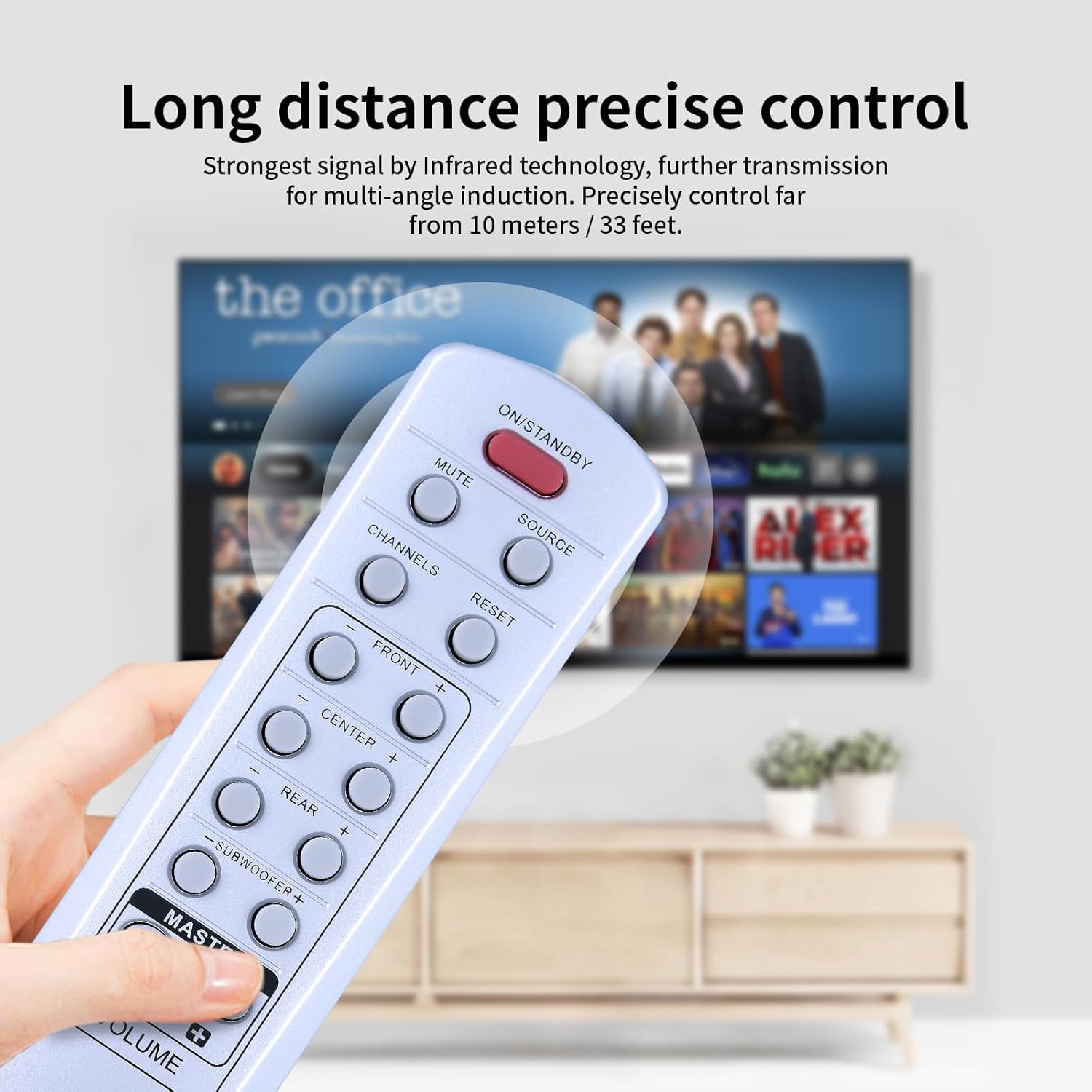
Image 5: The remote control in use, demonstrating its effective range and precise infrared signal for controlling your home theater system.
5. Maintenance and Care
To ensure the longevity and optimal performance of your remote control, follow these guidelines:
- Cleaning: Wipe the remote control with a soft, dry cloth. For stubborn dirt, lightly dampen the cloth with water or a mild cleaning solution, then wipe dry immediately. Avoid using abrasive cleaners or solvents.
- Battery Replacement: Replace batteries when the remote's response becomes sluggish or stops working. Always replace both batteries at the same time with new ones of the same type.
- Storage: Store the remote in a cool, dry place away from direct sunlight and extreme temperatures.
- Avoid Damage: Do not drop the remote control or expose it to moisture.
6. Troubleshooting
If you experience issues with your remote control, try the following solutions:
- Remote not responding:
- Check if the batteries are inserted correctly with the correct polarity.
- Replace old batteries with new 1.5V AAA batteries.
- Ensure there is a clear line of sight between the remote's IR emitter and the home theater system's IR receiver. Remove any obstructions.
- Make sure you are within the effective operating range (up to 10 meters / 33 feet).
- Specific buttons not working:
- Clean the remote control, especially around the unresponsive buttons, to remove any dirt or debris that might be obstructing them.
If the problem persists after trying these steps, please contact customer support.
7. Specifications
| Feature | Detail |
|---|---|
| Model Number | RC-39173N |
| Brand | ZWP |
| Compatible Devices | Lenoxx Home Theater Systems (HT300/A, HT-3916, HT-3917, HT-3918, HT-5000, RC-3123N, 39173, Fbt 1084) |
| Power Source | 2 x 1.5V AAA Batteries (not included) |
| Material | High-quality ABS |
| Color | White |
| Item Weight | 2.4 ounces (approx. 68 grams) |
| Package Dimensions | 10 x 3 x 1 inches (approx. 25.4 x 7.6 x 2.5 cm) |
| Special Feature | Ergonomic design, No programming required |

Image 6: Detailed dimensions of the remote control for reference.
8. Warranty and Support
This product is designed for reliable performance. For any questions or assistance, please contact the seller or manufacturer directly. Please refer to your purchase documentation for specific warranty details, as warranty terms may vary.
For further inquiries, please reach out to ZWP customer support through your purchase platform.
Ask a question about this manual
Ask about setup, troubleshooting, compatibility, parts, safety, or missing instructions. Manuals+ will review the question and use this page’s manual context to help answer it.