
ZWP RC-764M
RC-764M Replacement Remote Control User Manual
Model: RC-764M | Brand: ZWP
Introduction
This manual provides comprehensive instructions for the ZWP RC-764M Replacement Remote Control. Designed as a direct replacement for select Onkyo AV Receiver models, this remote offers immediate functionality without the need for complex programming. Please read this manual thoroughly to ensure proper use and longevity of your remote control.

Image: Front view of the RC-764M replacement remote control, showcasing its buttons and layout.
Compatibility
The ZWP RC-764M remote control is specifically designed to be compatible with the following Onkyo AV Receiver models:
- TX-SR508
- HT-S5300
- HT-S6300
This remote functions as a direct replacement and should operate these models without additional setup.
Setup
Battery Installation
The RC-764M remote control requires two (2) 1.5V AAA batteries (not included). Follow these steps to install the batteries:
- Locate the battery compartment on the back of the remote control.
- Press down on the tab and slide the battery cover downwards to open it.
- Insert two AAA batteries, ensuring the positive (+) and negative (-) terminals align correctly with the markings inside the compartment.
- Slide the battery cover back into place until it clicks securely.
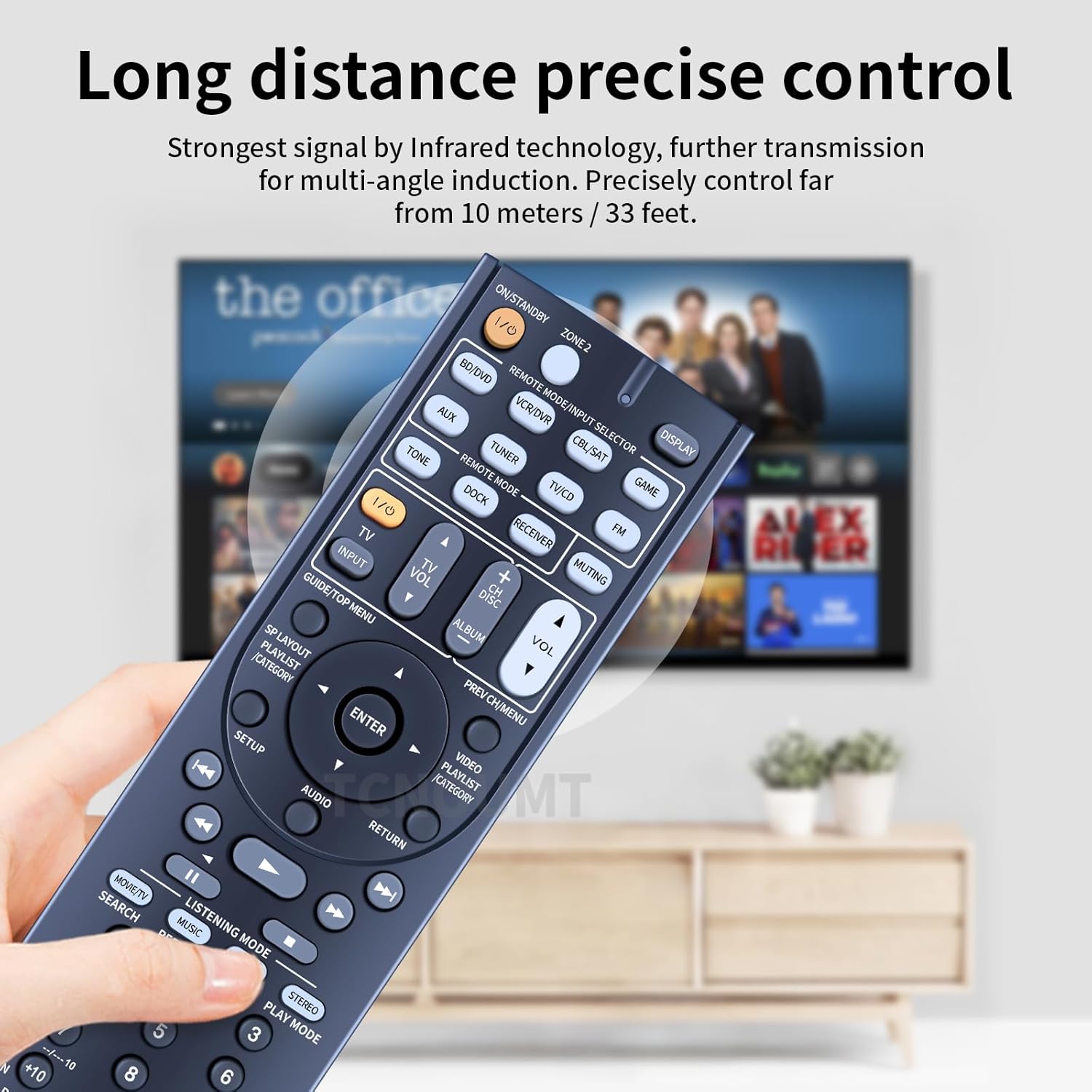
Image: Detailed view of the remote's back, illustrating the battery compartment and the correct orientation for inserting two AAA batteries.
Note: This remote control does not require any programming or pairing. Once batteries are installed, it is ready for immediate use with compatible Onkyo AV receivers.

Image: Visual confirmation that the remote works right out of the box after battery installation, highlighting its plug-and-play nature.
Operating Instructions
The RC-764M remote control provides full functionality for your compatible Onkyo AV receiver. Below is a general guide to its key features and buttons.
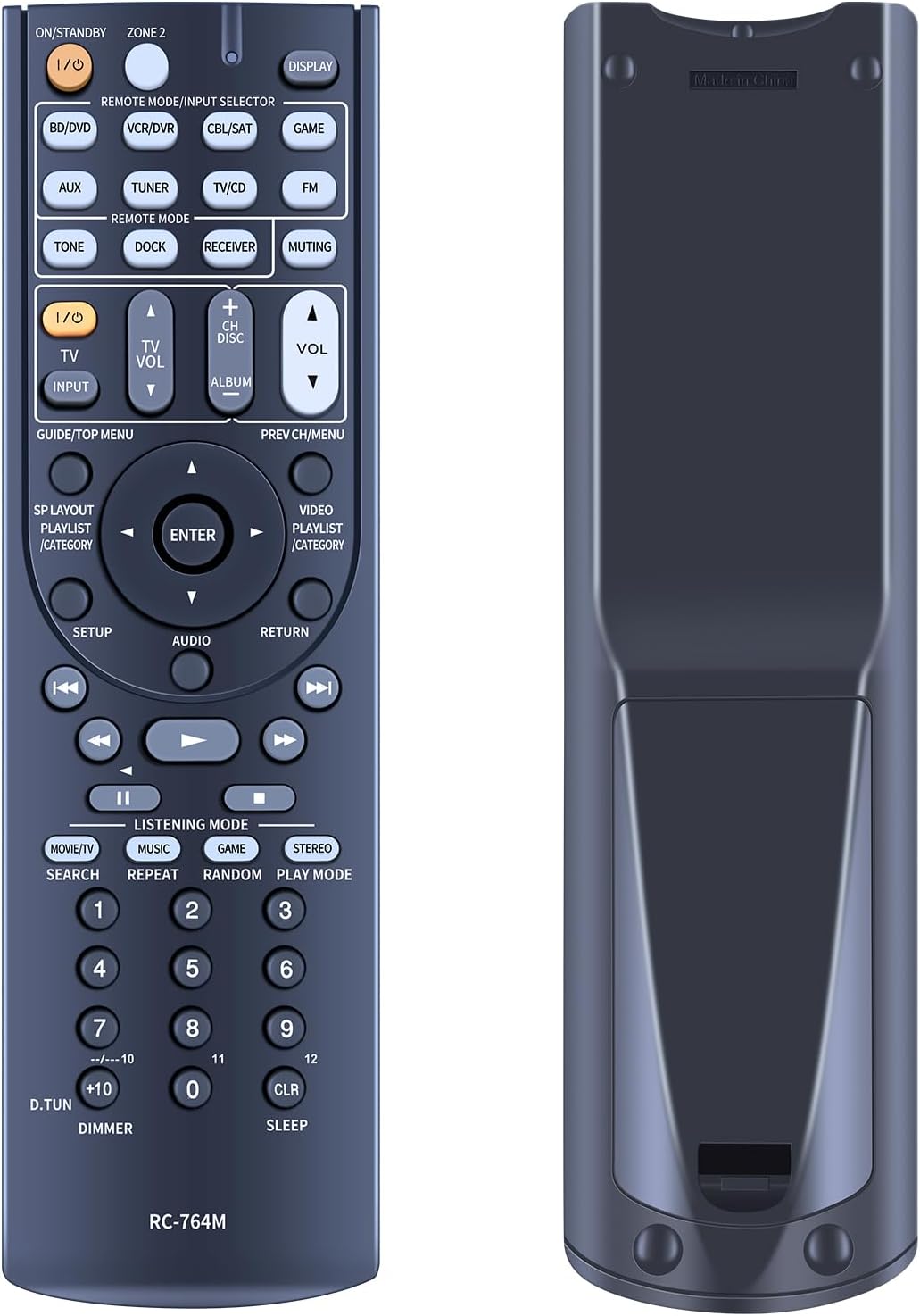
Image: A clear, detailed view of the remote control's front face, displaying all buttons and their labels for easy identification.
Key Button Functions
- ON/STANDBY (I/O): Powers the AV receiver on or off.
- DISPLAY: Changes the display mode on the receiver or connected display.
- REMOTE MODE/INPUT SELECTOR: Buttons like BD/DVD, VCR/DVR, CBL/SAT, GAME, AUX, TUNER, TV/CD, FM allow selection of different input sources.
- REMOTE MODE (TONE, DOCK, RECEIVER, MUTING): Specific mode buttons for various functions.
- TV I/O, TV VOL, INPUT: Controls for connected television.
- +/- CH DISC, VOL: Channel and volume controls.
- GUIDE/TOP MENU, PREV CH/MENU: Navigation and menu access.
- Navigation Pad (ENTER, UP, DOWN, LEFT, RIGHT): For navigating menus and confirming selections.
- SETUP, AUDIO, RETURN: System setup, audio settings, and back functions.
- Playback Controls (REW, PLAY, FF, PREV, PAUSE, NEXT, STOP): Standard media playback controls.
- LISTENING MODE (MOVIE/TV, MUSIC, GAME, STEREO, SEARCH, REPEAT, RANDOM, PLAY MODE): Selects various audio listening modes and playback options.
- Numeric Keypad (0-9, +10, D.TUN, CLR, SLEEP): Direct input for channels, tracks, and other numerical functions.
- DIMMER: Adjusts display brightness.
Usage Tips
- Ensure a clear line of sight between the remote control and the AV receiver's infrared sensor.
- The remote is designed for long-distance precise control, effective up to 10 meters (33 feet) using infrared technology.
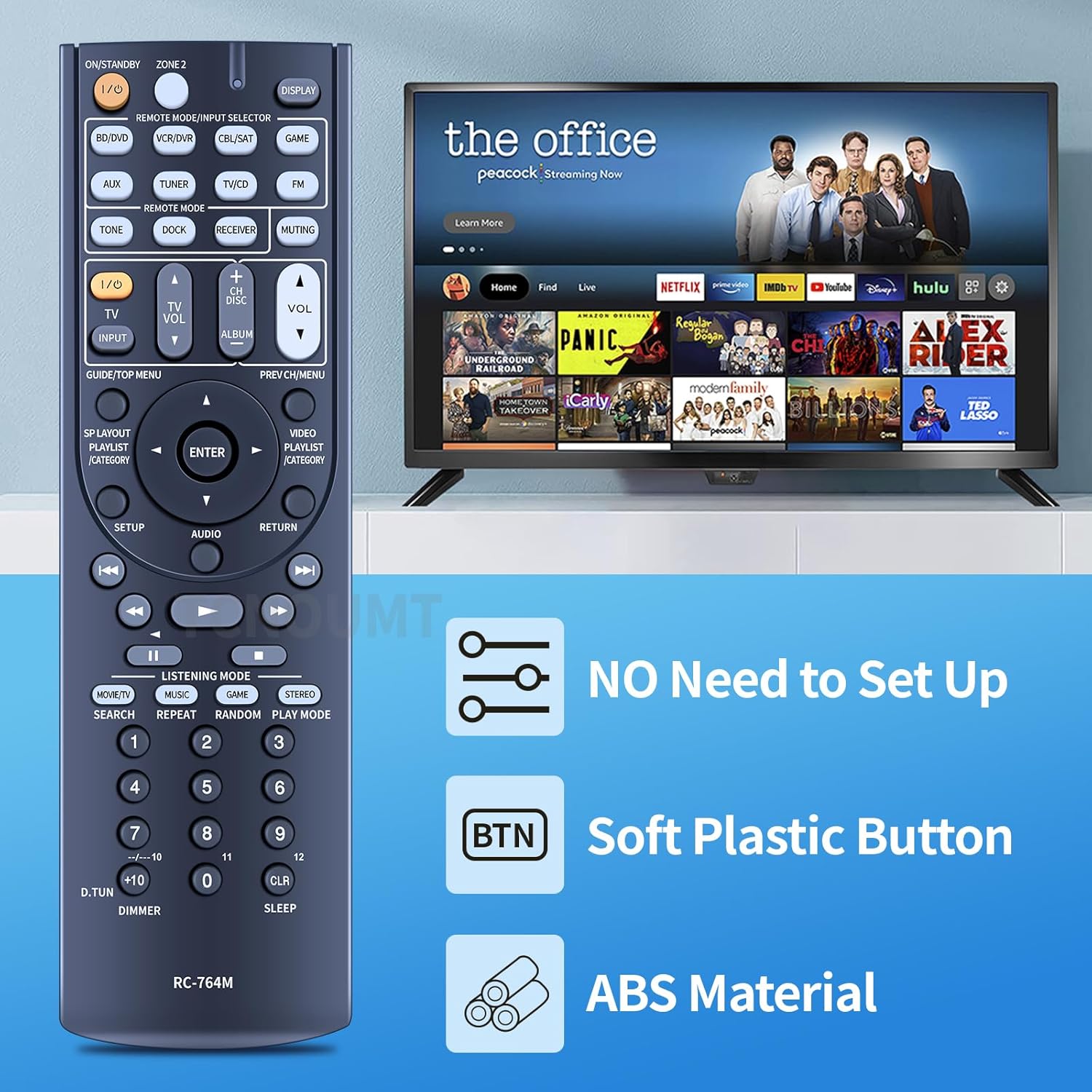
Image: The RC-764M remote control positioned next to a television, illustrating its use in controlling home theater systems.

Image: An infographic detailing key features of the remote: no setup required, soft plastic buttons for comfortable use, and durable ABS material construction.
Maintenance
To ensure the longevity and optimal performance of your RC-764M remote control, please follow these maintenance guidelines:
- Cleaning: Wipe the remote control with a soft, dry cloth. For stubborn dirt, slightly dampen the cloth with water or a mild, non-abrasive cleaner. Avoid using harsh chemicals or abrasive materials.
- Battery Replacement: Replace batteries when the remote's response becomes sluggish or stops working. Always replace both batteries at the same time with new ones of the same type (AAA).
- Storage: If the remote will not be used for an extended period, remove the batteries to prevent leakage, which can damage the remote. Store in a cool, dry place.
- Avoid Damage: Do not drop the remote, expose it to extreme temperatures, direct sunlight, or moisture.
Troubleshooting
If you experience issues with your RC-764M remote control, refer to the following common problems and solutions:
| Problem | Possible Cause | Solution |
|---|---|---|
| Remote is not working. | Dead or incorrectly installed batteries. | Replace batteries with new AAA batteries, ensuring correct polarity (+/-). |
| Remote has limited range or intermittent response. | Weak batteries; Obstruction between remote and receiver; Remote sensor on receiver is blocked. | Replace batteries. Ensure a clear line of sight. Remove any objects blocking the receiver's IR sensor. |
| Certain buttons do not respond. | Button stuck or dirty; Remote mode incorrect (less likely for this model). | Clean the remote surface around the button. If the issue persists, contact customer support. |
| Remote does not control my Onkyo receiver. | Receiver model is not compatible. | Verify your Onkyo AV receiver model against the compatible models listed in this manual (TX-SR508, HT-S5300, HT-S6300). |
Specifications
| Feature | Detail |
|---|---|
| Model Number | RC-764M |
| Brand | ZWP |
| Compatible Devices | Onkyo AV Receiver models: TX-SR508, HT-S5300, HT-S6300 |
| Power Source | 2 x 1.5V AAA Batteries (not included) |
| Material | High-quality ABS |
| Color | Black |
| Item Weight | 2.4 ounces (approx. 68 grams) |
| Package Dimensions | 10 x 3 x 1 inches (approx. 25.4 x 7.6 x 2.5 cm) |
| Special Feature | Ergonomic design, No programming required |
| Max Number of Supported Devices | 1 (specific Onkyo AV receiver models) |

Image: Visual representation of the remote control's dimensions, including length and width measurements.
Customer Support
For any questions, concerns, or assistance regarding your ZWP RC-764M Replacement Remote Control, please do not hesitate to contact our customer support team. We are committed to helping you resolve any issues.
Please refer to the seller's contact information on the platform where you purchased the product for direct support.
Related documentsRC-764M


Ask a question about this manual
Ask about setup, troubleshooting, compatibility, parts, safety, or missing instructions. Manuals+ will review the question and use this page’s manual context to help answer it.