
1. Introduction and Overview
The iWALK Portable Charger 10000mAh is a high-capacity power bank designed for fast and convenient charging of your electronic devices. Featuring a built-in 2.3ft (27-inch) retractable USB-C cable, it eliminates the need for carrying extra cords. With 30W Power Delivery (PD) bi-directional fast charging and three output ports, you can efficiently power up multiple devices simultaneously.
Key Features:
- Built-in 2.3ft Retractable USB-C Cable: Say goodbye to tangled cables with the integrated, adjustable-length USB-C cable.
- 10,000 mAh High Capacity: Provides nearly two full charges for most smartphones, compatible with a wide range of devices including iPhones, Samsung Galaxy phones, iPads, and MacBooks.
- 30W PD Bi-Directional Fast Charging: Rapidly recharges the power bank itself (50% in 45 minutes) and delivers fast charging to your devices (e.g., iPhone 16 Pro Max to 60% in 30 minutes).
- Triple Device Simultaneous Charging: Equipped with one PD USB-C cable, one PD USB-C port, and one QC USB-A port to charge up to three devices at once.
- Smart LED Display: A clear digital display shows the remaining battery power, ensuring you're always informed.
2. What's in the Box
- iWALK Portable Charger with Built-in 2.3ft Retractable USB-C Cable (x1)
- Extra USB-C to USB-C Cable (x1)
- Welcome Guide (x1)
3. Product Overview (Visuals)

The iWALK Portable Charger in Pink, showcasing its compact design and integrated retractable cable.
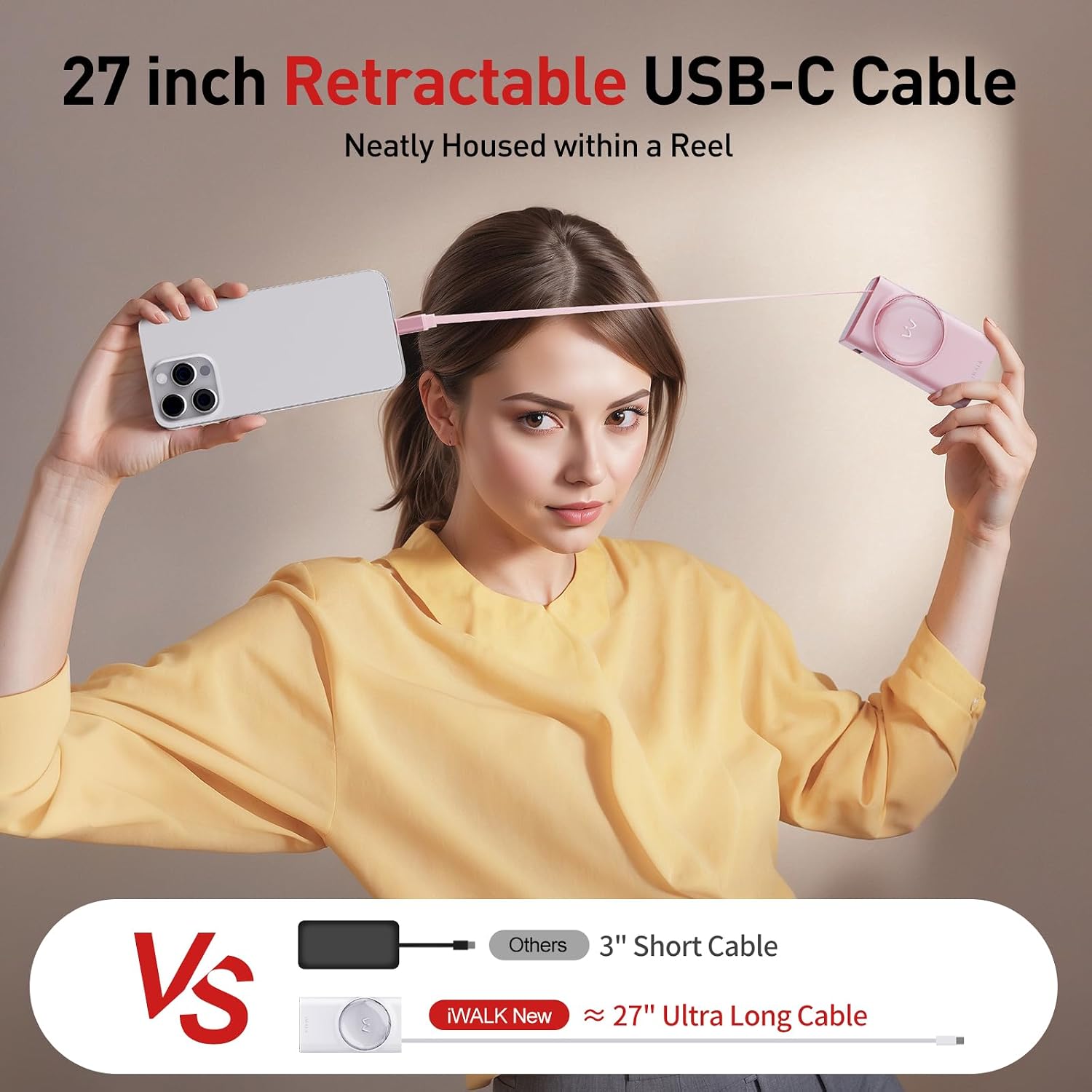
The 27-inch retractable USB-C cable extends neatly from the power bank, providing ample reach for charging.

Experience ultra-fast 30W charging, boosting your iPhone 16 Pro to 60% in just 30 minutes.

Charge three devices at once using the built-in USB-C cable, USB-C port, and USB-A port.

The smart LED display provides a precise indication of the remaining battery charge.
4. Setup
4.1 Initial Charging of the Power Bank
Before first use, fully charge your iWALK Portable Charger. Connect the provided USB-C to USB-C cable to the power bank's 'IN/OUT' USB-C port and plug the other end into a compatible 30W PD wall adapter (not included). The LED display will show the charging progress, reaching 100% when fully charged.
4.2 Using the Retractable Cable
To extend the built-in USB-C cable, gently pull both ends of the cable simultaneously until it reaches the desired length (up to 2.3ft / 27 inches). To retract the cable, pull both ends slightly further, and then release to allow it to coil back into the power bank automatically.
5. Operating Instructions
5.1 Charging Your Devices
- Using the Built-in Retractable USB-C Cable: Pull out the retractable USB-C cable and plug it directly into your compatible device's USB-C port.
- Using the USB-C Port: Connect your device's USB-C charging cable to the power bank's 'IN/OUT' USB-C port.
- Using the USB-A Port: Connect your device's USB-A charging cable to the power bank's 'OUT' USB-A port.
The power bank will automatically begin charging your device(s). For optimal fast charging, ensure your device supports Power Delivery (PD) or Quick Charge (QC) technology.
5.2 Checking Battery Level
Press the power button located on the side of the power bank. The smart LED display on the top will illuminate, showing the current battery percentage.
6. Compatibility
The iWALK Portable Charger is compatible with a wide range of devices, including but not limited to:
- iPhone 15 Series, iPhone 16 Series
- Samsung Galaxy S23/S24/S25 Series
- iPad Air/Pro Series, iPad Mini/Air/Pro Series
- MacBooks (USB-C charging)
- Google Pixel 3 and later
- AirPods Pro/AirPods 3/AirPods 2
- Nintendo Switch
- Sony XZ3/Xperia 1
- ROG Ally

Visual representation of compatible devices for the iWALK Portable Charger.
7. Maintenance
- Keep the power bank dry and away from moisture.
- Avoid exposing the device to extreme temperatures (hot or cold).
- Clean the device with a soft, dry cloth. Do not use harsh chemicals or abrasive materials.
- Store in a cool, dry place when not in use.
- To prolong battery life, fully charge the power bank at least once every three months if not used regularly.
8. Troubleshooting
- Device not charging: Ensure the power bank has sufficient charge. Check all cable connections to both the power bank and your device. Try a different cable or port.
- Slow charging: Verify that your device and cable support fast charging. Ensure the power bank itself is fully charged. Some devices may limit charging speed to protect battery health.
- LED display not working: Press the power button firmly. If the issue persists after charging the power bank, contact customer support.
- Power bank not charging: Ensure the charging cable and wall adapter are functioning correctly. Try a different cable, adapter, or power outlet.
If you encounter any issues not listed here, please refer to the warranty and support section for assistance.
9. Specifications
| Feature | Detail |
|---|---|
| Brand | iWALK |
| Model Number | LPR001C |
| Battery Capacity | 10000 Milliamp Hours |
| Charging Power | 30W Power Delivery (PD) Bi-Directional |
| Outputs | 1x Built-in 2.3ft Retractable USB-C Cable, 1x PD USB-C Port, 1x QC USB-A Port |
| Special Features | Digital Display, Built-in Retractable Cable, Fast Charging, Pocket Size |
| Product Dimensions | 0.39 x 0.39 x 0.39 inches |
| Item Weight | 6.8 ounces |
| Color | Pink |
| Manufacturer | U2O GLOBAL CO.,LTD |
| Country of Origin | China |
10. Official Product Video
An official product video from iWALK Direct showcasing the features and functionality of the iWALK Reel Power Bank with its built-in retractable cable.
11. Warranty and Support
For warranty information and customer support, please contact the manufacturer:
Manufacturer: U2O GLOBAL CO.,LTD
Please refer to the packaging or the official iWALK website for the most up-to-date warranty details and contact information.


