
Product Overview
The BrickSoul LED Light Kit is designed to illuminate your LEGO Rose Bouquet Set 10328, enhancing its visual appeal. This kit features high-quality components and is engineered for easy installation, even for first-time users. The RC (Remote Control) version allows for convenient operation of lighting effects.
Key features include:
- Easy Installation: Detailed illustrated manuals guide you through the setup process.
- Durable Components: Constructed with high-quality materials and thickened wires to ensure safe and long-lasting performance.
- Tailored Design: The lighting layout is specifically adapted to the LEGO Rose Bouquet Set 10328, ensuring perfect integration and illumination of every detail.
- Flexible Power Options: Supports USB power for extended use.
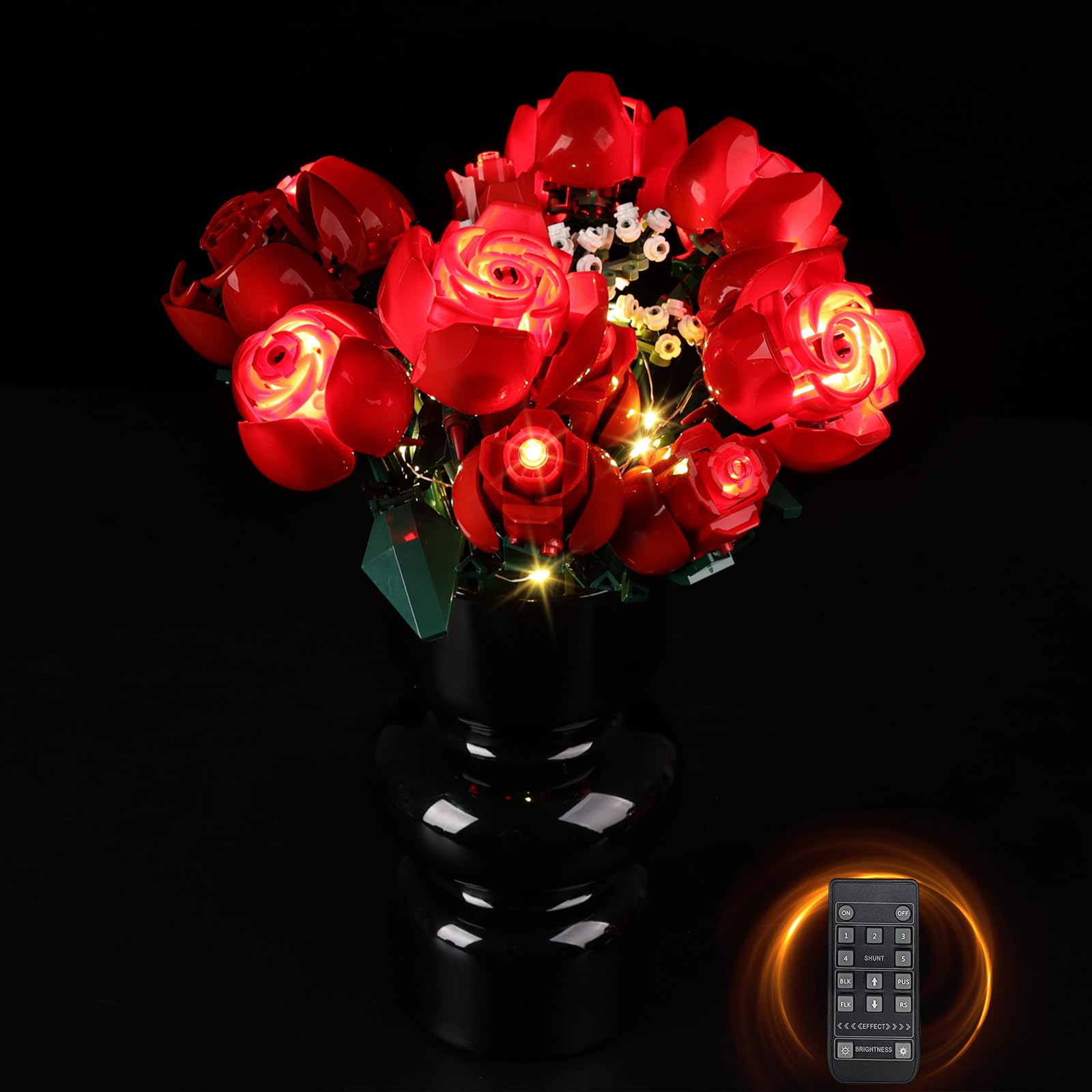
Image: The LEGO Rose Bouquet Set 10328 illuminated by the BrickSoul LED Light Kit, showcasing the enhanced visual effect.
Setup Instructions
Follow these steps to install your BrickSoul LED Light Kit. It is recommended to refer to the detailed online manual for visual guidance.
- Prepare Your LEGO Set: Ensure your LEGO Rose Bouquet Set 10328 is fully assembled and ready for lighting integration.
- Identify Components: Unpack all components of the LED light kit. Familiarize yourself with the wires, LED strips, battery box, and remote control module.

Image: Overview of the BrickSoul LED Light Kit components, including the reinforced cable interface, durable battery box, various lighting accessories, and LED strips.
- Access Online Manual: For step-by-step visual instructions, visit the official support website: https://support.bricksoultoy.com/. Search for model 10328.

Image: A screenshot demonstrating how to access the online installation manual on the BrickSoul support website, showing detailed, zoomable picture guides for assembly.
- Integrate Lights: Carefully follow the instructions to integrate the LED wires and lights into your LEGO model. Ensure wires are neatly tucked away to avoid damage and maintain the aesthetic of the set.
- Connect Power: Connect the LED light kit to the battery box or a USB power source using the provided cable. Ensure connections are secure.
- Test Functionality: Power on the lights to ensure all connections are correct and the kit is functioning as expected.

Image: This image illustrates the various power supply methods for the light kit, including a battery box, power bank, and laptop USB port, alongside a depiction of the paper instructions.
Operating Instructions
This BrickSoul LED Light Kit is an RC (Remote Control) version, allowing for convenient control of the lighting effects.
- Power On/Off: Use the designated button on the remote control to turn the lights on or off.
- Color Changing: The remote control provides options for changing the light color. Refer to the remote control's specific buttons for color selection.
- Sound Activation: If your kit includes sound activation features, use the remote control to enable or adjust this mode.
- Brightness Adjustment: Adjust the brightness levels using the remote control to achieve your desired ambiance.

Image: Detailed display of the illuminated LEGO roses, showing the effect of the LED lights on individual rose elements and the overall bouquet.
Maintenance
Proper maintenance ensures the longevity and optimal performance of your LED light kit.
- Cleaning: Gently dust the LED lights and wires with a soft, dry cloth. Avoid using liquid cleaners directly on the electrical components.
- Wire Management: Periodically check that all wires are securely in place and not pinched or strained.
- Battery Replacement: If using the battery box, replace batteries when lights dim or cease to function. Ensure correct battery orientation.
- Storage: If storing the LEGO set with the light kit, ensure it is kept in a dry, cool place away from direct sunlight and excessive heat.
Troubleshooting
If you encounter issues with your BrickSoul LED Light Kit, refer to the following common solutions:
| Problem | Possible Cause | Solution |
|---|---|---|
| Lights do not turn on. | No power, loose connection, dead batteries. | Check power source (USB or batteries). Ensure all wires are securely connected. Replace batteries if necessary. |
| Some lights are not working. | Loose connection to specific LED, damaged wire. | Inspect individual LED connections. Carefully check wires for any visible damage. |
| Remote control not responding. | Remote battery low/dead, obstruction, remote out of range. | Replace remote control battery. Ensure clear line of sight to the receiver. Move closer to the LEGO set. |
| Lights flicker. | Unstable power supply, loose connection. | Ensure power source is stable. Check all connections for tightness. |
If these steps do not resolve the issue, please contact BrickSoul customer service for further assistance.
Specifications
- Model Number: 10328-rc-FBA
- Color: Red (LEDs)
- Material: Plastic
- Light Source Type: Light Emitting Diode (LED)
- Power Source: Battery Powered (Batteries Included) / USB Powered
- Mounting Type: Surface Mount
- Special Features: Color Changing, Sound Activation, Remote Control Compatibility
- Number of Light Sources: 1 (referring to the kit as a single lighting system)
- Item Weight: 1.92 ounces
- Manufacturer: BrickSoul
Warranty and After-Sales Support
BrickSoul is committed to providing high-quality products and excellent customer service. Your LED Light Kit comes with comprehensive after-sales protection.
- Customer Service: We offer 24-hour professional customer service for rapid response to your inquiries.
- Technical Support: Long-term product use guidance and technical support are available to assist you with any operational or installation questions.
- Replacement Policy: In cases of non-human damage, we provide product replacement to ensure your satisfaction.
Contact and Support
For additional support, detailed installation guides, or to contact customer service, please use the following resources:
- Online Manuals: Visit https://support.bricksoultoy.com/ for illustrated, zoomable installation guides.
- Customer Service: Refer to your product packaging or the BrickSoul official website for direct contact information.
