
BAKON BK852D+
BAKON BK852D+ 2-in-1 Heat Gun and Soldering Iron Rework Station Instruction Manual
Model: BK852D+
1. Introduction
Thank you for choosing the BAKON BK852D+ 2-in-1 Heat Gun and Soldering Iron Rework Station. This comprehensive kit is designed for professional soldering, industrial and manufacturing, precision electronics, school labs, home and hobby use, and electronic DIY and repair. It combines a powerful soldering iron and a hot air gun in one unit, offering precise temperature control and a range of accessories for various tasks.
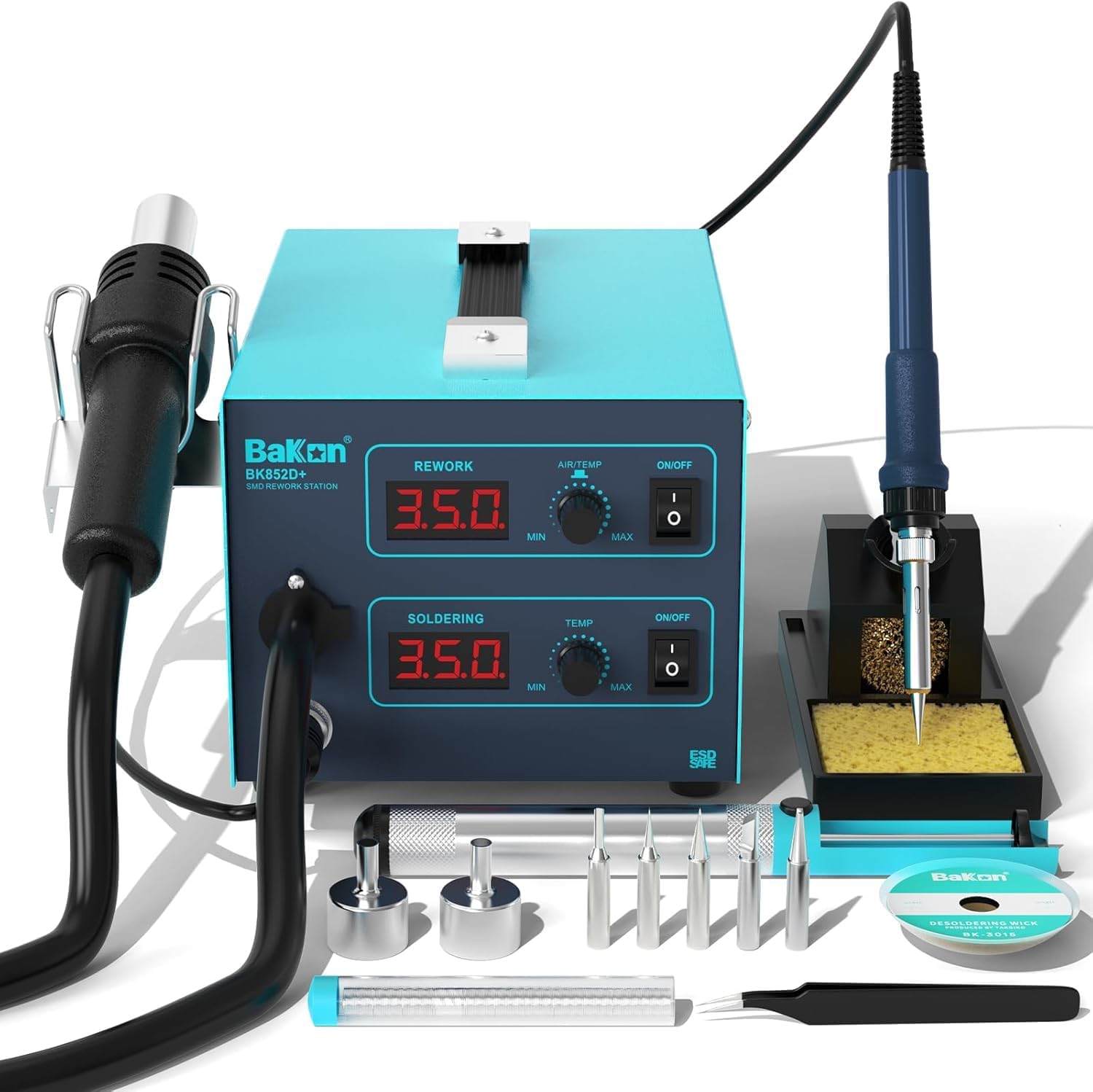
Figure 1: BAKON BK852D+ 2-in-1 Heat Gun and Soldering Iron Rework Station with included accessories.
2. Safety Information
Please read all safety warnings and instructions carefully before using this product. Failure to follow the warnings and instructions may result in electric shock, fire, and/or serious injury.
- Always wear appropriate personal protective equipment, including safety glasses, when operating the station.
- Ensure the workstation is placed on a stable, heat-resistant surface.
- Do not touch the hot tip of the soldering iron or the hot air gun nozzle. They can reach very high temperatures.
- Allow tools to cool completely before storing.
- Use in a well-ventilated area to avoid inhaling fumes from solder and flux.
- Keep out of reach of children.
- This product uses a US plug with 110V. Do not plug directly into a 220V~240V power outlet.
3. Setup
Follow these steps to set up your BAKON BK852D+ Rework Station:
- Unpacking: Carefully remove all components from the packaging. Verify that all items listed in the packing list are present.
- Placement: Place the main unit on a stable, flat, and heat-resistant workbench. Ensure adequate ventilation around the unit.
- Connect Soldering Iron: Connect the soldering iron handle to the designated port on the main unit. Secure the connection by screwing the collar. Place the soldering iron in its stand.
- Connect Hot Air Gun: Connect the hot air gun handle to its designated port on the main unit. Secure the connection. Place the hot air gun in its holder.
- Install Nozzles/Tips: Select the appropriate hot air nozzle for your task and attach it to the hot air gun. For the soldering iron, choose a soldering tip and insert it into the iron.
- Power Connection: Connect the power cord to the main unit and then plug it into a 110V AC power outlet.

Figure 2: Connection points for the hot air gun and soldering iron to the main station.

Figure 3: Exploded view of the station showing various components and their assembly.
Video 1: An overview of the BK852D+ Rework Soldering Station, demonstrating its components and basic setup. This video shows the physical unit and its accessories.
4. Operating Instructions
4.1. Power On/Off
Locate the main power switch on the unit. Flip it to the 'ON' position to power on the station. The LED digital display will illuminate.
4.2. Soldering Iron Operation
- Activate: Turn on the individual ON/OFF switch for the soldering iron.
- Set Temperature: Use the knob-type temperature adjustment for the soldering iron to set the desired temperature between 100-480°C (212-896°F). The LED display will show the set temperature. The unit features PID temperature control for stability.
- Soldering: Once the iron reaches the set temperature, it is ready for use. Apply solder to the joint while touching the tip of the iron to the components.
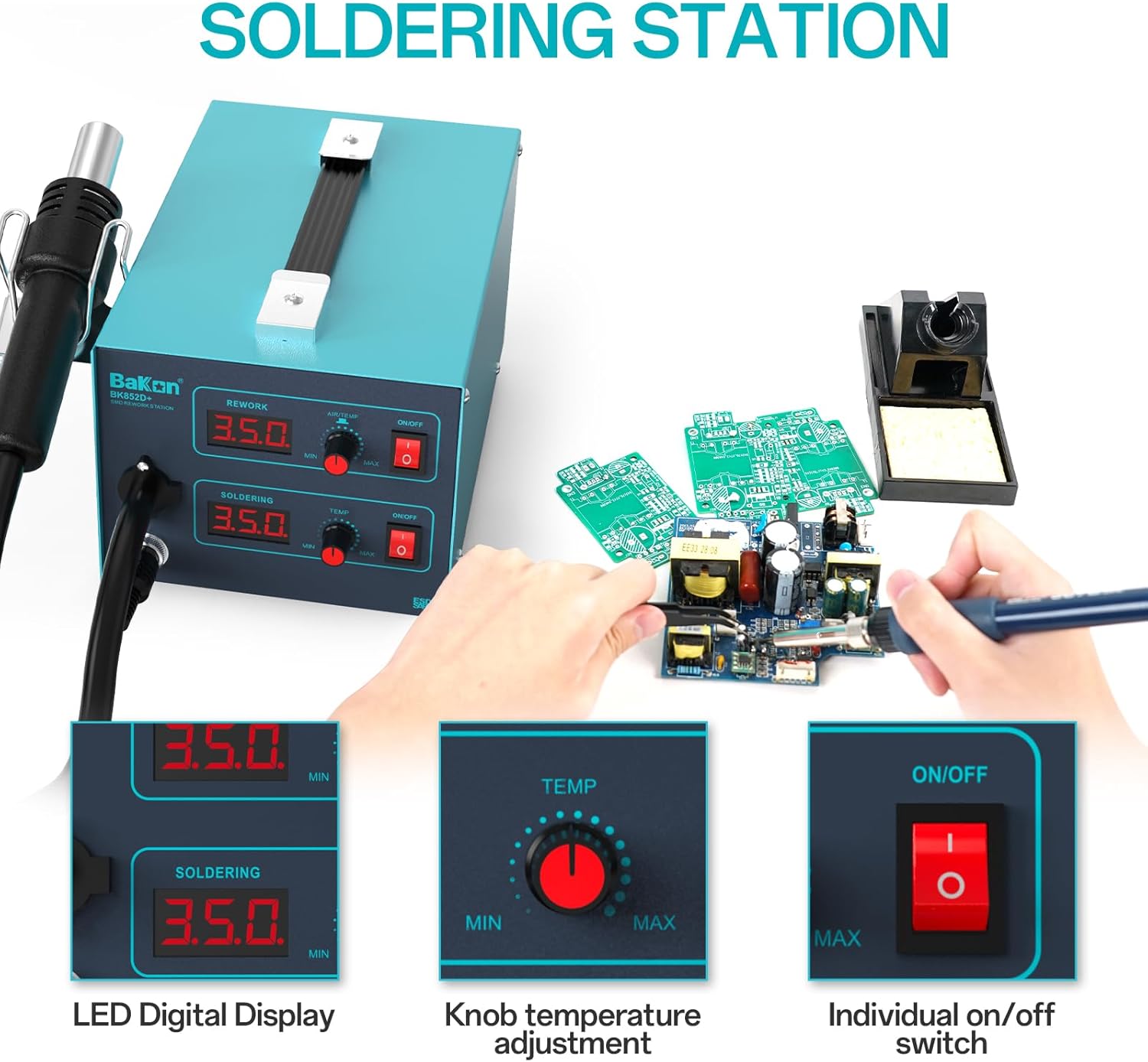
Figure 4: Soldering station controls with LED digital display and temperature adjustment knob.

Figure 5: Example of using the soldering iron for electronic work.
4.3. Hot Air Gun Operation
- Activate: Turn on the individual ON/OFF switch for the hot air gun.
- Set Temperature & Airflow: Use the AIR/TEMP knob to adjust the temperature between 100-500°C (212-932°F) and the airflow up to 28L/min. The LED display will show the set temperature. PID stabilization ensures consistent temperature.
- Hot Air Standby Mode: When the hot air gun is placed in its holder, it automatically cools down to 212°F and stops heating, enhancing safety and extending heating element life.
- Reworking: Direct the hot air stream onto the components for desoldering or heat shrinking.
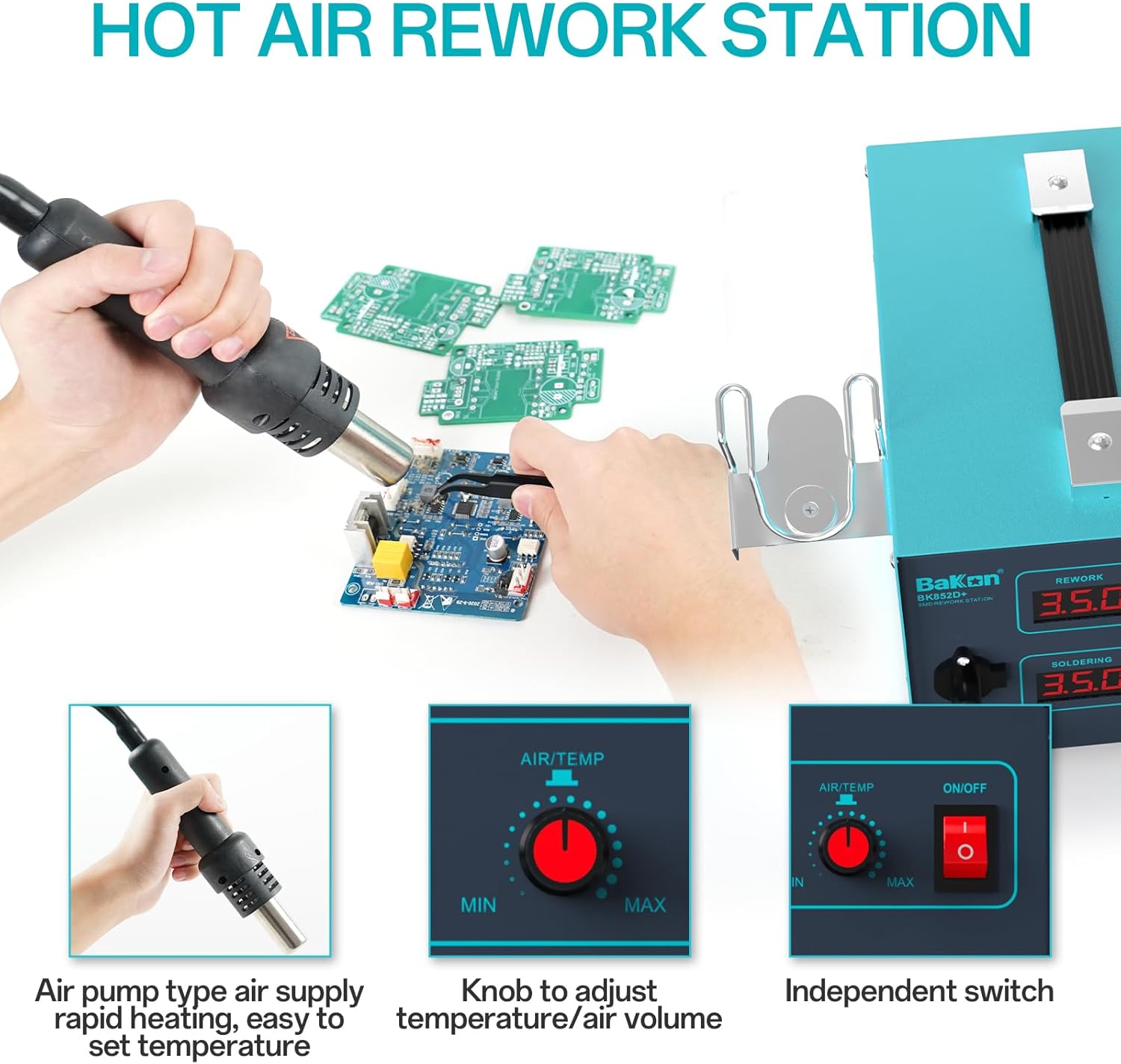
Figure 6: Hot air rework station controls with LED digital display and air/temperature adjustment knob.

Figure 7: Automatic cooling feature of the hot air gun for safety and extended lifespan.

Figure 8: Example of using the hot air gun for electronic rework.
Video 2: A demonstration of the 2-in-1 SMD Hot Air Rework and Soldering Iron Station, showcasing its features and operation.
5. Maintenance
5.1. Soldering Tip Care
- Regularly clean the soldering tip using the brass cleaner or a damp sponge provided.
- Always tin the tip with a small amount of solder before and after use to prevent oxidation and prolong its life.
- Replace tips when they become excessively worn or corroded.
5.2. Hot Air Nozzle Care
- Ensure hot air nozzles are free from debris or blockages. Clean gently if necessary after the unit has cooled.
5.3. General Cleaning
- Wipe the main unit with a soft, dry cloth. Do not use abrasive cleaners or solvents.
- Ensure the unit is unplugged and completely cool before cleaning.
Video 3: A demonstration of TOWOT Solder Wick for desoldering, a useful technique for maintenance and rework.
6. Troubleshooting
| Problem | Possible Cause | Solution |
|---|---|---|
| Unit does not power on | No power supply; Power switch off; Blown fuse | Check power connection; Turn on power switch; Replace fuse (refer to specifications for fuse type). |
| Soldering iron not heating | Iron switch off; Temperature set too low; Faulty heating element/tip | Turn on iron switch; Increase temperature; Inspect/replace heating element or tip. |
| Hot air gun not heating/no airflow | Hot air switch off; Temperature/airflow set too low; Nozzle blocked; Faulty heating element/fan | Turn on hot air switch; Increase temperature/airflow; Clear nozzle; Inspect/replace heating element or fan. |
| Inconsistent temperature | Sensor issue; Incorrect PID calibration | Contact customer support for sensor check; Refer to advanced settings for PID calibration (if applicable). |
7. Specifications
- Model: BK852D+
- Output Power: 700W
- Input Voltage: AC 110V
- Soldering Iron Temperature Range: 100-480°C (212-896°F)
- Hot Air Gun Temperature Range: 100-500°C (212-932°F)
- Hot Air Gun Airflow: Up to 28L/min
- Display Type: LED Digital Display
- Temperature Stability (Soldering Iron): ±2°C
- Temperature Stability (Hot Air Gun): ±3°C
- Dimensions: 31.7 x 26.9 x 17.91 cm
- Item Weight: 4.25 kg
- Color: Blue
- Material: Foam, Lead, Iron, Sponge
- Included Components: Soldering Station, Lead-free solder (30g), 5 soldering tips, 2 hot air nozzles, ESD-safe tweezers, desoldering pump, soldering iron stand, brass cleaner, cleaning sponge, solder suction tape.
8. Warranty and Support
This product comes with a 12-month US warranty. If you encounter any problems during use, please do not hesitate to contact our professional Amazon team. We are committed to providing a solution within 24 hours.
For support, please refer to the contact information provided with your purchase or visit the official BAKON store on Amazon.
Important Note: Do not plug directly into 220V~240V power outlet.
Ask a question about this manual
Ask about setup, troubleshooting, compatibility, parts, safety, or missing instructions. Manuals+ will review the question and use this page’s manual context to help answer it.