
Introduction
Thank you for choosing the TRIUMPHKEY Massage Gaming Chair, Model 0758. This chair is designed to provide optimal comfort and support for extended periods of sitting, whether for gaming or office work. It features an ergonomic design, adjustable recline, a retractable footrest, and a lumbar cushion with a massage function. Please read this manual thoroughly before assembly and use to ensure proper operation and safety.
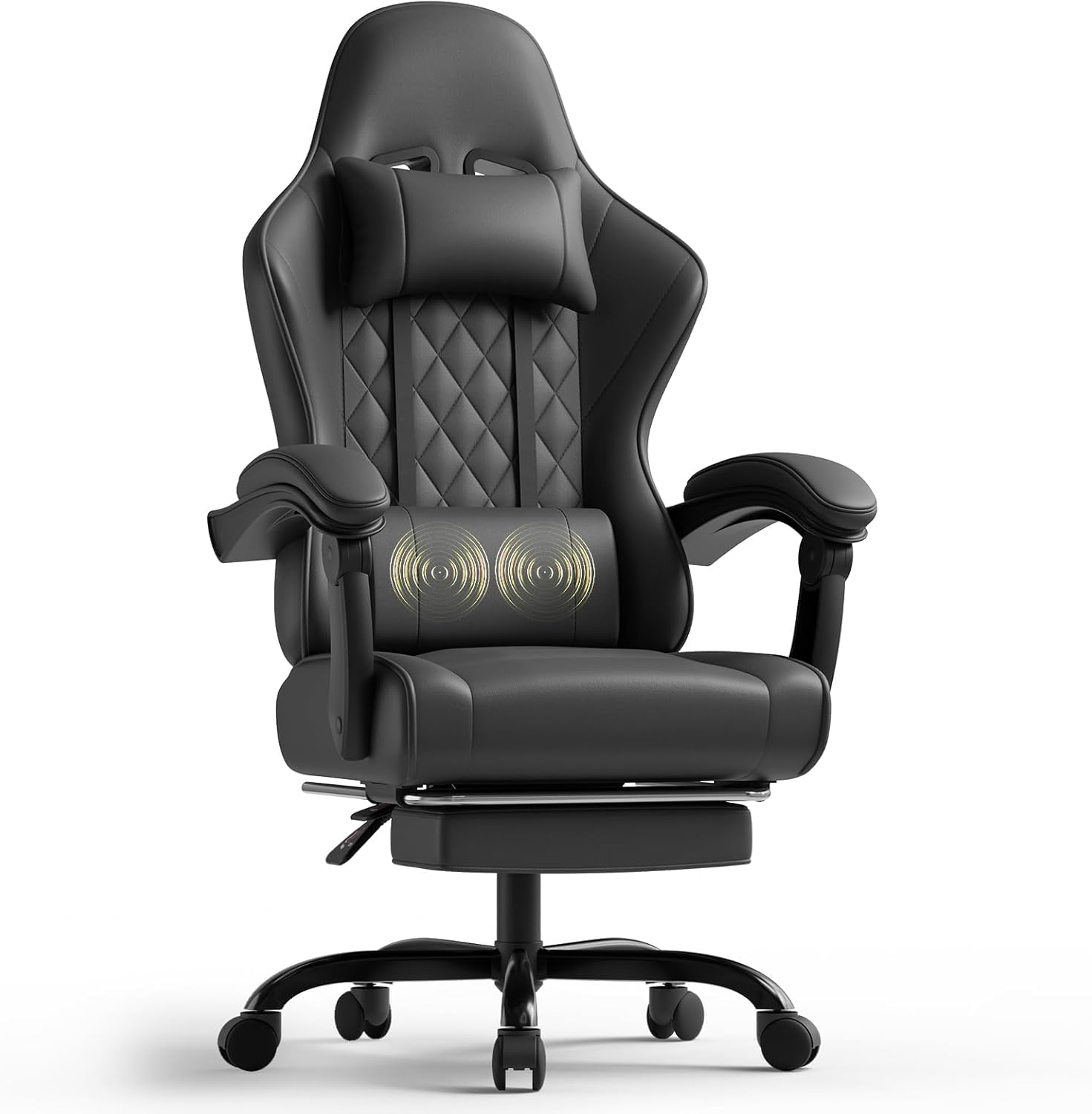
Image: The TRIUMPHKEY Massage Gaming Chair, Model 0758, showcasing its design and features in a typical use environment.
Safety Information
- Maximum Recommended Load: The chair is designed to support a maximum weight of 150 kg (330 lbs). Do not exceed this weight limit to prevent damage or injury.
- Ensure all screws and bolts are securely tightened before use and periodically check for any loosening.
- Keep hands and fingers clear of moving parts, especially during recline adjustment and footrest operation.
- Use the chair on a flat, stable surface to prevent tipping.
- Do not stand on the chair or use it as a step stool.
- Keep children and pets away from the chair during assembly and adjustment.
Package Contents
Please verify that all components are present before beginning assembly. Refer to the parts list included in your product packaging for a detailed inventory. Typical components include:
- Backrest
- Seat Cushion
- Armrests (2)
- Gas Lift Cylinder
- Star Base
- Casters (5)
- Mechanism Plate
- Headrest Pillow
- Lumbar Massage Cushion
- Footrest Assembly
- Hardware Kit (screws, washers, Allen wrench)
- Assembly Instructions
Setup and Assembly
Assembly of the TRIUMPHKEY Massage Gaming Chair is designed to be straightforward, typically taking 20-30 minutes. Follow the detailed instructions provided in your package. Below are general steps:
- Attach Casters to Base: Insert the five casters into the holes at the end of each leg of the star base until they click securely into place.
- Insert Gas Lift: Place the gas lift cylinder into the center hole of the star base.
- Attach Mechanism Plate to Seat: Align the mechanism plate with the screw holes on the underside of the seat cushion. Secure it with the provided screws. Ensure the front of the mechanism plate faces the front of the seat.
- Connect Seat to Gas Lift: Carefully place the assembled seat onto the gas lift cylinder.
- Attach Backrest to Seat: Align the backrest with the mounting brackets on the seat. Secure it using the designated screws.
- Install Armrests: Attach the armrests to the side of the seat and backrest using the provided screws. Ensure they are firmly secured.
- Attach Headrest and Lumbar Cushion: Position the headrest pillow and lumbar massage cushion as desired. The lumbar cushion typically attaches with straps and connects via USB for its massage function.
- Install Footrest: Slide the footrest assembly into its designated slots under the seat.
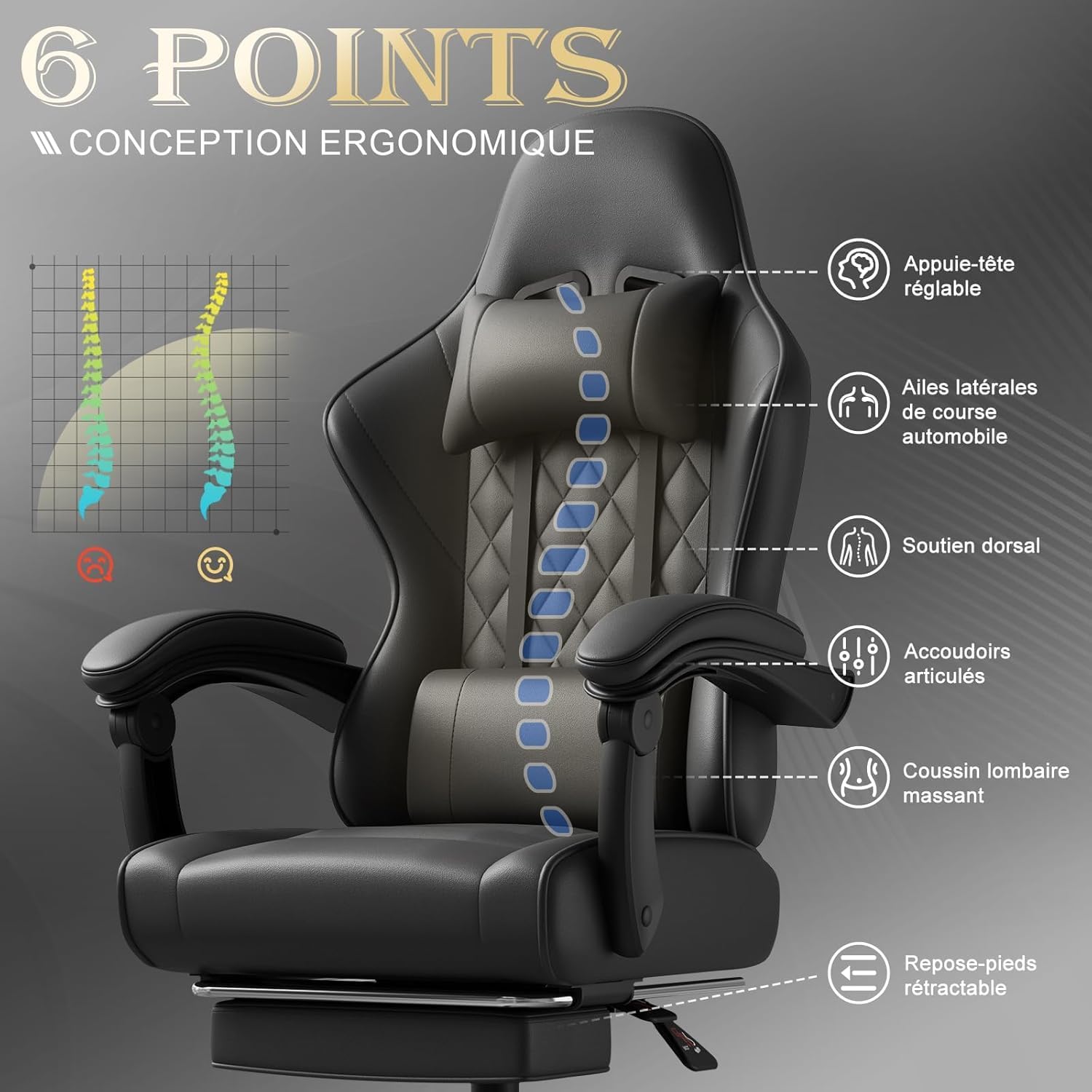
Image: An overview of the chair's ergonomic design, highlighting key support points for the head, back, and lumbar region, along with adjustable armrests and footrest.
Operating Instructions
Chair Height Adjustment
To adjust the chair height, locate the lever on the right side, beneath the seat. Pull the lever up while sitting to lower the chair, or pull it up while standing to raise the chair. Release the lever at the desired height.
Backrest Recline Function
The backrest can be adjusted from 90° to 150°. Pull the recline lever, typically located on the right side of the seat, and lean back or forward to achieve your desired angle. Release the lever to lock the backrest in position.

Image: Visual representation of the chair's adjustable recline, demonstrating angles suitable for working (90°), reading (105°), watching movies (120°), and resting (135°).
Retractable Footrest
To use the footrest, pull it out from under the seat. Extend it to your preferred length. To retract, push it back under the seat until it is fully stored.
Lumbar Massage Function
The lumbar cushion features a 2-point massage function. Connect the USB cable from the lumbar cushion to a USB power source (e.g., computer, power bank). Press the switch on the cushion to activate or deactivate the massage. This function helps relieve fatigue during long sitting sessions.

Image: Detailed view of the lumbar massage cushion, highlighting its high-frequency vibration massage feature designed to relax lower back muscles.
Adjustable Armrests
The armrests are designed to articulate and adapt to your arm position, whether sitting upright or reclining. Their triangular frame enhances stability.
Maintenance
- Cleaning: Wipe the synthetic leather surfaces with a soft, damp cloth. For stubborn stains, use a mild soap solution and dry thoroughly. Avoid harsh chemicals or abrasive cleaners.
- Hardware Check: Periodically check all screws and bolts to ensure they are tight. Re-tighten if necessary to maintain stability and safety.
- Caster Maintenance: Clean any debris (hair, dust) from the casters regularly to ensure smooth movement.
- Lumbar Cushion: Ensure the USB cable for the massage function is not pinched or damaged.
Troubleshooting
- Chair does not adjust height: Ensure the gas lift lever is fully engaged. If the issue persists, the gas lift cylinder may need replacement.
- Backrest does not recline or lock: Check if the recline lever is fully engaged. Ensure no obstructions are preventing movement.
- Massage function not working: Verify the USB cable is securely connected to a working power source. Check the power switch on the lumbar cushion.
- Chair is wobbly: Check all assembly screws and bolts, especially those connecting the seat to the mechanism plate and the backrest. Tighten any loose hardware.
- Casters not rolling smoothly: Clean any hair or debris from the caster wheels.
Specifications
| Feature | Detail |
|---|---|
| Brand | TRIUMPHKEY |
| Model Number | 0758 |
| Color | Black |
| Material | Synthetic Leather |
| Product Dimensions (L x W x H) | 48 x 65 x 130 cm (18.9 x 25.6 x 51.2 inches) |
| Item Weight | 17.2 Kilograms (37.9 lbs) |
| Maximum Load Capacity | 150 kg (330 lbs) |
| Recline Angle | 90° to 150° |
| Special Features | Lumbar Massager, Adjustable Headrest, Reclinable, Retractable Footrest, Adjustable Armrests |

Image: Detailed dimensions of the TRIUMPHKEY Massage Gaming Chair, including height, width, and depth measurements for various components.
Warranty and Support
For information regarding warranty coverage, terms, and conditions, please refer to the documentation included with your purchase or contact the retailer directly. For technical support or assistance with parts, please contact TRIUMPHKEY customer service through the contact information provided on the product packaging or the official TRIUMPHKEY website.


