
1. Product Overview
The BrickSoul Light Up Kit is designed to enhance your Lego Concorde Model Aircraft 10318 building set, providing vibrant and dimmable LED lighting. This kit integrates seamlessly to illuminate various parts of your model, creating a dynamic display.
Key Features:
- Dimmable Lighting: Control light intensity with an integrated USB button.
- Seamless Integration: Designed for a clean, professional look with minimal visible wiring.
- Easy Installation: Step-by-step guides available for a beginner-friendly setup.
- Safe Operation: Low voltage (3-5V) USB or battery powered (AAA batteries not included).
2. Setup
2.1 Package Contents
Verify that all components are present in your BrickSoul Light Up Kit package:
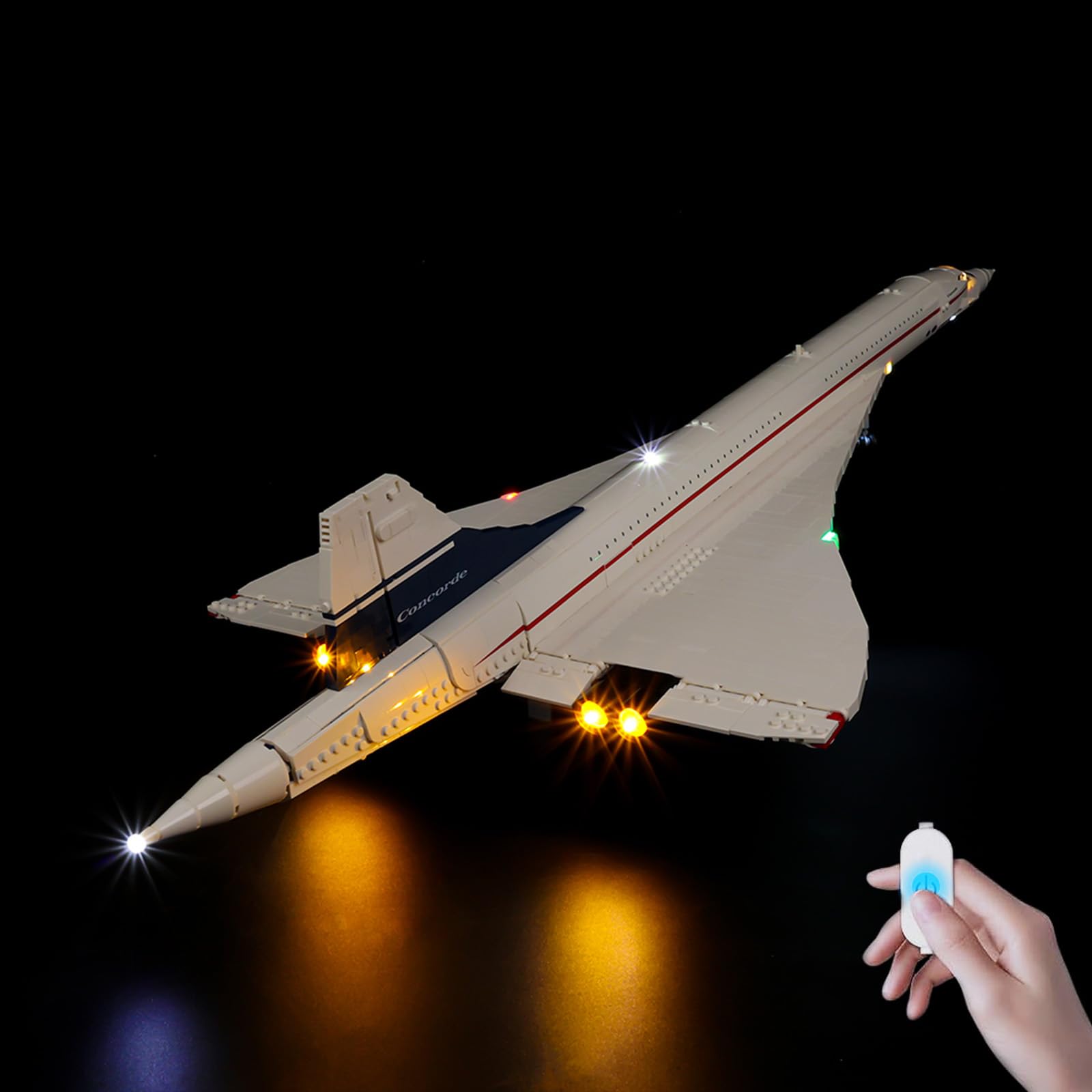
Image: The kit box, light control button, light kits, instructions, and battery box (AAA batteries not included).
- LED Light Kits (various components)
- USB Power Cable with Integrated Control Button
- Battery Box (requires 3x AAA batteries, not included)
- Instruction Manual (digital access)
2.2 Before You Begin
- This product is a lighting kit only. The Lego Concorde Model Aircraft 10318 building set is not included.
- Ensure you have the Lego Concorde Model Aircraft 10318 fully assembled before installing the light kit.
- Prepare 3x AAA batteries if you plan to use battery power instead of USB.
- Handle small components and wires with care to avoid damage.
2.3 Accessing Digital Installation Guides
Detailed, step-by-step installation instructions are provided digitally to ensure clarity and ease of use. These guides include both video and PDF formats.

Image: A tablet displaying digital instructions for the light kit, showing options to scan a code or input a model number.
- Locate the QR code on the physical manual included in your package.
- Scan the QR code with your smartphone or tablet.
- Alternatively, visit the BrickSoul website and input the product model number (10318) to find the relevant guides.
- Follow the video or PDF instructions carefully, removing only the necessary bricks as indicated.
3. Operating Instructions
3.1 Powering the Light Kit
The light kit can be powered via a USB connection or with AAA batteries.
- USB Power: Connect the USB cable to any standard USB power source (e.g., wall adapter, power bank, computer USB port).
- Battery Power: Insert 3x AAA batteries (not included) into the battery box and connect it to the light kit.
3.2 Controlling the Lights
The integrated button on the USB cable allows for easy control of the lighting.

Image: Diagram showing the USB button with functions for turning lights on/off and adjusting brightness.
- Turn On/Off: Tap the button once to toggle the lights on or off.
- Adjust Brightness: Press and hold the button to cycle through brightness levels. Release the button when the desired brightness is reached.
3.3 Visual Demonstration
Watch the official product video for a visual guide on the installed light kit and its features.
Video: Official product video demonstrating the BrickSoul Light Up Kit installed on the Lego Concorde 10318 model, showcasing various lighting effects and features.
3.4 Displaying Your Model
Once installed and powered, your Lego Concorde model will be illuminated, enhancing its detail and visual impact.

Image: Close-up views of the Lego Concorde model with the BrickSoul light kit installed, highlighting illuminated cockpit, engines, and navigation lights.
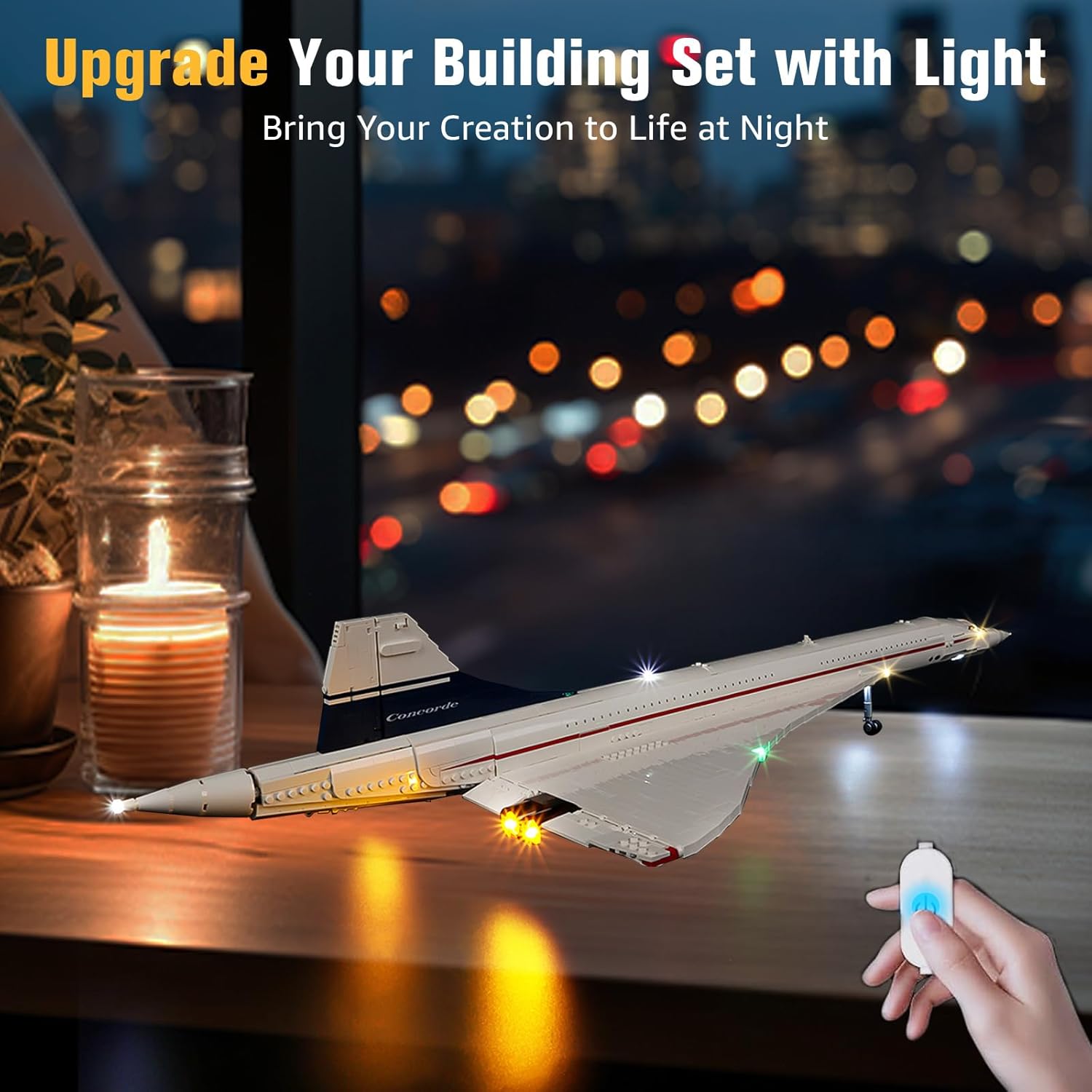
Image: The fully illuminated Lego Concorde model displayed in a room setting, showcasing its enhanced visual appeal.
4. Maintenance
4.1 Cleaning
- Ensure the light kit is powered off and disconnected from its power source before cleaning.
- Use a soft, dry cloth to gently wipe away dust from the LED components and wires.
- Avoid using liquid cleaners or abrasive materials, as these can damage the electrical components.
4.2 Storage
- If storing the model for an extended period, disconnect the power source (remove batteries or unplug USB).
- Store the model and light kit in a cool, dry place away from direct sunlight and extreme temperatures.
5. Troubleshooting
Common Issues and Solutions:
| Issue | Possible Cause | Solution |
|---|---|---|
| Lights do not turn on. | No power, loose connection, or faulty component. | Check USB connection or ensure AAA batteries are correctly inserted and charged. Verify all wire connections are secure. |
| Some lights are dim or not working. | Insufficient power, damaged wire, or incorrect installation. | Ensure power source is adequate. Inspect wires for kinks or breaks. Review installation steps for the affected section. |
| Lights flicker. | Unstable power supply or loose connection. | Try a different USB power source or fresh batteries. Check all connections for tightness. |
| Difficulty adjusting brightness. | Incorrect button operation. | Ensure you are pressing and holding the button to adjust brightness, not just tapping. |
If you encounter issues not listed here or require further assistance, please contact BrickSoul customer support.
6. Specifications
| Feature | Detail |
|---|---|
| Brand | BrickSoul |
| Model Compatibility | Lego Concorde Model Aircraft 10318 |
| Light Source Type | Light Emitting Diode (LED) |
| Power Source | USB or Battery Powered (3-5V input) |
| Batteries Required | 3x AAA (not included) |
| Number of Light Sources | 10 |
| Bulb Features | Dimmable |
| Material | ABS Plastic, Copper Wire |
| Item Weight | 1.92 ounces |
7. Warranty & Support
7.1 Warranty Information
BrickSoul offers a 1-year hassle-free support for this product. This includes quick and easy replacements for accidental damage, such as bent connectors or broken wires, to ensure your building experience remains smooth and enjoyable.
7.2 Contact Support
For any questions, technical assistance, or warranty claims, please contact the BrickSoul support team. Refer to the contact information provided on the product packaging or the official BrickSoul website for the most up-to-date support channels.