
1. Introduction
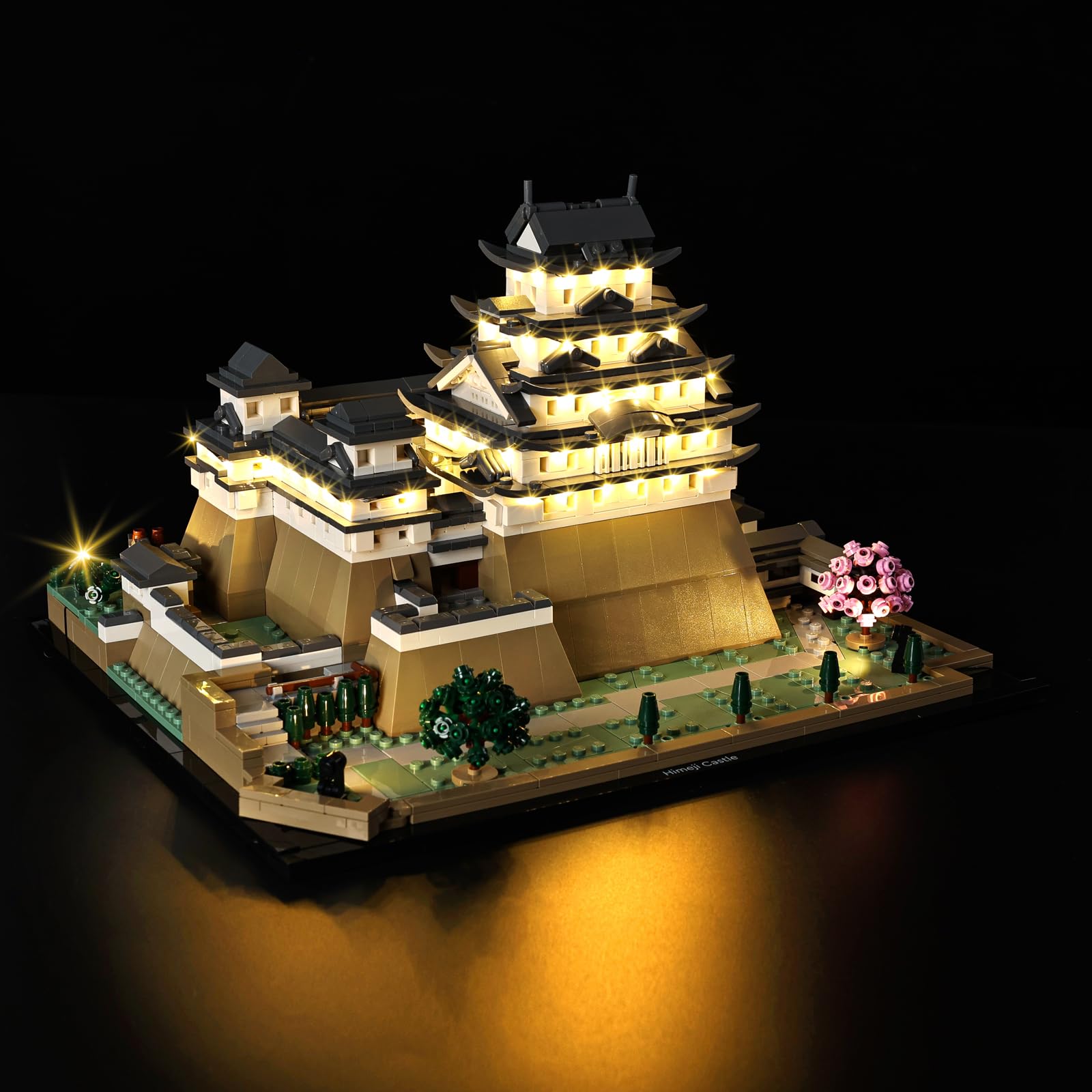
This BrickSoul LED lighting kit is designed to enhance your Lego Himeji Castle 21060 building set, transforming it into a vibrant and illuminated display piece. This kit provides a detailed lighting solution to bring your model to life. Please note that the Lego Himeji Castle 21060 model is not included with this lighting kit.
For optimal results, please read these instructions carefully before installation.
2. Package Contents
Verify that all components listed below are present in your package:
- LED Light Kits (various light strips and individual LEDs)
- Connection Cables
- USB Power Cable
- Battery Box (requires 3x AAA batteries, not included)
- Instruction Guide (digital access via QR code)
- Adhesive pads/tape (for securing lights and wires)
3. Safety Information
- This product contains small parts and is not suitable for children under 3 years old due to choking hazards.
- Use only the recommended power input of 3-5V via USB.
- Ensure all connections are secure to prevent short circuits.
- Do not expose the light kit to water or excessive moisture.
- Handle wires and LED components carefully to avoid damage.
- The materials used are premium ABS plastic and copper wire, designed for durability and safety.
4. Setup and Installation
The BrickSoul LED kit is designed for easy installation. Detailed step-by-step instructions are provided through online video and PDF guides. You will need to scan a QR code on the included guide or packaging to access these digital resources.
- Access Digital Instructions: Locate the QR code on your package or the small instruction card. Scan it with your smartphone or tablet to access the online video and PDF installation guides.
- Prepare Your Model: Carefully disassemble specific sections of your Lego Himeji Castle 21060 model as indicated in the digital instructions. This typically involves removing a few bricks to integrate the lighting components.
- Install LED Components: Follow the numbered bags and the digital guide to place each LED light strip and individual LED in its designated position. The kit is designed for a seamless fit, ensuring wires are neatly integrated.
- Connect Wires: Connect the LED components to the main circuit board using the provided connection cables. Ensure all connectors are firmly seated.
- Route Wires: Carefully route and conceal the wires within the Lego structure to maintain the aesthetic integrity of your model. The design aims for clean wiring without clutter.
- Reassemble Model: Once all lighting components and wires are in place, reassemble the Lego bricks according to the digital instructions.
- Connect Power: Connect the USB power cable to the main circuit board. You can power the kit using a USB power bank, a USB wall adapter (3-5V), or by inserting 3x AAA batteries (not included) into the battery box and connecting it.


5. Operation
Once installed and powered, your BrickSoul light kit will illuminate your Lego Himeji Castle 21060 model. There are no complex controls; the lights are designed to be continuously on when powered.
- Power Source: The kit can be powered via the included USB cable (connected to a 3-5V USB port) or by using the battery box with 3x AAA batteries.
- Turning On/Off: To turn the lights on, connect the power source. To turn them off, disconnect the power source.


6. Maintenance
- Cleaning: Use a soft, dry cloth to gently wipe dust from the LED components and wires. Avoid using liquid cleaners.
- Battery Replacement: If using the battery box, replace AAA batteries when lights dim or cease to function. Ensure correct polarity.
- Wire Integrity: Periodically check for any loose or damaged wires. If a wire is damaged, contact customer support for assistance.
- Storage: If disassembling the model for storage, carefully remove the light kit components to prevent damage.
7. Troubleshooting
| Problem | Possible Cause | Solution |
|---|---|---|
| Lights do not turn on. |
|
|
| Lights are dim or flickering. |
|
|
| Some lights are not working. |
|
|
| Wires are visible or tangled. |
|
|
8. Specifications
| Feature | Detail |
|---|---|
| Brand | BrickSoul |
| Compatible Model | Lego Himeji Castle 21060 |
| Power Input | USB 3-5V (or 3x AAA batteries for battery box) |
| Materials | ABS Plastic, Copper Wire |
| Educational Objective | Creative Thinking (as an accessory) |
| Additional Features | Illuminated Building Blocks |
9. Warranty and Support
BrickSoul offers a worry-free warranty and dedicated customer support to ensure a smooth experience.
- Accidental Damage: In case of bent connectors, broken wires, or other accidental damage, BrickSoul offers quick, hassle-free replacements.
- Customer Service: For any issues, questions, or replacement requests, please contact the BrickSoul support team. Refer to the packaging or digital instructions for contact information.
