
1. Product Overview
This BrickSoul LED Light Kit is designed to enhance your Lego Venator-Class Republic Attack Cruiser (set 75367) with dynamic lighting. This kit includes high-quality LED components and wiring to bring your model to life. Please note: The Lego building set is not included.
- Easy and Quick Installation: Equipped with detailed illustrated manuals to guide the installation process.
- Safe and Durable Performance: Made from high-quality materials with thickened wires to ensure safe use and reduce breakage.
- Optimized Power Supply: The USB cable allows for versatile power options, contributing to longer battery life (power supply not included).
- Perfectly Adapted Lighting: The lighting layout is tailored to the structural characteristics of the Lego model, ensuring every detail is illuminated and integrated for an enhanced visual effect.
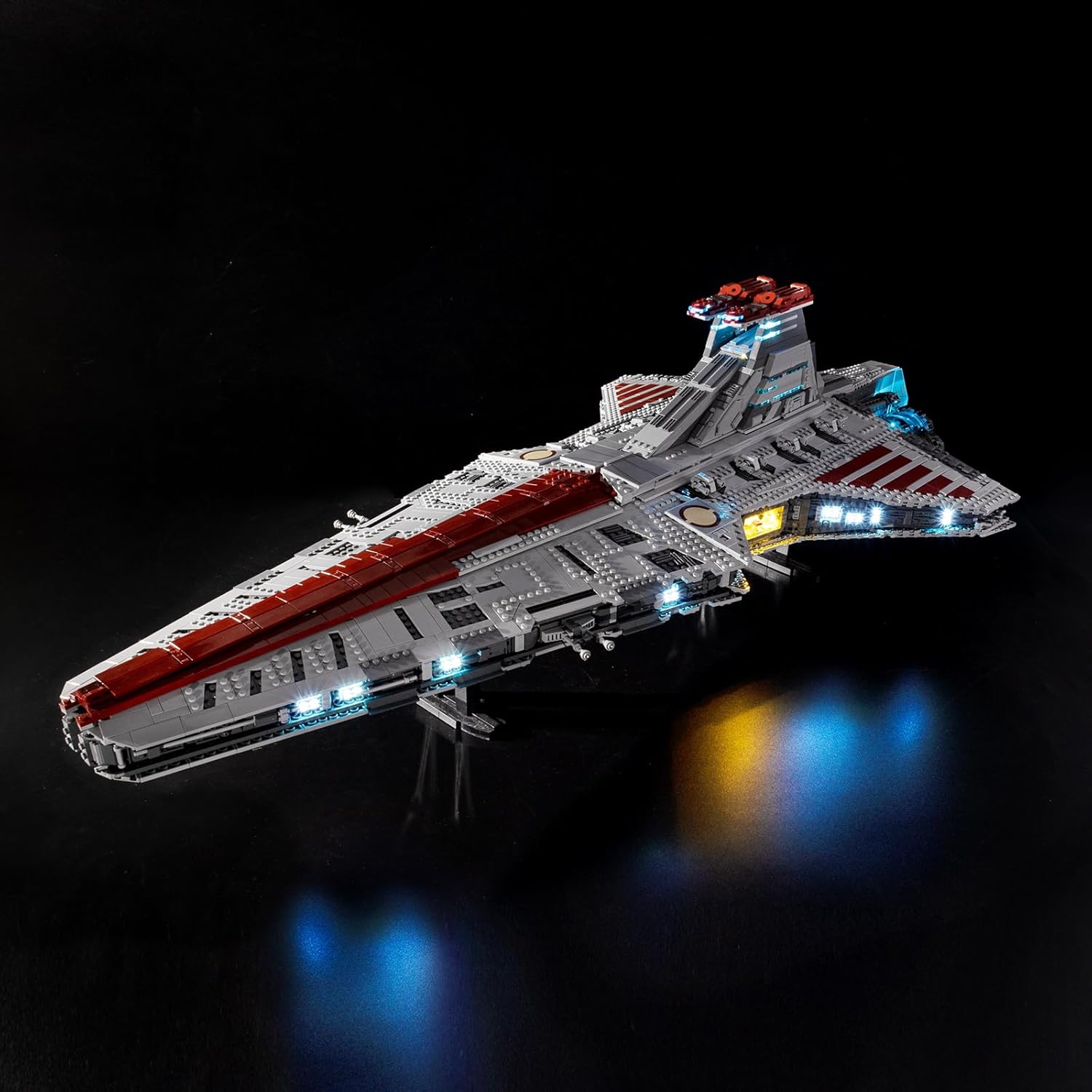
The Lego Venator model fully illuminated with the BrickSoul LED light kit, showcasing the overall effect.
2. Package Contents
Verify that all components are present before beginning installation. If any parts are missing or damaged, please contact customer support.

An overview of the light kit components: a USB power cable, a battery box (requires batteries, not included), LED lighting strips, and various lighting accessories.
- LED Light Strips/Bricks
- Connecting Cables
- USB Power Cable
- Battery Box (batteries not included)
- Instruction Manual (physical or digital access)
3. Safety Information
- Keep small parts away from children to prevent choking hazards.
- Do not expose components to excessive heat, direct sunlight, or moisture.
- Ensure proper connection of all wires to avoid short circuits or damage to the components.
- Use only recommended power sources (e.g., USB power bank, USB wall adapter) that meet the kit's power requirements.
- Handle wires and LEDs gently to prevent damage.
4. Installation Guide
Follow these steps carefully to install your BrickSoul LED Light Kit. For detailed visual instructions, please refer to the online e-manual.
4.1 Accessing the Online E-Manual
Visit the official BrickSoul support website to access the step-by-step installation e-manual. This manual provides detailed pictures that can be zoomed in for clarity.
Website: https://support.bricksoultoy.com/
Search for model 75367-cv on the website.

This image illustrates how to find the step-by-step installation e-manual on the BrickSoul support website, with instructions for zooming in on details.
4.2 General Installation Steps
The installation process involves integrating the LED components into your Lego model. While the e-manual provides specific guidance, here are the general steps:
- Preparation: Identify the specific areas on your Lego Venator model where lights are to be installed.
- Disassembly: Carefully disassemble the necessary Lego sections to access the interior of the model.
- LED Integration: Integrate the LED light strips and individual LEDs into the designated areas. Ensure wires are neatly tucked away and not pinched between Lego bricks.
- Connection: Connect the LED components to the main control board or connecting cables as per the e-manual.
- Cable Routing: Route the main power cable (USB) to an accessible location for easy connection to a power source.
- Reassembly: Carefully reassemble the Lego model, ensuring all connections are secure and no wires are exposed or damaged.
- Testing: Connect the power source and test all lights to ensure they function correctly.

This image displays various detailed views of the installed LED lights, including interior lighting and engine glow, highlighting the intricate illumination.

A view from the rear of the model, focusing on the vibrant blue LED lights integrated into the engine thrusters.

A detailed shot showing the blue LED lights embedded within the side sections of the Lego Venator, providing accent lighting.
5. Operating Instructions
Once the light kit is fully installed, you can power it up and enjoy the illuminated display.
5.1 Powering the Kit
Connect the provided USB power cable to the light kit's main input. Then, connect the other end of the USB cable to a compatible USB power source, such as a USB power bank, a USB wall adapter, or a computer USB port. Ensure the power source provides sufficient current for optimal brightness.
5.2 Light Modes and Features
This light kit may feature sound activation and multiple lighting modes. Refer to the detailed online e-manual for specific instructions on how to switch between different modes, adjust brightness, and activate any sound-reactive features.
This video demonstrates the BrickSoul LED Light Kit installed on the Lego Venator-Class Republic Attack Cruiser 75367, showcasing the illuminated engines, interior, and exterior details.
6. Maintenance
- Cleaning: Keep the light kit and your Lego model clean and free from dust. Use a soft, dry cloth or a soft brush for cleaning. Avoid using harsh chemicals or abrasive materials.
- Handling: Avoid pulling on wires forcefully during handling, cleaning, or repositioning the model.
- Storage: Store the illuminated model in a cool, dry place away from direct sunlight to prevent material degradation and prolong the life of the LEDs.
7. Troubleshooting
If you encounter any issues with your BrickSoul LED Light Kit, please refer to the table below for common problems and solutions.
| Problem | Possible Cause | Solution |
|---|---|---|
| Lights not turning on | No power or loose connection | Check the USB connection to the power source and the kit. Ensure the power source is functional. |
| Some lights not working | Loose connection or damaged LED | Gently check wire connections to the affected lights. If an LED is damaged, contact customer support. |
| Lights flickering | Insufficient power or loose connection | Ensure the power source provides adequate current. Re-check all connections for tightness. |
| Lights too dim | Power source issue or incorrect mode | Try a different USB power source. Refer to the e-manual to ensure the correct lighting mode is selected. |
For further assistance, please contact BrickSoul customer service.
8. Specifications
- Brand: BrickSoul
- Model Number: 75367-cv
- Material: Plastic
- Light Source Type: Light Emitting Diode (LED)
- Power Source: Battery Powered (via USB cable, batteries not included)
- Item Weight: 1.92 ounces
- Package Dimensions: 6 x 5.1 x 1.4 inches
- Recommended Age: 14 years and up
- Bulb Features: Sound activation, multiple lighting modes
9. Warranty and Support
BrickSoul is committed to providing excellent customer service. We offer 24-hour professional customer service, long-term product use guidance, and technical support. In cases of non-human damage, product replacement will be provided.
For support inquiries, please refer to the contact information provided with your product packaging or visit the official BrickSoul website for assistance.
