
TMEZON E1-PRO*4+W300
TMEZON Security Cameras Outdoor Wireless System User Manual
Model: E1-PRO*4+W300
Brand: TMEZON
1. Introduction
Thank you for choosing the TMEZON Solar Security Camera System. This comprehensive 4-camera kit provides advanced outdoor surveillance with solar power, ensuring continuous operation and peace of mind. Featuring 4MP Full HD resolution, 360° pan and tilt capabilities, and smart motion detection, this system is designed for robust home protection without monthly fees. This manual will guide you through the setup, operation, and maintenance of your new security system.
2. What's in the Box
Please verify that all components are present and in good condition:
- 4 x TMEZON Outdoor Wireless Security Cameras
- 4 x Solar Panels with Mounting Brackets
- 1 x TMEZON Homebase
- 1 x 64GB SD Card (pre-installed in Homebase)
- 1 x Power Adapter for Homebase
- 1 x Ethernet Cable
- Mounting Screws and Wall Plugs
- User Manual (this document)

Image: Complete TMEZON 4-Cam Kit showing all included components.
3. System Setup
3.1 Camera and Solar Panel Installation
Mount each camera in your desired outdoor location, ensuring a clear line of sight to the area you wish to monitor. Position the solar panel to receive maximum direct sunlight throughout the day to ensure continuous battery charging. Connect the solar panel cable to the camera's charging port.
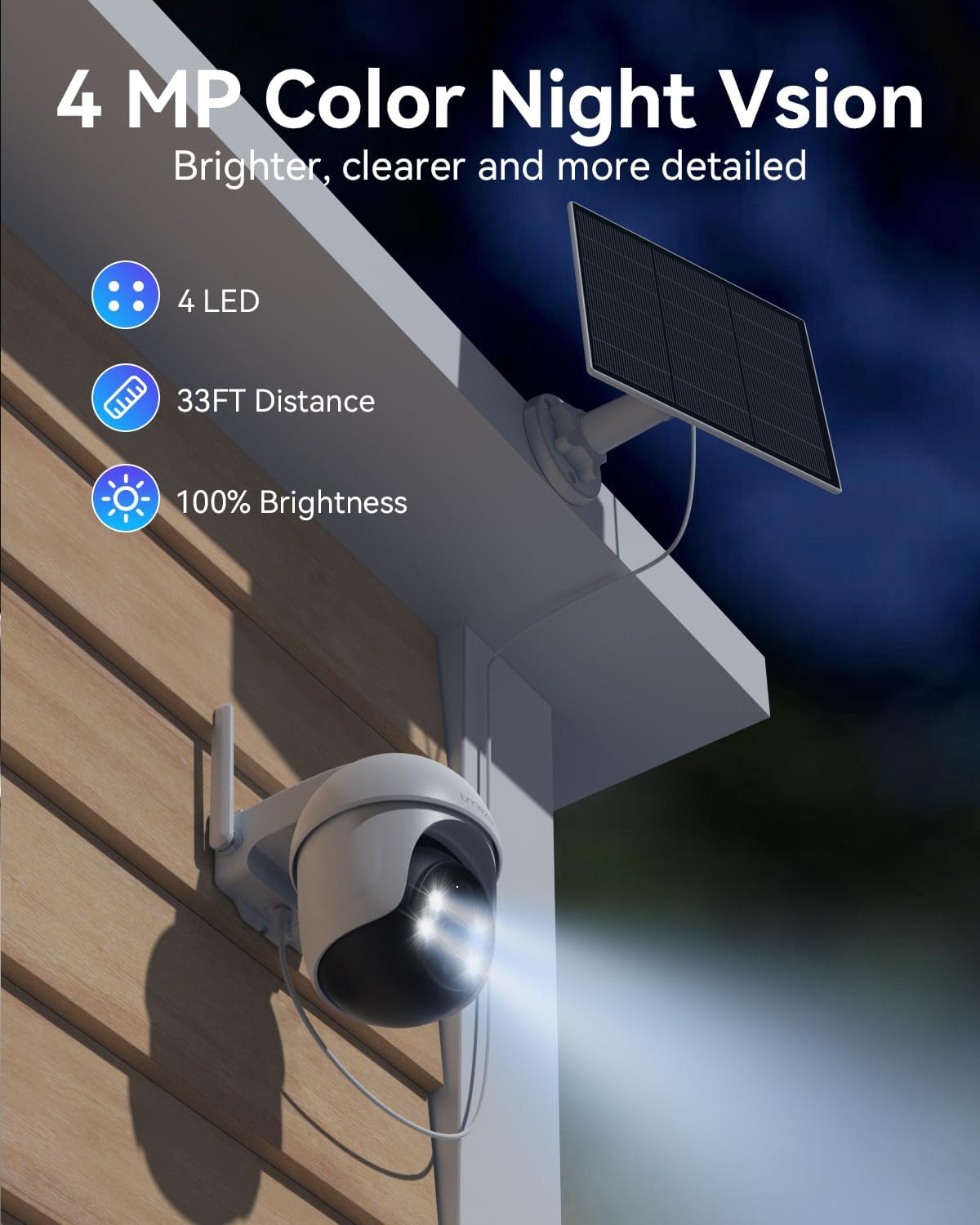
Image: An outdoor security camera mounted on a wall with its solar panel positioned for optimal sunlight.
Video: Demonstrates the quick and easy installation process of the camera and solar panel.
3.2 Homebase Connection
Place the Homebase indoors, centrally located to ensure good Wi-Fi coverage for all cameras. Connect the Homebase to power using the provided adapter. For initial setup and continuous monitoring, connect the Homebase to your router via the Ethernet cable. The Homebase also features an HDMI port for direct connection to a monitor or TV, allowing you to view live feeds without a smartphone.

Image: The TMEZON Homebase connected to a display, showing live feeds from multiple cameras.
Video: Illustrates the HDMI connectivity of the Homebase for direct display output.
3.3 App Download and Pairing
Download the Eseeclould app from your smartphone's app store (iOS/Android). Follow the in-app instructions to create an account and add your Homebase. Once the Homebase is added, you can pair each camera by pressing the 'SYNC' button on both the camera and the Homebase. The Homebase will beep to confirm successful pairing.

Image: Visual guide for syncing the camera with the Homebase using the 'SYNC' button.
4. Operating Instructions
4.1 Pan, Tilt, and Zoom Control
Each camera offers a 355° horizontal pan and 90° vertical tilt, providing a 360° view of your property. Use the Eseeclould app to remotely control the camera's direction and zoom in on specific areas, eliminating blind spots.

Image: The camera's 360-degree pan and tilt capabilities ensure no blind spots in surveillance.
Video: Demonstrates the 360° pan, tilt, and zoom functionality of the camera.
4.2 PIR Motion Detection & Real-time Alerts
The advanced PIR (Passive Infrared) motion detection system accurately identifies human and animal movement within 6 meters, minimizing false alarms from environmental factors. Upon detection, the system sends instant alerts to your app, activates a flashlight, and pushes notifications to your device.

Image: Smart PIR sensor in action, triggering alerts and a flashlight upon detecting movement.
Video: Shows human auto-tracking and cross-camera tracking features, along with timely notification delivery.
4.3 Two-Way Audio
Communicate directly with visitors or deter intruders using the built-in microphone and speaker. The two-way audio feature is accessible via the Eseeclould app, allowing for real-time conversations.

Image: Two-way audio functionality allowing communication through the camera via the app.
4.4 4MP HD & Color Night Vision
Capture clear and detailed footage with 4MP (2560×1440P) Super HD resolution. The enhanced infrared and color night vision provides clear full-color pictures up to 100ft even in low-light conditions, ensuring comprehensive surveillance day and night.
Image: The camera's 4MP Color Night Vision provides brighter and clearer details in low light.
Video: Highlights the enhanced night security features of the camera.
4.5 Local Storage & Playback
All recordings are encrypted and stored locally on the included 64GB SD card within the Homebase, eliminating the need for monthly subscription fees. This provides up to 4 months of video loop recording, ensuring your data remains secure even if cameras are damaged or lost.
Image: The system offers no monthly fees with 64GB SD card for local storage.
Video: Explains how local storage ensures data security and provides long-term recording.
4.6 WiFi Extender Functionality
The TMEZON Homebase acts as a powerful WiFi extender, enhancing connectivity and reducing dropped signals. It supports dual-band technology (2.4GHz and 5GHz) to extend coverage and increase transmission rates, ensuring stable communication with all cameras.

Image: The Homebase provides extensive Wi-Fi coverage for all connected cameras.
Video: Highlights the wireless connection and Wi-Fi coverage capabilities of the system.
4.7 Security Modes
The Eseeclould app allows you to easily switch between different security modes, such as 'Away Mode' and 'Home Mode', with a single click. These modes can be customized to activate specific camera behaviors and alert settings based on your presence or absence.
Video: Shows how to activate security modes with a single click via the app.
5. Maintenance
5.1 Cleaning
- Regularly wipe the camera lens and solar panel with a soft, damp cloth to remove dust, dirt, and debris.
- Ensure the solar panel is free from obstructions (e.g., leaves, snow) that could block sunlight.
5.2 Battery and Solar Panel Care
- While solar-powered, ensure the solar panels receive adequate sunlight daily to maintain optimal battery levels.
- In prolonged periods of low sunlight, you may need to temporarily charge the camera's internal battery using a USB-C cable.
5.3 Firmware Updates
- Check the Eseeclould app periodically for firmware updates. Keeping your system updated ensures optimal performance, security, and access to new features.
6. Troubleshooting
6.1 Camera Offline
- Check Wi-Fi signal strength at the camera's location. The Homebase acts as a repeater, but extreme distances or obstacles can affect connectivity.
- Ensure the camera's battery is charged. Verify the solar panel is clean and receiving direct sunlight.
- Restart the camera and Homebase.
6.2 False Motion Alerts
- Adjust the motion detection sensitivity settings in the Eseeclould app.
- Ensure the camera is not pointed at areas with constant movement (e.g., busy roads, swaying trees) if not desired.
6.3 Poor Night Vision Quality
- Clean the camera lens thoroughly.
- Ensure there are no reflective surfaces close to the camera that could interfere with infrared illumination.
6.4 Recording Issues
- Verify the 64GB SD card is properly inserted into the Homebase.
- Check if the SD card is full; the system supports loop recording, but ensure it's functioning correctly.
- Format the SD card via the app if issues persist (this will erase all recordings).
7. Specifications
| Feature | Detail |
|---|---|
| Model Name | E1-PRO*4+W300 |
| Indoor/Outdoor Usage | Outdoor |
| Power Source | Solar Powered |
| Connectivity Protocol | Wi-Fi |
| Video Capture Resolution | 4MP (2560x1440P) |
| Pan & Tilt | 355° Pan, 90° Tilt |
| Night Vision Range | Up to 100 ft (Color Night Vision) |
| Storage | 64GB SD Card (Local) |
| Motion Detection | PIR (Human/Animal Detection) |
| Two-Way Audio | Yes |
| Waterproof Rating | IP65 (from A+ content, not in specifications list, but implied by outdoor use) |
| Item Weight | 8.25 pounds |
| Product Dimensions | 2 x 3 x 3 inches (per camera) |
8. Warranty and Support
TMEZON products typically come with a standard manufacturer's warranty. Please refer to the warranty card included in your product packaging or visit the official TMEZON website for detailed warranty terms and conditions.
For technical support, troubleshooting assistance, or any inquiries regarding your TMEZON Security Camera System, please contact TMEZON Customer Service through their official channels. Contact information can usually be found on the product packaging or their website.
Related documentsE1-PRO*4+W300

Ask a question about this manual
Ask about setup, troubleshooting, compatibility, parts, safety, or missing instructions. Manuals+ will review the question and use this page’s manual context to help answer it.