
1. Introduction
Thank you for choosing the ViRockSign 16 Channel RC Excavator Construction Toy. This remote-controlled excavator is designed to provide a realistic and engaging play experience with its advanced features, including a metal shovel, simulated smoke, LED lights, and sound effects. This manual provides essential information for safe operation, setup, maintenance, and troubleshooting to ensure optimal performance and enjoyment.
2. Product Contents
Please verify that all items listed below are included in your package:
- 1 x RC Excavator Toy
- 1 x Remote Control (requires AA batteries, not included)
- 2 x 1800mAh Lithium Ion Batteries (for excavator)
- 1 x USB Charging Cable
- 1 x Screwdriver
- 1 x Water Injector
The excavator features a 1:16 scale design, a durable alloy shovel, and heavy-duty rubber tracks for various terrains.
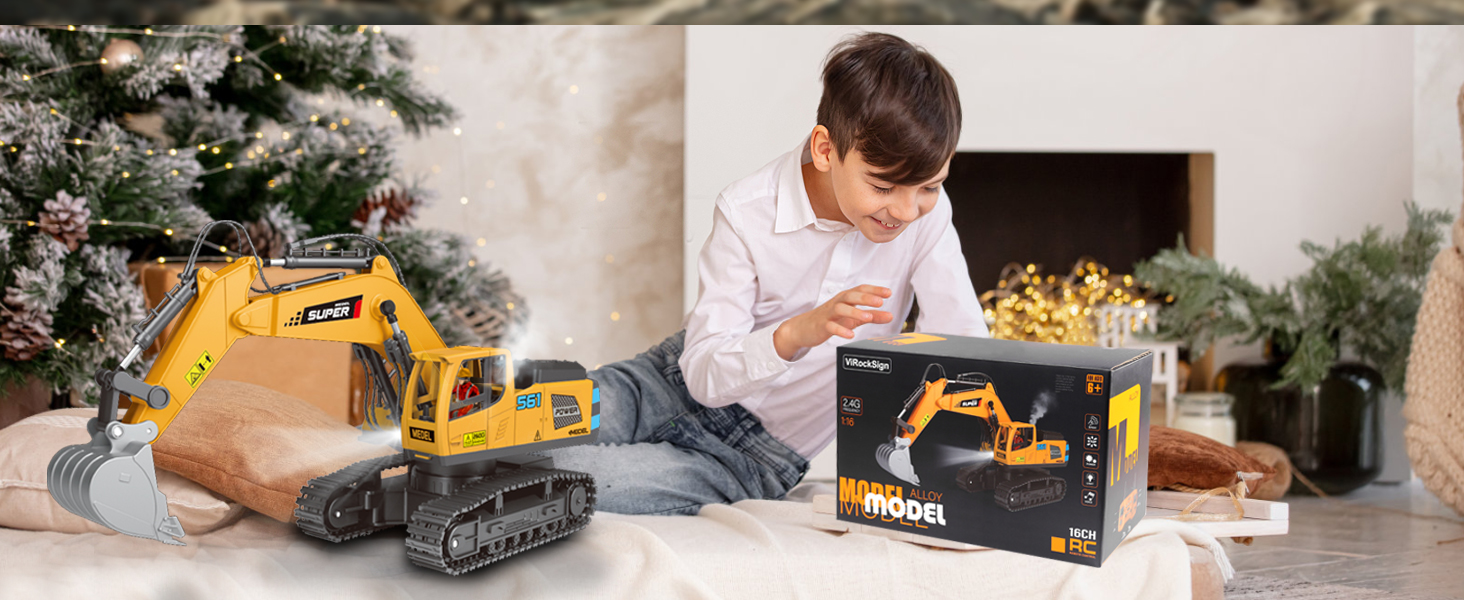
Figure 2.1: Package contents of the ViRockSign 16 Channel RC Excavator.
3. Safety Information
Please read and understand all safety warnings before operating the toy. Failure to do so may result in injury or damage to the product.
- Adult Supervision: Children under 3 years old must be accompanied by their parents during operation. Recommended age for use is 6-18 years.
- Battery Safety: Do not mix old and new batteries. Do not mix alkaline, standard (carbon-zinc), or rechargeable (nickel-cadmium) batteries. Insert batteries with correct polarity. Remove batteries if the toy will not be used for an extended period.
- Choking Hazard: This product contains small parts and is not suitable for children under 3 years without supervision.
- Water and Moisture: Keep the toy away from water and excessive moisture to prevent damage to electronic components, except for the designated water injection for smoke effect.
- Moving Parts: Keep fingers, hair, and loose clothing away from moving parts, such as the tracks and excavator arm, during operation.
- Charging: Use only the provided USB charging cable. Do not overcharge batteries.
4. Setup
4.1 Battery Installation and Charging
- Excavator Battery: Locate the battery compartment on the excavator. Use the included screwdriver to open it. Insert one of the 1800mAh Lithium Ion batteries, ensuring correct polarity. Close the compartment securely.
- Charging Excavator Battery: Connect the 1800mAh Lithium Ion battery to the USB charging cable. Plug the USB cable into a suitable USB power source (e.g., computer, USB wall adapter). The indicator light on the cable will show charging status. A full charge ensures hours of play.
- Remote Control Battery: Open the battery compartment on the back of the remote control. Insert 2 AA batteries (not included), observing correct polarity. Close the compartment.

Figure 4.1: Excavator battery installation and charging setup.
4.2 Water Injection for Smoke Effect
To activate the simulated smoke effect, use the provided water injector to carefully add a small amount of clean water into the designated reservoir on the excavator. Do not overfill.

Figure 4.2: Location for water injection for the simulated smoke effect.
5. Operating Instructions
5.1 Pairing the Remote Control
- Ensure both the excavator and remote control have fresh or fully charged batteries.
- Turn on the excavator using its power switch.
- Turn on the remote control using its power switch.
- The remote control and excavator should automatically pair. If not, turn both off and repeat the steps. The 2.4GHz frequency ensures anti-interference operation.
5.2 Remote Control Functions
The 16-channel remote control allows for precise and multi-directional operation of the excavator. Refer to the diagram below for button explanations:

Figure 5.1: Remote Control Button Explanation.
- Forward/Backward: Use the left joystick to move the excavator forward or backward.
- Turn Left/Right: Use the right joystick to steer the excavator left or right.
- Excavation/Bulldozing: Use the dedicated buttons or joystick movements to control the metal shovel for digging and bulldozing actions. The digging arm offers one-click operation for realistic movement.
- 680° Rotation: The excavator body can rotate 680 degrees electrically. Use the corresponding button or joystick for rotation.
- Spray Function (Smoke): Press the spray function button to activate the simulated smoke effect.
- Lights & Sound: The excavator features dynamic LED lights and realistic sound effects that operate during use.
- Speed Control: The excavator has dual-speed modes (high/low) for varied operation.
- Auto-Demo Mode: Activate the auto-demo mode for a pre-programmed sequence of movements, simplifying controls for younger users.

Figure 5.2: Simulated digging arm in action.

Figure 5.3: Excavator body electric control rotation.
5.3 Terrain Operation
The heavy-duty rubber tracks and 4WD system allow the excavator to navigate various terrains, including carpets, sand, and rugged ground. For optimal performance and longevity, avoid extremely wet or muddy conditions.

Figure 5.4: Excavator operating on multiple terrains.
Video 5.1: Demonstration of the ViRockSign RC Excavator's features and operation on various terrains, including its digging capabilities and remote control functions.
6. Maintenance
- Cleaning: After use, especially in dusty or sandy environments, gently wipe down the excavator with a dry or slightly damp cloth. Do not use harsh chemicals or immerse the toy in water.
- Battery Care: Always remove batteries from the toy and remote control when not in use for extended periods. Store batteries in a cool, dry place.
- Storage: Store the excavator and remote control in a clean, dry place, away from direct sunlight and extreme temperatures.
- Inspection: Periodically check for any loose screws or damaged parts. Tighten screws as needed and replace damaged parts to ensure safe operation.
7. Troubleshooting
| Problem | Possible Cause | Solution |
|---|---|---|
| Excavator does not move or respond. | Low battery in excavator or remote control; Not paired correctly; Power switch off. | Charge excavator batteries; Replace remote control batteries; Ensure both power switches are ON; Re-pair the remote control. |
| Smoke effect not working. | Water reservoir is empty; Smoke mechanism malfunction. | Refill water reservoir with clean water using the injector; If problem persists, contact customer support. |
| Excavator moves slowly or with reduced power. | Low battery; Obstruction in tracks or gears. | Charge excavator batteries; Check tracks and gears for debris and remove any obstructions. |
| Remote control signal interference. | Other 2.4GHz devices nearby. | Move to an area with less interference; Ensure no other 2.4GHz RC toys are operating on the same frequency. |
8. Specifications
- Model Number: 689-713A
- Product Dimensions: 7.6 x 5.3 x 12.4 inches
- Item Weight: 2.4 pounds
- Channels: 16 Channel
- Frequency: 2.4GHz
- Excavator Battery: 2 x 1800mAh Lithium Ion (included)
- Remote Control Battery: AA batteries (not included)
- Manufacturer Recommended Age: 6 - 18 years
- Material: Durable ABS plastic and alloy
9. Warranty and Support
ViRockSign is committed to providing high-quality products and customer satisfaction. If you encounter any problems with your product, please do not hesitate to contact us. We aim to provide a satisfactory solution within 12 hours of your inquiry.
For support, please refer to the contact information provided with your purchase or visit the official ViRockSign store on Amazon.