
1. Introduction
Thank you for choosing the HOSHI EXO CINEMASTER 2 drone. This professional-grade drone features 5G WiFi FPV, a 3-axis gimbal with a 4K EIS camera, and GPS for stable and precise flight. This manual provides essential instructions for setup, operation, maintenance, and troubleshooting to ensure a safe and optimal flying experience. Please read this manual thoroughly before operating the drone.

Image 1.1: The EXO CINEMASTER 2 drone is designed for portability, fitting neatly into its dedicated carrying case.
2. Package Contents
Ensure all items listed below are present in your package. If any components are missing or damaged, please contact customer support.
- 1 x CINEMASTER 2 Drone
- 1 x Remote Controller
- 4 x Propellers (spare)
- 1 x 11.4V 3200mAh LiPo Battery
- 1 x PD Charging Cable
- 1 x USB Charging Cable
- 1 x Screwdriver
- 1 x User Manual (Quick Start Guide + User Guide)
- 1 x Storage Bag (with EXO logo)
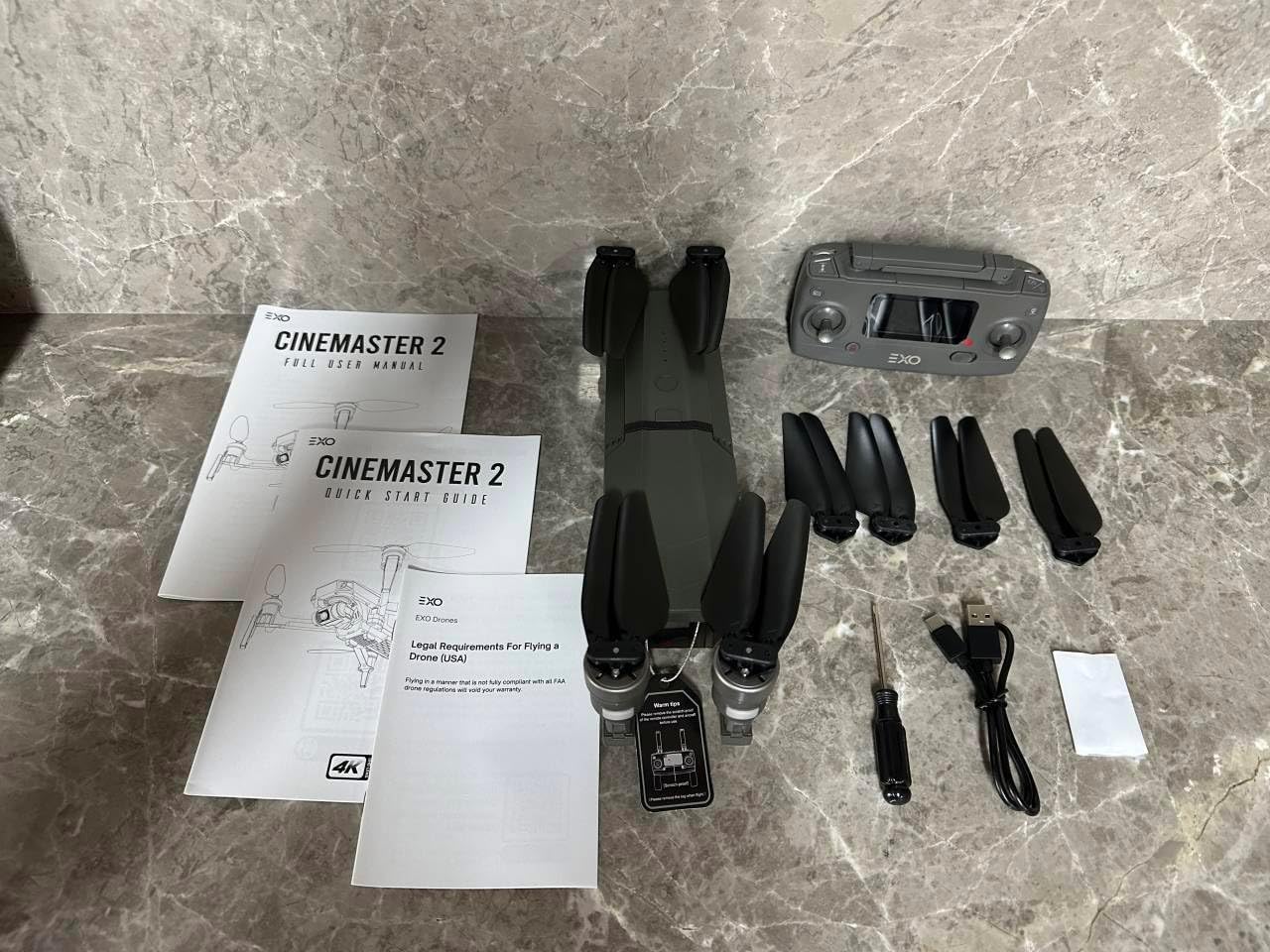
Image 2.1: Contents of the EXO CINEMASTER 2 drone package, including the drone, remote, battery, cables, and manuals.
3. Setup
3.1 Unfolding the Drone
- Place the drone on a flat, stable surface.
- Gently unfold the front arms first, then the rear arms, until they click into place.
- Ensure all propellers are securely attached and free from obstruction.
3.2 Battery Installation and Charging
- Insert the 11.4V 3200mAh LiPo battery into the drone's battery compartment until it is securely latched.
- To charge the battery, connect the PD charging cable or USB charging cable to the battery and a compatible power source.
- Charging time is approximately 5.5 hours with a standard 5V 2A charger, or about 1 hour with a PD charger over 45W.
3.3 Remote Controller Setup
- Install 2 AA batteries into the remote controller.
- Extend the phone holder on the remote controller and securely mount your smartphone.
- Download and install the EXO drone application on your smartphone.
- Power on the remote controller, then power on the drone. Follow the app's instructions to connect your smartphone to the drone via 5G WiFi.

Image 3.1: The EXO CINEMASTER 2 drone features a 3-axis gimbal for stable 4K video capture.
4. Operating Instructions
4.1 Pre-Flight Checklist
- Ensure drone and remote controller batteries are fully charged.
- Check propellers for any damage or obstructions.
- Verify GPS signal strength (for outdoor flight) and optical flow positioning (for indoor flight).
- Ensure the drone app is connected and functioning correctly.
4.2 Basic Flight Controls
The remote controller allows for precise manipulation of the drone's movement:
- Left Stick: Controls altitude (up/down) and yaw (turn left/right).
- Right Stick: Controls forward/backward movement and sideward flight (left/right).
- One-Key Takeoff/Landing: Press the designated button for automatic takeoff or landing.
4.3 Smart Flight Modes
The CINEMASTER 2 offers several intelligent flight modes for enhanced control and creative shots:
- Follow Me: The drone will automatically follow the remote controller or a designated subject.
- Point of Interest: The drone will circle a specified point, keeping it in the frame.
- TapFly: Tap a point on your screen, and the drone will fly to that location.
- Optical Flow Positioning: Provides stable hovering indoors or in areas with weak GPS signals.

Image 4.1: The CINEMASTER 2 drone offers extended flight time and range for capturing vast landscapes.

Image 4.2: User-friendly controls and smart features make the CINEMASTER 2 accessible for various skill levels.
4.4 Camera Operation
The integrated 4K EIS camera with a 3-axis gimbal provides high-quality aerial photography and videography.
- Video Resolution: Up to 3840x2160@30fps.
- Photo Resolution: Up to 3840x2160.
- Image Transmission: Real-time 720P@30FPS video feed via 5G WiFi to your smartphone, with a range of up to 450m.
- Storage: Supports Micro SD cards (Class 10 or higher, up to 128GB, not included).
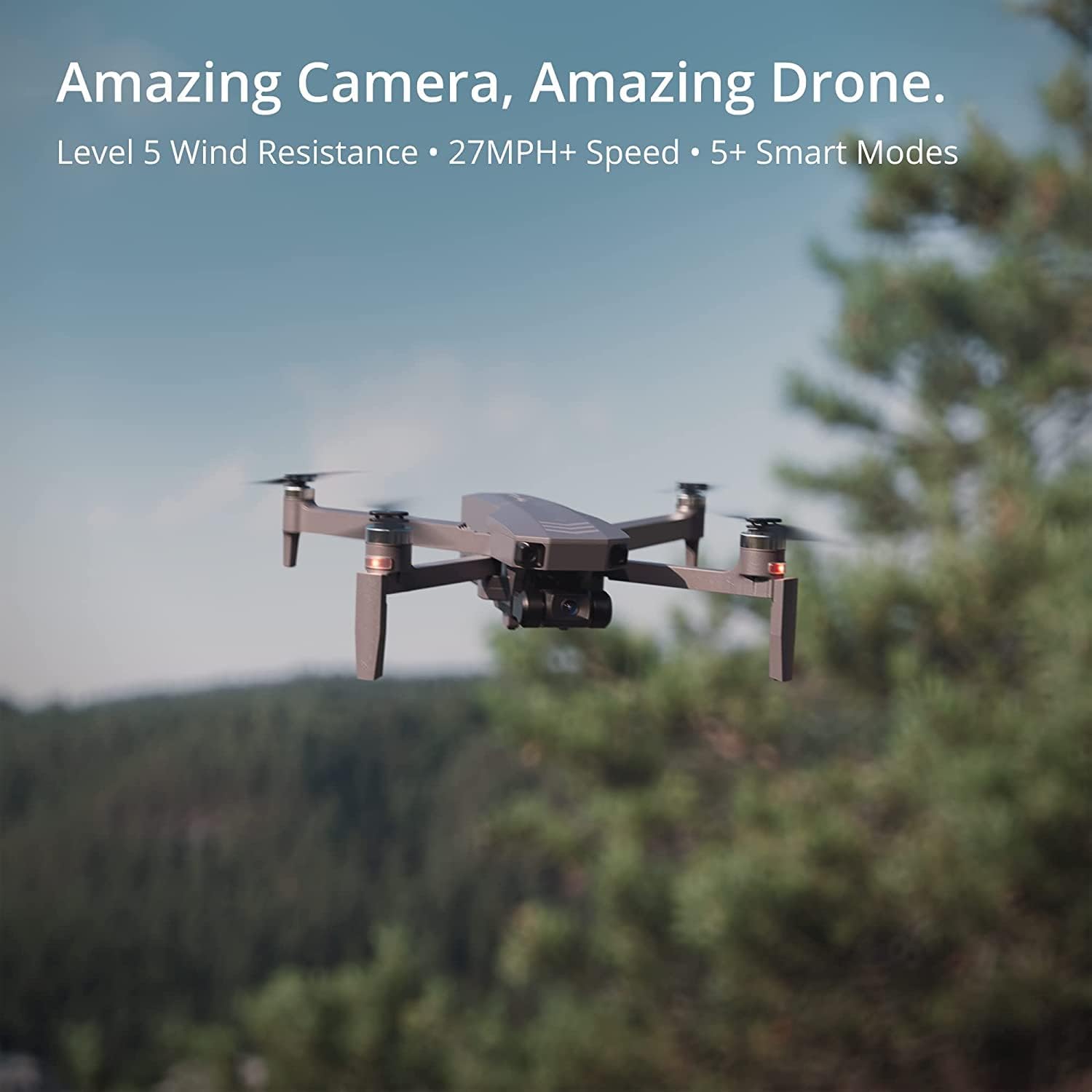
Image 4.3: The CINEMASTER 2 drone's advanced camera system captures stunning aerial footage.
5. Maintenance
5.1 Battery Care
- Always use the provided charging cables and a compatible power adapter.
- Do not overcharge or over-discharge the battery.
- Store batteries in a cool, dry place away from direct sunlight and extreme temperatures (operating temperature: 5°C to 40°C).
- If storing for extended periods, charge the battery to approximately 50-60% capacity.
5.2 Propeller Inspection and Replacement
- Before each flight, inspect all propellers for cracks, bends, or other damage.
- Replace damaged propellers immediately using the provided screwdriver and spare propellers. Ensure correct propeller orientation (A and B types).
5.3 Cleaning
- Use a soft, dry cloth to clean the drone body and camera lens.
- Avoid using liquid cleaners or solvents that could damage electronic components.
6. Troubleshooting
This section addresses common issues you might encounter with your EXO CINEMASTER 2 drone.
| Problem | Possible Cause | Solution |
|---|---|---|
| Drone does not power on | Battery not installed correctly or discharged. | Ensure battery is fully charged and properly inserted. |
| No image transmission to phone | 5G WiFi not connected or weak signal. | Reconnect 5G WiFi. Ensure phone is within 450m range. Check app permissions. |
| Drone drifts during flight | GPS signal weak or compass not calibrated. | Fly in an open area with strong GPS. Calibrate compass as per app instructions. |
| Short flight time | Battery not fully charged or aged. | Fully charge battery. Consider replacing old batteries. |
| Remote controller not responding | Low transmitter battery or not paired. | Replace AA batteries. Re-pair remote controller with drone. |
7. Specifications
Detailed technical specifications for the HOSHI EXO CINEMASTER 2 drone.
- Brand: HOSHI
- Model Name: CINEMASTER 2
- Quadcopter Expanded Size: 395 x 395 x 87 mm
- Quadcopter Folded Size: 295 x 80 x 87 mm
- Quadcopter Weight: 612 g (including battery)
- Max. Ascent Speed: 3 m/s
- Max. Descent Speed: 2 m/s
- Max. Flight Speed: 40 km/h
- Max. Flight Time: 28 minutes
- Max. Altitude Limit: 120 m
- Wind Resistance Level: <4 level
- Max. Flight Distance: >600 m
- Hovering Accuracy Range (Vertical): 0.3 m (indoor), 0.5 m (outdoor)
- Hovering Accuracy Range (Horizontal): 0.3 m (indoor), 1.5 m (outdoor)
- Motor: 2204 1000KV Brushless Motor
- ESC: 12A Brushless
- Integrated Positioning Sensor: GPS/Optical Flow/Barometer
- Camera: 4K EIS 5G WiFi Camera
- Effective Pixels: 4K
- Max. Transmission Frame Rate: 720P@30FPS
- Video Transmission System: 5G WIFI (802.11.ac)
- Image Transmission Range: 450 m
- Lens Angle: 120°
- Aperture: f/2.0
- Focal Length: 2.96 mm
- Sensor: 1/3 inch CMOS
- Local Video Frame Rate: 3840x2160@30fps, 1080P@60fps
- File System: FAT32
- Shutter Speed: 1/30s-1/10000s
- ISO Range: 100 - 3200 (Video/Photo)
- Gimbal: 3-axis Coreless
- Pitch Adjustment Range: 0° to -90°
- Roll Servo Range: -30° to 30°
- Yaw Servo Range: -30° to 30°
- Max Photo Resolution: 3840x2160
- Max Video Resolution: 3840x2160
- Supported SD Cards: Micro SD Card Class 10 and above (not included), Max. 128GB
- Battery Type: 11.4V 3200mAh LiPo
- Battery Weight: 204 g
- Charging Time: Approx. 5.5 h (5V 2A), Approx. 1 h (PD charger >45W)
- Remote Control Frequency: 2.4G
- Max. Remote Control Distance: >800 m
- Transmitter Battery: 2 * AA
- Transmitter Usage Time: Approx. 12 h
8. Warranty and Support
The HOSHI EXO CINEMASTER 2 drone comes with a standard manufacturer's warranty. For specific warranty terms and conditions, please refer to the warranty card included in your package or contact HOSHI customer service.
Customer Support
For technical assistance, troubleshooting, or inquiries regarding your drone, please contact HOSHI customer support through their official website or the contact information provided in your product documentation.