Download PDFFree PDF. The Save button below keeps a bookmark and private notes in your account.
Wet Sounds Portable Bluetooth Speaker WS-L Instruction Manual
Model: WS-L | Brand: Wet Sounds
1. Introduction
This manual provides essential information for the proper setup, operation, and maintenance of your Wet Sounds Portable Bluetooth Speaker (Model WS-L). Please read these instructions carefully before using the product to ensure optimal performance and longevity.
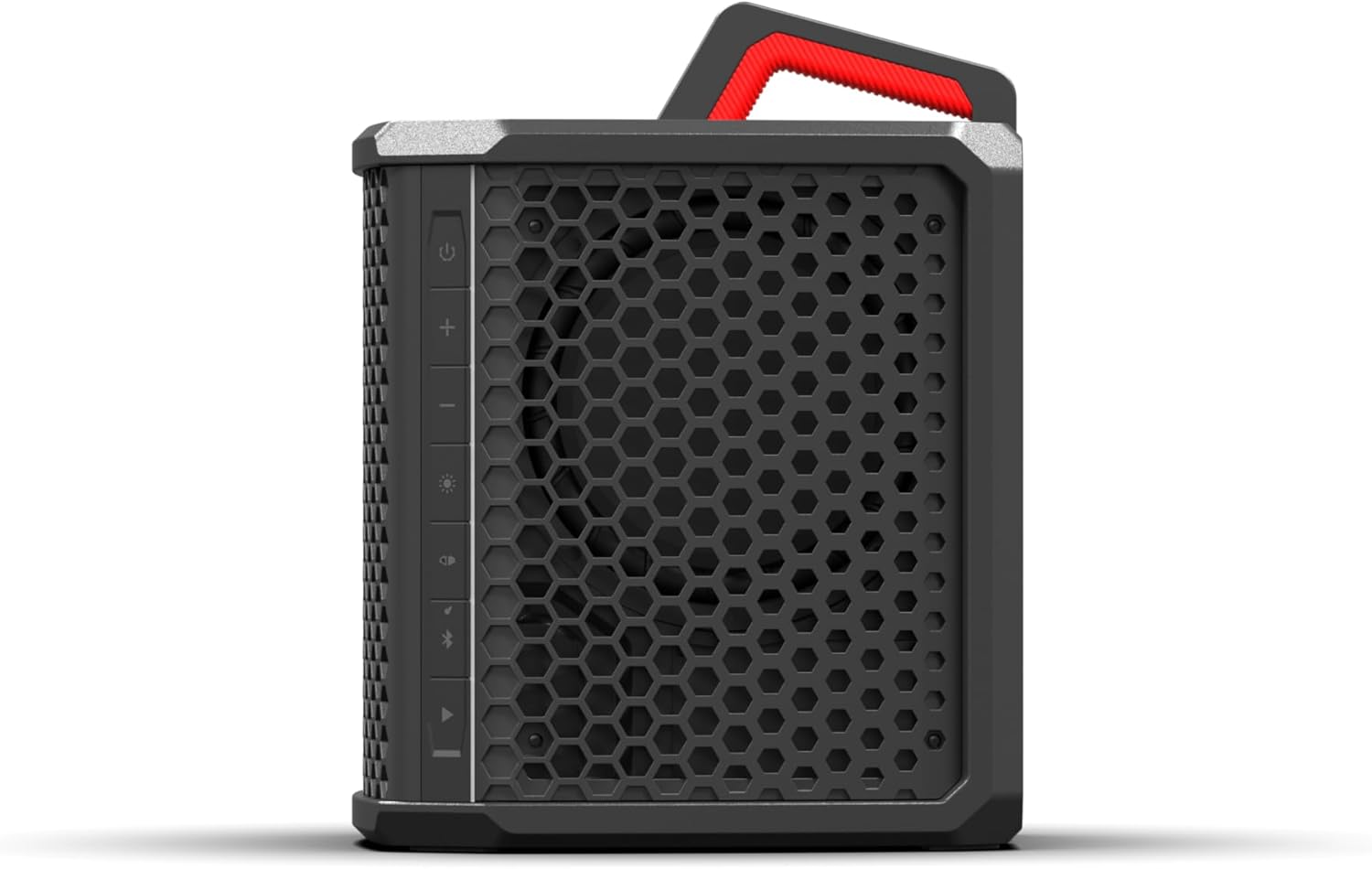
Figure 1: Front view of the Wet Sounds Portable Bluetooth Speaker.
2. Safety Information
Always follow basic safety precautions when using this product to reduce the risk of fire, electric shock, and injury. Keep the speaker away from extreme temperatures and direct sunlight. Do not attempt to disassemble or modify the speaker. Ensure the charging port is dry before connecting the power cable.
3. Package Contents
Wet Sounds Portable Bluetooth Speaker (WS-L)
Power Cable
Instruction Manual
4. Setup
4.1 Initial Charging
Before first use, fully charge the speaker using the provided power cable. The Lithium-Ion battery provides approximately 40 hours of playtime at normal levels, or 9 hours at maximum volume. A full charge typically takes several hours.
4.2 Powering On/Off
Press and hold the power button located on the side control panel to turn the speaker on or off.
Figure 2: Side control panel with power button, volume, and LED controls.
4.3 Bluetooth Pairing
Ensure the speaker is powered on.
Activate Bluetooth on your smartphone, tablet, or laptop.
Select 'Wet Sounds WS-L' from the list of available devices.
A confirmation sound will indicate successful pairing.
The speaker offers a Bluetooth range of up to 60 feet.
4.4 SKAA Wireless Connection
The speaker supports SKAA wireless technology for professional-grade audio performance with minimal latency. Refer to the SKAA documentation for your specific SKAA-enabled devices for detailed connection instructions. This allows for multi-speaker connections.
4.5 Stacking Multiple Speakers
The WS-L speaker features an interlocking design, allowing multiple units to be stacked securely for a larger sound system. Align the stacking points on the top and bottom of the speakers and gently press them together until they lock into place.
Figure 3: The speaker's stackable design for expanded audio coverage.
5. Operating Instructions
5.1 Basic Controls
The speaker features touch controls on its side panel:
Power Button: Press and hold to turn on/off.
Volume Up (+): Increase audio volume.
Volume Down (-): Decrease audio volume.
Play/Pause: Control media playback.
LED Control: Cycle through LED modes or adjust brightness/color.
5.2 LED Lighting
The integrated LED lighting can be customized to enhance your listening experience. Use the dedicated LED control button on the side panel to adjust colors and brightness. Refer to the LED control section in the full manual for specific patterns and customization options.
Figure 4: The speaker features multi-colored LED lighting.
5.3 Audio Output
The speaker provides stereo audio output. When multiple speakers are connected via SKAA, they can create a synchronized, multi-directional sound experience.
6. Maintenance
6.1 Cleaning
To clean the speaker, use a soft, damp cloth. Avoid using harsh chemicals or abrasive cleaners, as these can damage the finish. Ensure all ports are closed before cleaning with water.
6.2 Water and Dust Resistance
The Wet Sounds WS-L speaker has an IP67 weatherproof and dustproof rating. This means it is protected against dust ingress and can withstand immersion in water up to 1 meter for 30 minutes. While durable, it is recommended to avoid prolonged submersion.
Figure 5: The speaker's IP67 rating ensures protection against water and dust.
6.3 Storage
When not in use for extended periods, store the speaker in a cool, dry place. It is advisable to fully charge the battery before storing and to recharge it every few months to maintain battery health.
7. Troubleshooting
No Power: Ensure the speaker is fully charged. Connect the power cable and allow it to charge for at least 30 minutes before attempting to power on again.
No Sound: Check the volume levels on both the speaker and your connected device. Ensure the device is properly paired via Bluetooth or SKAA. Try re-pairing the device.
Bluetooth Disconnection: Ensure your device is within the 60-foot Bluetooth range. Obstacles or other wireless devices can interfere with the connection. Try moving closer to the speaker or restarting both devices.
SKAA Connection Issues: Verify that all SKAA-enabled speakers are within range and properly configured according to their respective manuals.
LEDs Not Working: Check the LED control button. If the issue persists, try resetting the speaker (refer to the full manual for reset procedures if available).
If you encounter issues not covered here, please contact Wet Sounds customer support.
8. Specifications
Feature
Specification
Brand
Wet Sounds
Model Number
WS-L
Speaker Maximum Output Power
144 Watts
Connectivity Technology
Bluetooth, SKAA
Audio Output Mode
Stereo
Mounting Type
Floor Standing
Enclosure Material
Plastic
Speaker Type
Portable Speaker
Additional Features
Dustproof, Hi Res Audio, Multi Room Audio, Portable, USB Port
Color
Black
Water Resistance Level
IP67 (Water Resistant)
Maximum Range (Bluetooth)
60 Feet
Control Method
Touch
Speaker Size
18 Inches
Battery Average Life
40 Hours
Item Dimensions (D x W x H)
18"D x 12"W x 12"H
Item Weight
26.76 Pounds
Compatible Devices
Laptop, Smartphone, Tablet
Battery Capacity
40000 Milliamp Hours
Power Source
Battery Powered
Number of Batteries
1 Lithium Ion (included)
Figure 6: Rear view of the speaker, showing the handle and port cover.
Video 1: Official product video showcasing the Wet Sounds Portable Speaker's features and use in various outdoor environments.
10. Warranty
The Wet Sounds Portable Bluetooth Speaker (Model WS-L) comes with a 1-year limited manufacturer's warranty. This warranty covers defects in materials and workmanship under normal use. It does not cover damage caused by misuse, accidents, unauthorized modifications, or normal wear and tear. Please retain your proof of purchase for warranty claims.
11. Support
For technical assistance, warranty inquiries, or further information, please visit the official Wet Sounds website or contact their customer support directly. You can also visit the Wet Sounds Store on Amazon for additional product details and resources.
Ask about setup, troubleshooting, compatibility, parts, safety, or missing instructions. Manuals+ will review the question and use this page’s manual context to help answer it.