
1. Product Overview
The DMK Fiber Laser Collimator and Focus Lens is designed for precision laser applications such as welding and cleaning. This lens features a double-sided coating for high light transmittance and durability, ensuring efficient laser beam transmission and clear working vision. Constructed from imported quartz crystal material, it offers excellent durability, high temperature resistance, and optical performance.
Key Features:
- Double-sided Coating: Both sides are coated with a high damage threshold penetration enhancement film to reduce reflection loss and protect against spatters.
- High Transmission: Achieves up to 99.9% light transmission for efficient laser beam delivery and clear vision.
- Safety Design: Features a humanized 0.5mm 45-degree protective full angle design for safe handling. Compatible with SUP20S/21T/23S handheld welding gun heads.
- Durable Material: Made from imported quartz crystal, providing uniform texture, excellent durability, and high temperature resistance.
- Precision Craftsmanship: Finely processed through slicing, polishing, and grinding for superior optical performance and thermal stability.

Image: An assortment of DMK Fiber Laser Collimator and Focus Lenses, showcasing various sizes and focal lengths.
2. Specifications
| Attribute | Detail |
|---|---|
| Product Name | Fiber Laser Collimator Lens Focus Lens |
| Model | D20F150T4.5 |
| Material | Quartz Fused Silica |
| Wavelength Compatibility | 1064nm (Optimized for CQWY Fiber Laser) |
| Design | Planoconvex |
| Application | Laser Welding, Cleaning (Suitable for CQWY laser equipment, SUP20S/21T/23S handheld welding gun head) |
| Product Dimensions | 0.63 x 0.63 x 0.2 inches |
3. Package Contents
- Laser lens x 1

Image: The DMK Fiber Laser Collimator and Focus Lens is securely packaged in a protective box, shown alongside a laser welding gun head.
4. Setup and Installation
Proper installation of the collimator and focus lens is crucial for optimal laser performance and safety. Always handle the lens with care, avoiding direct contact with the optical surfaces. Use clean, lint-free gloves during installation.
- Preparation: Ensure the laser equipment is powered off and cooled down. Refer to your laser machine's manual for specific instructions on accessing the lens compartment.
- Unpacking: Carefully remove the lens from its protective packaging. Inspect the lens for any visible damage or dust.
- Orientation: Identify the correct orientation for the lens. For planoconvex lenses, the convex side typically faces the laser source for collimation, and the flat side faces the workpiece for focusing, depending on the optical design of your laser head. Consult your laser system's documentation.
- Insertion: Gently place the lens into the designated slot within the laser head. Ensure it sits flush and is securely fastened according to your laser equipment's design (e.g., retaining ring, screw cap). Avoid overtightening.
- Cleaning (if necessary): If any dust or smudges are observed during installation, use a specialized optical lens cleaning solution and a lint-free wipe to clean the surfaces.

Image: A close-up view of the lens, highlighting its profile and the precision of its construction. This image can help in identifying the lens type and handling it correctly.
5. Operating Guidelines
Once installed, the DMK Fiber Laser Collimator and Focus Lens will work in conjunction with your laser system to deliver a precise laser beam. Adhere to the operating procedures outlined in your laser machine's primary manual.
- Focus Adjustment: After installation, perform a focus test to ensure the laser beam is properly focused at the desired working distance. Adjust the laser head's Z-axis as needed.
- Power Settings: Operate the laser within the recommended power settings for your specific application and material. Excessive power can reduce lens lifespan.
- Environmental Conditions: Maintain a clean and stable environment around the laser system to prevent dust and debris from accumulating on the lens surface.
- Safety Precautions: Always wear appropriate laser safety eyewear and follow all safety protocols for your laser equipment. Never look directly into the laser beam.
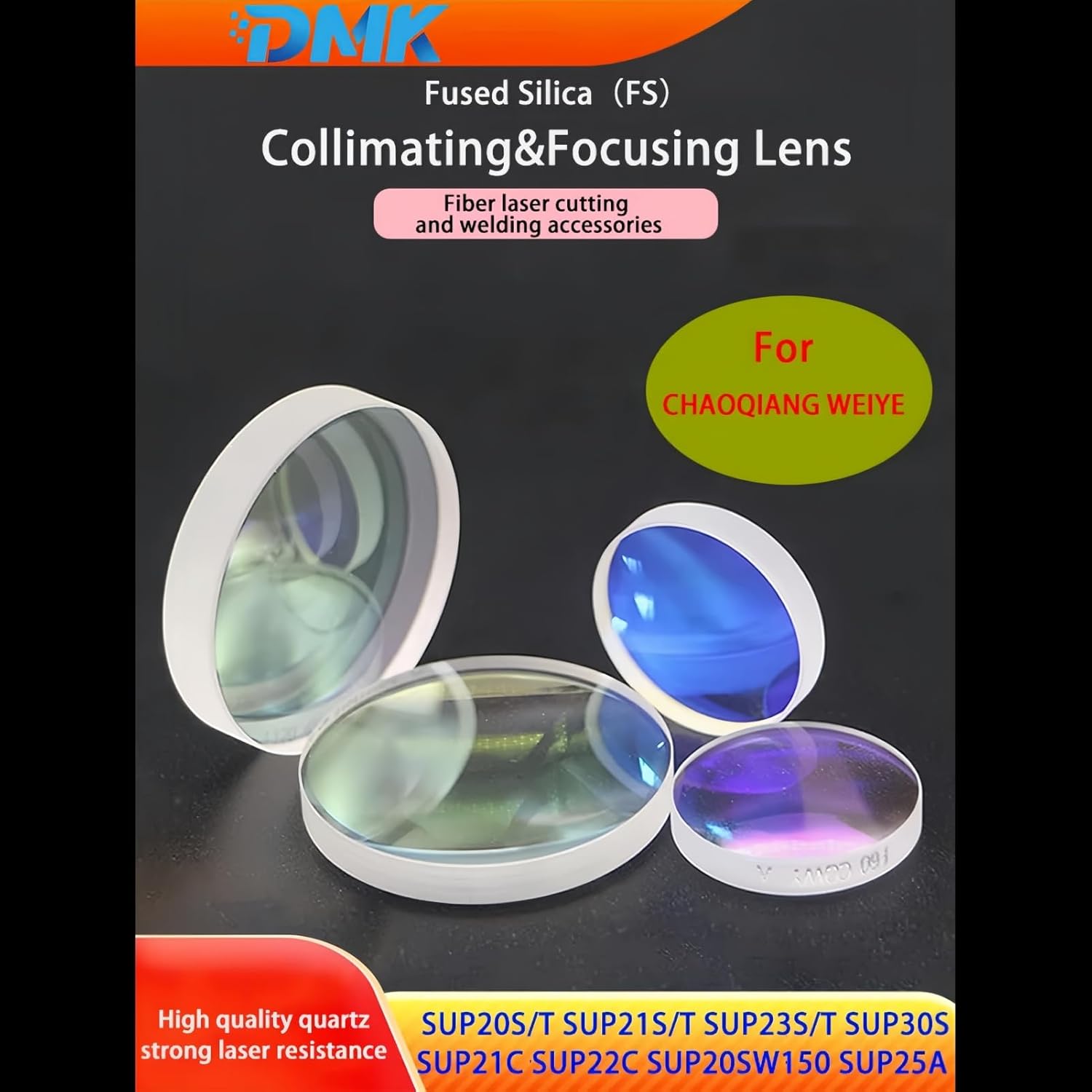
Image: An assortment of DMK Fiber Laser Collimator and Focus Lenses, showcasing various sizes and coatings. This illustrates the range and quality of the lenses.
6. Maintenance and Cleaning
Regular maintenance and proper cleaning are essential to preserve the optical performance and extend the lifespan of your DMK laser lens. Contaminants on the lens surface can absorb laser energy, leading to overheating and damage.
- Inspection: Periodically inspect the lens for dust, debris, smudges, or any signs of damage (e.g., scratches, burns). The frequency of inspection depends on your usage environment.
- Gentle Cleaning: For light dust, use a bulb blower to gently remove particles. Avoid using compressed air from a can, as it may contain propellants that can leave residue.
- Wet Cleaning: For stubborn smudges or oil, use a high-purity optical grade lens cleaning solution (e.g., isopropyl alcohol or acetone) and a specialized optical wipe. Apply a small amount of solution to the wipe, not directly to the lens, and gently wipe the surface in a single direction. Do not rub vigorously.
- Storage: When not in use, store the lens in its original protective case in a clean, dry, and dust-free environment.

Image: A DMK lens with text indicating "high power" capability, emphasizing its robust design for demanding laser applications.

Image: A DMK lens with text indicating "Not afraid of the heat", illustrating its high temperature resistance due to quartz fused silica material.
7. Troubleshooting
If you experience issues with your laser system's performance after installing or using the DMK lens, consider the following common troubleshooting steps:
- Reduced Laser Power or Inconsistent Engraving/Cutting:
- Check Lens Cleanliness: A dirty lens is the most common cause of power loss. Refer to Section 6 for cleaning instructions.
- Verify Lens Orientation: Ensure the lens is installed with the correct orientation as per your laser head's requirements.
- Inspect for Damage: Look for scratches, chips, or burns on the lens surface. A damaged lens will require replacement.
- Focus Adjustment: Re-check and adjust the laser focus. An improperly focused beam will result in poor performance.
- Beam Deviation or Astigmatism:
- Lens Seating: Ensure the lens is seated correctly and securely in its mount without any tilt or misalignment.
- Optical Path Alignment: Verify the overall alignment of your laser system's optical path, including mirrors and other lenses.
- Excessive Heat Generation at Lens:
- Cleanliness: This is often a sign of contamination on the lens surface absorbing laser energy. Clean the lens thoroughly.
- Air Assist: Ensure your laser system's air assist is functioning correctly to prevent debris from settling on the lens and to cool the workpiece.
If issues persist after performing these checks, consult your laser equipment's manufacturer for further assistance.
8. Important Notes
- Due to variations in monitor displays, the actual color of the item may differ slightly from the images shown.
- Always handle optical components with extreme care to prevent damage.