
1. Introduction
Thank you for choosing the AOLADY FW01 Warming Mat. This versatile appliance is designed to keep food warm, and offers additional functions such as food dehydration, dough fermentation, and plate warming. Featuring precise temperature control via an integrated display and a dedicated mobile application, this mat provides a convenient solution for various culinary needs. Please read this manual thoroughly before use to ensure safe and optimal operation.
2. Important Safeguards
To reduce the risk of fire, electric shock, or injury, always follow these basic safety precautions:
- Read all instructions before using the appliance.
- Do not touch hot surfaces. Use handles or knobs.
- To protect against electrical hazards, do not immerse the cord, plugs, or the appliance in water or other liquid.
- Close supervision is necessary when any appliance is used by or near children.
- Unplug from outlet when not in use and before cleaning. Allow to cool before putting on or taking off parts.
- Do not operate any appliance with a damaged cord or plug, or after the appliance malfunctions or has been damaged in any manner.
- The use of accessory attachments not recommended by the appliance manufacturer may cause injuries.
- Do not use outdoors.
- Do not let cord hang over edge of table or counter, or touch hot surfaces.
- Do not place on or near a hot gas or electric burner, or in a heated oven.
- Always attach plug to appliance first, then plug cord into the wall outlet. To disconnect, turn any control to 'off', then remove plug from wall outlet.
- Do not use appliance for other than intended use.
- Caution: Hot Surface. Do Not Touch. Do Not Rinse.
- Do not place on heat-sensitive countertops.
3. Product Overview and Components
The AOLADY FW01 Warming Mat features a flexible silicone mat with an integrated control panel and a full-color high-definition display. It is designed for portability and ease of use.

Image 3.1: The AOLADY FW01 Warming Mat in use, showing the mat with various dishes, the control panel, and the mobile app interface.
Key Features:
- Upgraded Full-Surface Graphene Heating: Provides rapid and uniform heating across the entire mat surface.
- App Control: Manage settings remotely via the dedicated mobile application.
- Infinite Temperature Control: Adjust temperature in 1°F increments from 50°F to 212°F.
- Customizable Timer: Set a timer from 30 to 480 minutes, in 10-minute increments.
- Innovative One-piece Molding Technology: Ensures durability, splash protection, stain resistance, and oil resistance.
- Versatile Use: Suitable for keeping food warm, defrosting, warming plates, dough fermentation, food dehydration, and melting chocolate.
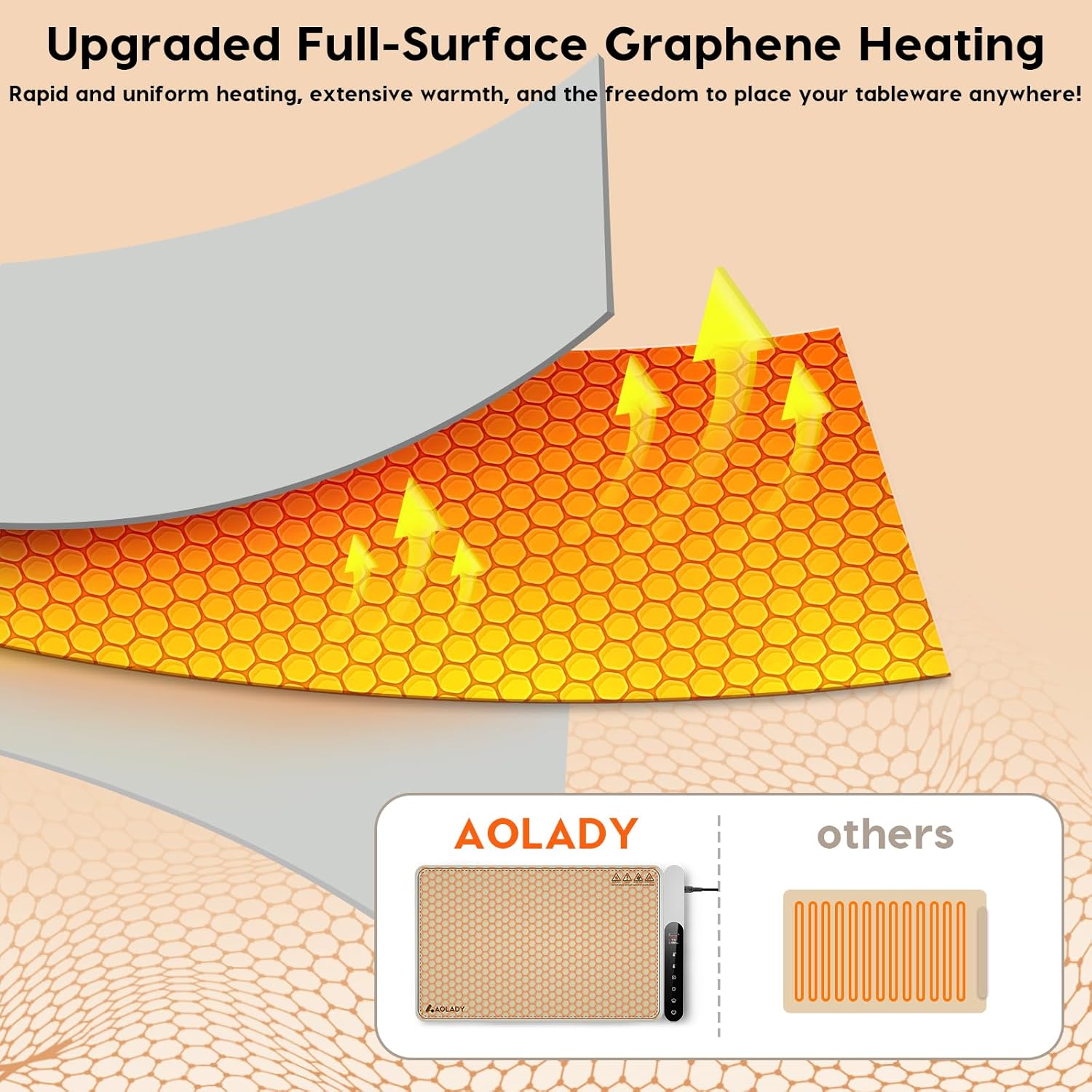
Image 3.2: Diagram illustrating the full-surface graphene heating technology for even heat distribution.
4. Setup
4.1 Initial Placement
- Unroll the warming mat completely on a stable, heat-resistant surface. Ensure there is adequate space around the mat for proper ventilation.
- Verify that the mat is clean and free from any debris before plugging it in.
4.2 Power Connection
- Connect the power cord to the warming mat's control panel.
- Plug the power cord into a standard 110V/2.5A electrical outlet. The unit requires 270W of power.
4.3 App Installation and Pairing
The AOLADY FW01 can be controlled via the 'ilife+' mobile application.
- Download the 'ilife+' app from the App Store (for iOS devices) or Google Play Store (for Android devices).
- Open the app and follow the on-screen instructions to create an account or log in.
- Ensure your warming mat is powered on and within Bluetooth range of your mobile device.
- In the app, select the option to add a new device and follow the pairing process. The app will guide you through connecting to your FW01 warming mat.
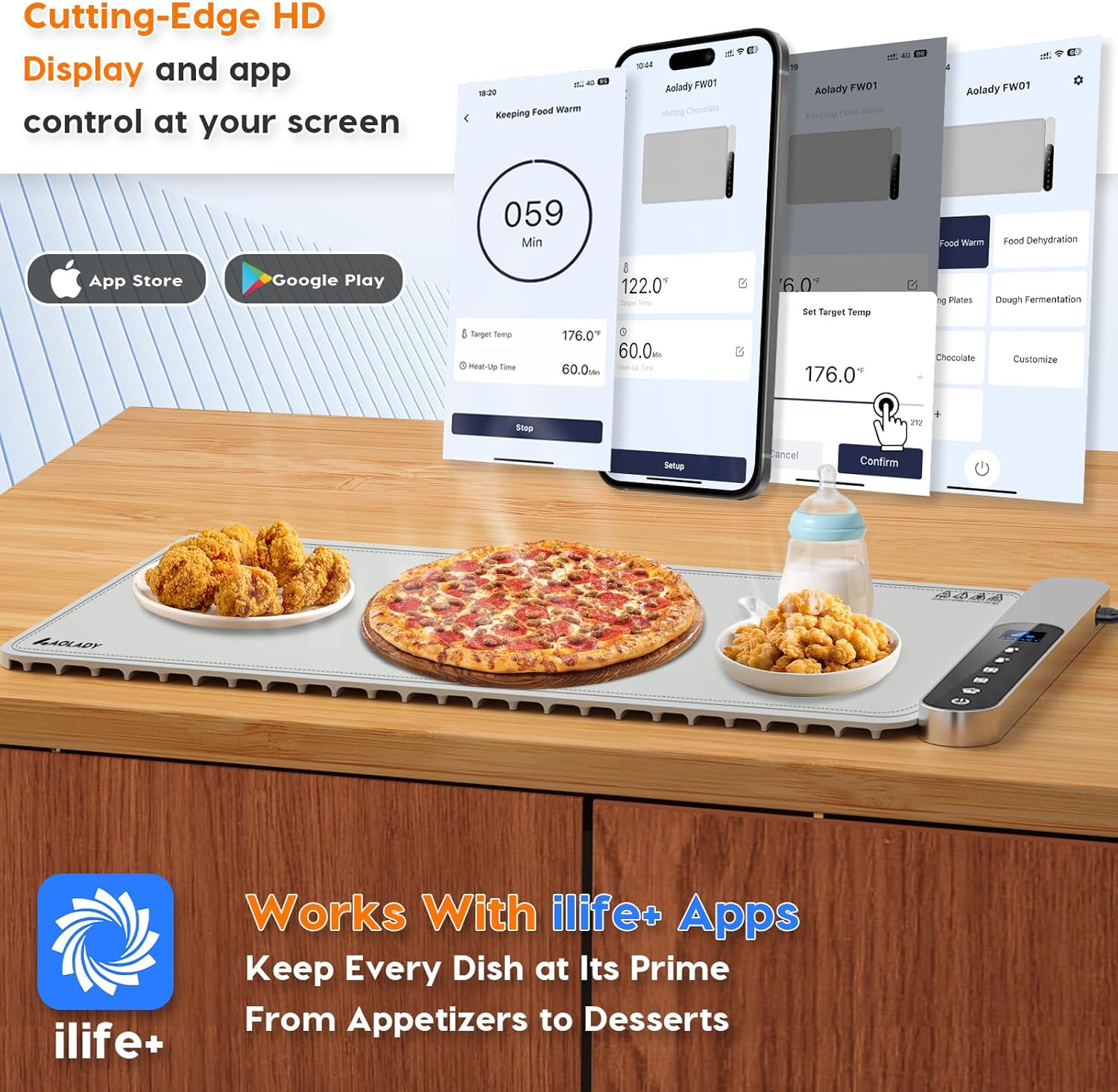
Image 4.1: Screenshots demonstrating the 'ilife+' app interface for temperature and timer control.
5. Operating Instructions
5.1 Powering On/Off
- To turn the mat ON, long press the power button on the control panel.
- To turn the mat OFF, long press the power button again.
5.2 Adjusting Temperature and Timer
The warming mat offers precise control over temperature and time through its integrated control panel and the mobile app.

Image 5.1: The warming mat's control panel displaying temperature and timer settings, with a dish of lasagna on the mat.
- Unlocking Controls: After the product is running, you must first press the power button briefly to unlock the controls before adjusting temperature and time.
- Temperature Adjustment: The temperature can be adjusted in 1°F increments within a range of 50°F to 212°F. Use the dedicated temperature buttons on the control panel or the app interface. For quicker adjustments, press and hold the corresponding temperature buttons.
- Timer Setting: The timer can be set from 30 minutes to 480 minutes, in 10-minute increments. Use the dedicated timer buttons on the control panel or the app. For quicker adjustments, press and hold the corresponding timer buttons.
5.3 Versatile Uses
Beyond keeping food warm, the AOLADY FW01 offers several other functions:
- Food Dehydration: Use lower temperatures over extended periods to dehydrate fruits or vegetables.
- Melting Chocolate: The precise temperature control allows for gentle melting of chocolate without scorching.
- Dough Fermentation: Create an ideal warm environment for dough to rise.
- Warming Plates: Pre-warm serving plates to keep food hotter for longer.
- Defrosting: Gently defrost frozen items.
- Warming Baby Bottles: Safely warm baby bottles to the desired temperature.
- Speeding up Epoxy Resin Curing: Provide a consistent warm surface for resin projects.

Image 5.2: Examples of the warming mat's versatile applications, including food dehydration, melting chocolate, dough fermentation, and warming plates.
6. Maintenance and Care
6.1 Cleaning
The AOLADY FW01 Warming Mat is designed with splash protection, stain resistance, and oil resistance for easy cleaning.
- Ensure the mat is unplugged and completely cooled before cleaning.
- Wipe the surface of the mat with a damp cloth. For stubborn stains, use a mild detergent.
- Do not immerse the mat or control panel in water or any other liquid.
- Do not use abrasive cleaners or scouring pads, as these may damage the surface.
- Dry thoroughly before storing or next use.
6.2 Storage
The flexible design of the warming mat allows for compact storage.
- Ensure the mat is clean and dry.
- Roll up the mat neatly for space-saving storage. The innovative one-piece molding technology prevents unsightly creases.
- Store in a cool, dry place away from direct sunlight.

Image 6.1: Demonstrating the ease of cleaning the mat and rolling it up for compact storage in a drawer.
7. Troubleshooting
| Problem | Possible Cause | Solution |
|---|---|---|
| Mat does not power on. | Not plugged in correctly; Power outlet malfunction; Damaged power cord. | Ensure the power cord is securely plugged into both the mat and a working electrical outlet. Try a different outlet. Inspect the power cord for damage; if damaged, contact customer support. |
| Mat is on but not heating. | Temperature set too low; Unit is locked. | Check the set temperature on the display or app. Ensure it is above the current ambient temperature. Briefly press the power button to unlock controls, then adjust temperature. |
| Cannot adjust temperature or timer. | Controls are locked. | After the mat is running, briefly press the power button to unlock the controls before making adjustments. |
| App cannot connect to the mat. | Bluetooth is off; Mat is out of range; App not paired correctly. | Ensure Bluetooth is enabled on your mobile device. Move your device closer to the mat. Re-attempt the pairing process in the 'ilife+' app. Restart both the app and the mat. |
| Uneven heating. | Mat not fully unrolled; Items placed incorrectly. | Ensure the mat is fully unrolled and lying flat on a stable surface. Distribute items evenly on the mat. |
8. Specifications
| Feature | Detail |
|---|---|
| Brand | AOLADY |
| Model Number | FW01 |
| Material | Silicone (Food-grade, 100% BPA-free) |
| Color | Gray |
| Product Dimensions | 25.6 x 14.96 x 0.9 inches (65 x 38 x 2.3 cm) |
| Item Weight | 4.09 pounds (1.85 kg) |
| Voltage | 110V |
| Wattage | 270 watts |
| Temperature Range | 50°F - 212°F (10°C - 100°C) |
| Timer Range | 30 - 480 minutes |
| Power Source | Corded Electric |

Image 8.1: Visual representation of the warming mat's dimensions (15 x 23.6 inches when flat, 15 x 5 inches when rolled).
9. Warranty Information
Specific warranty details for your AOLADY FW01 Warming Mat are typically included with the product packaging or available on the manufacturer's official website. Please refer to these resources for information regarding warranty coverage, terms, and conditions.
10. Customer Support
If you have any questions, concerns, or require assistance with your AOLADY FW01 Warming Mat, please contact AOLADY customer support. Contact information can typically be found on the product packaging, the official AOLADY website, or through your retailer.
11. Product Videos
No official product videos from the seller were found to be relevant for inclusion in this instruction manual.