
1. Safety Information
Please read all safety instructions carefully before using the Portronics Mopcop handheld vacuum cleaner. Retain this manual for future reference.
- Do not immerse the vacuum cleaner, charging cable, or adapter in water or other liquids.
- Keep the device away from children and pets.
- Do not vacuum flammable or combustible materials, hot ashes, or sharp objects.
- Use only the provided charging cable and adapter.
- Do not operate the vacuum cleaner if it is damaged or malfunctioning.
- Ensure the HEPA filter is properly installed before use.
- Avoid exposing the battery to extreme temperatures or direct sunlight.
2. Product Overview
The Portronics Mopcop is a versatile, rechargeable handheld vacuum cleaner designed for efficient cleaning in both home and car environments. Its cordless design, powerful suction, and multi-function nozzles make it ideal for various cleaning tasks.
Included Components:
- Portronics Mopcop Handheld Vacuum Cleaner
- Washable HEPA Filter (pre-installed)
- Wide Mouth Suction Nozzle
- Long Mouth Suction Nozzle
- Flexible Hose Suction Nozzle
- Brush Mouth Suction Nozzle
- Charging Cable

Image: Portronics Mopcop handheld vacuum cleaner shown with its various attachments and the HEPA filter.
3. Setup
3.1 Charging the Vacuum Cleaner
Before first use, fully charge the vacuum cleaner. The device features a powerful rechargeable battery for cordless operation.
- Connect the charging cable to the charging port on the vacuum cleaner.
- Plug the other end of the charging cable into a suitable power source (e.g., wall adapter, car charger).
- The charging indicator light will illuminate. Once fully charged, the light may change color or turn off, depending on the model.
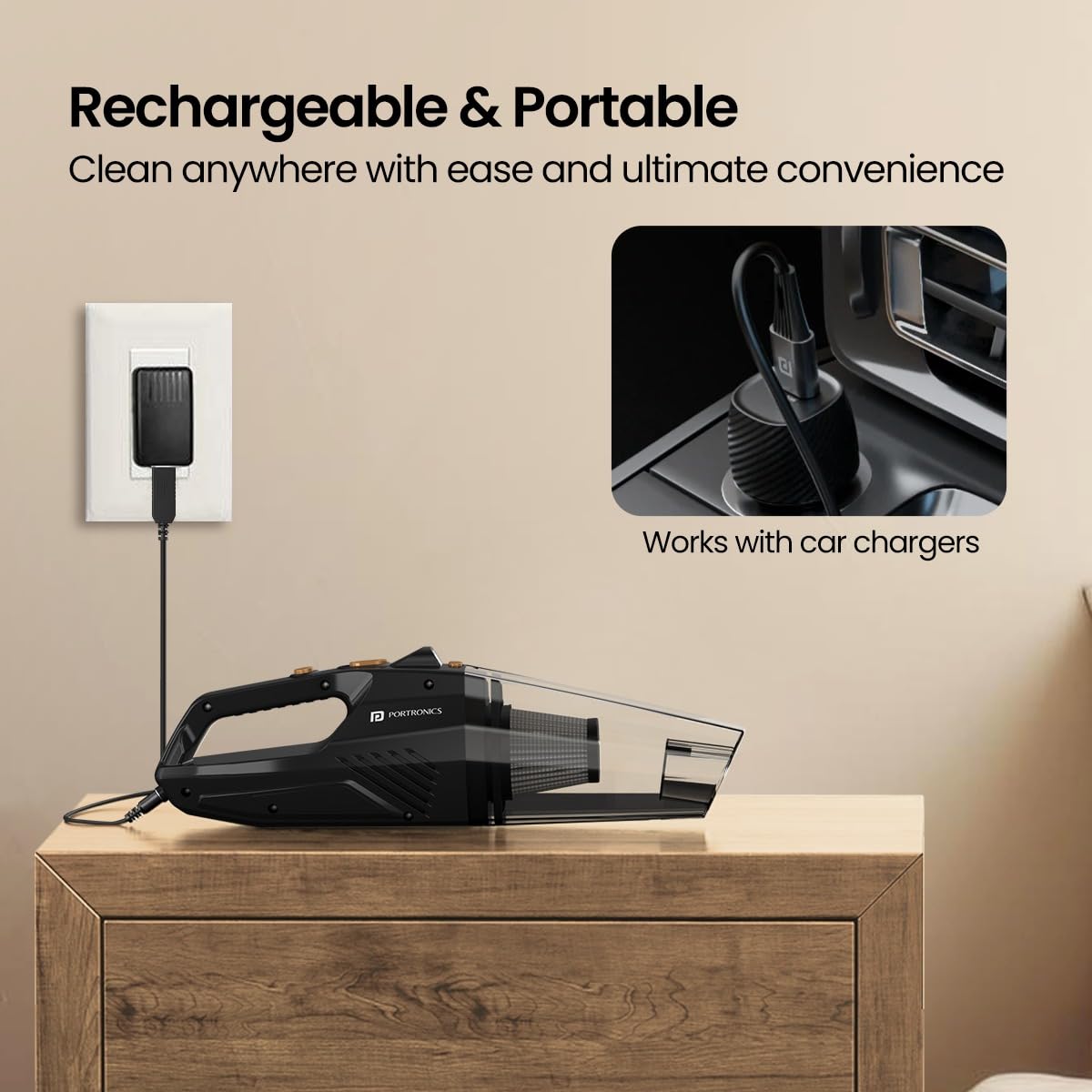
Image: The Portronics Mopcop vacuum cleaner connected to a wall charger and an illustration of it being compatible with car chargers.
3.2 Attaching Nozzles
Select the appropriate nozzle for your cleaning task and attach it firmly to the suction inlet of the vacuum cleaner.

Image: A visual guide to the four included nozzles: Wide Mouth, Long Mouth, Flexible Hose, and Brush Mouth Suction Nozzles, with their recommended uses.
4. Operating Instructions
4.1 Powering On/Off
Press the power button located on the handle to turn the vacuum cleaner on. Press it again to turn the device off.
4.2 Using the Nozzles
- Wide Mouth Suction Nozzle: Ideal for cleaning larger surfaces like carpets, floors, and car mats.
- Long Mouth Suction Nozzle: Designed for reaching narrow gaps and crevices, such as between sofa cushions or car seats.
- Flexible Hose Suction Nozzle: Provides extended reach for cleaning under furniture, beds, or other hard-to-access areas.
- Brush Mouth Suction Nozzle: Suitable for delicate surfaces and for dislodging dust from keyboards, dashboards, or upholstery.

Image: The Portronics Mopcop vacuum cleaner being used to clean the interior of a car, demonstrating its portable and sleek design.
4.3 Using the Built-in Flashlight
The integrated LED flashlight helps illuminate dark areas, ensuring thorough cleaning under seats, in corners, or other poorly lit spaces. Activate the flashlight by pressing its dedicated button.

Image: The vacuum cleaner's built-in flashlight is shown in action, brightening a dark area of a car's interior for effective cleaning.
4.4 Powerful Suction
The Mopcop delivers strong suction power to effectively pick up dust particles, pet hairs, and other debris from various surfaces.

Image: The vacuum cleaner actively removing debris from a sofa, illustrating its strong suction capability.
4.5 Product Demonstration Video
Video: A brief demonstration of the Portronics Mopcop handheld vacuum cleaner in use, showcasing its features like powerful suction, various nozzles, and ease of cleaning.
5. Maintenance
Regular maintenance ensures optimal performance and extends the lifespan of your Portronics Mopcop vacuum cleaner.
5.1 Emptying the Dust Container
Empty the dust container regularly, especially when it appears full, to maintain strong suction power.
- Ensure the vacuum cleaner is turned off.
- Detach the dust container from the main body of the vacuum cleaner.
- Carefully empty the collected debris into a waste bin.
- Reattach the dust container securely.
5.2 Cleaning the HEPA Filter
The Mopcop features a washable and reusable HEPA filter. Clean it regularly to prevent clogging and maintain filtration efficiency.
- Remove the HEPA filter from the dust container.
- Rinse the filter under running water until it is clean. Do not use detergents or hot water.
- Allow the filter to air dry completely before reinserting it into the vacuum cleaner. Ensure it is fully dry to prevent damage to the motor.
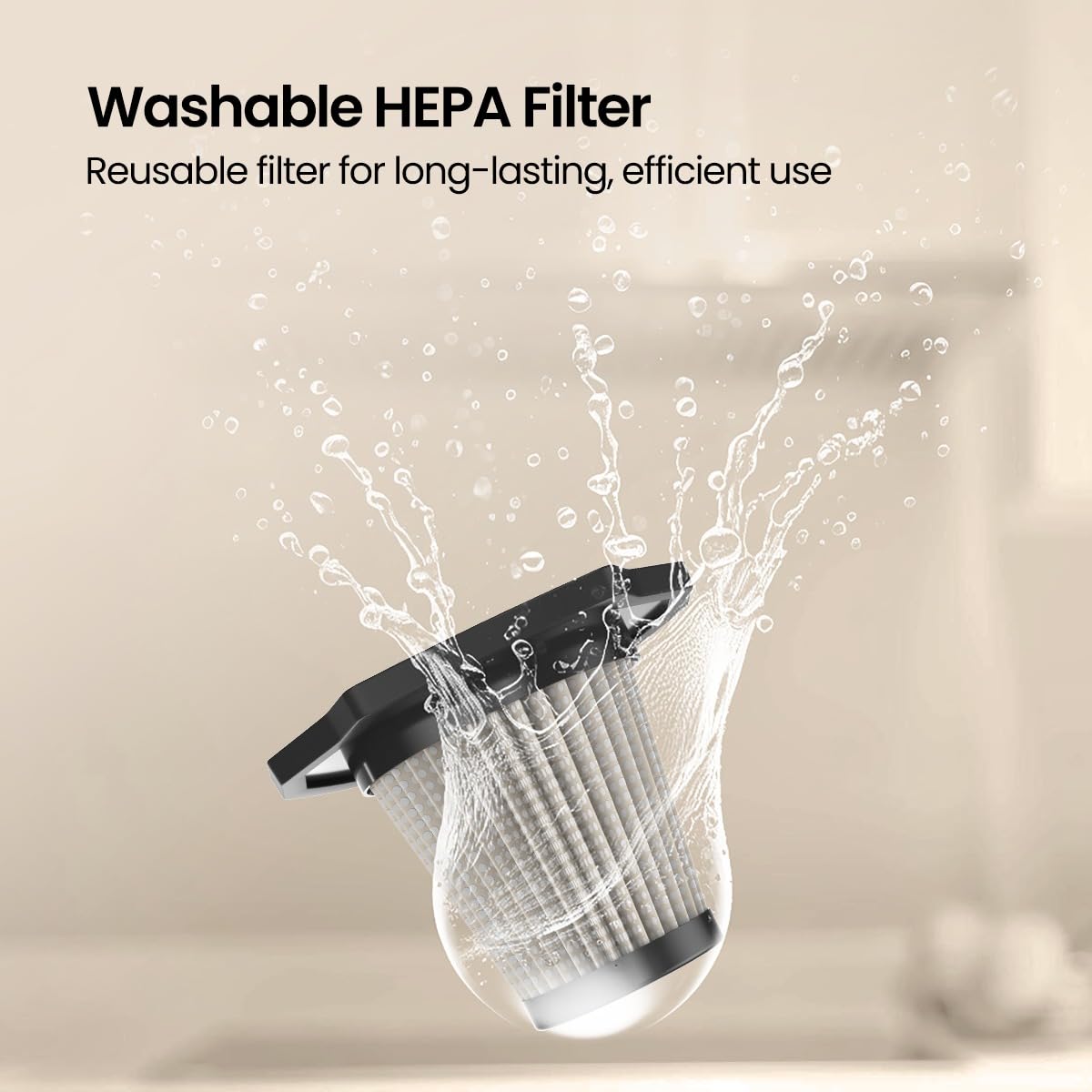
Image: A hand rinsing the washable HEPA filter under a faucet, demonstrating the ease of cleaning for long-lasting performance.
6. Troubleshooting
If you encounter any issues with your Portronics Mopcop, refer to the following common problems and solutions:
| Problem | Possible Cause | Solution |
|---|---|---|
| Vacuum cleaner does not turn on. | Battery is depleted. | Charge the vacuum cleaner fully. |
| Low suction power. | Dust container is full. | Empty the dust container. |
| Low suction power. | HEPA filter is clogged. | Clean or replace the HEPA filter. |
| Low suction power. | Nozzle or suction inlet is blocked. | Remove any obstructions from the nozzle or inlet. |
| Charging indicator not working. | Charging cable or adapter is faulty. | Try a different charging cable or adapter. Ensure connections are secure. |
7. Specifications
- Model Name: Mopcop
- Item Model Number: POR-2573
- Brand: Portronics
- Form Factor: Handheld
- Color: Black
- Material: ABS Plastic
- Power Source: Battery Powered
- Is It Cordless?: Yes
- Wattage: 120 Watts
- Voltage: 12 Volts
- Filter Type: HEPA Filter (Washable)
- Product Dimensions: 10L x 10W x 35H Centimeters
- Item Weight: 400 Grams
- Batteries: 1 CR5 batteries required (included)
- Special Features: HEPA, Portable, Built-in Flashlight
8. Warranty & Support
Portronics products are designed for reliability and performance. For warranty information and customer support, please refer to the official Portronics website or contact their customer service directly.
- Manufacturer: Portronics Digital Pvt Ltd
- Contact Email: help@portronics.com
- Contact Phone: +91 9555-245-245
- Manufacturer Address: First Floor Property No D 8 Upper Basement Sector 8 Noida Uttar Pradesh 201301
Please keep your purchase receipt as proof of purchase for warranty claims.
