
Logitech G 910-007328
Logitech G PRO X Superlight 2 DEX Wireless Gaming Mouse User Manual
Model: 910-007328 | Brand: Logitech G
Introduction
The Logitech G PRO X Superlight 2 DEX Wireless Gaming Mouse is engineered for peak performance and comfort, designed for right-handed users. It features advanced LIGHTSPEED wireless technology, the HERO 2 sensor for pixel-perfect precision, and a lightweight design for extended gaming sessions. This manual provides essential information for setting up, operating, and maintaining your new gaming mouse.
What's in the Box
- PRO X SUPERLIGHT 2 DEX Wireless Gaming Mouse
- LIGHTSPEED wireless receiver
- USB A to C Charging/data cable
- Receiver extension adapter
- POWERPLAY aperture door with PTFE foot
- Optional grip tape
- Cleaning cloth
- User documentation
Setup Guide
Follow these steps to set up your Logitech G PRO X Superlight 2 DEX Wireless Gaming Mouse:
- Unboxing: Carefully remove all components from the packaging.
- Connect Receiver: Insert the LIGHTSPEED wireless receiver into an available USB-A port on your PC or Mac. For optimal signal strength, use the receiver extension adapter to position the receiver closer to your mouse.
- Power On: Locate the power switch on the underside of the mouse and slide it to the ON position. The mouse should automatically connect to the receiver.
- Install G HUB Software: For advanced features, customization, and firmware updates, download and install the Logitech G HUB software from the official Logitech G website. This software allows you to program buttons, adjust DPI settings, and manage battery life.
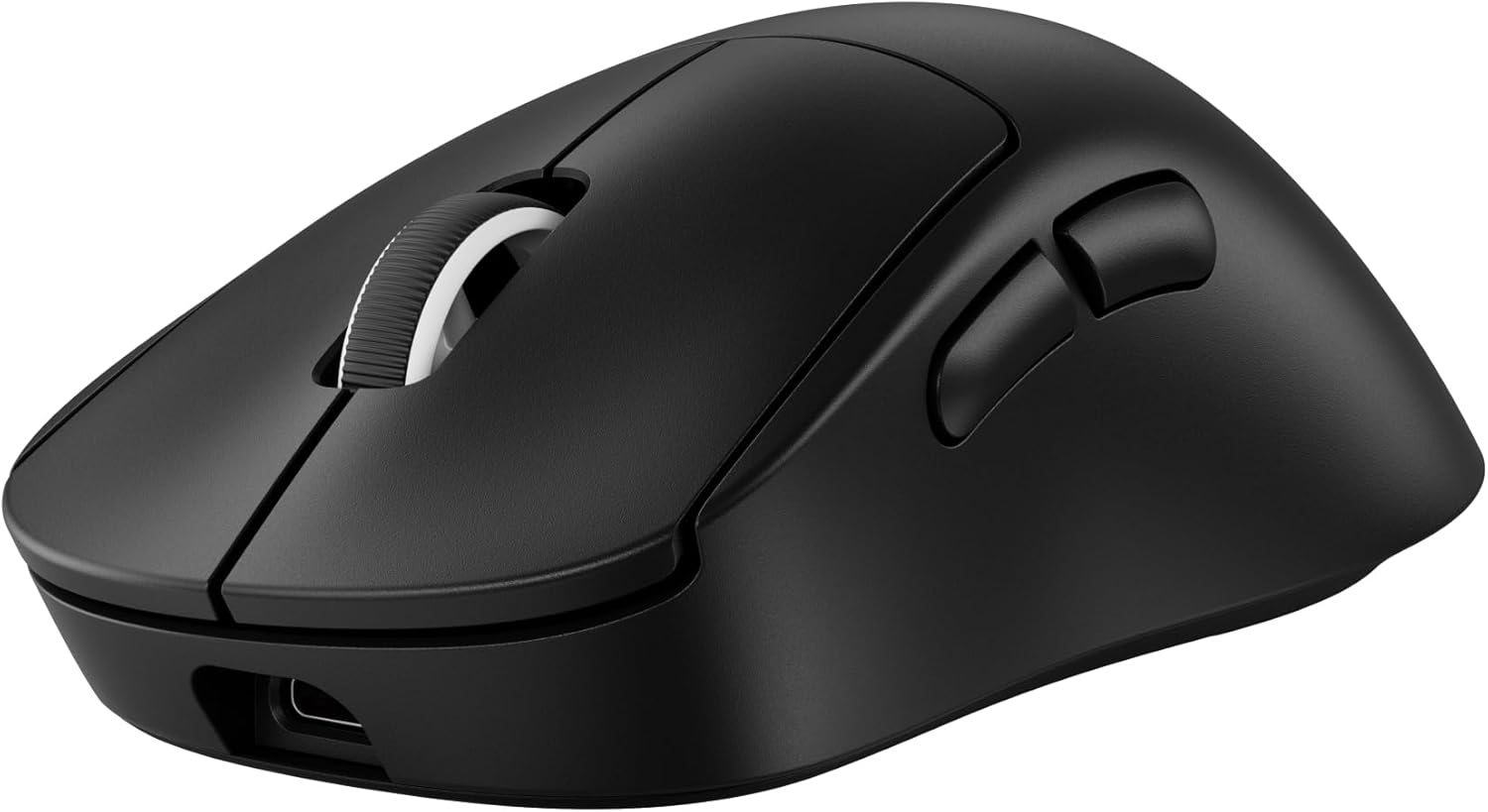
- Initial Charge: Although the mouse comes with some charge, it is recommended to fully charge it before first use. Connect the USB-A to USB-C charging/data cable to the front of the mouse and to a USB power source.
Operating Your Mouse
The Logitech G PRO X Superlight 2 DEX is designed for intuitive and high-performance use.
Key Features and Functions:
- Asymmetrical Design: Sculpted for right-hand comfort, the asymmetrical design and programmable side thumb buttons enhance dexterity and precision for various playing styles.
- HERO 2 Sensor: Experience pixel-perfect precision with the advanced HERO 2 sensor, offering sub-micron tracking at up to 44,000 DPI and up to 888 IPS/88G acceleration.
- LIGHTSPEED Wireless: Enjoy low-latency, tournament-grade performance with up to 8 kHz polling rate, ensuring responsive and reliable input.
- LIGHTFORCE Switch Technology: Delivers crisp, instantaneous clicks for pro-level performance.
- Programmable Buttons: Utilize the 5 programmable buttons for custom commands and macros via Logitech G HUB software.
- Battery Life: The mouse offers up to 95 hours of battery life on a single charge, allowing for extended gaming sessions.
- Charging: Recharge quickly using the included USB-A to USB-C cable. The mouse is also compatible with POWERPLAY wireless charging systems for continuous play.
- PTFE Mouse Feet: Zero-additive PTFE feet provide a smooth glide and seamless connection to your game.


Maintenance
Proper maintenance ensures the longevity and optimal performance of your mouse.
- Cleaning: Use the provided cleaning cloth or a soft, lint-free cloth to wipe down the mouse regularly. For the PTFE feet, ensure they are free of dust and debris for a smooth glide. Avoid harsh chemicals or abrasive materials.
- Software Updates: Periodically check for firmware and software updates via the Logitech G HUB application. Updates can improve performance, add new features, and fix bugs.
- Battery Care: While the mouse has excellent battery life, avoid completely draining the battery frequently. Recharge when the battery indicator light signals low power.
Troubleshooting
If you encounter issues with your Logitech G PRO X Superlight 2 DEX, try the following solutions:
- No Connection/Lag:
- Ensure the wireless receiver is securely plugged into a USB port.
- Move the receiver closer to the mouse, ideally using the extension adapter.
- Check for potential wireless interference from other devices (e.g., Wi-Fi routers, other wireless peripherals).
- Verify the mouse is powered on and has sufficient battery charge.
- Tracking Issues:
- Clean the mouse sensor and the surface you are using the mouse on.
- Ensure the mouse feet are clean and undamaged.
- Adjust DPI settings in Logitech G HUB to a suitable level.
- Buttons Not Responding:
- Check button assignments in Logitech G HUB.
- Ensure the mouse firmware is up to date.
- Battery Not Charging:
- Try a different USB-C cable or USB port.
- Ensure the cable is fully inserted into the mouse's USB-C port.
For more detailed troubleshooting or advanced support, please refer to the Logitech G HUB software or the official Logitech G support website.
Specifications
| Feature | Detail |
|---|---|
| Brand | Logitech G |
| Model Number | 910-007328 |
| Item Weight | 2.12 ounces (approx. 60g) |
| Product Dimensions | 4.95 x 2.67 x 0.1 inches |
| Color | Black |
| Connectivity Technology | USB, Radio Frequency (LIGHTSPEED Wireless) |
| Movement Detection Technology | Optical (HERO 2 Sensor) |
| Max DPI | Up to 44,000 DPI |
| Polling Rate | Up to 8 kHz |
| Average Battery Life | Up to 95 Hours |
| Power Source | Battery Powered (1 Lithium Polymer battery included) |
| Operating System Compatibility | MacOS, Windows |
Warranty and Support
Your Logitech G PRO X Superlight 2 DEX Wireless Gaming Mouse comes with a limited hardware warranty. For specific warranty terms and conditions, please refer to the user documentation included in the box or visit the official Logitech G website.
For technical support, FAQs, and additional resources, please visit the Logitech G Store or their dedicated support page.
Related documents910-007328


Ask a question about this manual
Ask about setup, troubleshooting, compatibility, parts, safety, or missing instructions. Manuals+ will review the question and use this page’s manual context to help answer it.