
YMOO E37s
YMOO E37s Open Ear Wireless Bluetooth 5.2 Headphones Instruction Manual
Model: E37s | Brand: YMOO
Introduction
Thank you for choosing the YMOO E37s Open Ear Wireless Bluetooth 5.2 Headphones. These headphones are designed to provide a comfortable and secure audio experience while maintaining situational awareness, ideal for sports and active lifestyles. This manual will guide you through the setup, operation, and maintenance of your new headphones.
Product Overview
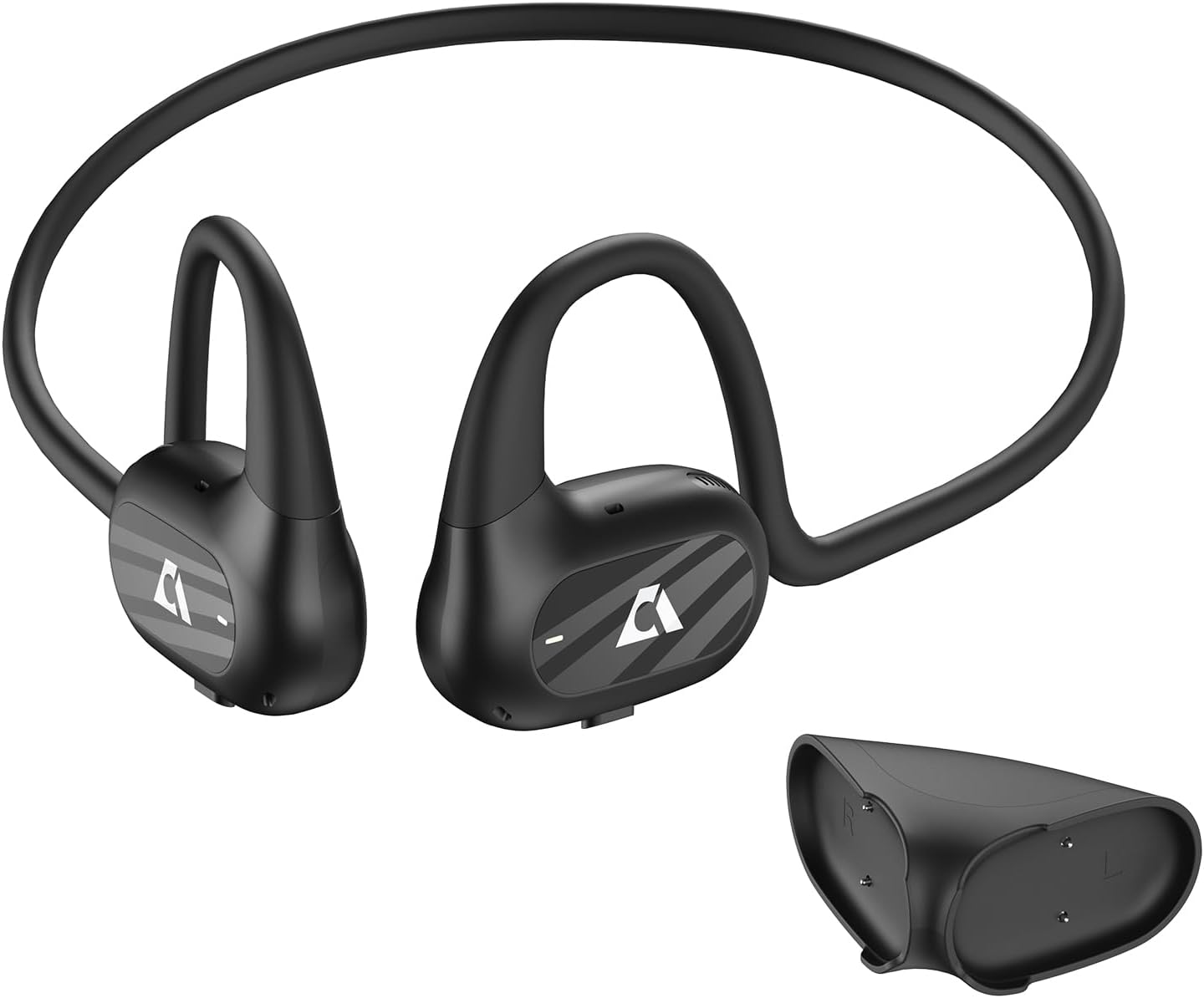
Image: YMOO E37s Open Ear Wireless Bluetooth Headphones with their charging case.
Key Features:
- Open Ear Comfort: Designed for comfortable wear during exercise, featuring ABS neck hangers.
- High Sound Quality & Call Noise Reduction: Dual 16.5mm dynamic drivers for HiFi audio and four-mic call noise reduction for clear communication.
- Extended Battery Life & Dual Modes: Up to 10 hours of playtime, with switchable game (40ms latency) and music (120ms latency) modes.
- IPX4 Water/Sweatproof: Suitable for various sports and outdoor activities.
- Situational Awareness: Allows you to hear your surroundings while enjoying audio.
Package Contents:
- YMOO E37s Open Ear Wireless Bluetooth Headphones
- Charging Cable
- User Manual
Setup
1. Charging the Headphones
Before first use, fully charge your YMOO E37s headphones. Connect the provided charging cable to the charging port on the headphones and a compatible USB power source. The indicator light will show charging status and turn off when fully charged. A full charge provides approximately 10 hours of playtime.

Image: The headphones are shown with an internal battery graphic indicating 10 hours of full charge.
2. Bluetooth Pairing
- Ensure the headphones are powered off.
- Press and hold the power button on the headphones until the indicator light flashes, indicating pairing mode.
- On your device (smartphone, tablet, laptop), navigate to the Bluetooth settings.
- Search for available devices and select "YMOO E37s" from the list.
- Once connected, the indicator light on the headphones will stop flashing or change color (refer to specific light patterns in the quick start guide if provided).

Image: A smartphone showing the Bluetooth pairing process for the YMOO E37s headphones.
Operating Instructions
1. Wearing the Headphones
The YMOO E37s headphones feature an open-ear design with flexible neck hangers made of ABS material. Place the headphones over your ears so that the speakers rest comfortably near your ear canals, allowing you to hear both your audio and ambient sounds.

Image: A woman running while wearing the YMOO E37s headphones, demonstrating the open-ear design and secure fit.
2. Touch Controls
The headphones are equipped with touch-sensitive controls for easy management of calls and music playback. Specific functions may vary; refer to the quick start guide for detailed touch gestures.
- Play/Pause: Single tap on either earbud.
- Next Track: Double tap on the right earbud.
- Previous Track: Double tap on the left earbud.
- Answer/End Call: Single tap on either earbud during an incoming call.
- Reject Call: Press and hold either earbud during an incoming call.
- Activate Voice Assistant: Triple tap on either earbud.

Image: A close-up view of the earbud highlighting the touch control area.
3. Game and Music Modes
The YMOO E37s headphones support dual switching between game and music modes. This feature optimizes audio latency for different uses:
- Game Mode: Provides a low latency of approximately 40ms, ideal for gaming to minimize audio delay.
- Music Mode: Offers a latency of approximately 120ms, optimized for high-quality audio playback.
To switch between modes, refer to the specific instructions in your quick start guide, typically involving a multi-tap or long-press gesture.
Maintenance
1. Water and Sweat Resistance
The headphones are rated IPX4 water and sweat resistant, meaning they can withstand splashes of water and sweat from any direction. They are suitable for workouts, running, and other sports. However, they are not designed for submersion in water.

Image: A man exercising, illustrating the sweatproof and ergonomic design of the headphones.
2. Cleaning and Storage
- Wipe the headphones with a soft, dry cloth after each use, especially after sweating.
- Avoid using abrasive cleaners or solvents.
- Store the headphones in a cool, dry place away from direct sunlight and extreme temperatures.
- When not in use, place them in their charging case or a protective pouch to prevent damage.
Troubleshooting
If you encounter issues with your YMOO E37s headphones, please refer to the following common solutions:
| Problem | Possible Solution |
|---|---|
| Headphones do not power on. | Ensure the headphones are fully charged. Connect them to a power source and check the charging indicator. |
| Cannot pair with a device. | Make sure Bluetooth is enabled on your device. Ensure the headphones are in pairing mode (flashing indicator light). Try turning Bluetooth off and on again on your device. |
| No sound or low volume. | Check the volume levels on both the headphones and your connected device. Ensure the headphones are properly seated on your ears. Re-pair the headphones if necessary. |
| Call quality is poor. | Ensure the microphone is not obstructed. Move to a quieter environment if possible, as extreme noise can affect microphone performance. |
| Charging is inconsistent or headphones fall off charger. | Ensure the magnetic charging connection is secure and stable. Place the headphones on a flat surface during charging to prevent accidental dislodgement. |
Specifications
- Model: E37s
- Connectivity: Wireless, Bluetooth 5.2
- Bluetooth Range: Up to 50 meters (unobstructed), 15 meters (with obstacles)
- Battery Life: Up to 10 hours
- Water Resistance: IPX4 (Water/Sweatproof)
- Audio Latency: 40ms (Game Mode), 120ms (Music Mode)
- Audio Driver: Dual 16.5mm Dynamic Drivers
- Frequency Range: 20 Hz - 20,000 Hz
- Impedance: 22 Ohm
- Control Type: Touch, Media Control
- Material: Acrylonitrile Butadiene Styrene (ABS)
- Item Weight: 25 Grams
Warranty and Support
YMOO products are designed for reliability and performance. For warranty information, please refer to the warranty card included with your purchase or visit the official YMOO website. For technical support, troubleshooting assistance, or any product-related inquiries, please contact YMOO customer service through the contact details provided on the official website or your purchase platform.
Ask a question about this manual
Ask about setup, troubleshooting, compatibility, parts, safety, or missing instructions. Manuals+ will review the question and use this page’s manual context to help answer it.