
1. Introduction
The Elalight Wireless HDMI Transmitter and Receiver Kit (Model DT257W-H) provides a convenient solution for wirelessly extending HDMI signals. This kit eliminates the need for long HDMI cables, offering a plug-and-play experience for streaming video and audio from various source devices to displays, projectors, or HDTVs. It supports 4K decoding and outputs at 1080P/60Hz, utilizing 2.4G/5G dual-band transmission for stable and efficient connectivity.

Image 1.1: Elalight Wireless HDMI Transmitter and Receiver Kit with accessories.
2. What's in the Box
Verify that all components are present in the package:
- 1x Wireless HDMI Transmitter (TX)
- 1x Wireless HDMI Receiver (RX)
- 1x USB-C to HDMI 4K Adapter
- 1x Micro HDMI 8K Adapter
- 1x Mini HDMI 8K Adapter
- 2x USB Power Cables (USB-A to USB-C)
- 1x User Manual
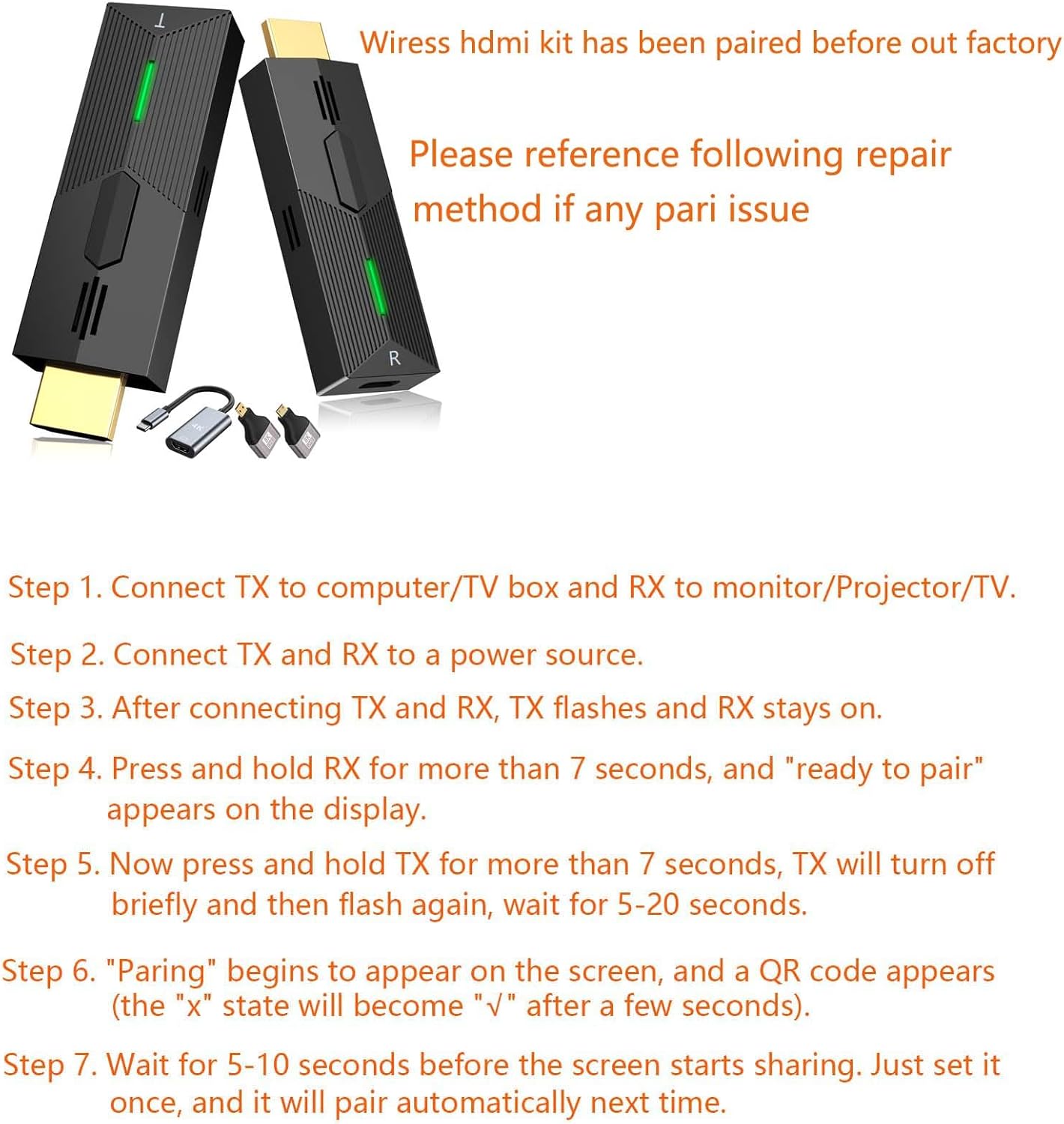
Image 2.1: Included components and basic pairing instructions.
3. Setup Instructions
The Elalight Wireless HDMI Kit is designed for plug-and-play operation. No software installation, Wi-Fi, or Bluetooth pairing is typically required for initial use as units are pre-paired from the factory.
3.1 Connecting the Receiver (RX)
- Connect the HDMI end of the Receiver (RX) into an available HDMI input port on your display device (TV, monitor, or projector).
- Connect one of the provided USB power cables to the USB-C port on the RX unit and the other end to a 5V/2A USB power source (e.g., a USB wall adapter, TV USB port). Ensure the RX unit receives adequate power.
- Once powered, the RX unit's LED indicator will illuminate.
3.2 Connecting the Transmitter (TX)
- Connect the HDMI end of the Transmitter (TX) into the HDMI output port of your source device (laptop, PC, TV box, camera, DV machine, PS3/4). Use the appropriate adapter (USB-C to HDMI, Micro HDMI, Mini HDMI) if your source device has a different HDMI port type.
- Connect the second USB power cable to the USB-C port on the TX unit and the other end to a 5V/2A USB power source. This is crucial for stable operation, especially if your source device's HDMI port cannot supply sufficient power.
- Once powered, the TX unit's LED indicator will flash quickly.
3.3 Initial Connection and Pairing
After connecting and powering both units, the TX LED will flash quickly, and the RX LED will remain steady. The screen on your display device should show a 'ready to pair' message or a QR code. Within a few seconds (typically 5-20 seconds), the screen will automatically mirror or extend your source device's display.

Image 3.1: Illustration of Mirror and Extend display modes.
3.4 Manual Pairing (If Needed)
If the units do not pair automatically:
- Ensure both TX and RX units are connected to their respective devices and power sources.
- Press and hold the button on the RX unit for more than 7 seconds. The display will show "ready to pair".
- Now, press and hold the button on the TX unit for more than 7 seconds. The TX LED will turn off briefly and then flash again.
- Wait for 5-20 seconds. The display will show "Pairing" and a QR code. The pairing status will change from "x" to "✓" after a few seconds.
- Wait another 5-10 seconds for the screen sharing to begin. The units will automatically pair next time.
4. Operating Modes
The Elalight Wireless HDMI Kit supports two primary display modes:
- Mirror Mode: Duplicates the content from your source device onto the connected display. Ideal for presentations or sharing content directly.
- Extend Mode: Extends your desktop, allowing you to have different content on your source device and the connected display. Useful for multitasking.
Switching between these modes is typically managed through your source device's display settings (e.g., Windows Display Settings, macOS System Preferences).
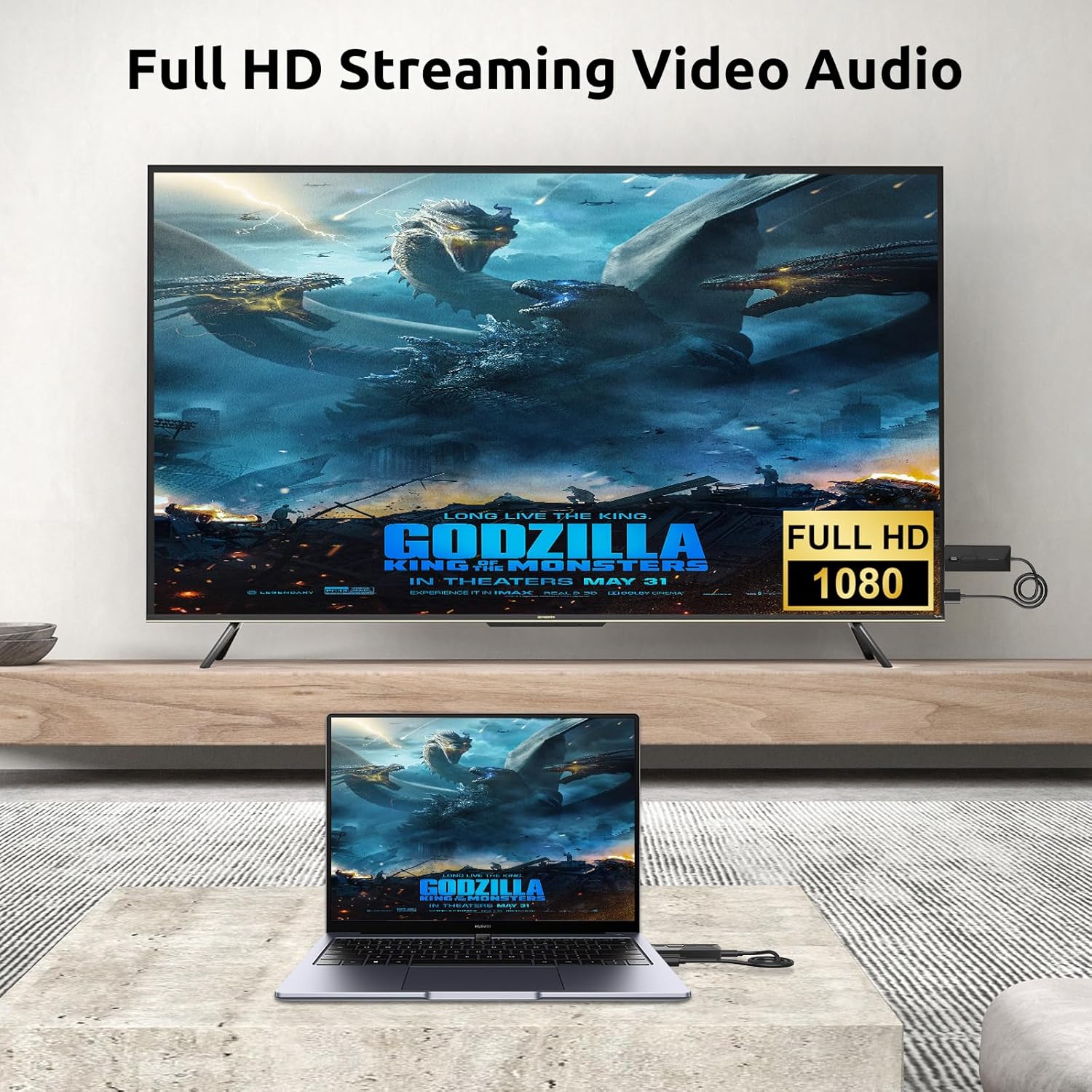
Image 4.1: Full HD streaming of video content.
4.1 Dual Band Transmission
The device utilizes both 2.4G and 5G transmission protocols. This dual-band capability ensures strong anti-interference and high stability, contributing to a low latency of less than 0.06 seconds for near real-time video and audio synchronization.
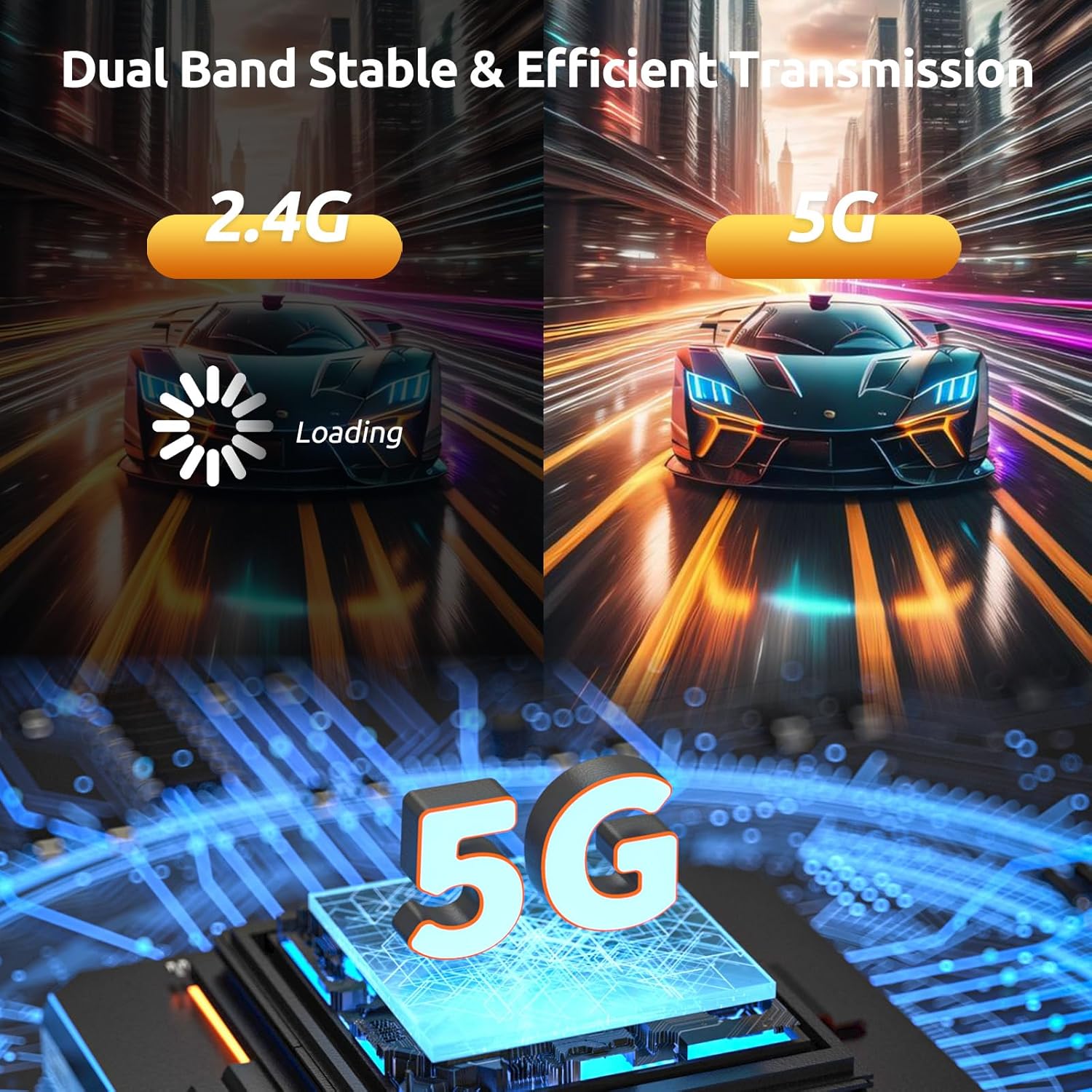
Image 4.2: Dual-band 2.4G/5G transmission for enhanced stability.
4.2 Compatibility
The kit is compatible with a wide range of HDMI-enabled devices:
- Transmitter (TX) Sources: PCs, laptops, cameras, DVs, TV boxes, gaming consoles (PS3/4).
- Receiver (RX) Displays: HDTVs, monitors, projectors.
Note: Compatibility with smartphones is limited to specific models (e.g., Samsung S21/Apple 15 or above models) that support video output over USB-C. The device is not recommended for gaming due to potential minor latency, although it is designed for low latency streaming.

Image 4.3: Compatible devices for Transmitter and Receiver.
5. Maintenance
To ensure the longevity and optimal performance of your Elalight Wireless HDMI Kit, follow these maintenance guidelines:
- Cleaning: Use a soft, dry cloth to clean the devices. Avoid liquid cleaners or abrasive materials.
- Storage: Store the units in a cool, dry place away from direct sunlight and extreme temperatures when not in use.
- Handling: Handle the devices gently. Avoid dropping them or exposing them to strong impacts.
- Power: Always use the provided USB power cables and ensure a stable 5V/2A power supply for both units.
6. Troubleshooting
If you encounter issues with your wireless HDMI kit, refer to the following common troubleshooting steps:
- No Signal/Unstable Connection:
- Ensure both TX and RX units are properly powered with a 5V/2A adapter. Insufficient power is a common cause of instability.
- Verify that the HDMI cables and adapters are securely connected to both the source and display devices.
- Reduce the distance between the TX and RX units.
- Minimize obstacles (walls, furniture) between the units, as these can affect transmission distance and signal quality.
- Perform a manual pairing as described in Section 3.4.
- No Audio:
- Check the audio settings on your source device and display device to ensure the correct audio output is selected and volume is not muted.
- Ensure the HDMI connection is secure.
- Poor Video Quality/Lag:
- Ensure both units are receiving stable power.
- Reduce interference from other wireless devices operating on 2.4G or 5G frequencies.
- Check your source device's display resolution settings. While the kit supports 4K decoding, the output is 1080P/60Hz.
- Device Not Recognized:
- Try connecting the TX unit to a different HDMI port on your source device.
- Restart both the source device and the display device.
7. Specifications
| Model Number | DT257W-H |
| Product Dimensions | 5 x 3 x 1 inches |
| Item Weight | 4.6 ounces |
| Connectivity Technology | HDMI (Wireless) |
| Video Output Resolution | 1080P/60Hz (supports 4K decoding) |
| Transmission Protocol | 2.4G/5G Dual Band |
| Transmission Distance | Up to 100 feet (30 meters) in open areas |
| Latency | Less than 0.06 seconds |
| Video Encoding | H.264, H.265/HEVC |
| Audio Output Mode | Mono |
| Surround Sound Channel Configuration | 5.1 |
8. Official Product Videos
8.1 Elalight Wireless HDMI Transmitter and Receiver Overview
Video 8.1: This video provides an overview of the Elalight Wireless HDMI Transmitter and Receiver, demonstrating its features such as dual-band transmission, compatibility with multiple devices, plug-and-play functionality, and support for copy and extended display modes.
8.2 Practical Demonstration of Wireless HDMI
Video 8.2: This video demonstrates the practical application of the Elalight Wireless HDMI Transmitter and Receiver, showcasing its ease of setup and use in a home environment for streaming content from a laptop to a television.
9. Warranty and Support
Elalight provides a 1-year after-sale service for this product. If you have any questions, concerns, or require technical assistance, please contact our customer support team.
Customer Support: [Insert Contact Information Here, e.g., Email: support@elalight.com, Phone: 1-800-XXX-XXXX]